How to Use the Korean Pronunciation Checker

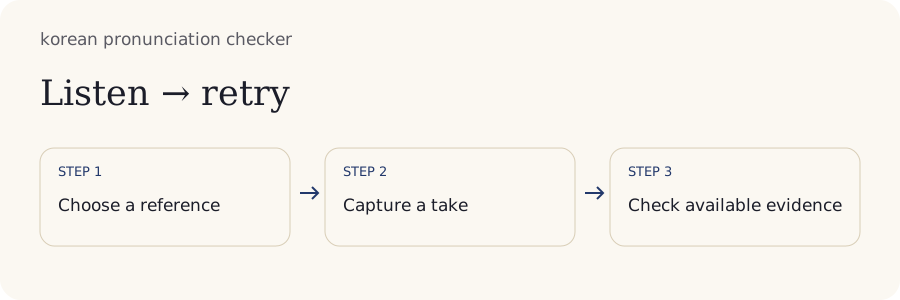
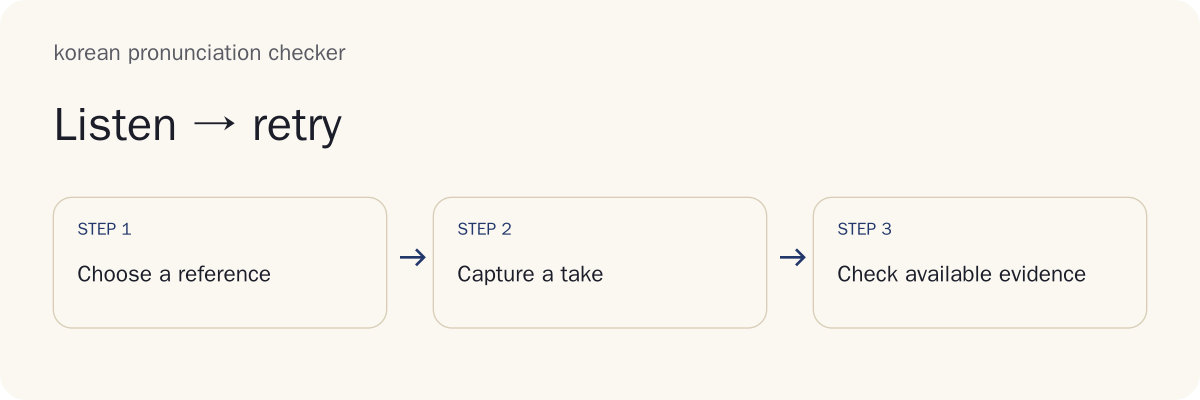
Use the tool to make a playable local take, inspect its signal and choose one practice question. Follow this sequence for each practice session:
- Select a familiar phrase and listen to its reference.
- Record a short take and confirm that it plays clearly.
- Read any signal warning and decide what it actually measures.
- Practise one contrast, record again and compare by listening.
The checkpoint is a recording you can hear clearly and discuss, rather than a pronunciation grade.
1. Choose a Phrase and Listen to the Model
Choose a short phrase whose words and meaning you understand. Read the Hangul and confirm what you intend to say before recording. Familiar content makes it easier to focus on one sound instead of simultaneously decoding vocabulary and reading aloud.
Reference playback uses an installed Korean device voice. That voice can demonstrate the selected text, but it is not an owned collection of human recordings. Voice availability and playback settings depend on your device. If playback is missing, use a known source you can lawfully access or continue with text preparation.
Listen to the whole phrase at normal speed first, then revisit a difficult part if slower playback is useful. Do not read romanization as English sound spelling. The success checkpoint is understanding the reference and knowing which phrase the take will preserve. A common mistake is choosing a long unfamiliar paragraph before checking whether its first sentence is readable.
2. Record a Short Take and Replay It
Allow microphone access when you are ready to record. Find a quiet position, keep the microphone at a consistent distance and avoid playing the reference through nearby speakers during your take. Headphones can help prevent reference sound from being captured with your voice.
Record the selected phrase, stop and replay it. Confirm that both the beginning and ending are audible. Speak comfortably rather than shouting to make the waveform larger. Strong clipping can damage the signal even when the recording sounds loud.
The checkpoint is hearing your own complete take without competing playback. If the recording is silent or distorted, fix the recording conditions before practising the sound. A common mistake is judging a faint final syllable when the microphone simply failed to capture it clearly.
3. Read One Suggestion with Its Evidence
Read a signal suggestion according to the evidence it supplies. The current checks can describe duration, an inaudible recording or severe clipping. They cannot identify a mispronounced Korean consonant, locate an incorrect word or assign a calibrated sound-accuracy score.
For a worked example, suppose you select a familiar phrase and record a take that replays as nearly silent. The permitted result is a signal warning, while pronunciation remains unknown. The next action is to check permission, microphone selection and distance, then make another take. The warning is not evidence that your Korean was poor.
If a dimension has no supported assessment method, leave it unknown. Do not substitute a guessed percentage for missing information. A clear-looking waveform also does not establish clear speech.
The checkpoint is being able to explain what the suggestion actually measured. Keep a personal listening note separate from an automatically detected signal condition.
4. Practise the Contrast and Try the Phrase Again
Choose one contrast or sentence feature for the next take. Keep the phrase, microphone and room conditions similar so that the recordings are easier to compare. Changing the text and device at the same time makes differences harder to interpret.
Listen to the selected reference, practise the difficult part and record the whole phrase again. Save a short note describing your goal, such as keeping an ending audible or distinguishing two consonants. The tool can preserve the recording and note without proving that the intended sound improved.
The checkpoint is a second usable take linked to the same practice goal. Compare by listening or ask a teacher a focused question. Avoid drawing a learning conclusion from a single larger waveform or a longer duration. Those changes may reflect microphone distance, hesitation or loudness rather than pronunciation.
What Does a Korean Pronunciation Check Assess?

A pronunciation assessment would need evidence about how speech sounds relative to an appropriate Korean target. This tool supplies local recording, signal checks and optional on-device transcription. Edit recognition errors before comparing literal words with your reference; the comparison does not assess sounds. The distinction matters because a usable audio file and accurate pronunciation are separate outcomes.
Can Correct Speech Recognition Prove Correct Pronunciation?
Correct speech recognition cannot prove correct pronunciation. Recognition tries to recover words from audio; pronunciation assessment asks how the words were spoken. A system may use context to identify the intended word even when a listener notices a sound issue.
The reverse can also occur: a recognition error may reflect background noise, an unfamiliar name or unsupported vocabulary rather than a learner's pronunciation. Transcript agreement is therefore not a sound-accuracy percentage.
Optional on-device speech recognition produces an editable transcript after you explicitly download the model. Select Transcribe, correct recognition errors, then use Compare Text to see literal words present in both texts, only the reference or only the transcript. These labels compare text, not sounds; the tool has no calibrated acoustic scoring model.
For a teacher discussion, present the phrase and recording together. Ask whether the intended word is clear and which audible detail needs attention. Keep that human observation separate from the local signal report so its source remains understandable.
Words, Sounds, Completeness and Comprehensibility
Different assessment dimensions answer different questions. Completeness concerns whether the intended material was spoken; sound accuracy concerns how it was pronounced. Comprehensibility concerns how readily a listener understands it. A recording can be complete yet difficult to understand, or clear in part while omitting the final words.
| Dimension | Question It Would Answer | Current Status |
|---|---|---|
| Signal quality | Is the captured audio usable? | Local duration, audibility and clipping checks |
| Sound accuracy | Are the intended sounds produced appropriately? | Unknown |
| Word completeness | Was the requested script spoken fully? | Unknown |
| Fluency and rhythm | How does speech flow through the phrase? | Unknown |
| Prosody | How do pitch and phrasing carry meaning? | Unknown |
| Comprehensibility | Can a listener understand the message? | Unknown |
“Unknown” is not a low mark. It states that the current method does not establish that dimension. Listening to your take can support self-observation, but it does not turn the signal check into a calibrated rubric.
When asking for help, name the dimension you care about. A teacher can answer a narrow question about an ending or contrast more directly than a broad request to grade your entire accent.
How Should You Interpret Uncertainty and Scores?
Treat uncertainty as information about the method, rather than a reason to invent a score. This workspace has no calibrated pronunciation model, so accuracy, completeness, rhythm, fluency, prosody and comprehensibility remain unknown even when the local recording succeeds.
A signal warning is narrower: it may identify a take too quiet to inspect or strongly clipped. Correcting that condition makes the file more useful for listening. It does not automatically improve pronunciation.
If you compare feedback from another service, first check its rubric, language support, reference, model version and recording conditions. Two numbers on a hundred-point scale can describe different measurements. A label such as “confidence” may concern recognition rather than pronunciation.
Keep the original take and report with their source information. A teacher's note, your own observation and a software signal warning should remain distinct. For your next step, select an issue that has audible evidence. When there is no evidence for a claimed sound problem, retain the uncertainty and ask a focused question instead of repeating a speculative correction.
Korean Sound Changes in Worked Examples

Korean pronunciation can differ regularly from written letters when sounds meet. Use a known rule to prepare the spoken target, then record it. The examples below illustrate a practice workflow; they are not executed sound assessments or scored learner recordings.
Read 같이 in a Sentence
The site's sound-change lesson shows 같이 pronounced [가치] through palatalization: the written final ㅌ changes to the appropriate sound before 이. The bracketed form describes pronunciation; the standard spelling remains 같이.
For this worked example, choose 같이 as part of material you already understand, listen to a reliable reference and record a short take. The current output can tell you about the captured signal. It cannot verify that your take contains the expected palatalization or align a particular sound with a timestamp.
Replay the relevant part and ask a teacher whether the intended sound is clear in that context. A useful question is “Does this part follow the pronunciation shown in the lesson?” Supply the phrase so the teacher is not guessing your target.
The interpretation is limited but practical: a rule gives you a target, and a recording gives you evidence to inspect. Read why Korean spelling and speech differ when the written form seems inconsistent with what you hear.
Keep 달, 딸 and 탈 Distinct
The site's minimal-pair lesson gives 달, 딸 and 탈 as moon, daughter and mask. The initial consonants belong to the plain, tense and aspirated series. Changing that consonant can change the intended word, so the contrast is useful for focused practice.
For this worked example, prepare the three words, listen to the contrasts and record separate takes. Confirm each take is audible. The tool should leave sound accuracy unknown; it cannot decide that a particular take belongs to one member of the series.
Compare the takes with an appropriate reference or ask a teacher which word they hear without first telling them your intended answer. Keep the teacher's response as a human observation. If the takes sound indistinguishable to you, return to Korean minimal pairs for listening practice before recording again.
Avoid reducing the three-way contrast to “soft, strong and very strong.” Use the lesson's sound guidance and context, then practise the same intended word in a short phrase.
Which Vowel and 의 Variants Can Be Accepted?
Accepted pronunciation variants depend on the word, its grammatical position and the standard or variety being used. A checker needs declared coverage before treating one recording as the only valid target. The current signal checks do not choose among vowel variants.
The site's minimal-pair lesson explains that many Seoul speakers merge ㅐ and ㅔ in speech. Their spellings remain distinct, but an isolated listening task may not establish the written difference. A recording that follows a common merger should not be condemned merely for failing to imitate a contrast the reference voice makes.
The syllable 의 also needs its specific context and pronunciation guidance. Do not turn one device-voice realization into a universal rule for every occurrence. Consult the relevant lesson or dictionary before setting a target.
If a teacher supplies a pronunciation note, retain the context and accepted variant with it. A valid alternative and a mispronunciation are different issues. Without a supported rule or evaluated take, leave the result uncertain.
Does Korean Intonation Have One Correct Contour?

Korean intonation does not have one correct pitch curve for every sentence and speaker. Pitch movement interacts with sentence type, phrasing, attitude and context. A recording can communicate appropriately without matching a reference voice point for point.
The site's intonation lessons contrast statements and questions, and explain that phrase endings can carry different meanings. Start by deciding what your sentence is doing: asking for information, stating something or seeking agreement. That decision supplies a more useful target than copying a curve without understanding it.
Pitch is how high or low the voice sounds. Prosody includes pitch, timing and phrasing. A visible or measured pitch feature would describe part of the signal; an assessment would need evidence that the feature was appropriate for the intended utterance.
This tool does not provide a calibrated intonation assessment. Use replay to inspect your phrasing and ask a teacher whether it fits the situation. Explore Korean intonation in context when the question concerns sentence meaning rather than one consonant. Keep variation in mind when comparing yourself with a single synthetic reference voice.
How Does the Checker Assess Your Recording?
The current method captures or imports audio locally, makes it available for replay and checks basic signal conditions. Duration describes how long the take is. Audibility checks concern whether usable sound was captured. Severe clipping concerns signal distortion from levels exceeding what the recording can represent.
These checks operate on audio, but they do not establish which Korean sounds you produced. The tool has no validated acoustic alignment, accepted-pronunciation-path comparison or human-calibrated sound-feedback engine. A successful local check therefore leaves the pronunciation dimensions unknown.
A usable take is still valuable: you can replay it, preserve the reference phrase and export notes for a focused discussion. Keep the source of each observation clear. A note you enter is your observation, while a signal warning comes from the local check.
Do not interpret recording duration as speaking fluency. A shorter take could omit words; a longer one could include silence or a deliberate pause. Likewise, a stronger signal could come from moving closer to the microphone. The practical next step is to make the recording usable and then evaluate the actual speech through listening and qualified feedback.
Practice Your Own Text, Conversations and Longer Scripts
You can select your own text and import or record audio for private practice. Choose material you understand and have permission to use. A pasted script supplies the intended reference; it does not prove that the recorded speech matches it.
For a fourth worked example, take a two-sentence script from a familiar lesson. Record the first sentence and then the second as manageable takes, preserving which text belongs to each recording. The local output can report signal conditions for each take. Word completeness, sound accuracy and the pronunciation of an unfamiliar name remain unknown.
A conversation adds roles and intended meanings, while a longer script adds memory and pacing demands. Keep those factors separate from a focused sound exercise. If the main issue is a clipped sentence ending, inspect the capture first. If it is the right name pronunciation, consult the person or a reliable source.
Save a note about the intended situation for teacher feedback. A complete script and a clear question help a listener evaluate the relevant part without guessing what you meant to say.
Does Your Voice Leave the Device?
Your recording stays on your device during the current local workflow. No hosted assessment or automatic voice upload is active. Microphone permission lets the page capture sound; it is not a request to send your voice to a scoring service.
Sharing is a separate choice. Text, JSON, CSV and printable reports contain the selected phrase and notes without including the recording. Download audio only when you want to keep or deliberately attach it. Inspect the files before sharing, especially when your own script includes personal names or details.
A teacher receives your voice only through the method you choose to use. Exporting a report is different from uploading a recording, and a saved file is different from automatic cross-device synchronization. Keep that distinction in mind when preparing feedback material.
Local data still needs practical care. Keep your own backups when a take matters, and delete files or browser data when you no longer need them. A recording can contain background voices as well as your own speech. Use a quiet setting and obtain appropriate permission before sharing someone else's recorded voice.
When Should a Teacher Check the Feedback?

Ask a teacher when you cannot hear the contrast, when a reference seems inconsistent with a lesson, or when the meaning and social context determine the target. The current software cannot resolve those pronunciation questions through its signal checks.
Bring one short phrase, its intended meaning and a playable take. Ask a narrow question: which word is heard, whether a sound change fits this context, or whether the phrase ending communicates the intended sentence type. A clear question helps the teacher give an actionable observation.
Retain the original recording when trying the suggested change. Make a second take under similar conditions and ask whether the relevant detail changed, rather than requesting a broad accent grade.
If the teacher accepts a variant that differs from the device voice, record that explanation with its context. One reference voice is a practice aid, not proof that every other realization is wrong.
Why Did the Microphone or Assessment Fail?
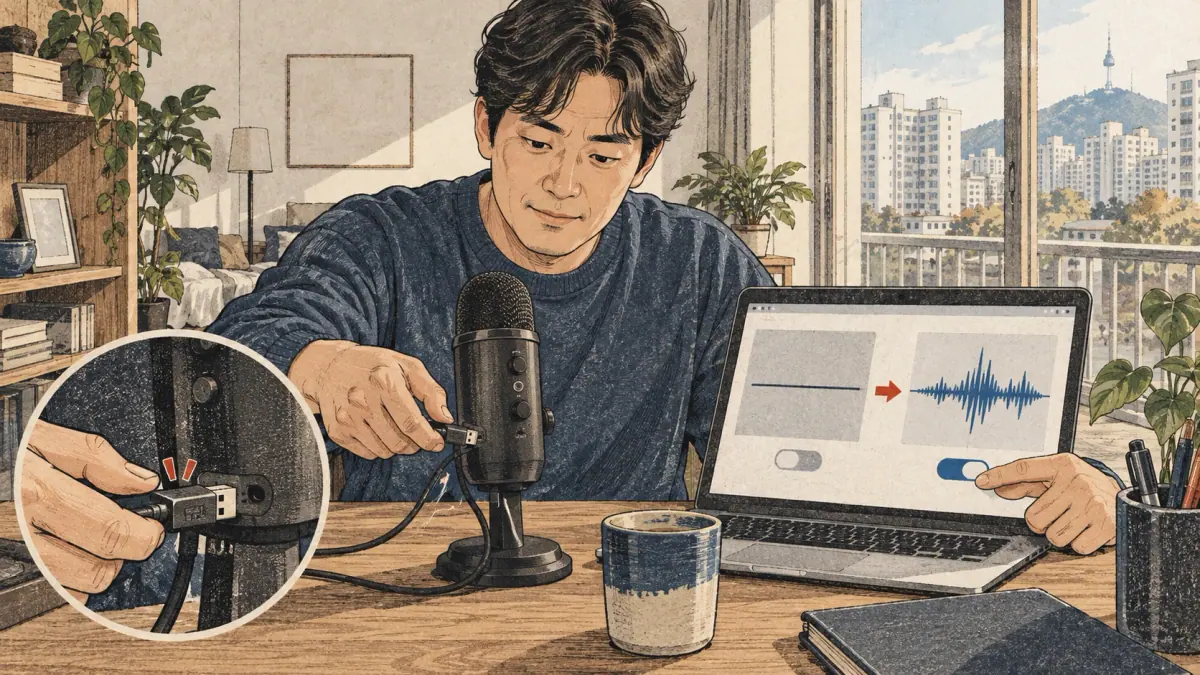
A microphone failure usually needs a capture check before any language practice. Confirm permission for the page, select the intended input device and check that another application is not preventing access. Try a short test take and replay it before recording the full phrase.
If the take is silent, inspect microphone settings and distance. If it is clipped, reduce input level or speak at a comfortable volume. If background sound dominates, move to a quieter setting. Preserve the phrase so the next test uses the same target.
An imported audio file may fail because its format cannot be decoded by the browser. Try a supported recording or export format rather than assuming the file contains a pronunciation problem. Keep the original file until a replacement plays successfully.
A missing installed Korean voice affects reference playback, while missing calibrated assessment is a capability limit. Neither condition means your speech failed a test. There is no active online scoring service to troubleshoot here.
After fixing capture or playback, replay the take once more. The checkpoint is a usable recording, not a pronunciation score. Continue with a focused listening question only after the signal is clear enough to inspect.
Can You Practise without Recording or an Internet Connection?
You can practise without recording by reading the phrase, listening to an available reference and rehearsing a selected contrast. Microphone permission is needed only when you choose capture. Text preparation and sound-rule study remain useful activities of their own.
Offline availability depends on the page assets and device voice actually available. An installed local voice may work without a connection; a voice needing additional resources may not. A saved report does not include every reference audio resource.
Test the exact page, phrase and playback before relying on them away from the network. Keep downloaded takes separately if you need them later. After its explicit download, the local speech model can transcribe offline while the loaded page remains open. No pronunciation-assessment model is supplied, so going offline does not unlock sound scoring. Label the activity according to what you actually did: reading, listening, rehearsal or recorded self-check.
Pronunciation Practice for English and Spanish Speakers
Use the Korean sound target rather than treating an English or Spanish approximation as an exact substitute. Romanization is a reading aid, and familiar letters can suggest different sounds to speakers of different languages. Begin with Hangul and the relevant sound lesson.
The site's minimal pairs highlight ㅓ/ㅗ and ㅡ/ㅜ as meaningful vowel contrasts. Practise the actual contrast with an appropriate reference, then record a short word or phrase. Avoid assuming that one vowel in your first language precisely replaces either member of the pair.
The plain, tense and aspirated consonant series also requires more than translating a letter name. Compare the source examples and inspect one contrast at a time. A teacher can help identify whether your particular take makes the intended distinction.
Your first language may suggest a useful practice question, but it does not diagnose your personal pronunciation. English speakers and Spanish speakers vary widely in experience and habits. Keep advice tied to the recorded evidence rather than assuming an error from nationality. The current tool cannot assign a sound problem based on language background; it only helps you preserve a take for focused practice.
Frequently Asked Questions
These answers explain what a take preserves, how recording conditions affect comparison and how to share a report. Keep the local signal check separate from pronunciation judgments when discussing the result.
Can I Change the Reference after Making a Recording?
Yes. Your take retains its original phrase. Select that phrase for listening or make another take for the new reference. Local transcription is editable; its literal word comparison is not sound assessment. Keep your original recording and corrected transcript together when preparing a question for a teacher.
Will Two Different Devices Give the Same Result?
Not necessarily. Microphones, room noise and local recognition support can change the recorded signal and transcript. Replay each take and correct recognition errors before comparing its words. Neither matching words nor a louder recording establishes better pronunciation. Similar recording conditions make your own listening comparison easier.
Can I Send My Report without Sharing My Voice?
Yes. Export text, JSON, CSV or a printable report. These contain your phrase and notes without audio. JSON can include your original and edited transcript and literal comparison. Download your recording separately only when you choose to share it. Inspect personal details before sending any exported file.
Does a Pronunciation Score Count toward TOPIK?
This tool provides no pronunciation score or official TOPIK result. Recordings, signal warnings and literal transcript differences support private practice; they do not certify proficiency or passing marks. A recognizer can recover intended words while missing sound issues. Ask a qualified teacher about a particular sound in your recording.
Can I Compare Results from Different Assessment Models?
This workspace offers local transcription and listening rather than assessment models or calibrated grades. Different recognizers can produce different text for the same recording. Preserve the original output, correct errors and compare words with your chosen reference. Keep any outside assessment with its own method rather than combining unlike scores.
Use the Korean Pronunciation Checker for One Clear Next Step
Use the Korean pronunciation checker to preserve one clear practice question: a phrase, a playable take and a note about the sound or meaning you want to inspect. First make the signal usable. Then compare by listening or ask a teacher a focused question, keeping the source of that observation visible in your own notes.
Choose a short target from a lesson you understand. Record it without competing reference playback, confirm that the beginning and ending are audible, and save a second take after practising one point. Keep the text and recording conditions similar so the comparison has a clear purpose.
If the issue is a sound change, return to the rule explanation. If two words sound the same to you, practise discrimination. If the ending communicates the wrong sentence type, study intonation in context. A missing acoustic score does not prevent those tasks.
Finish by writing one concrete next action and preserving the take if you want feedback later. A clear recording and a specific question give you a practical basis for the next session.
Explore Korean learning tools, Korean pronunciation and Korean pronunciation rules.