The best Korean app to watch kdrama for a learner is the one that offers Korean subtitles, playback speed control and legal access where you live, with some browser tools adding dual subtitles on top. No single brand wins for every country, so this page compares kinds of service by the features that matter to a learner, shows how to check a service in ten minutes and explains what to do when the feature you need is missing.
Key facts
- Look for Korean subtitles, speed control and legal access in your country.
- Six criteria are used: Korean subtitles, speed control, dual subtitles, availability, offline download and cost. There are no scores.
- Features differ by title, device and region, and they change over time.
- Browser extensions can add dual subtitles on some services.
- Use legal services only.
Last updated: 2026-10-09.
Best Korean App to Watch Kdrama: the Essentials

Watching for pleasure and watching for study ask different things of an app. For pleasure you want a big catalogue and good recommendations. For study you want subtitle choice, a pause-and-replay button that works reliably, the ability to slow down a line and the right to watch legally. This page sets out the second list.
Prices, catalogues and features change often, and they differ by country, so the table describes what each kind of service usually offers and tells you what to check. It does not rank brands or give scores.
| Option | Usually good for | Honest drawback | Check before you commit |
|---|---|---|---|
| Large global streaming services (for example Netflix or Disney+) | Big catalogue of Korean originals, reliable apps, downloads on mobile | Subtitle tracks and speed control differ by title and device | Korean subtitle track on your chosen show; speed control on your device |
| Drama-focused international services (for example Viki or Kocowa) | A large selection of Korean dramas and shows, community or licensed subtitles | Subtitle languages and quality vary; some content needs a paid plan | Subtitle languages for your show; free versus paid titles |
| Korean domestic services (for example Wavve or TVING) | New Korean broadcast shows soon after airing | Built for viewers in Korea; signing up from abroad can be difficult | Whether you can sign up from your country |
| Official video channels on YouTube | Free clips, some full episodes, a built-in speed menu | Limited titles; automatic captions are unreliable | Whether the channel shows the episode in your country |
| Browser extensions for dual subtitles | Two subtitle lines at once, click-to-translate | Work only on some services and in some browsers | Which services and browsers the tool supports |
If you want a short answer: use a large streaming service or a drama-focused service for your main watching, an official video channel for free clips, and a browser extension if you study on a computer and want Korean and English text together.
How Did We Choose?
Each option is read against the same six criteria. We give no scores, no star ratings and no affiliate links, and no service pays to be mentioned. Because features differ between titles, devices and countries, the page describes what to look for and tells you to check, rather than claiming exact features for any one product.
- Korean subtitles available. Is there a Korean subtitle track on the show you want? Korean text lets you match writing to sound, which is the core of the study routine.
- Playback speed control. Can you slow a clip and replay a short section easily? Speed control helps with ear training, and a "back 10 seconds" button speeds up replaying.
- Dual subtitles. Can you see Korean and English at the same time? Few apps do this natively. Some browser tools add it.
- Legal and regional availability. Is the service licensed to show the title in your country? This decides whether the other five criteria matter at all.
- Offline download. Can you save an episode to a phone or tablet for study on a commute? Offline use is often limited to mobile apps and to certain titles.
- Cost. What is free, what needs a subscription, and what does an advertising tier remove? We name the model, not a price.
Which Has the Best Subtitle Options?
Subtitle choice depends on the title more than on the service. A service might offer Korean subtitles on its own Korean originals and only English on licensed shows. A drama-focused service might offer many languages created by volunteer translators, and quality can vary.
How to check in two minutes.
- Start an episode of the show you want to study.
- Open the audio and subtitle menu (usually an icon with a speech bubble or the word "Subtitles").
- Look for 한국어 or "Korean". Some services label a Korean track for the hard of hearing as "Korean [CC]" or similar.
- Turn it on and watch one minute. Do the lines match what the actors say?
- If there is no Korean track, check whether English and your own language are available, and note that this title is first-pass only.
Here are the words you will meet in a Korean-language menu and a phrase to practise.
| Korean | Romanization | Meaning |
|---|---|---|
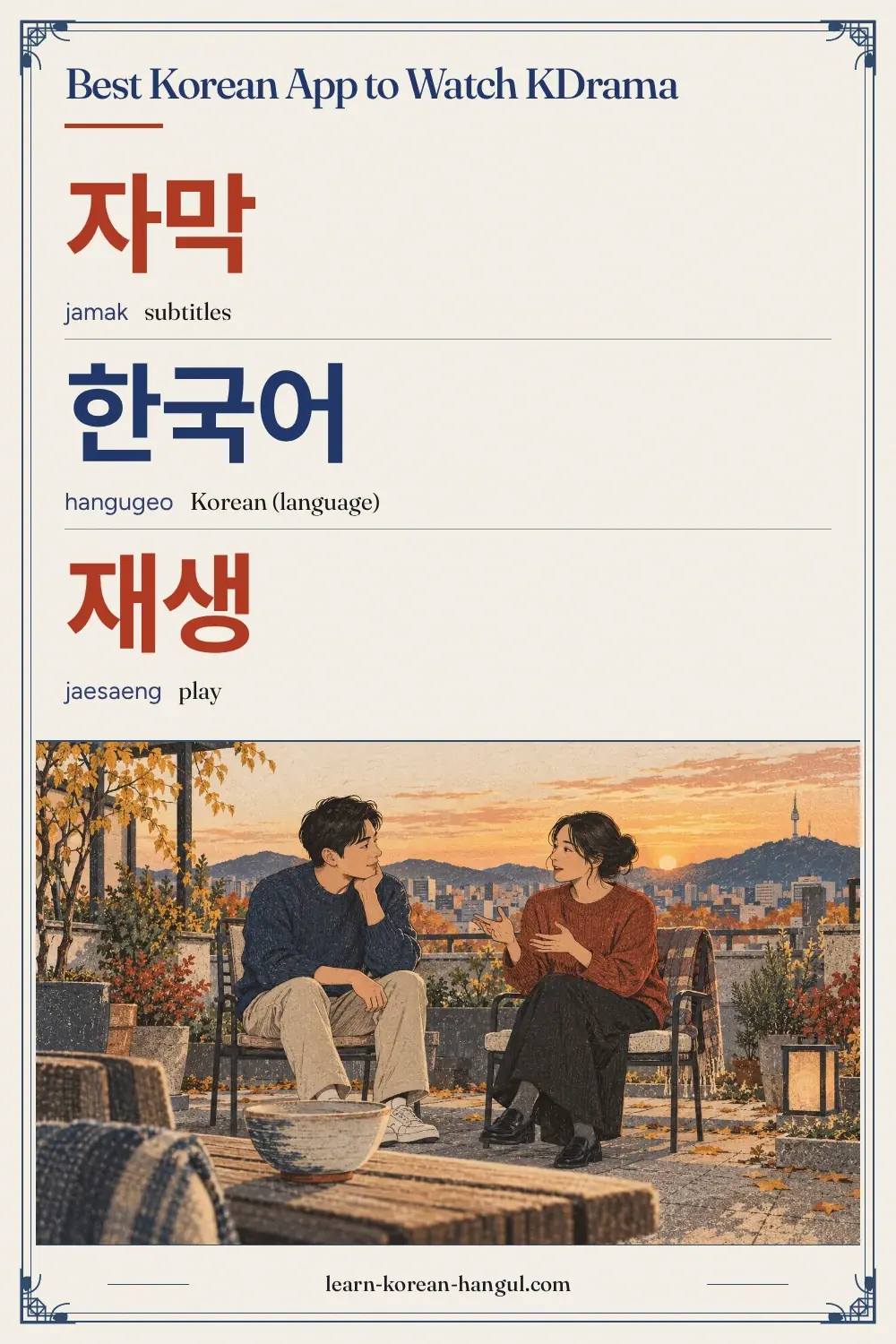
| 자막 | jamak | subtitles |
| 한국어 | hangugeo | Korean (language) |
| 재생 속도 | jaesaeng sokdo [재생 속또] | playback speed |
한국어 자막이 있어요?
hangugeo jamagi isseoyo?
Are there Korean subtitles?
자막을 켜요.
jamageul kyeoyo.
I turn on the subtitles.
자막을 꺼요.
jamageul kkeoyo.
I turn off the subtitles.
Notice that 켜요 (kyeoyo, I turn on) and 꺼요 (kkeoyo, I turn off) sound close. They start with different consonants, an aspirated ㅋ and a tense ㄲ, and 켜요 also has the vowel ㅕ where 꺼요 has ㅓ. Both differences are worth practising.
What the results mean.
| What you see | What to do |
|---|---|
| Korean track present and accurate | Use it for the second pass |
| Korean track present but shorter than speech | Use it, but trust your ears for the exact words |
| Only English and other languages | Use English on the first pass, then replay without text |
| No subtitles at all | Choose another show or service for study |
Be careful with automatic captions on video sites. Korean automatic captions often miss word spacing, drop endings and confuse words that sound alike. Treat them as a rough guide and check every word in a dictionary before you save it.
Winner for subtitles: whichever service shows an accurate Korean track on your show. Large services with their own Korean originals are the most likely to have one.
Which Has the Best Speed Control?
Speed control means two things: how slowly you can play, and how easily you can replay a short section.
- Slowing down. Video sites usually have a speed menu with steps below normal. Some streaming apps offer it only in the browser or only on certain devices. A speed of 0.75 times is a useful slowdown. Below 0.5 times, speech sounds unnatural.
- Replaying. A "back 10 seconds" button is the most important study control after subtitles. Check it works on your device.
- Frame-by-frame. Not needed for study, but pausing on a face helps you see how a sound is made.
You can say, in Korean, what you are doing:
재생 속도를 바꿔요.
jaesaeng sokdoreul bakkwoyo.
I change the playback speed.
How to use speed well. Slow a line to 0.75 times for two or three repeats, then return to normal speed. Normal speed is the one you will meet in real life, so do not stay slow. If you shadow, do it at normal speed after the slow repeats. The Korean shadowing page explains why.
Honest drawback. A slowed clip changes the pitch of voices on some players and makes the rhythm sound strange. Use it to hear sounds, not to judge rhythm.
Winner for speed control: video sites and web players, which most often include a full speed menu. Mobile apps for streaming vary, so test yours.
Which Is Best outside Korea?
This question matters, because rights differ by country. Here is how the options usually behave.
| Option | Outside Korea | What to check |
|---|---|---|
| Large global streaming services | Built for many countries, with catalogues that differ by region | Your country's catalogue for your show |
| Drama-focused international services | Built for viewers worldwide, but some titles are blocked in some regions | The title's availability in your region |
| Korean domestic services | May require a Korean phone number or payment method | The service's rules for overseas sign-up |
| Official video channels | Often open worldwide, but individual videos can be region-limited | Whether a given video plays for you |
Never use a tool to hide your location in order to watch a title that is not licensed in your country. It usually breaks the service's terms, and the quality can be poor. If your favourite show is not available, choose another show that is.
Winner for outside Korea: the large global services and drama-focused services, because they are designed for international viewers. Always check the catalogue for your country first.
Dual Subtitles: Tools and Their Limits
Dual subtitles show two languages at once, for example Korean on top and English underneath. They are very useful for study, because you can read the Korean and check the English in the same glance.
Few streaming apps offer dual subtitles in their own player. Some browser extensions add them to certain services on a computer. If you want to try one, check these points before installing:
- Which services does it support? Support differs and changes when a service updates.
- Which browsers and devices work? Most work only on desktop browsers, not on televisions or phone apps.
- Where does the second subtitle come from? Some tools use the service's own tracks, and others use machine translation, which can be wrong.
- What does it ask permission to see? Read the permissions on the extension page and install only from your browser's official store.
The honest drawback is that you depend on the tool, and it can stop working when a service changes its player. Keep your study routine independent. If dual subtitles stop, switch to two passes with different tracks.
Offline and Speed Tips
Offline viewing helps on a commute, but it comes with limits.
- Mobile only. Downloads are often available on phones and tablets and not on computers.
- Title limits. Not every title can be downloaded, and downloads can expire.
- Subtitles. A downloaded episode may keep fewer subtitle tracks than the streaming version. Check the Korean track before you leave home.
- Storage. A 60-minute episode can take up a large part of free space. Download only the scene's episode, and delete it after review.
A good commute plan: download one episode, play a three-minute scene on repeat with Korean subtitles, then shadow quietly or in your head. That is about 15 minutes of useful study on a short trip.
Free Options and What to Expect
You can study with free material, but you should expect limits.
- Free tiers on streaming services. They usually show advertisements and may limit which titles you can watch. Subtitle choice can be smaller.
- Official channels. Broadcasters and studios post clips and, sometimes, full episodes. Clips are ideal for the three-minute study scene.
- Library and university collections. Some libraries lend drama discs or give access to streaming collections.
- Trials. Some services offer a trial period. Treat it as a test of subtitles and speed control, and note when it ends so that you do not pay by accident.
Avoid unlicensed sites. They often have bad subtitles, no speed menu and other risks, and they take income from the people who make the shows. Free and legal exists, as the list above shows.
What about Apps Made for Learners That Use Drama Clips?
Some language-learning apps and websites build lessons around short video clips. They can be a gentle way in, because the clip is chosen, trimmed and often annotated for you. They have drawbacks too. The range of clips is small, the Korean may be adapted for learners, and the lessons follow the app's order rather than your interest.
Treat them as a bridge. Use a clip-based lesson to practise the routine on a clip that has already been prepared, then move to full dramas on a streaming service where you pick the scene yourself. The skill you are building is choosing and mining scenes on your own, because that makes every future show a study resource.
Check the same criteria as above: are there Korean subtitles, can you slow the clip and replay a line, is the content licensed and what does the paid plan add? If an app cannot answer these, a streaming service plus a notes app does the same job.
Common Mistakes When Choosing a Viewing App
- Choosing by catalogue size. A big catalogue does not help if your show has no Korean track. Choose by the features on the show you will study.
- Subscribing to several services at once. Pay for one service at a time. Finish the show you are studying, then move.
- Trusting a feature list on a website. Features differ by device. Test on the device you will use.
- Leaving automatic captions on. They look helpful but contain errors you will copy into your notes.
- Never turning the subtitles off. A good app lets you do the third pass with no text. Practise it.
- Forgetting regional rules. A title can vanish from your country without warning, so do not plan a month of study around one show.
- Using an app only as entertainment. A viewing app becomes a study app only when you choose a short scene and follow a routine.
A Viewing Set-up for Study
A few small choices make any app better for learning.
| Setting | Suggestion | Why |
|---|---|---|
| Subtitle language | Korean for pass two, English for pass one | Matches the subtitle ladder |
| Subtitle size | Large enough to read from where you sit | You will read quickly while you listen |
| Autoplay | Off | Stops the next episode from starting while you review a scene |
| Speed | Normal, with 0.75 for hard lines | Real speed is the target |
| Device | A laptop for study, a phone for review | Larger screens help with dual subtitles and notes |
| Notes | A notebook or app beside the player | Write phrases while the scene is on |
Turning autoplay off matters more than it seems. With autoplay on, the next episode begins before you have finished extracting words, and the habit of watching on drifts back into passive viewing.
A Week with One App
Here is a realistic week that uses a single service and a notes app. It assumes three study sessions of about 30 minutes and one 10-minute shadowing session.
- Monday (30 min). Choose a three-minute scene. Run the subtitle ladder and extract six items.
- Tuesday (10 min). Shadow the scene's lines and record two of them.
- Wednesday (30 min). New scene from the same episode. Same routine.
- Friday (30 min). Third scene. At the end, replay Monday's scene without subtitles and count the lines you catch.
- Weekend (free viewing). Watch an episode for fun, with whatever subtitles you like.
That makes 30 + 10 + 30 + 30 = 100 minutes of study and as much pleasure viewing as you want. The study part is small enough to repeat for months.
Quick Answers by Situation
| If this is true... | Do this |
|---|---|
| You can only watch on a phone | Choose a service with mobile downloads and check the Korean track after downloading |
| Your show has only English subtitles | Use English for the first pass and replay without text |
| You want Korean and English together | Look for a dual-subtitle browser extension that supports your service, or run two passes |
| Your country does not have the show | Pick a similar show that is available and legal |
| You find the speech too fast | Slow to 0.75 times for the first two repeats, then return to normal |
| You are unsure about paying | Use a free tier or an official channel for a week and then decide |
Words to Know When You Use a Korean App
If you switch the app's interface to Korean, you will meet a small set of words. Learning them makes the menus easy and gives you daily reading practice.
| Korean | Romanization | Meaning |
|---|---|---|
| 재생 | jaesaeng | play |
| 일시 정지 | ilsi jeongji | pause |
| 다음 회 | daeum hoe | next episode |
| 설정 | seoljeong | settings |
| 검색 | geomsaek | search |
| 시청 | sicheong | viewing, watching |
Most of these are Sino-Korean words, built from Chinese-origin syllables, which appear in news and exam texts as well. Learning them through an app menu is a low-effort way to widen your vocabulary. For a method to learn them, see the Korean vocabulary flashcards.
Which Should You Pick?
Choose by situation.
You study mostly on your phone. Pick a service with offline downloads on mobile and check that the Korean track survives the download.
You study on a laptop. A service that works in a desktop browser gives you the most options: a speed menu, keyboard shortcuts for replaying and the chance to add dual subtitles with an extension.
You want Korean subtitles above all. Start with the global service that makes the Korean original of your show, and check the subtitle menu on its first episode.
You are on a tight budget. Use official video channels for clips and one free trial for a full series. Pay for one service at a time, not three.
You live outside a major region. Check the catalogue for your country first. Choose the show that is available, not the show you wish were.
You are new to Korean. Use English subtitles on the first pass and Korean on the second, and pick a first show with the guide to the best Korean drama for beginners. The five-step method for learning Korean by watching kdrama shows you what to do with each pass.
A Ten-Minute Service Test
You can test any service with one episode.
- Minutes 0 to 2. Find your show and open the audio and subtitle menu. Is a Korean track listed?
- Minutes 2 to 4. Turn on Korean subtitles for one minute. Do they match the speech?
- Minutes 4 to 6. Find the speed menu. Play a line at 0.75 times, then at normal speed.
- Minutes 6 to 8. Press "back 10 seconds" three times. Is it fast and reliable?
- Minutes 8 to 10. Check for a download button, and look at the plan page to see what the free or cheaper tier removes.
Write the results in a small table: Korean track yes or no, speed menu yes or no, replay button yes or no, download yes or no. Do this for each service you are considering, and the choice is usually clear.
What to Do When Your Show Has No Korean Subtitles
Sometimes the show you love has only English subtitles. You still have options.
- Use English for meaning, then replay the scene with no text. Count how many lines you catch.
- Look for the same scene on an official video channel, where a Korean subtitle may exist.
- Use a transcript if one exists. Some broadcasters publish scripts or summaries; check that they come from an official source.
- Pick a different show for study and keep this one for pleasure.
The point of Korean subtitles is to link sound and writing. If you cannot get that link from this show, get it from another one, and return when your listening is stronger.
For a wider guide to what to watch, see the page on Korean movies with English subtitles for learning and the media hub. The other pages in the resources section cover apps, books and tutors.
FAQ
Can I get Korean subtitles?
Often, but not always. Many Korean originals on large streaming services offer a Korean subtitle track, while some licensed titles offer only English and other languages. Open the subtitle menu on a title before you commit to a series. If a title has none, you can still use English subtitles for the first pass and replay the scene without text.
Is there a free option?
Yes. Some services have a free tier with advertisements, and broadcasters and studios post clips and sometimes full episodes on their official video channels. Free tiers usually limit which titles you can watch, and subtitle options differ. Try a free option for a week before you pay for anything.
Can I slow down audio?
Many players let you change playback speed, and video sites usually include a speed menu. Some streaming apps limit speed control to certain devices or browsers. Slowing speech to 0.75 times can help you hear sounds, but lower speeds change the pitch and rhythm, so return to normal speed for shadowing.
Which works outside Korea?
International services such as the large global streamers are built to work in many countries, though their catalogues differ by region. Korean domestic services may need a Korean phone number or payment method. Check the service's own country list and help page for the latest rules, because they change.