How to Use the Korean Keyboard Online

The keyboard produces editable Korean text in three steps: choose your input method, enter letters, and copy or save the text. You need a browser with JavaScript enabled. No account, subscription, installed Korean input method or separate font download is needed for the on-screen composer. Start with a short word so that you can check the block before writing a longer message.
1. Choose the Input Method
Choose KO · Korean for the built-in two-set composer. Physical letter positions map to the labels on the virtual keyboard. Choose EN · English when writing an English name, URL or Latin sentence. The visible mode indicator is your checkpoint: verify it before typing. Pasting an existing address preserves its text regardless of the mode.
Choose Device keyboard when you want your phone or operating system to supply its own input method. That option allows the native software keyboard to open. The browser composer then leaves native character entry to your device. A common mistake is enabling the device keyboard and expecting the virtual key positions to control the operating system's language; those are separate settings.
2. Enter Letters and Check the Block
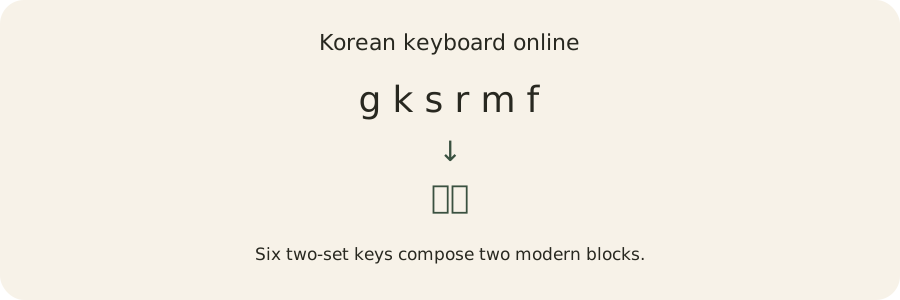
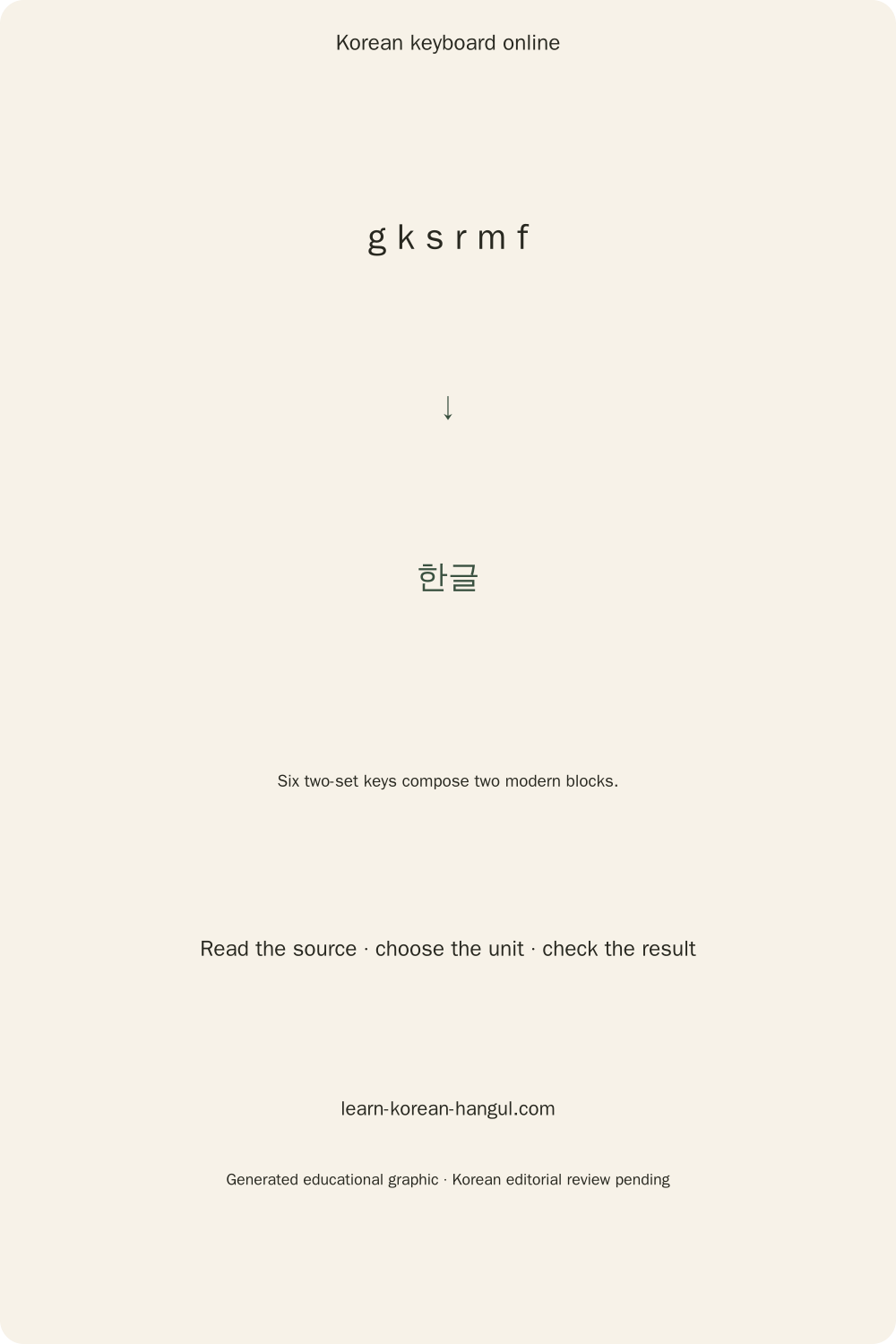
Type gksrmf in Korean mode, or tap ㅎ, ㅏ, ㄴ, ㄱ, ㅡ, ㄹ. The result should read 한글. The on-screen keys show the Korean letter beside its Latin position. Three example chips insert fixed examples at the caret; the placeholder does not become part of your text. A vowel without an initial remains a standalone letter rather than gaining an invented consonant.
Use Shift for the seven shifted positions. Backspace reverses a source-letter step while a composed sequence is active. Once you move the caret, paste text or change modes, the sequence is committed. The next deletion follows visible grapheme boundaries. Check the caret before tapping a key, especially when inserting into the middle of a sentence.
3. Copy or Save the Finished Text
Press Copy to commit the active composition and place the text on the clipboard. The status line confirms success. If your browser denies clipboard access, the keyboard selects the text and explains how to use your device's Copy command. More → Save .txt creates a UTF-8 file. Reset clears the editor; Undo restores the previous text.
A copy action does not correct spelling or translate a sentence. Read the completed text before sending it. The next section explains why a block can change while you enter its letters.
How Do Hangul Letters Become Syllable Blocks?
Hangul letters combine according to their roles: initial consonant, vowel and optional final consonant. The browser composer follows those roles and writes modern Unicode syllables. The process differs from replacing English sounds with Korean sounds. A key chooses a letter position; the composition engine decides whether that letter continues the active block.
Initial, Vowel and Optional Final
The sequence ㅎ → 하 → 한 illustrates the three roles. The first letter is an initial. Adding ㅏ supplies the vowel. Adding ㄴ supplies the final, often called batchim. Each step updates the current writing unit. A final is optional, so 하 already forms a complete modern syllable even though another key can extend it.
Modern Hangul composition uses the formula U+AC00 + ((L × 21) + V) × 28 + T. L is the zero-based initial index from 0 to 18, V is the vowel index from 0 to 20, and T is the final index from 0 to 27. T=0 means no final. These indices describe encoding, not how many sounds a learner should pronounce.
The formula covers 11,172 modern syllables, from 가 to 힣. Unicode documents the arithmetic in the Unicode core specification, section 3.12. Generated blocks use this arithmetic; pasted material retains its original characters. The editor does not run compatibility normalization over your entire text, which could alter symbols that you deliberately pasted.
Why Does a Final Move to the Next Syllable?
A following vowel can turn the current final into the initial of the next block. Type ㅎ, ㅏ, ㄴ, ㅏ and watch ㅎ → 하 → 한 → 하나. The final ㄴ moves to begin 나. This is an editing decision based on the entered letters; the keyboard is not predicting your sentence or applying pronunciation changes.
A compound final splits into its two letters when the second letter starts a following vowel block. Entering ㄱ, ㅏ, ㅂ, ㅅ produces 값; adding ㅏ produces 갑사. That result is a literal composition example, not a claim that the resulting string is the intended word. If you want another spelling, supply its actual initial and vowel sequence.
The Why this block? demonstration shows the same composer output with an undoable insertion. For broader context, read how a Korean IME combines letters. Understanding the roles makes the reference map easier to use.
Two-Set Keyboard Reference
The two-set map assigns consonants mostly to the left and vowels mostly to the right of the letter area. Latin labels identify physical positions, not romanization. On a Spanish keyboard, the tool reads the browser's physical letter-position code in Korean mode. English mode uses literal browser characters and preserves accents and ordinary text input.
| Physical key | Korean letter | Shift letter |
|---|---|---|
| Q | ㅂ | ㅃ |
| W | ㅈ | ㅉ |
| E | ㄷ | ㄸ |
| R | ㄱ | ㄲ |
| T | ㅅ | ㅆ |
| Y | ㅛ | ㅛ |
| U | ㅕ | ㅕ |
| I | ㅑ | ㅑ |
| O | ㅐ | ㅒ |
| P | ㅔ | ㅖ |
| A | ㅁ | ㅁ |
| S | ㄴ | ㄴ |
| D | ㅇ | ㅇ |
| F | ㄹ | ㄹ |
| G | ㅎ | ㅎ |
| H | ㅗ | ㅗ |
| J | ㅓ | ㅓ |
| K | ㅏ | ㅏ |
| L | ㅣ | ㅣ |
| Z | ㅋ | ㅋ |
| X | ㅌ | ㅌ |
| C | ㅊ | ㅊ |
| V | ㅍ | ㅍ |
| B | ㅠ | ㅠ |
| N | ㅜ | ㅜ |
| M | ㅡ | ㅡ |
Where Are Compound Vowels and Double Consonants?
Compound vowels use consecutive vowel keys: ㅗ+ㅏ=ㅘ, ㅗ+ㅐ=ㅙ, ㅗ+ㅣ=ㅚ, ㅜ+ㅓ=ㅝ, ㅜ+ㅔ=ㅞ, ㅜ+ㅣ=ㅟ and ㅡ+ㅣ=ㅢ. The engine combines these pairs inside an active syllable. For example, ㄱ+ㅗ+ㅏ yields 과. The vowel picker also lets you insert a complete compound vowel directly.
Tense initials come from Shift at Q, W, E, R and T. Pressing a plain consonant twice does not generally substitute for its shifted form: repeated ㄱ may finish one block and start the next. The remaining shifted vowel positions are O and P. Use the displayed shifted layer to check the intended letter before entering a long phrase.
Final clusters are ㄳ, ㄵ, ㄶ, ㄺ, ㄻ, ㄼ, ㄽ, ㄾ, ㄿ, ㅀ and ㅄ. They are combinations within one final area. The final picker exposes the complete modern set, but an isolated cluster does not supply a missing vowel or initial. Learn the roles alongside the key positions in the Korean keyboard layout guide.
Numbers, Symbols and English Text
The 123 / symbols layer contains digits, punctuation, Korean symbols and a compact emoji selection. Physical numbers and punctuation stay literal. Space and Enter commit the active composing run. Physical Tab moves keyboard focus as usual; an explicit Insert Tab button is available under More for a literal tab character.
A Korean paragraph can contain an English URL or a Spanish accented name. Paste preserves these strings without remapping the Latin letters. For physical typing, switch to English before writing them. The input method ignores ordinary operating-system shortcuts and native composition events, so copy shortcuts and your system IME should retain their own behavior.
Four Worked Typing Examples

Worked examples let you distinguish an incorrect key from a composition rule. Each example names the physical keys and the expected visible result. Compare each result with the letters displayed on the keyboard. To practise a tricky sequence, enter one key at a time and watch the active block change. This makes it easier to see whether the mistake comes from a key position or from the order of the letters.
Write 한글 with Gksrmf
Enter G, K and S to build ㅎ → 하 → 한. Enter R next to begin a new consonant after 한. M supplies ㅡ, and F supplies ㄹ, giving 글. The completed text is 한글. Copy it into a plain-text editor to check that two modern syllables were copied rather than six separate compatibility letters.
Write 안녕하세요 with Physical Keys
The physical sequence dkssudgktpdy produces 안녕하세요. Start with D for ㅇ rather than starting with the vowel alone. The ㅇ provides the required initial position in a vowel-initial syllable. Move slowly through the remaining blocks while comparing the visible output with the fixed example, then use Undo if a wrong letter entered the text.
Build 과 with Three Letters
Enter R, H and K. The timeline is ㄱ → 고 → 과. H enters ㅗ and K adds ㅏ, which combines into ㅘ. While that composition is active, Backspace removes the latest source vowel and returns to 고. This example separates compound-vowel editing from deleting an entire committed syllable.
Edit 앉 into 안자
Enter dksw to build 앉, then enter K for ㅏ. The composer keeps ㄴ as the final in 안 and moves ㅈ to start 자. The result is 안자. This transformation explains cluster redivision; it does not represent a spelling correction or a pronunciation conversion. To type a different result, enter its intended letters explicitly.
These examples cover a complete word, a greeting, a compound vowel and a compound final. Use the same short-sequence approach when diagnosing a surprising block.
Which Input Method Should You Choose?

Choose the built-in two-set composer for writing from known key positions. Choose device input when your operating system already supplies the Korean keyboard you prefer. English mode is the right choice for literal Latin writing. Different input methods solve different tasks; none can guarantee the spelling of an unfamiliar Korean word from an English sound alone.
| Method | Input supplied | Best-fit task | Main limitation |
|---|---|---|---|
| Two-set composer | Physical positions or letter taps | Writing known Korean letters | Requires the key map or picker |
| Device keyboard | Your operating system's input method | Using an installed Korean layout | Device setup controls the language |
| English mode | Literal browser characters | Names, URLs and Latin text | Does not compose Korean blocks |
| Letter pickers | Initials, vowels or finals | Studying a block's parts | Roles still need a valid sequence |
When Does Phonetic Input Need a Candidate?
Phonetic input needs candidates whenever one Latin spelling could correspond to more than one Korean spelling or segmentation. Romanization removes some information, and informal spelling systems remove more. A reverse converter should label alternatives, preserve the original Latin input and ask you to choose. This keyboard currently provides deterministic two-set input and does not claim to recover original Korean from romanization.
How Do Hanja Choices Differ from Translation?
Hanja conversion chooses characters associated with a Korean reading; translation explains meaning in another language. Identical readings can correspond to different Hanja, so a reading alone does not identify the intended character. This keyboard preserves Hangul and does not automatically replace it with a Hanja homograph. Dedicated Hanja resources are appropriate when meaning and character provenance matter.
Under More, Local Speech Dictation records a short take or imports audio. The optional model download shows its size first; correct its transcript before Use Transcript inserts it at your selection. Undo restores the earlier text and cursor. Draw and Compare a Font Shape provides visual drawing practice with undo, redo, clear and SVG export. It does not recognize handwriting or teach stroke order; you choose the intended characters explicitly. Read Text from an Image or PDF extracts embedded PDF text or an editable OCR text locally. Check it against the source before insertion. Specialist three-set layouts remain unavailable.
Why Does a Phone Keyboard Cover the Tool?

A phone opens its software keyboard when the active input allows native text entry. The on-screen input setting requests no device keyboard so that virtual letter taps remain useful. Browser behavior can differ, particularly around focus and orientation changes. If the device keyboard appears unexpectedly, press Done, select on-screen input and tap the virtual letter again.
Switch between on-Screen and Device Input
Use device input intentionally when you prefer the operating system's Korean IME. Once selected, use the device's normal language switch. Done blurs the editor so you can return to the page controls. A physical keyboard can still be useful with the browser composer, but real phone behavior depends on the browser and operating system.
The full two-set keyboard shows all three letter rows together, with consonants on the left and vowels on the right. Shift provides double consonants and the vowels ㅒ and ㅖ. Text size is adjustable separately. Increasing text size may require scrolling in the editor; the feature preserves your text rather than shrinking the text to hide it. Device installation instructions belong in the typing setup guide.
Troubleshooting Text and Syllable Errors

Most composition problems can be isolated by checking the mode, the last entered letter and whether the block is still active. Reset is undoable, so an accidental clear should be followed immediately by Undo. If a longer text matters, save a text file before experimenting with unfamiliar input settings.
| Symptom | Likely cause | Recovery |
|---|---|---|
| gksrmf remains Latin | English or device input | Choose Korean on-screen input |
| Vowel appears alone | No initial was supplied | Enter the intended initial first |
| Final moves unexpectedly | A following vowel triggered redivision | Check the source-letter sequence |
| Block deletes at once | Composition was committed | Undo, then edit the desired location |
| URL becomes Korean letters | Physical keys entered in Korean mode | Undo and use English mode or paste |
| Copy does not complete | Clipboard permission is denied | Copy the selected text manually |
Why Do Standalone Letters Stay Separate?
Standalone compatibility letters are individual Unicode characters. Ordinary paste does not necessarily turn them into syllables, and this keyboard deliberately preserves pasted material. Composing letters with the tool is a different operation: the engine tracks their roles and creates a modern syllable. A font may visually group some sequences, but appearance alone does not prove that a single syllable code point was stored.
A wrong-layout recovery utility can help when a Latin-looking text actually represents Korean physical keys. Preview the conversion before replacing the original. For final-specific questions, use typing final consonants to compare the intended letter sequence with the actual result.
What Stays Private When You Type Korean?
The loaded composer processes text in your browser. Typing, local dictation and document intake process your text and audio on your device. Optional speech/OCR models download only through explicit controls; they do not upload your recording or document. The optional text setting saves text on your device; it starts off. External actions under Share or send text transfer the text only when you explicitly choose a named destination.
Local Saved Texts and External Actions
Text retention uses local browser storage with a 30-day expiry timestamp. Turning retention off deletes the retained text database. Browser storage is not encrypted by this tool and is not a password manager. Shared devices require care: save a text file somewhere appropriate, discard the retained text and avoid entering passwords or other secrets.
Email and Google search handoffs put your text into the chosen destination's request or application. Their own processing rules apply. Native sharing may open a device share sheet; cancelling it leaves your text intact. No button automatically uploads a recording or queues text to send after connectivity returns.
Limits and Choosing Your Next Practice
The composer covers modern Hangul blocks and preserves ordinary text around them. It does not compose the full historical Hangul repertoire, grade pronunciation, verify grammar or promise that a typed phrase is appropriate for a particular social situation. Editing accuracy and language accuracy are different checks: the correct key sequence can still spell an unintended word.
The engine's arithmetic can be tested exhaustively for all modern blocks. For a typing problem, note the selected input language and exact sequence of keys. Include the block you expected and the block you got so that the difference is easy to reproduce. Report a reproducible character sequence and expected result through the site's correction channel; exclude private text.
Use two-set typing practice when your goal is learning positions and increasing familiarity. Use the Hangul letter chart when you need to identify a letter before typing it. A writing surface and a learning exercise support different stages of the same task.
Frequently Asked Questions
Can I use the keyboard without creating an account?
No account is needed for the two-set keyboard, copying or text-file actions. Open the page in a JavaScript-capable browser and use physical or on-screen keys. Settings stay on your device. Text retention starts off; turn it on only if you want the current text saved locally.
Can I open a text file I saved earlier?
Yes. Choose More, then Open .txt, and select a UTF-8 text file smaller than 100 KB. The keyboard inserts its contents at the caret. Files containing invalid UTF-8 are rejected rather than silently altered. Save .txt downloads the current text without changing its Korean, emoji or punctuation.
Does Caps Lock change every Korean letter?
No. Seven shifted positions produce different Korean letters: Q, W, E, R, T, O and P. Other positions retain their ordinary Korean letters. Lock Shift keeps the virtual shifted layer active. English mode preserves ordinary letter case, while Korean mode uses shifted Korean positions where a pair exists.
Will the keyboard work after I lose internet access?
The loaded two-set composer continues to work without a network connection because composition runs in your browser. Copy depends on clipboard permission and your browser. Saving a text file remains local. Opening the page again while offline depends on cached site assets; reload availability is not guaranteed by this statement.
Can I add the Korean keyboard to my own website?
This page is a standalone writing surface. An embeddable keyboard requires a separate integration with a versioned message protocol, origin checks and explicit insertion into your own form fields. That integration is not available on this page yet. You can link visitors here without sending their form content automatically.
Your Next Korean Keyboard Online Task
Try one short task with this Korean keyboard online: type 한글, insert a space, switch to English and enter your name. Move the caret back to the start, select the Korean word and copy it. Save the entire text as a text file, reset the editor and use Undo to check recovery.
The encoding explanation follows Unicode 17's modern Hangul arithmetic. Try the same example twice: first with the on-screen keys, then with your physical keyboard. Compare the results and keep a copy of any text you want to use elsewhere. Browse all free Korean tools when you need another writing or study task, and keep the original text whenever a conversion's spelling is uncertain.