How Do I Use the Korean Keyboard Converter?

Use the converter in three steps: paste the mistyped text, choose the keyboard direction, and copy the preview. No Korean keyboard installation is required to recover an existing message. Keep the original until the output matches the key sequence you intended; a mechanically composed block does not prove a word is appropriate in your sentence.
Before starting, check which layout produced the mistake. The default is the standard two-set Korean layout on US QWERTY positions. This page accepts ordinary browser text, not a photograph, audio recording or keyboard recording from another application. Conversion is free, and the work happens inside the loaded page. There is no account or message upload.
1. Paste the Mistyped Text
Paste the original into Mistyped text, retaining its spaces and punctuation. The expected checkpoint is an exact source copy, including the unconverted parts of a mixed message. Browser paste works normally; the optional Paste action needs a direct click and browser permission. If permission is denied, paste using the operating system command instead.
Avoid rewriting apparently strange letters before converting. A repeated consonant can be meaningful information about the original keystrokes. If only one phrase is wrong, highlight that phrase and choose Selected span; numeric start and end controls provide an alternative when touch selection is awkward.
2. Choose a Direction and Review
Choose Keys → Hangul for Latin key sequences such as dkssud. Choose Hangul → keys when English was typed with Korean input enabled. Review the separate Result field before applying anything. A successful conversion produces the expected characters while retaining surrounding content you chose to preserve.
The common mistake is choosing a direction because the result looks more language-like. Real English also contains letters that are valid Korean keys. Compare shows both mechanical candidates and script counts; these are explanations of the mapping, not a language detector's confidence score.
3. Copy or Undo the Result
Copy the result when its preview matches your intended message. Paste the copied text into the destination application yourself. Use result replaces the source inside this page; Swap also reverses the direction. Undo returns a saved original after deliberate replacement or Clear, provided that original remains in memory.
The checkpoint is that the destination receives the preview you checked. A denied clipboard write leaves selectable output with manual-copy guidance. Do not close the page expecting Undo to restore a previous session: the history is local memory, with a limit of twenty edits or one MiB of saved text.
Why Does Dkssud Become 안녕?
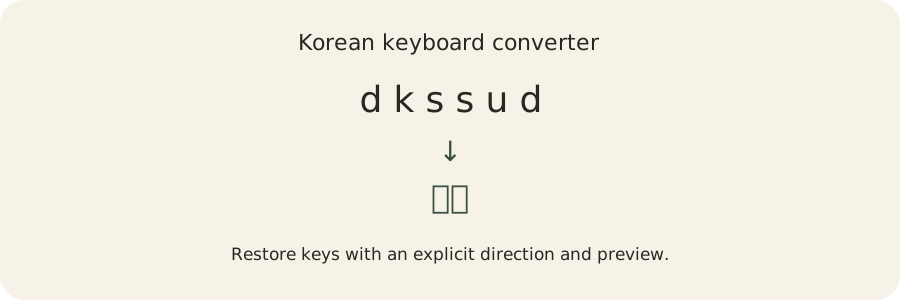
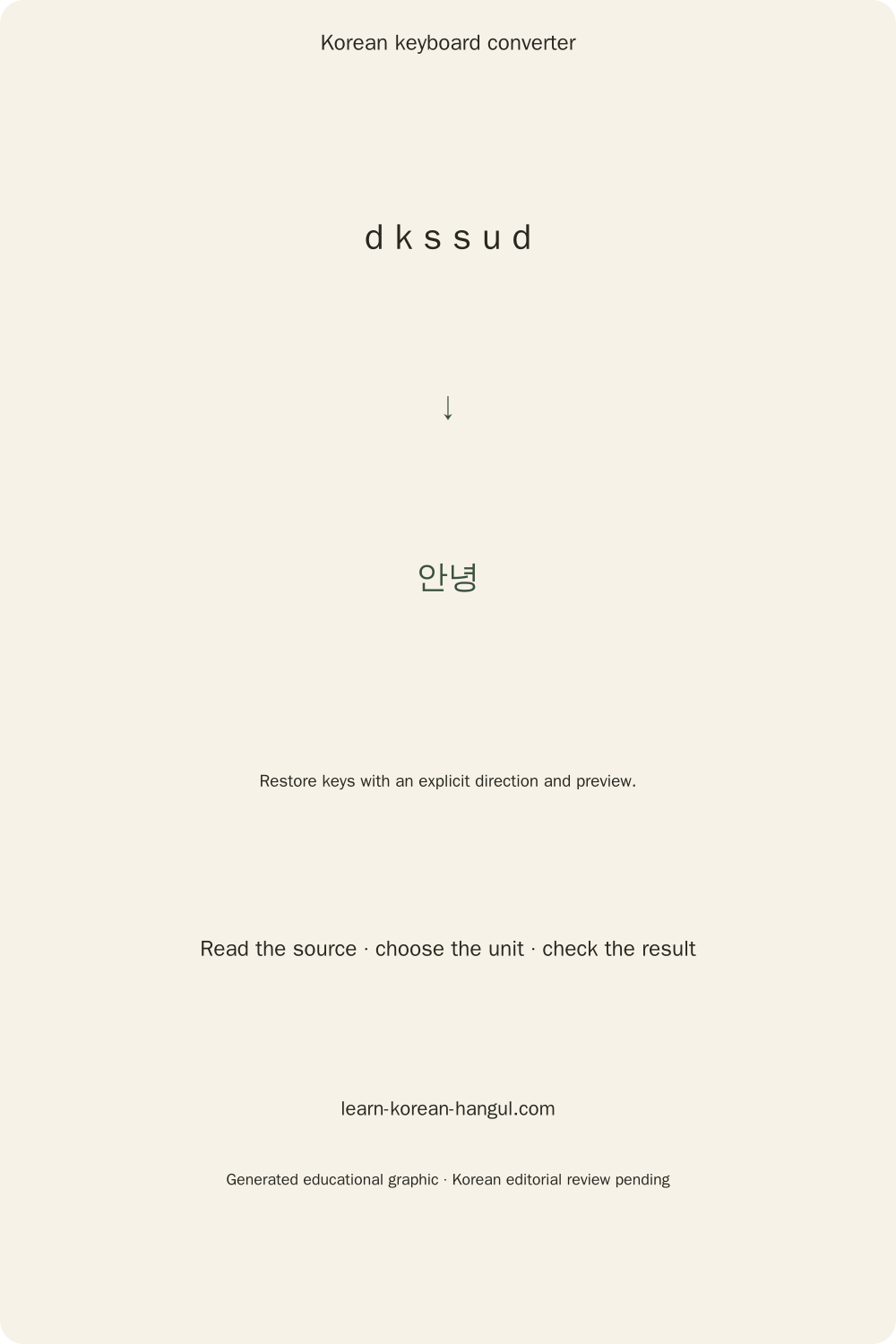
dkssud becomes 안녕 because the two-set layout assigns those physical Latin keys to Korean letters, then combines the letters into blocks. The converter follows the keyboard mapping; it does not recognize a greeting and replace it from a dictionary. The same rules apply to an unfamiliar word or an unfinished sequence.
A Korean letter inside a block is a jamo. The keys d, k and s map to ㅇ, ㅏ and ㄴ, forming the first block 안. The following s, u and d map to ㄴ, ㅕ and ㅇ, forming 녕. Reading the key sequence as an English pronunciation would be a different operation.
Follow the Keys into a Syllable
Open the Keys view to step through a recovered sequence with Previous and Next. The trace displays the consumed keys and current composition. Arrow keys also move through the trace when focus is inside that view. An unfinished prefix may display a separate letter; later input can turn that letter into part of a full block.
The useful distinction is between physical keys and pronunciation. The word 한글 has the canonical two-set keys gksrmf; the reading aid hangeul represents a different convention. Writing hangeul into a keyboard repair field therefore does not request the Hangul word. For pronunciation spelling, use the Korean romanization converter.
Keyboard traces explain how a block was assembled. They do not certify pronunciation, spelling or meaning. That boundary matters particularly when a final consonant moves as another vowel arrives: the movement describes input composition rather than a sound-change judgment.
Two-Way Recovery: Worked Examples

The following examples use the two-set layout, respect Shift and leave protection disabled unless stated. Each example gives a source, direction and expected result, followed by the practical interpretation. Use these examples to check your key positions. Enter a short sequence, compare the result, and extend it only when the first block looks right. For a mixed-language message, select just the mistaken portion before converting.
Recover a Greeting and Restore English
Source: dkssudgktpdy. Direction: Keys → Hangul. Result: 안녕하세요. The key positions form five Hangul blocks. This greeting example demonstrates a longer sequence than dkssud; the converter does not determine which register or greeting is best for a real conversation. Preserve the original if you need to ask about usage later.
Source: ㅗ디ㅣㅐ. Direction: Hangul → keys. Result: hello. Standalone letters and completed blocks can coexist in the mistyped source. The reverse mapper breaks the block 디 into its component keys and joins those keys with the surrounding standalone letters. The result is an English key sequence, not a translation of the Korean characters.
Source: dkssud 123!. Direction: Keys → Hangul. Result: 안녕 123!. The space, digits and exclamation mark remain unchanged in the two-set layout. Unmapped characters also form composition boundaries, so letters on opposite sides of punctuation are not silently joined into one syllable.
Repair One Fragment in a Mixed Message
Source: Meet dkssud at 3. Selection: only dkssud, starting at position five and ending before position eleven. Direction: Keys → Hangul. Result: Meet 안녕 at 3. Selection repair changes the chosen phrase and keeps the surrounding sentence exactly as entered. Converting the whole sentence would remap the legitimate English words too.
Source: Rk, compared with rk. Direction: Keys → Hangul, Caps Lock off. Results: 까 and 가. Uppercase R is the Shift mapping for ㄲ, while lowercase r maps to ㄱ. Turning on Caps Lock normalization intentionally lowers uppercase ASCII first, so RK becomes 가. That setting is appropriate only when the capitals came from accidental Caps Lock.
Check each result against the source rather than assuming a plausible Korean block must be the intended word. Missing letters, duplicate keystrokes and a wrong keyboard layout require different corrections.
What Happens to Compound Vowels and Final Consonants?
Compound vowels and final consonants are combined by explicit tables, and a following vowel can move a final consonant into a new block. Seven compound vowel pairs and eleven final consonant pairs are recognized. Impossible combinations remain separate letters rather than being silently corrected into a guessed word.
The seven vowel combinations are ㅗ+ㅏ=ㅘ, ㅗ+ㅐ=ㅙ, ㅗ+ㅣ=ㅚ, ㅜ+ㅓ=ㅝ, ㅜ+ㅔ=ㅞ, ㅜ+ㅣ=ㅟ and ㅡ+ㅣ=ㅢ. Their canonical key sequences are hk, ho, hl, nj, np, nl and ml. For example, rhk forms 과; the mapper needs all three physical keys even though the vowel is displayed as one letter component.
A Double Final Splits before a Vowel
rkqt forms 값. Adding k produces rkqtk → 갑사: the first part of the compound final remains in the earlier block, and the second part becomes the next initial consonant. A single final moves similarly in rkrk → 가가. This is a keyboard composition rule, and the trace should be read as a sequence of edits to block structure.
Modern syllable storage follows the Unicode Hangul algorithm. The formula is S = 0xAC00 + (L × 21 + V) × 28 + T, where L is the initial index from zero to eighteen, V is the vowel index from zero to twenty, and T is the final index from zero to twenty-seven. T equal to zero means no final consonant. The nineteen initials, twenty-one vowels and twenty-eight final states give 11,172 modern syllables.
The arithmetic specifies how a finished block is encoded. The keyboard composer additionally tracks unfinished letters and final movement. Unicode normalization alone cannot recover a wrong keyboard sequence. The tool normalizes only supported Hangul where needed; a Spanish combining accent, emoji or unrelated character is not globally rewritten.
A lone vowel does not acquire an invented silent initial. Thus kk stays ㅏㅏ, and repeated rr stays ㄱㄱ; repeating a key is not equivalent to pressing its Shift form. For a closer look at initial, vowel and final positions, build a Hangul syllable and compare the individual components.
Can I Recover Only the Part I Mistyped?

Yes. Select the mistaken span, preview its replacement, then explicitly apply it. The converter retains untouched text before and after that span. Selection is the safest workflow for a message containing both legitimate English and wrong-layout keys, because character shapes cannot reveal your intended language for every word.
Selection positions use JavaScript's UTF-16 offsets. The numeric controls make those positions available without pointer dragging; the repair expands a range to whole grapheme boundaries. A grapheme is a complete visible text unit, which may contain multiple code points. This prevents replacing half an emoji surrogate pair or leaving a combining mark detached from its base letter.
Preview does not overwrite the source. Escape cancels the selection mode, and Apply commits the checked replacement. Copy corrected selection copies only the repaired fragment, useful when a destination app already contains the surrounding sentence. Undo restores the saved source and selection after an applied change.
Protect Links, Addresses and Code
Protection leaves recognized web links, email-like tokens and backticked code unchanged. It is enabled for suggested comparison and can be switched on for explicit repair. This is practical protection, not a parser for every possible programming language or address syntax; inspect complex documents yourself.
Letters inside a URL or email address are still ordinary keyboard letters. Without protection, the forward direction can remap them just as it remaps dkssud. When the URL itself was mistyped, deliberately disable protection and select only that token. Keeping protection visible makes the difference between preserving correct metadata and fixing incorrect metadata a user choice.
The converter cannot edit text in another program or intercept a system language shortcut. Ctrl or Command plus Enter previews only while the page's editor is focused. Once the mistaken phrase is repaired, practise the Korean keyboard to strengthen the key positions that caused the error.
Shift, Caps Lock and Capitalization Limits

Shift changes seven two-set letter keys: Q, W, E, R, T, O and P. Other uppercase Latin letters map like their lowercase forms. Reverse conversion produces canonical lowercase keys except where a shifted key is required to represent a Korean component. Valid Latin text outside converted Hangul remains exactly as entered.
The Caps Lock was on option lowercases ASCII capitals before mapping. It changes the preview, not the preserved original. Genuine Shift intent can be lost by this transformation, so compare the result before applying it. Uppercase Latin output is a separate formatting option for reverse conversion; it does not restore a forgotten original capitalization pattern.
Why Can't the Tool Recover My Original Case?
Different key strings can produce the same Hangul. For example, uppercase A and lowercase a share the same two-set letter assignment. A completed syllable therefore contains no record proving which original capital was typed. Reverse conversion returns a reproducible canonical sequence rather than claiming to reconstruct information that has already been lost.
Undo can recover the exact original because the original is still stored in this page's memory. That is a local editing guarantee, not a mathematical inverse for every possible string. Reloading, closing the tab or clearing all history removes that memory. Clipboard content is managed separately by your browser and operating system.
Case ambiguity does not affect the intended syllable round trip for modern Hangul: canonical keys can be composed back into their original block. It affects recovery of arbitrary original keystrokes and formatting, which should remain visibly distinct in both the interface and your expectations.
Which Keyboard Layouts Work Here?
The working default is standard two-set on US QWERTY positions. The visible layout label identifies this assumption beside the controls. Two-beolsik keyboard layout explains the complete physical arrangement and Shift positions. Choosing the wrong source layout can produce a deterministic result that still has nothing to do with your intended message.
Sebeolsik assigns initial and final consonants to separate roles, and its 390 and Final variants differ from each other. Their symbol and number positions cannot be treated as the same passthrough characters as two-set. Full three-set repair needs independently validated role-aware tables and its own test cases; the present two-set control does not pretend to support those layouts.
User remapping, QWERTZ, AZERTY and mobile Cheonjiin can also differ from this default. A custom layout needs a supplied mapping and, for multi-tap methods, an actual tap log. Finished text alone does not retain every tap or intermediate state. Unsupported historical letters are preserved rather than assigned invented modern keys.
The distinction is about input equipment and configured key positions, not the language of the article. Spanish accents and ñ pass through unchanged, but a Spanish physical keyboard can place symbols differently. Confirm the source key positions before repairing a document from a layout other than the labelled US-QWERTY two-set arrangement.
Local Files, Offline Use and Text Privacy

Text-file repair uses files you choose in the browser. It does not upload their contents or filenames. Batch accepts up to twenty UTF-8 .txt files, with a one-MiB limit per file and five MiB total. These are memory and responsiveness limits, not paid quotas. Invalid UTF-8 is rejected with guidance rather than silently decoded into replacement characters.
How Can I Convert Files without Uploading Them?
Open Batch from More modes, select the files, and inspect a file's Before and After preview. Choose its conversion direction and protected-token setting, then download the corresponding -fixed.txt file. Each file has an individual export. Download all requests separate downloads; browsers may require permission, so individual export remains available when several downloads are blocked.
The UTF-8 byte-order mark is retained when present. CRLF and LF line endings remain part of the original text, as do tabs, spaces and unmapped punctuation. Cancel stops subsequent file work while keeping already completed previews. Your original files are never overwritten by selecting or converting them.
Loaded-page conversion continues without network access. A fresh offline page visit additionally needs cached page assets; do not assume a browser has downloaded every feature merely because one conversion worked offline. No source, result or filename is placed in a share URL. Clean-link sharing sends only this page's address; result sharing first displays the exact payload for your approval.
Keyboard Mapping Reference
This compact reference follows the two-set physical letter positions. A compound component can require more than one key; its displayed shape is not a measure of the number of keystrokes. The seven uppercase exceptions are shown separately so that Caps Lock mistakes are easier to diagnose.
| Physical keys | Korean letters, in matching order |
|---|---|
| q w e r t y u i o p | ㅂ ㅈ ㄷ ㄱ ㅅ ㅛ ㅕ ㅑ ㅐ ㅔ |
| a s d f g h j k l | ㅁ ㄴ ㅇ ㄹ ㅎ ㅗ ㅓ ㅏ ㅣ |
| z x c v b n m | ㅋ ㅌ ㅊ ㅍ ㅠ ㅜ ㅡ |
| Q W E R T O P | ㅃ ㅉ ㄸ ㄲ ㅆ ㅒ ㅖ |
| hk ho hl nj np nl ml | ㅘ ㅙ ㅚ ㅝ ㅞ ㅟ ㅢ |
| rt sw sg fr fa fq ft fx fv fg qt | ㄳ ㄵ ㄶ ㄺ ㄻ ㄼ ㄽ ㄾ ㄿ ㅀ ㅄ |
Use this table to explain a specific mismatch, then return to the preview. It is a reference for key recovery, not an alphabet lesson or a pronunciation chart.
Fix Remaining Input Problems and Keep Typing
Wrong-layout repair does not replace missing letters or remove accidental extra keys intelligently. If the mechanical result is still wrong, compare the source with the key table and correct the actual keystroke mistake. Preserve the original when seeking help, and share an example only if it contains no information you wish to keep private.
When Should I Use an IME or Romanizer Instead?
Use an input method editor to continue typing Korean in other applications. Use a romanizer to represent Korean pronunciation with Latin letters. If the input language will not switch, fix your Korean keyboard setup before writing the next message. This page repairs the characters already entered; installation guidance addresses the cause of the next mistake.
The Korean keyboard converter is best used on a known mistaken span with the correct source layout. Review the result, apply or copy it, and keep Undo available until the destination text is checked. A composed block confirms a keyboard transformation; selecting meaningful Korean words still requires language knowledge.
Frequently Asked Questions
Can the converter fix a missing or extra letter?
The converter remaps keys; it cannot uniquely infer a missing or extra keystroke. For example, dkssud mechanically becomes 안녕, but deleting one original key changes the composition. Compare the key reference with the text you meant to type, then correct the source before converting again.
Can I use the converter without installing Korean input?
Yes. Type or paste Latin key sequences into the browser and choose Keys → Hangul. No Korean input installation is needed for that repair. Installing an input method helps you continue writing Korean in other applications, while this page only recovers text already entered in its own editor.
Why do I see separate Korean letters in the result?
An unfinished or impossible syllable stays as separate jamo. For example, kk produces ㅏㅏ rather than invented full syllables. The composer does not supply a missing initial consonant or guess a word. Review the physical keys and add only the keystrokes you actually intended to enter.
Can I bring back the text after pressing Clear?
Undo restores a saved original after Clear while the history remains in this loaded page. Clear all explicitly removes that history, and closing or reloading the tab can lose it. The converter does not save your message to local storage, so later sessions cannot promise to retrieve it.
Does a Korean keyboard converter translate a message?
No. A Korean keyboard converter returns characters assigned to physical keys, not an English meaning. For example, 한글 becomes gksrmf in the reverse direction; hangeul is a pronunciation spelling. Use the romanization tool for that separate purpose, and use a language resource when you need meaning or usage.