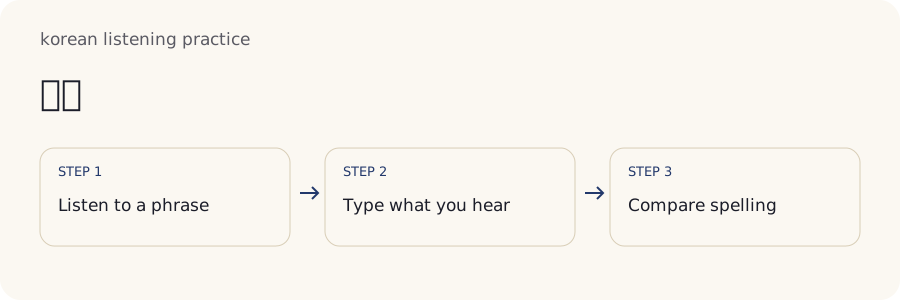
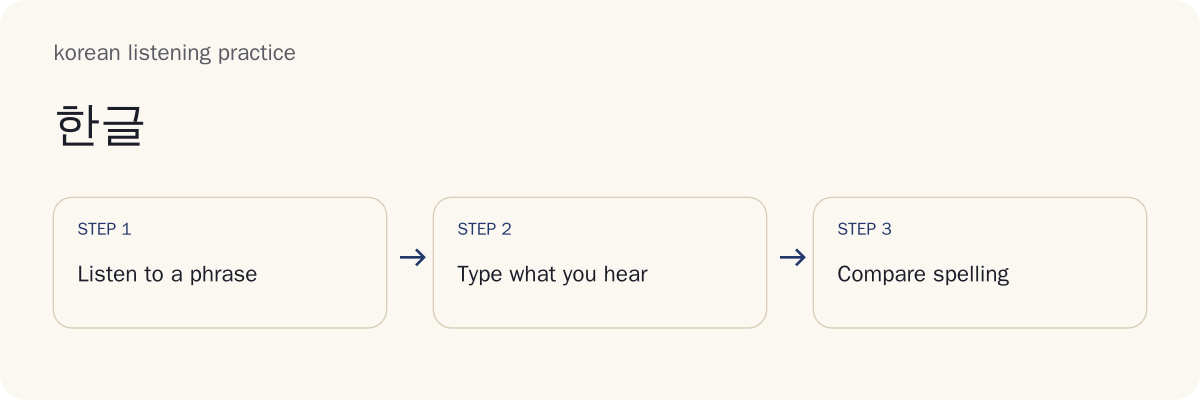
How Do You Use Korean Listening Practice?
Choose a short session, listen, enter an answer, compare the feedback, and repeat the part that caused difficulty. Example playback uses a Korean voice installed on your device; private practice uses recordings and answer keys you supply. Neither source should be mistaken for a published collection of human recordings.
- Choose a topic, level and session length. Start with familiar vocabulary so that the exercise focuses on hearing and writing rather than guessing every word. The selected items become your practice set.
- Play before reading the transcript. Listen for the whole sentence first. Check that playback works before judging an answer; missing audio cannot demonstrate a listening mistake.
- Type what you heard. Use Hangul and include spaces. Finish composing the last syllable before submitting.
- Compare letters and spacing separately. Locate the exact difference instead of treating every mismatch as the same problem.
- Replay and correct one point. Listen again with the transcript, then hide it and try another item. A correction is practice even when it no longer counts as an independent first answer.
A useful stopping point is being able to explain one correction in plain English. More attempts are useful when they answer a specific question about the sentence.
Start with a Short, Familiar Sentence
A familiar sentence makes it easier to separate unfamiliar words from unfamiliar sounds. Begin with a topic you have already studied and a length you can hold in memory. The level labels organize examples; they do not certify a learner's CEFR level or measure the difficulty of every recording.
A drama scene can add overlapping voices, background music and unfamiliar expressions at once. Save that challenge for a separate session. For a simpler starting point, use the short beginner sentences and notice their attached particles and everyday polite endings.
Dictation, Gaps, Chunks and Meaning Checks
The four activities ask different questions about the same material. Full dictation requires you to supply the text; the other modes reduce what you must remember or type. Choose the task that matches the difficulty you want to investigate.
| Activity | What You Enter | What the Result Can Show |
|---|---|---|
| Dictation | A complete Hangul answer | How the typed sentence compares with its key |
| Gaps | Missing parts of supplied text | Whether the selected ending or word matches |
| Chunks | An order for supplied pieces | Whether the pieces follow the keyed sequence |
| Meaning or reading checks | A response to supplied text | Recognition of the displayed meaning or reading target |
A meaning check does not require the same skill as writing every syllable from audio. Chunk ordering supplies spellings that full dictation leaves you to retrieve. Gap practice supplies context around the missing part. Scores from these activities therefore need their activity labels; one percentage cannot fairly summarize all four.
Reading remains a useful alternative when sound is unavailable or inaccessible. Read the sentence, complete the task and describe the result as reading practice. A text match is never a pronunciation assessment. The tool compares an answer with an answer key; it does not listen to your speech or determine how clearly you speak.
Which Mode Suits Your Next Session?
Choose gaps when an ending disappears in the flow of a sentence, chunks when word order is the question, and dictation when you want to recover the whole written sentence. Choose meaning checks when you want to verify comprehension without making typing the main challenge. These are teaching suggestions rather than guarantees of improvement.
Keep the task constant for a short session. Moving from chunks to full dictation changes the amount of help you receive, so an immediate score drop need not mean your listening has worsened. After practising with supplied pieces, try one new full answer to see what you can retrieve independently.
Spelling and Sound in Spoken Korean
Korean spelling preserves word parts, while pronunciation changes when sounds meet. Dictation asks for the written form, even when the recording contains a regular sound change. The site's sound-change lesson explains these patterns using the National Institute of Korean Language's Standard Pronunciation Rules.
Liaison moves a final consonant into the following vowel sound. Nasalization changes some consonants beside nasal sounds. Tensification makes a following plain consonant tense in specified environments. These labels describe pronunciation patterns, not instructions to replace the standard spelling with a phonetic imitation.
The site example 국물 is heard as [궁물], but the answer remains 국물. The brackets indicate pronunciation. Copying the bracketed form into a dictation answer would change the spelling, even though it might capture what you noticed in speech.
Regular pronunciation rules also differ from optional conversational contractions. An answer key must specify the sentence actually intended; it should not accept every shorter expression that conveys a similar meaning. Follow why Korean spelling and speech differ when a mismatch occurs at the boundary between syllables, then return to the same recording.
Why Does 감사합니다 Sound Different from Its Spelling?
The written form 감사합니다 keeps its spelling even though the ㅂ before ㄴ is pronounced with nasalization. A dictation answer should reproduce the written sentence rather than replace each letter with the sound heard in isolation.
Consider a key containing 감사합니다 and an answer containing 감사합니당. The comparison finds an additional final ㅇ in the last syllable. That is a written difference at the end of the answer. The nasalization earlier in the word does not explain or erase that extra letter.
A learner might have mistyped, guessed an ending or deliberately entered an informal variant. The tool cannot choose among those explanations from text alone. Replay the ending and inspect your typing before deciding what to practise. A precise location is useful feedback; a diagnosis requires more evidence.
학교 and the Limits of Sound-Based Spelling
The standard spelling 학교 is pronounced [학꾜] in the site's beginner sentence lesson. The tense sound follows the stop consonant, but the written word retains 교. Hearing the tense consonant correctly and spelling the word correctly are related tasks with different targets.
For a key containing 학교, an answer of 학꾜 changes ㄱ to ㄲ in the second block. The correct repair is 학교. Replaying alone may reinforce the tense sound, so also look at the written form and connect it with the sound-change rule.
Try explaining the result aloud: the recording can contain a tense sound while the transcript uses the standard plain letter. That explanation is more useful than deciding you have a bad ear. Return to a familiar sentence before adding unfamiliar vocabulary or a longer clip.
How Does the Dictation Tool Check an Answer?
The tool compares your submitted text with the selected item's key in your browser. It aligns the text to show differences and separates letter matching from word-spacing feedback. A match means agreement with that key under the selected comparison settings.
Text normalization helps equivalent Unicode representations compare consistently. NFC normalization puts supported equivalent character sequences into a common form; it is not a spelling correction. Compatibility jamo entered as separate characters are not automatically treated as a correctly composed syllable. Use an input method that produces Hangul blocks rather than expecting the checker to assemble an unfinished answer.
Final punctuation can be treated differently from the sentence's internal text. A full stop at the end is a formatting issue; punctuation within a number or sentence can change the content. Do not remove an internal decimal point simply to improve a result. Invisible controls and pasted formatting can also cause trouble, so inspect unexpected differences after pasting.
Item-specific alternatives belong to the answer key. A grammatical paraphrase may express the same idea and still fail dictation because the task is to reproduce this sentence. Likewise, a lenient letter-focused setting does not prove that spaces are correct. Read both channels and keep the key's scope in mind.
The most useful question after comparison is concrete: which block or boundary differs, and why might I have entered it? Check that point before drawing a conclusion about your listening.
Letters Match While Spaces Differ
An answer of 물주세요 compared with 물 주세요 contains the same sequence of letters but omits the boundary between the two words. Letter feedback and spacing feedback should therefore be interpreted separately. Selecting a focus on letters does not transform the missing space into correct spacing.
Spaces mark written word boundaries; they do not reliably correspond to pauses in a recording. A speaker can say two words together without pausing. Conversely, a hesitation can occur inside a written unit. Listening for silence alone will not solve Korean spacing.
Particles attach to the preceding word, as the beginner lesson illustrates with 저는. A space is needed between separate words in the water-request example. When letters match, examine the written units instead of replaying only to hunt for a pause. Keep a separate spacing note if that is your recurring difficulty.
Can the Audio Distinguish Every Accepted Spelling?
Audio alone cannot always determine the written target. The site's palatalization example 같이 is pronounced [가치], so the sound can overlap with the spelling 가치. A bare clip without context may not supply enough information to select the intended written word.
The dictation key defines a particular target. Read the sentence context and its meaning after your attempt, and distinguish an ambiguous prompt from an ordinary typo. A matching or nonmatching string does not prove what you heard internally.
The same caution applies when a speaker does not distinguish two vowel spellings in pronunciation. Standard spelling can still require a particular letter, but listening to an isolated sound may not reveal it. Context and vocabulary knowledge become part of the task.
Do not add a competing spelling to every key just because two words can sound alike. Alternatives should belong to the individual item and its intended context. A useful exercise makes the intended target clear or acknowledges the ambiguity so the learner knows what the comparison establishes.
Replay, Slow Audio and Sentence Cues
Replay lets you revisit the same material without changing the target. Start by confirming the playback source: device speech is generated by an installed Korean voice, while an imported recording preserves the voice and environment in your own file. Device voices vary, and a slow setting does not supply a separate carefully spoken human recording.
For imported media, sentence cues identify the start and end of the practice segment. Check that a cue includes the complete beginning and ending. A clipped final syllable can make a correct transcript seem impossible to hear. If repetition cuts off part of the word, widen or correct the cue rather than drilling the incomplete segment.
Changing playback speed can help locate a difficult part, but sound quality and pitch behavior depend on the browser and media. Compare the slower playback with normal speed before treating a detail as part of the original speech. Use Stop when a loop is no longer useful.
A replay is support. It can reveal a missed ending or a connected sound, while repeated listening can also make a familiar answer easier to remember. Keep those attempts distinct from your first unaided response. Replay with a purpose, then test the same issue in another sentence.
Should You Slow down Every Sentence?
Slowing every sentence is unnecessary if you can follow it at normal speed. One option is to listen normally first, slow a difficult section, then return to normal playback. The sequence gives you a comparison rather than promising a particular learning outcome.
When slowing introduces distortion, use shorter segments or another recording instead. A synthetic voice at a reduced rate may not resemble a person speaking carefully. Avoid treating that voice as your only pronunciation model.
After identifying the difficult section, hide the text and try a normal-speed replay. Success on this familiar sentence is useful practice; a new sentence is a better check of whether the same pattern is becoming easier to notice.
Build a Repeatable Listening Session
Use the available topic, level, count and seed controls to define a manageable set. The seed helps preserve the selection or order; the saved item identifiers and versions identify the actual material. A repeated session is most informative when you know whether the sentence, transcript or recording changed.
Export a frozen JSON session before relying on it for a later comparison or a shared assignment. The file preserves the text and version information. Private recording files require a separate backup and may need to be selected again after refreshing. Keeping a session file does not automatically package every media file with it.
Record the activity mode alongside the set. Completing gaps with visible surrounding words is different from entering the whole transcript. If you change the mode, explain that change in your notes before comparing results.
Avoid making every session longer as soon as it becomes familiar. Repeat a small set to practise corrections, then use a different set to check the same issue. Familiar-item success and new-item success answer different questions. The first shows practice on known material; the second provides a narrower check of applying that practice beyond the exact sentences you memorized.
What Does Your Progress Record Actually Measure?
A progress record measures performance on the items and activity you attempted. It does not measure fluency or award a certified language level. Read the number of distinct items alongside the result: one successful sentence supplies less evidence than several different sentences.
First attempts, replayed answers, revealed keys and retries represent different amounts of help. Revealing a transcript lets you study the correct text, but the following match is assisted. Keep it separate from an answer written before seeing the key.
Spacing results also deserve their own line. A learner can retrieve every letter while still learning how to divide written words. Marking that result as a hearing failure hides the actual practice need.
For a fair comparison, hold the activity and support rules steady. Then try unfamiliar material with the same pattern. A higher score on the old set may reflect memory for those exact sentences rather than wider listening ability.
Your Own Audio, Captions and Teacher Worksheets
Private audio and video let you practise material you have permission to use. Supply a transcript or caption key as well as the media, because the comparison needs a written target. In My Material, use the on-device transcription option and explicitly download the displayed speech model. Recognition creates an editable transcript that you must check against your recording before using it as an answer key. Check its words and approximate timestamps, then confirm your private key before freezing the set. Cancel or delete the model when you choose; manual transcripts remain available. Editing the transcript removes its automatic timing, which you can supply again through captions. Recognition never grades your pronunciation.
SRT and VTT captions can supply timed segments. Before practising, inspect the cue boundaries and text: captions may omit words, paraphrase speech or divide a sentence awkwardly. Check a user-supplied key yourself: an incorrect transcript produces misleading spelling feedback. Fix a misleading key before interpreting its scores.
For online video, use the supported embed behavior and respect the service's restrictions. An embed is different from downloading or redistributing the file. Network access may still be needed to play it.
Teachers can prepare a frozen session and print a worksheet, choosing whether to include the answer key. Learners can deliberately share a CSV result file or session export. The teacher receives those files through whatever sharing method you choose; answers do not automatically appear in a teacher dashboard.
Keep a student worksheet and teacher key as separate exports when distributing them. Inspect the print preview before saving a PDF so the key is not accidentally included. JSON preserves session information, CSV supports result comparison, and caption exports support timed-text workflows; choose the format for the task rather than assuming every export contains the same information.
Can You Practise without a Korean Keyboard?
The on-screen jamo keys offer a way to enter Hangul without a physical Korean keyboard. Use the available banks to find the consonant or vowel you need, then check the resulting syllable block before submitting. A Korean input method on your device is another option for longer answers.
An input method can still be composing a syllable while letters appear on screen. Finish that composition before checking the answer. If the caret is in the middle of the sentence, inspect where the next character lands; an insertion in the wrong place is a typing problem.
Pasting text is useful for editing a private key, but copying the revealed answer into a response is an assisted check. Paper self-checking also remains an option when typing interferes with the exercise.
Offline Listening and Recording Rights
Saving text is different from saving playable audio. A session export preserves its written information, while offline playback depends on the media actually available to your device. An installed voice may work offline on one device and require additional resources on another. Test playback before depending on it without a connection.
Private media caching requires the relevant file and enough local storage. Keep a separate backup, confirm what has been saved, and use deletion controls when you no longer need the material. Browser storage can be cleared or unavailable, so a saved session should not be your only copy of an important recording.
Recording rights remain attached to the source. Permission to stream a lesson or consult a dictionary does not automatically include permission to redistribute its audio in a worksheet pack. Online video embeds also retain their playback restrictions.
A practical offline check is to reopen the exact session and try its media without a network connection. If only text remains available, use it for reading or spelling practice and label the activity accordingly.
Common Mistakes and an Error Reference
A mismatch identifies text to inspect, not the cause of the learner's mistake. Use the examples below to choose a next action, and add your own note when a typing slip explains the result.
| Key and Submitted Answer | Difference to Inspect | Next Action |
|---|---|---|
| 감사합니다 / 감사합니당 | Added final ㅇ | Check the ending and your keystrokes |
| 학교 / 학꾜 | ㄱ replaced by ㄲ | Connect the tense sound with standard spelling |
| 물 주세요 / 물주세요 | Missing word boundary | Check written spacing separately |
| 같이 / 가치 | Different written forms despite overlapping sound | Inspect context and the intended key |
Avoid guessing a missing word solely from its translation, treating every difference as a hearing error, or counting a revealed transcript as an independent answer. Those habits obscure which support helped you succeed.
After each correction, write a short explanation such as “letters matched; space missing” or “typed the pronounced form.” Choose the next exercise from that explanation. A spacing problem calls for written-unit practice; an uncertain sound calls for a replay with a clear source and complete cue.
Frequently Asked Questions
The answers below explain how to interpret results, preserve a session and share material deliberately. Keep the difference between a checked text answer and wider listening ability in mind when comparing sessions.
Does a perfect dictation score mean I can follow a conversation?
A matching answer shows that your typed text matches this item’s key. It does not measure how well you understand a new speaker, a longer conversation or speech in noise. Try unfamiliar sentences and meaning checks separately, and keep results from familiar repeated items distinct from new material.
Why did an answer I revealed not count as a first-try success?
Revealing the key changes the attempt to an assisted check. Keeping this separate helps you distinguish an independent first answer from practice after seeing the transcript. The correction still has value: study the difference, replay the relevant part and try another item before revealing its answer.
Can I keep the exact same sentences when an audio pack changes?
Export a frozen JSON session to preserve its item identifiers, versions and transcripts. Private recordings need a separate file backup; after refreshing, choose that recording again. Keep the session and media together in your own files, and verify playback before relying on the saved material for another assignment.
Will a teacher see my answers automatically?
No. Typed answers stay in your browser. You can deliberately export a learner CSV or a private session and share the file with a teacher yourself. Inspect the export before sending it, and choose the sharing method you want to use; local practice does not automatically deliver answers to someone else.
Can I export a worksheet without including its answer key?
Yes. The print worksheet asks whether to include the answer key. Choose Cancel to print blank answer lines. Your browser can save the printed worksheet as PDF. Check the print preview before sharing the file, and save a separate teacher copy with the key when that is useful.
Your Next Korean Listening Practice Session
For your next Korean listening practice session, choose a few familiar sentences and keep the first answer separate from corrections. Use a five-step dictation routine to organize listening, checking and repair. Return to the sound-change explanation when you wrote a pronounced form instead of standard spelling.
Finish by explaining one correction and saving the set if you want to repeat it. Next time, include a new sentence with the same difficulty so that you can compare familiar practice with an independent attempt.