How Do You Find Korean Pronunciation Audio?
Find a dictionary meaning first, then connect it to the exact phrase you want to hear. The current catalogue supports text lookup and collections, while playback uses an audio file you supply. A search result is not a promise that a downloadable reference recording exists.
Before starting, have the spelling or an English meaning, the sentence where you encountered it, and any local recording you intend to compare. JavaScript is needed for the interactive search and player. You can still read the explanations without playing a sound.
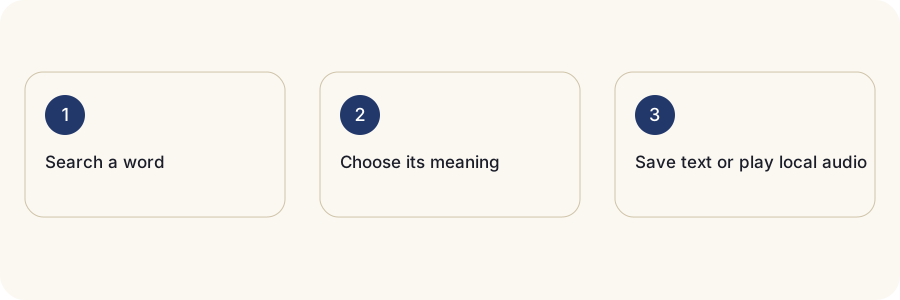
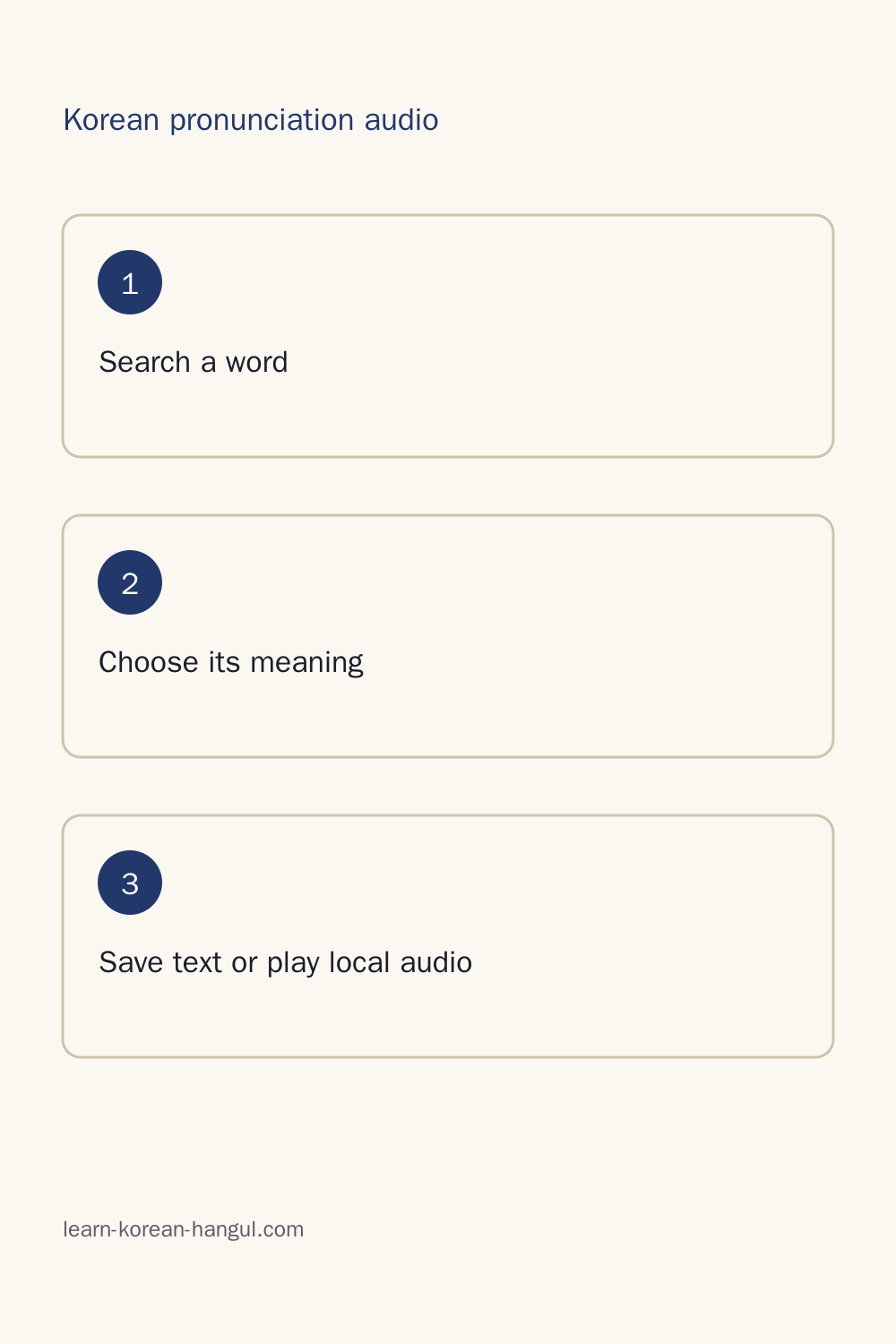
- Enter the Korean spelling or an English meaning. Check the original query before changing it; an English search can return several different words.
- Choose the entry and meaning that fit your sentence. Read the definition and source information rather than selecting the first familiar translation.
- Save the selected meaning to a collection. Confirm that the saved item keeps the intended sense and source link.
- Import your own audio if you have a suitable file. Play it deliberately, adjust speed if needed, and loop a passage while keeping its transcript nearby.
- Export your text collection when you want a backup. Keep your original audio separately because a saved meaning does not store the recording.
Five facts guide the workflow: spelling is searchable; meanings remain separate; source links travel with text collections; local files supply playback; reference recording packs are currently unavailable. A missing clip therefore calls for another listening source, not a fabricated pronunciation.
Use the Korean learner dictionary to choose a dictionary meaning when several results look plausible. Getting the meaning right makes the next listening comparison useful.
Word, Sense and Recording Are Different Things

A word is the written item you look up. A sense is one meaning associated with an entry. A recording is a particular spoken performance of a word or phrase. Keeping those three separate prevents a collection from silently mixing meanings or treating every sound file as the same teaching example.
The dictionary separates 눈 meaning eye from 눈 meaning snow. The identical spelling does not make those meanings interchangeable. Search results preserve the source entries, and your study collection should retain the selected meaning. An eye card and a snow card can share a written label while needing different context clues.
One entry can also contain several senses. A short English gloss gives you a starting point, but the source definition and example determine which meaning suits the passage. Save the meaning you actually studied instead of combining all translations into one crowded flashcard.
A recording adds another layer: its exact transcript, speaker or synthesis source, speaking situation, and file version. An isolated word and the same word inside a sentence may not sound identical. A file associated with one sentence should not be described as a recording of another sentence just because both contain the headword.
For your own audio, write down what was said and where the file came from. A filename such as “lesson-one” will not explain the meaning six months later. A note that identifies the selected entry, the situation and the relevant passage gives you a way to check it again.
The common mistake is saving spelling alone and assuming the sound will resolve the meaning later. Context resolves the meaning; the recording helps you hear its delivery. Once those identities are clear, compare voices and listening speeds.
Which Voice and Speed Should You Choose?

Choose a recording with a known transcript and source, and begin at its normal playback speed. Slow it only enough to hear the part that troubles you. This page does not currently offer a set of human reference speakers to choose between; the local player uses the file you import.
| Listening Choice | What Changes | Useful Check |
|---|---|---|
| Original recording at normal speed | Nothing in the original performance | Can you follow the phrase as a whole? |
| Slower playback of that file | The playback duration | Can you hear the difficult join without losing the phrase? |
| A separate careful recording | The speaker's actual articulation and pacing | Is it genuinely another take of the same transcript? |
| Synthetic preview | The speech engine's generated delivery | Does the voice read the intended wording clearly? |
A person speaking carefully can change pauses and articulation. Digital slowing replays the same performance more slowly. Calling slowed playback a “careful recording” hides that difference and may lead you to practise unnatural spacing between syllables.
Compare one variable at a time. Keep the transcript and passage constant when changing speed. Keep speed constant when comparing two files. If both change together, a clearer second playback might come from the rate rather than a better reference.
Speaker descriptions need evidence. A voice name does not establish a speaker's region, background or expertise. For imported audio, use the information supplied by its actual source; leave unknown details unknown. Popularity or repeated use also does not establish pronunciation accuracy.
Listen once without stopping, then focus on one difficulty, and finish with another full-speed listen. That sequence keeps a word connected to the surrounding phrase. To understand the contrasts you hear, learn the Korean sounds before using speed as your only teaching aid.
Why Does Korean Spelling Differ from the Sound?
![Straight-on teaching close view in a Seoul community study room: a Korean tutor aged thirty-five in a jacket holds two large cards, ordinary spelling on the left and spoken form on the right. A learner aged twenty-five in a sweater listens with headphones at the lower edge. Place "합니다" centered on the left card and "[함니다]" centered on the right card; these two cards form the focal comparison.](https://media.learn-korean-hangul.com/images/pg-tools-korean-audio-dictionary/04-section-1200.webp)
Korean spelling and connected speech differ because pronunciation rules govern how neighbouring sounds meet. The written word remains the reference for reading and writing, while a spoken-form explanation shows what happens during speech. A difference between the two is not automatically a mistake in the recording.
The pronunciation lessons show 합니다 with the spoken form [함니다]. The written consonant changes in the presence of the following nasal sound. That is a reason to study the join between syllables rather than demand a separate audible sound for every written letter. Keep both the ordinary spelling and its explanation visible.
Nasalization concerns a consonant becoming a nasal sound in the relevant environment. Palatalization concerns a change associated with particular following sounds. Aspiration concerns the breathy distinction in consonants and its interaction with neighbouring sounds. These are separate rule families, not interchangeable names for any pronunciation that surprises you.
The site's pronunciation hub identifies the National Institute of Korean Language's Standard Pronunciation rules as the reference basis. Follow the linked lessons for covered examples and conditions. A synthetic voice can illustrate a passage, but its output does not replace the rule or establish that every reading is correct.
Romanization is a reading aid in Latin letters. It cannot show every contrast that learners need to hear, and English habits can distort how you interpret those letters. Compare Hangul with the source pronunciation field and audio rather than treating a romanized string as an exact English pronunciation instruction.
Avoid rewriting an entire passage into guessed phonetic Hangul before using speech synthesis. An engine usually expects ordinary spelling, so a blanket rewrite can apply a change twice. The practical task is to connect spelling, the covered rule and the heard phrase; file quality is a separate question.
Korean Pronunciation Audio Download Formats

The current catalogue has no cleared reference recordings to download. Text export does not create an MP3, WAV or other sound file. If you import your own recording, retain its original file and check its actual format before preparing material for another device.
A filename extension identifies a claimed format; it does not convert the contents. Renaming a WAV file to end in .mp3 leaves the original data unchanged. The receiving player needs to support the real container and audio encoding. Test the exact file you plan to use, not just another recording with the same extension.
| Format Label | What to Consider | Classroom Check |
|---|---|---|
| MP3 | Compressed audio commonly used for portable listening | Open the exported file on the target device |
| WAV | A container often used for sample-based audio | Check storage size before copying a large set |
| M4A | A container whose audio encoding also matters | Test it in the intended phone or presentation player |
| Opus | An audio codec used inside supported containers | Confirm that the receiving application can decode it |
Sample rate is measured in samples per second, commonly expressed in hertz. Bit rate describes data per second, often in kilobits per second. File size describes storage bytes. These values answer different questions; a larger file is not proof of clearer Korean pronunciation.
Listen through the end of every clip after copying or exporting it. A cut-off final syllable can turn a listening exercise into a misleading model. Check the start for missing sounds and the end for truncation, then compare the duration with your original. Keep any accompanying transcript and credits with the file, because technical compatibility does not establish reuse permission.
Can You Reuse the Recording in a Lesson or Video?
Reuse depends on the permission attached to the specific recording and the action you plan. A source link, playable preview or download button does not by itself grant permission to publish audio in a lesson, video or shared study pack. This catalogue currently supplies no cleared reference audio for those uses.
Separate listening, copying, modifying and redistribution when checking a licence. A permission to listen privately may not cover posting the recording publicly. Permission to distribute the original may have conditions for edited versions. Commercial use can have its own restriction. Check the actual terms supplied with your source rather than guessing from the type of website that hosts it.
Dictionary text and multimedia can carry different permissions. A reusable definition does not automatically make the attached voice recording reusable. Keep text credits with your collection export and check audio independently. The learner dictionary explains that its complete text packs exclude multimedia whose required asset permissions have not been established.
For a recording you made yourself, consider who spoke and what material was recorded before sharing it. Keep a record of the permissions you have obtained. For an external recording, preserve the source URL, creator credit, licence wording and any required notices. A useful receipt connects those details to the exact file and transcript.
For example, a teacher might have permission to play a clip in a class but still need separate permission to upload it to a public course. A learner might be allowed to copy a file between personal devices while being unable to share a folder with classmates. The planned action determines the check.
A source correction also matters: a replacement file may have a new version or notice. Retaining provenance lets you trace what you used. Resolve permissions before packaging audio, so the teaching materials do not hide an uncertain source behind a convenient download.
Build a Teacher Pack with Audio and a Transcript

Build the available text collection first, then assemble permitted audio separately. This page can help keep meanings and source references together, but it does not currently produce a downloadable teacher recording pack. A text export is a planning resource for the lesson, not a bundle of sound assets.
Start with the lesson goal: distinguishing two meanings, recognizing a sound change, or recalling a short list. Choose only the entries needed for that goal. Keep each selected meaning distinct, and put the items in the order students will encounter them. An alphabetical list may be less useful than the sequence of a dialogue.
For each item, retain the written word, selected meaning and source. If you supply a recording, add its exact transcript, file name and permission information to your teaching notes. Mark which passage students should listen to. A whole conversation and one extracted word have different teaching roles, even when they come from the same source.
Check every recording with its transcript before class. Leave room for students to respond rather than playing a sequence so quickly that they can only imitate the last item. A transcript-only version gives students another way to follow the task when playback fails or hearing the clip is difficult.
Export the text collection as a backup and preserve original audio outside the browser. Open the materials on the classroom device before relying on them. Test the order, endings and credits as well as playback. The worked cases below show how that separation between lookup, listening and packaging avoids misleading results.
Worked Lookups and Downloads
Choose a Formal Thank-You Phrase
A learner wants to hear a formal thank-you phrase from a lesson. Search for its existing Korean spelling or its English meaning, then inspect the dictionary result and relevant context. A broad search for “thanks” may find more than one expression. Save the meaning that matches the lesson, not an arbitrary first result. For audio, import a file you are entitled to use or choose a clearly labelled synthetic preview. The current catalogue does not supply a human reference download for this case.
Choose Eye or Snow
Enter 눈 and compare the source entries for eye and snow. If your passage concerns winter weather, select snow; if it concerns seeing, inspect eye. Keep the selected meaning in the saved item so later revision does not turn it into a merged vocabulary card. An isolated sound alone may not tell you which meaning the lesson intends. Keep a context note beside the recording and verify that its transcript belongs to the meaning you selected.
Compare Spelling and Sound
Use the pronunciation lesson's 합니다 and [함니다] example to focus on a written-to-spoken change. Keep the ordinary spelling in the dictionary search. Listen to a suitable source passage, notice the join, and return to the rule explanation. Do not “correct” the spelling merely because it differs from the heard form. If using a synthetic preview, treat a surprising reading as something to check rather than immediate evidence that the reference rule is wrong.
Prepare a Ten-Item Anki Collection
Select ten meanings that fit one lesson and export the text collection with its source information. Check that eye and snow, if both appear, remain distinct items. Add only separately permitted sound files to your flashcard workflow, retaining their names and credits. Ten saved text items do not mean ten downloadable clips exist. Before importing into Anki, confirm the destination fields and open each attached recording. Back up the collection and original audio separately so a later browser cleanup does not erase your only copy.
How Do Offline Packs and Saved Collections Work?

A saved collection preserves selected meanings and source references; it does not automatically preserve audio. Loaded text data, a saved page and a local sound file are different resources. Each must be available when you disconnect if your study session depends on it.
The dictionary's complete text pack has its own offline workflow. Saving a few meanings here should not be interpreted as installing the whole dictionary, caching every page or obtaining a reference audio pack. This catalogue currently has no reference recording pack to install.
A local recording remains usable while this page is open, but you should keep the original in your own files. Closing the page and returning later is a different test from turning off the connection while an already loaded player is running. Browser storage can also be cleared by you or removed when the device needs space.
Before travelling, export your text collection and make a separate backup of the audio you need. Test an actual disconnected session on the device you will use. Confirm that the page opens, the desired text appears and your file plays through its ending. Reconnect before changing your study plan if anything is missing.
Delete saved items deliberately when you no longer need them, and keep a backup before clearing storage. Offline preparation is about confirming available resources rather than interpreting a favorite icon as proof that everything has been downloaded.
Human Recordings and Synthesized Speech
A human recording contains one actual spoken performance. Synthesized speech is generated from text by a speech engine. Both can support listening, but they have different provenance and neither should acquire teaching authority merely because playback works.
A fixed recording is tied to its transcript and source. Changing a word in the text does not change what the speaker actually said. A synthesis tool can read new text, but it can misinterpret punctuation, names, numbers or unfamiliar wording. Listen to the output before using it in a study routine.
The Korean text-to-speech studio offers a pronunciation preview with available device voices and an optional local synthesis workflow. Device voices vary between browsers and operating systems. A familiar voice name does not guarantee the same result on another phone. The studio labels custom synthetic output and explains its limits.
Device speech playback and a downloadable audio file are also different. The browser's speech interface can read text without exposing sample data that this page can save. The studio's actual WAV download comes from local synthesis, not from pretending that device playback has become an exported recording.
Offline synthesis depends on the necessary model files and a successful disconnected test. Some device speech services may require connectivity, so do not infer local processing from the location of the Play button. Keep source type and settings in your notes. When a recording is missing or a preview sounds questionable, use that information to choose the next check.
What Should You Do When Audio Is Missing or Wrong?
Missing reference audio means the catalogue has no suitable recording to provide; it does not mean the word lacks a pronunciation. Check the spelling and chosen meaning, then use another suitable source or a clearly labelled synthetic preview. Do not replace a missing exact sentence with an unrelated clip and call it a match.
| Problem | First Check | Next Action |
|---|---|---|
| Search finds no relevant meaning | Original spelling and English query | Try the dictionary and inspect candidate entries |
| Local file will not play | Actual format and target browser | Open the original in a compatible player |
| Ending sounds missing | Original file and loop boundaries | Replay the full recording outside the loop |
| Preview sounds unexpected | Ordinary spelling and intended context | Compare the source notation and pronunciation lesson |
| Saved collection has no audio | Whether a sound file was ever saved | Retain and reopen your original recording |
A narrow loop can make a complete recording seem clipped. Expand the range before concluding that the original is damaged. Conversely, repeated playback cannot recover a syllable that is absent from the file itself.
Write a private note identifying the query, selected meaning, source and exact issue. An entry number or passage location is more useful than “the audio sounds wrong.” Export the information you need for your own records. The page does not promise a staffed correction submission or a specialist response. Keep the original evidence so any later comparison has a clear starting point.
Frequently Asked Questions
Will the Same Word Always Sound Identical in a Sentence?
No. Adjacent sounds, speaking pace and sentence context can change how a word sounds. The pronunciation lessons illustrate this with 합니다 and [함니다]. Compare a complete utterance with its spelling and choose the meaning that fits the sentence. An isolated recording does not show every surrounding sound or pause.
Can I Use One Download on a Different Phone?
A downloaded file can be moved if its licence permits that use and the other device supports its actual format. Keep its source and credits with it, and test playback through the ending on the receiving phone. Browser cache is separate from a portable file. This catalogue currently offers no cleared reference recordings.
Does a Favorite Save the Sound File Too?
No. Saving a meaning keeps the text and source reference; it does not download audio. An imported local recording remains available while this page is open. Retain your original file separately and export the text collection for backup. Reopening a favorite later does not guarantee that its sound file will be available.
What Happens If a Source Recording Is Corrected?
A corrected recording needs a new version and a clear replacement notice. Previously exported files cannot be remotely revoked. Check the original source when a saved meaning or recording needs updating, and retain the transcript and credits associated with your copy. Replace old teaching files deliberately after confirming what changed.
Does Comparing Recordings Assess My Pronunciation?
Listening and recording comparison help you notice differences; they do not produce a validated pronunciation score. Compare the same phrase and focus on one sound or rhythm question. Self-assessment remains separate from specialist assessment. Recognition confidence is not pronunciation accuracy, and a successful playback does not establish that your own speech is correct.
Use Korean Pronunciation Audio in Your Next Session
Use Korean pronunciation audio with one selected meaning and one listening goal. Search, confirm the context, save the text and source, then play your own suitable recording or open a synthetic preview. Listen to the complete phrase before looping the part that troubles you, and finish by hearing the whole passage again.
Keep the transcript and original sound file together outside the browser. Record one observation, such as a confusing consonant join or a missing ending, instead of treating repeated listening as a pronunciation score. Return to the pronunciation lessons when the rule remains unclear. A small collection with clear meanings and traceable sources gives your next session a reliable starting point.