How Do You Use Korean Text to Speech?

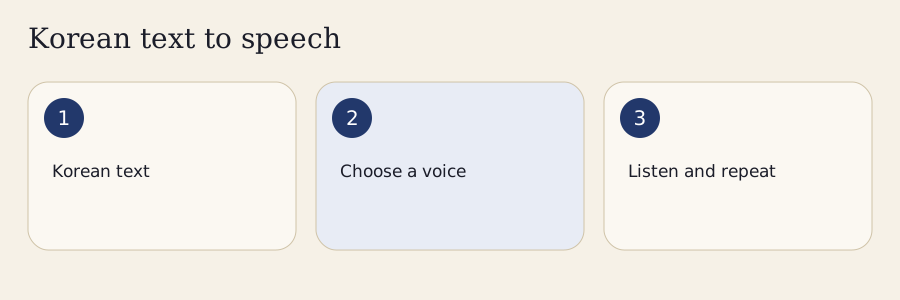
Paste Korean into the editor, select an audio source, and choose Read. The original passage remains visible while the studio prepares sentences for playback. Nothing speaks when you open the page, select an example, import a document or return from another tab. You control when listening begins.
- Paste a short Korean passage and check the spelling.
- Select an available Korean device voice or set up the local model.
- Choose Read, listen once, then adjust the speed or sentence gaps.
- Repeat the difficult sentence; generate local audio when you need a downloadable file.
Paste Hangul and Select an Audio Source
Start with a short passage that you understand. A single word helps compare consonants, while a complete sentence gives the engine useful punctuation and context. The editor accepts up to 5,000 Unicode characters per job. Characters are counted as Unicode code points; some visual symbols contain more than one code point. Longer material should be divided into manageable jobs rather than silently shortened.
Device synthetic speech uses a Korean voice installed or exposed by your browser. Local synthetic speech uses the downloaded model on your device. These sources have different setup requirements and download capabilities. Check the voice selector before reading; a familiar browser does not guarantee that its current device has Korean speech available.
Replay, Compare and Download
Choose Pause to interrupt playback, Resume to continue, or Stop to cancel the current reading. The sentence controls let you return to a difficult line. Speed affects the selected reading, while the gap settings create space between sentences or paragraphs. Read a short example at normal speed before deciding that a slower version is necessary.
To keep a file, choose local synthesis, finish generating the passage, and open Download. The WAV contains the generated samples rather than a recording of browser device speech. Captions and a settings sidecar help identify what was synthesized. For a fuller understanding of the written sounds, continue with the Korean romanization converter.
Which Korean Voice Should You Choose?

Choose a voice whose source and limitations you understand. A voice labelled Korean is capable of accepting Korean text, but that label does not establish that every sentence has correct pronunciation, natural rhythm or the right interpretation of a number. Compare the same short passage before committing to a long recording.
Recorded Examples, Device Voices and Neural Speech
A recorded example is a fixed file with one transcript. Its educational value depends on how it was checked and what use its licence permits. This studio does not currently publish an independently checked recording catalogue. Its text examples are prompts for your selected speech source, not recordings presented as teaching references.
Device speech covers arbitrary passages and often starts quickly. Available voices depend on the operating system and browser. The Web Speech API exposes playback controls and events, but does not provide an audio buffer that this page can save. Only device voices marked local are offered here; online provider voices are excluded.
Local neural synthesis processes the passage in a worker after an explicit download. The current model is Supertonic2, whose published languages include Korean. Its ten style identifiers are model settings, not evidence of a speaker's identity, age or regional background. Generated speech remains synthetic and does not inherit independent pronunciation approval.
| Source | Custom text | Direct audio download | What to check |
|---|---|---|---|
| Device synthetic | Yes, with an available Korean voice | No audio buffer from the browser API | Voice language, provider connection and playback |
| Local synthetic | Yes, after model setup | Real generated WAV | Model licence, storage, memory and output |
| Fixed recording | Only its exact transcript | Depends on its licence | Transcript, provenance and permission |
Voice Comparison for Study and Narration
Use identical text and settings when comparing voices. Listen for omitted syllables, misplaced pauses and words that become unclear. A voice that sounds pleasant on one greeting may struggle with a long number or mixed-language abbreviation. Keep the chosen voice and model version with your exported passage so a later difference can be investigated. Begin sound comparisons with the pronunciation lessons.
Why Can Spoken Korean Differ from Hangul?

Hangul spelling records words, while connected pronunciation follows additional rules. A final consonant can link to the next syllable or change before another consonant. The spelling should remain visible even when an explanatory spoken form looks different. A speech engine generally expects ordinary spelling; feeding it a blanket phonetic rewrite can apply changes twice.
Batchim and Linking Sounds
Batchim is a consonant written at the bottom of a syllable block. Its realization depends partly on what follows. A consonant at the end of an isolated word can behave differently when the next syllable begins with a vowel. Double final consonants add another distinction between the written cluster and the sounds heard in context.
The pronunciation rules include examples such as 읽어요, whose linking pattern is represented as 일거요 in a spoken-form explanation. That representation explains a reading; it does not replace the word's ordinary spelling. The listener needs to connect the written cluster to the next vowel rather than treat every bottom consonant as a separate audible release.
The authoritative basis is the National Institute of Korean Language's Standard Pronunciation Rules. Engine readings still need a listening check before you rely on them as learning references. Do not judge an unfamiliar rule merely by how one synthetic voice happened to pronounce it.
Nasalization, Aspiration and Tense Consonants
The spelling 국물 provides a useful nasalization example: its conventional spoken form is represented as 궁물. In the palatalization example 같이, a spoken-form explanation uses 가치. The commonly taught reading of 감사합니다 is represented as 감사함니다, illustrating the effect of the following nasal consonant. These written explanations point to rules, not promises about a particular generated waveform.
Aspiration and tense consonants involve different sound distinctions. A stronger-looking Latin spelling is not a reliable way to teach them, and slowing a recording alone will not explain the contrast. Compare the ordinary spelling, the covered rule and a suitable listening example, then try the sentence again. The sound-change checker keeps these explanations separate from the text sent to speech.
Slower Playback and Sentence Practice

A slightly slower reading can make syllable boundaries easier to follow. Start around 0.8× and compare it with normal speed. Very slow speech can distort rhythm and encourage you to pronounce a natural sentence as a series of disconnected blocks. The useful setting is the one that reveals the difficulty while keeping a recognizable phrase.
How Slow Should You Listen?
Digital speed adjustment and a person deliberately speaking carefully are different resources. Careful speech can change articulation, emphasis and pause placement. Playback stretching changes the duration of an existing signal, while a synthesis rate setting asks the engine to generate speech differently. Neither guarantees that the result is an ideal teaching model.
Device voices receive the requested rate and pitch settings through their browser interface, although their response can vary. The local model supports generation speed and playback volume. Local pitch tuning uses resampling, which changes pitch and duration together; per-segment SSML volume is rendered into generated samples. Synthetic pitch tuning is not a Korean pronunciation rule and does not identify a new speaker.
Repeat a Phrase without Losing Its Rhythm
Listen once, leave a gap, then repeat the complete phrase aloud. Use three repetitions for a short practice cycle and stop when your attention drops. Sentence and paragraph gaps are independently adjustable up to five seconds. An A/B range in generated audio can focus practice on a smaller passage without repeatedly returning to the start.
Keep the silent transcript available when audio cannot play. You can still identify syllables, mark a confusing consonant or compare the written sentence with a lesson. Repetition supports attention, but the studio does not assign a pronunciation score. Optional on-device transcription creates editable recognized text; it does not assess your pronunciation. Continue with the Hangul learning sequence when a block remains difficult to decode.
How Should Numbers and Names Be Read?

Numbers need context, and names need the intended spelling or pronunciation. A string of digits does not determine whether the speaker means an age, price, telephone number or clock time. Keep the original passage, then supply a deliberate spoken expansion when the engine chooses the wrong reading.
Times, Ages, Money and Phone Digits
Korean uses native and Sino-Korean number systems in different constructions. In the time expansion of 3시 15분, the hours and minutes use different systems: 세 시 십오 분. The age expression 21살 has the expansion 스물한 살, including the form used before its counter. Check the intended context before turning these examples into practice recordings.
A price such as 10,000원 has the reading 만 원. Phone digits have a different purpose: the example 010 is read digit by digit as 공일공. A general number conversion must not assume that every zero-containing number is a telephone prefix. Dates add month-specific conventions that can defeat a simple digit replacement.
Choose a number context deliberately in More, inspect the Hangul expansion, and edit it before applying an explicit spoken alias. The studio does not select a context automatically or claim that all numeric readings are resolved. Preserve the original document separately so the edited reading is not mistaken for its exact text. The Korean number converter explains the number systems and their examples.
Names, Hanja and Mixed-Language Text
An unfamiliar personal name may need a pronunciation supplied by its owner. Hanja can require a Korean reading that a general model does not infer reliably. An acronym inside Korean may be spoken as letters, a word or an established Korean borrowing. Keep mixed-script text visible rather than deleting characters to make a model run.
A homograph can also need a sentence or dictionary sense. Do not attach a particular meaning to an isolated word merely because a voice produced one possible reading. Use the Korean name converter for a pronunciation-based name spelling, then check the chosen Hangul before synthesizing it. A manual alias is a user decision, not independent confirmation that the resulting audio is correct.
Import an Editable Audio Transcript
Choose More, Files and markup, then Import an editable audio transcript. The optional on-device recognition model has a separate explicit download, cache and delete controls. Correct the recognized text before using it in the speech editor. Recognition can be wrong, and importing a transcript does not assess pronunciation or verify its Korean.
Can You Download Korean Speech as MP3 or WAV?
You can download a real WAV or genuine MP3 after local synthesis completes. MP3 encoding uses the existing local encoder and your selected bitrate. M4A transcoding is not offered. Changing a filename extension would not convert its samples, and the page does not offer a disguised WAV under another format's name.
Export a Plain Transcript Video Locally
Generated narration up to two minutes can become a plain text slide video with its sentence captions. The browser renders it locally in real time using a supported native WebM or MP4 encoder. Stop cancels rendering. This does not reproduce an imported presentation's layout. If your browser lacks a compatible encoder, export genuine audio and caption files instead.
Export Formats, Quality and Permissions
The generated WAV is mono 16-bit PCM with the actual model sample rate written into its header. PCM is straightforward to inspect and preserves the generated sample sequence without a compressed audio codec. Its file size depends on duration and sample rate, so a long passage can be substantially larger than a short example.
Compressed formats need real encoders, appropriate format support and decoding checks. An MP3 is not inherently a more accurate Korean reading, and a higher bitrate cannot repair a wrong syllable. Keep the original text and the voice settings when converting a file elsewhere. Confirm that the conversion preserved the beginning, ending and any deliberate pauses.
The model and code have different licences. Supertonic2's model licence is BigScience OpenRAIL-M, including use restrictions. It does not grant rights to its training data. The licence's output provisions are subject to its conditions; they are not a blanket promise that every use is unrestricted. Read the exact terms for your intended distribution.
Teacher Queues and Narration Files
A queue keeps several passages together without creating a public page for each sentence. Export its JSON to keep the text and selected device voice identifiers. Reordering chapters helps organize a lesson, but a queue file is not an audio archive. Each passage still needs its own successful playback or synthesis.
Generated sentence timings can be exported as SRT, VTT or CSV. They describe the generated segments, not independently measured word boundaries. Use the settings sidecar to retain the model revision and source. DOCX text and PPTX notes can help prepare narration, but the extraction does not reproduce the slide design, and a plain transcript video uses its own text slides. Bring the resulting transcript into your own teaching workflow after checking the audio.
Offline Playback and Input Privacy
Local generation does not send your passage to a speech provider. Downloading its public model assets still requires a connection, and the browser needs enough storage and memory. Only device voices marked local are selectable here; remote provider voices are excluded.
What Stays on Your Device?
The editor, segmentation, queue manipulation and file extraction run in the browser. Queue export downloads a file; it does not upload the queue. Passage history is opt-in and keeps only the last twenty passages in local browser storage. Clear it when using a shared device, and export important text before clearing browser data.
The localService property distinguishes a local speech service from a remote one. Remote Korean device voices are excluded in this studio. A local flag alone is not an airplane-mode test of every device and browser combination.
An explicitly shared short passage is included in a URL fragment readable by its recipient. It is not a private secret merely because it is outside the query string. Long passages can be exported as a local JSON file instead. Ordinary typing, copying and reading do not create public sentence URLs.
Voice Downloads, Storage and Cache Eviction
The pinned model, ten style files and inference runtime total approximately 282 million bytes. They load only after you choose model setup and accept the model licence. The browser verifies individual file sizes and SHA-256 hashes before marking the complete asset set as cached. A partially downloaded pack cannot claim readiness.
The cache check reports completeness and available storage where the browser exposes an estimate. It deliberately asks you to test playback disconnected before relying on offline speech. Browser cleanup, private browsing and storage pressure can remove cached files. A complete cache today does not establish permanent storage. Delete the model cache explicitly when you no longer need it, then continue with the text or device source.
What Should You Do When Korean Audio Fails?

First read the visible error, check the selected source, and try a short passage. An empty voice list, muted output and an incomplete model download have different remedies. Changing every setting at once makes the cause harder to identify.
Missing Voice, Interrupted Playback and Network Errors
If no Korean device voice appears, refresh the voice list after changing your device's speech resources. Availability depends on the operating system and browser; this page cannot install an OS voice for you. Choose the local model when the device source remains unavailable and your hardware can load it. Silent text remains usable throughout.
Check system volume, output routing, Bluetooth headphones and browser playback restrictions. Choose Read explicitly after returning to a suspended tab. The studio pauses on interruption and does not automatically start speaking when focus returns. Stop cancels scheduled device speech and gaps; the current editor text remains available for another attempt.
A local-model failure can reflect insufficient memory or unsupported runtime capabilities. Cancel loading, unload the worker and use device speech rather than repeatedly starting large jobs. Successful downloads do not guarantee that an older phone can run inference. Keep a short test passage and verify the model with it before requesting the full character allowance.
If a local device voice fails without a connection, check the installed language pack or use a fully cached local model. The studio does not switch to an English voice to make a success message appear. When reporting a problem, save the source, voice identifier and model revision without including private text. The corrections process is the appropriate place to describe a reproducible fault.
When Should You Ask a Korean Speaker?
Ask for help when the intended meaning, stress, rhythm or pronunciation remains uncertain after checking the relevant lesson. A plausible synthetic reading is not evidence that a homograph has the intended sense or that a name has its owner's preferred pronunciation. Numbers, abbreviations and sentence-final intonation are especially useful points to check with a Korean speaker.
Compare the source text with what you actually hear. If a consonant distinction matters to the lesson, use a checked human or synthetic reference rather than an arbitrary generated passage. A native listener can assess whether the intended text was pronounced and whether the rhythm supports the situation. Keep the exact source and settings so a correction can be reproduced. Listening tools supplement a pronunciation study plan; they do not replace that judgement.
Frequently Asked Questions
Does This Tool Translate English into Korean?
No. The studio reads the text you enter; it does not translate its meaning into Korean. Paste an existing Korean passage or supply your own spoken alias when a number or name needs clarification. Check the intended Korean wording separately before using the audio as a learning reference.
Will the Korean Voice Sound the Same on Another Phone?
Not necessarily. Device voices depend on the operating system, browser and installed language resources. The same voice name may also change between versions. A local model uses its pinned files and selected style, but generated output still needs checking. Keep the source and settings when comparing passages across devices.
Can I Save a Queue without Creating an Account?
Yes. Export the local queue as a JSON file and import it when needed. The file preserves its passages and selected voice identifiers, although a voice may be unavailable on another device. Queue export does not synthesize audio or upload the passages. Keep a backup before clearing browser storage.
Why Is the Pronunciation Form Different from the Spelling?
Connected Korean pronunciation can link or change consonants while the ordinary spelling remains the same. A rule explanation shows the covered spoken form separately to help you follow that change. The speech engine usually receives ordinary spelling. Consult the relevant rule rather than replacing every passage with phonetic respelling.
Does Repeating Audio Assess My Pronunciation?
No. Repeat controls provide listening and practice cycles; they do not assess or score your voice. Try repeating the whole phrase after its gap, then compare it with a suitable teaching reference. Ask a Korean speaker when an important sound distinction or the intended rhythm remains uncertain.
Continue Practising with Korean Text to Speech
Use Korean text to speech for a small, concrete listening task: identify a syllable, repeat one sentence, compare two available voices or create a checked practice file. Keep ordinary spelling visible while consulting a rule explanation, and decide deliberately how numbers and names should be read.
Return to Hangul lessons for block reading, use the romanization guide to understand the Latin conventions, and explore the sound-change rules when spelling and speech differ. Export important queues before changing devices. When an output raises a real question, retain its voice and version and seek a Korean speaker's assessment. A clear source record makes a useful correction possible without treating every synthetic sentence as an approved teaching example.