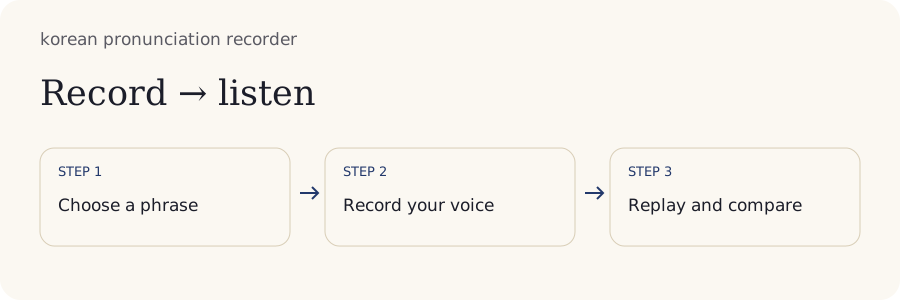
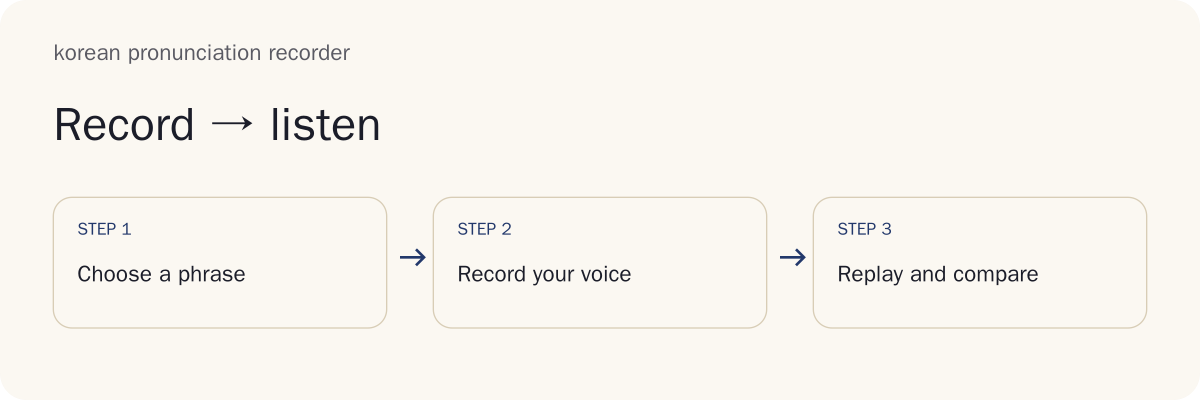
How to Use the Korean Pronunciation Recorder

Use the four steps below to produce a useful comparison: understand the phrase, record it, inspect one difference and preserve the take you want to keep.
1. Choose and Understand a Short Korean Reference
Choose a short word or phrase whose meaning you understand. A reference is the example you compare with your own recording. In this tool, device speech is synthetic speech; it is not a human recording. You can also import a reference file when you have permission to use it.
Read the Hangul and identify one sound to practice before recording. If the spelling-to-sound relationship is unfamiliar, study its explanation first. Copying a long phrase without understanding the sound pattern makes it difficult to decide what changed between takes.
Play the reference once at ordinary speed. Use a slower comparison if it helps locate the chosen sound, then return to ordinary speed before making a baseline recording. A baseline is an original take kept for later comparison.
Checkpoint: You can name the phrase, explain its meaning and identify the one cue you want to compare. Common mistake: Treating any synthetic voice as a definitive model for every pronunciation detail. Once the task is clear, prepare the microphone.
2. Record One Take with the Microphone
Recording needs microphone permission and a secure page, normally HTTPS or localhost. Choose the intended input if your device has several microphones. Start capture deliberately, speak the phrase and stop. Check the visible recording state rather than assuming capture began because permission was granted.
Keep the microphone position and room conditions similar across takes. Move away from loud background sound and avoid speaking directly into the microphone with force. A stronger signal is not necessarily clearer speech.
Replay the first take before recording several more. If you hear only silence or distortion, fix that condition first. You can import a phone recording when browser capture is unavailable.
Checkpoint: The take plays clearly and contains the phrase you intended. Common mistake: Continuing a session with an input that captures the room or another device instead of your voice. Clear capture makes the next comparison meaningful.
3. Compare Your Voice with the Model
Play the reference, then your take, using comparable playback speed and comfortable volume. Alternate them rather than trying to judge every feature at once. Simultaneous playback can be useful for timing, but overlapping voices may hide a consonant difference.
Keep one listening question in mind: did you add a final vowel, miss a connected sound change or pause inside the word? A specific question is easier to answer than “Do I sound good?” If you cannot hear the chosen distinction, return to the explanation before repeating more takes.
Compare the unedited take first. Changes to gain, speed or effects can alter the signal without changing the pronunciation you produced. The original provides a stable record of the attempt.
Write one observation in the take's notes. State what you heard and where, such as an extra pause before the final syllable. Avoid declaring improvement merely because the waveform is taller.
Checkpoint: You can name one audible difference or say that it remains uncertain. Common mistake: Attempting to copy the model's entire voice, pitch and loudness. Save the comparison before moving to another phrase.
4. Save the Next Take or Send It to Your Teacher
Name the take so you can recognize it later, and save it on this device only when you want it retained. Session recording, explicit device saving and downloading a file are different actions. Do not rely on an unsaved take surviving a reload.
Download your own audio when you want a portable copy. If you choose native file sharing, check the destination and the exact file before completing the share. This tool does not silently send your voice to a teacher or publish it in a gallery.
For homework, attach the phrase and one question about the cue you practiced. A teacher can respond more precisely to a named uncertainty than to a request to assess every part of your speech.
Checkpoint: The intended take is saved or downloaded and plays outside the immediate session. Common mistake: Assuming a local save is a cloud backup. The examples below help you choose what to listen for.
What Should You Listen for in Korean Speech?

Listen for the sound pattern relevant to your phrase. Batchim means a consonant at the bottom of a Hangul syllable block; its pronunciation can depend on the following sound. A vowel contrast concerns the vowel itself, while plain, tense and aspirated consonants form a different set of comparisons. Context comes before imitation.
Compare 감사합니다 without Copying Every Pitch Movement
Input: Practice 감사합니다, a formal “thank you.” The 감사합니다 pronunciation lesson gives the spoken form [감사함니다]. The written ㅂ is followed by ㄴ and becomes a nasal ㅁ sound in this position.
Task: Record a short take, then compare the transition into 니 with a suitable reference. Nasalization means a sound changes to a nasal sound, with airflow through the nose. The lesson explains the spelling and sound together, so the cue is not a guess from Latin letters.
Self-Check: Listen for the connected transition rather than adding a separate released consonant. Keep the word's ordinary spelling attached to the take; the bracketed form explains pronunciation rather than replacing the spelling.
Interpretation: A different voice height or pitch movement does not by itself show that the sound change is wrong. Record one note about the transition, then make another take with that cue in mind. The next example uses a different connected change.
Hear 같이 as a Connected Pronunciation
Input: The word 같이 means “together” and is pronounced [가치] in the linked palatalization examples lesson.
Task: Record the word as a connected pronunciation. In this example, the final ㅌ meets the following 이 suffix and is spoken with ㅊ. Palatalization names this change toward a sound made closer to the palate.
Self-Check: Compare the middle transition at ordinary speed before slowing it. Do not read each written consonant independently with a gap between the syllables. The lesson also explains why the rule does not apply to every appearance of ㄷ or ㅌ near a vowel.
Interpretation: The recording helps you inspect whether you applied the explained change. Its waveform cannot identify the consonant for you. Save the dry take and a note naming the transition you practiced; sentence melody requires another kind of comparison.
Does a Korean Question Always Rise at the End?
No. A Korean question does not always need an identical rise at the end. Question type, context and speaker variation affect the melody. A recorder lets you compare an example, but it does not turn one speaker's pitch contour into a universal rule.
Start by identifying what the speaker is asking and the situation in which the reference was produced. Copying a sharply rising voice without that context can change the impression of a phrase. A short device-generated reference may also provide less conversational information than a human example in context.
For practice, preserve the words and meaning first. Compare the ending only after the phrase is intelligible and its sound changes are understood. A teacher can help distinguish a meaningful intonation issue from an ordinary voice difference.
Avoid forcing your comfortable voice height to match another speaker. A pitch contour is the pattern of movement over time, rather than the absolute height of the voice. A visual signal display also describes a different property.
What Can a Waveform Tell You about a Recording?

A waveform shows changes in recorded amplitude over time. Amplitude is signal level; it is not a pronunciation grade. The display can help locate a pause or select a range, but identifying Korean sounds still requires listening and an appropriate explanation.
Duration, Pauses and Possible Saturation
Duration tells you how long the recording lasts. Peak level describes its largest signal magnitude. RMS, short for root mean square, summarizes average signal magnitude over a range. None measures accent quality.
| Observation | Simple Meaning | Useful Check |
|---|---|---|
| Duration | End time minus start time | Was silence included? |
| Peak | Largest absolute sample value | Is the signal approaching its limit? |
| RMS | Square root of the mean of squared samples | Are playback levels very different? |
| Pause | A low-signal interval | Is it intended, or microphone silence? |
Digital samples are numerical measurements of the signal. Saturation or clipping can occur when the recording exceeds what the system represents. A flattened peak can suggest a problem, but noise and display scale also affect the shape.
Compare the sound as well as the picture. A quiet, clean recording can be more usable than a loud distorted one. Do not raise capture level merely to fill the screen. Recognition text would supply another observation, rather than a verdict.
Can Speech Recognition Prove Correct Pronunciation?
No. Correct speech recognition does not prove that every sound was pronounced correctly. Recognition tries to infer words from a signal and context. It can infer the intended word despite an imperfect sound, or fail on a reasonable recording because of noise or system behavior.
A phoneme is a sound category that can distinguish meaning. Reliable phoneme-level assessment needs a suitable method and validation; matching a transcript is a different task. This recorder does not supply calibrated pronunciation scoring.
If you use the optional local transcription feature, compare its text with what you intended and inspect the audio before drawing a conclusion. A missing word can be caused by a pause or recording failure rather than grammar or pronunciation alone.
Use recognition as a clue to investigate, not as the target of your practice. Repeating a phrase until software accepts it may teach behavior specific to that system. Preserving unedited audio makes further listening possible.
Editing, Looping and Comparing Earlier Takes

Editing helps isolate a useful range or prepare a file for study. Keep the original recording so an edit never becomes the only evidence of how the take sounded.
Keep a Dry Baseline When You Trim or Add Effects
Input: A recording has a useful segment from 1.25 seconds to 2.00 seconds. Selecting that range gives 2.00 minus 1.25, or 0.75 seconds.
Output: A trimmed study segment can replay the transition you want to inspect. The original take remains the baseline; the shortened segment serves a different purpose.
A dry original means the recording without added processing or effects. Gain changes level. An effect changes the signal in another way. Cutting or splitting changes which parts you hear together. These operations can make study easier, but they do not retroactively change the speech you produced.
Label processed versions when exporting them. A teacher assessing timing needs to know if pauses were removed, while a teacher inspecting one consonant may prefer a short segment with surrounding context. Avoid trimming so tightly that the transition itself disappears. Playback settings can also change comparisons.
How Do Slow Playback and Offsets Change Comparison?
Slow playback lengthens the listening time, and alignment offsets change where one take starts relative to another. Both can help locate a difference, but neither demonstrates that you originally spoke at a different speed or time.
A two-second clip played at 0.8× takes about two divided by 0.8, or 2.5 seconds to play. Its original duration remains two seconds. Keep playback duration and recorded duration separate when making notes.
Some browsers preserve pitch while changing speed; behavior can vary. The timing of a release or transition can become easier to notice when slowed, while the altered sound can also mislead you. Return to ordinary speed before making a final self-check.
Manual alignment is useful when one take includes more leading silence. Align a meaningful starting point rather than stretching one waveform until the shapes match. If two speakers use different natural rhythm, identical visual shapes are not the goal.
Loop only enough context to hear the chosen cue, and take breaks from repeated playback. Your download should preserve which version you intend to share.
Which Audio Format Should You Download?

Download the genuine original when you want to preserve the captured format. Choose a genuine PCM WAV export when you want a broadly usable uncompressed audio file. Renaming a file's extension does not convert its encoding.
A container organizes file data; a codec describes how audio is encoded. PCM stores samples directly, while formats such as MP3 use compressed audio. The tool retains actual formats rather than promising every type of encoded export.
| Download Choice | What It Preserves | When It Helps |
|---|---|---|
| Original audio | Captured or imported format | Keeping the source take |
| PCM WAV | Decoded audio as PCM samples | Sending a usable uncompressed take |
| Audio project ZIP | Project files and related information | Moving a study project deliberately |
Worked Example: You recorded five seconds and your teacher requests WAV. Export a genuine WAV, then open the downloaded file and confirm the phrase is present. Do not rename a browser recording to end in .wav and assume it became WAV. If the teacher requests MP3 and no genuine MP3 encoder is provided, ask whether the original or WAV is suitable.
PCM size depends on duration, sample rate, channel count and bytes per sample. Five seconds of mono, 16-bit PCM at 48,000 samples per second contains 480,000 bytes of sample data, plus the file header. This is a format illustration, not a guarantee of the recorder's selected settings. Portable files introduce a deliberate sharing boundary.
Does Your Recording Leave the Device?
Voice capture stays in this browser and is not automatically uploaded. Choosing to save locally, download or share makes different copies with different destinations. Check the intended action before assuming where a recording will remain.
Session Memory, Device Storage and Deletion
Session memory holds work during the open session. Device storage can retain a take when you explicitly save it. A downloaded file is another copy under your file management. These states should not be treated as interchangeable.
Browser storage belongs to a particular browser profile and can be cleared. Storage limits, private browsing and device cleanup can affect whether material persists. A local save therefore does not guarantee recovery after changing devices or reinstalling a browser.
Download important takes before relying on them as a long-term baseline. Check a saved project after reopening it, and retain any source files needed for private references. Do not assume an imported file is backed up simply because it played once.
Delete an unwanted take through the tool's controls, then remove separate downloaded or shared copies wherever you saved them. Deleting the local take does not recall a file sent to another person. Ordinary deletion is not a promise of forensic erasure from device backups.
A useful privacy habit is to retain only the takes that serve a clear study purpose. Sharing requires its own decision.
Sharing, Teacher Comments and Assessment Consent
Share only the take, phrase and context needed for the intended feedback. A file may include your voice, background speech and identifiable details, so listen before sending it. This tool opens native file sharing only when you choose that action; it does not create a hosted teacher submission automatically.
Check the destination application and recipient. Once a file is sent elsewhere, storage and deletion depend on that destination. No local delete button can guarantee removal from a recipient's saved files.
Ask for a time-specific comment, such as whether the transition near the middle of the word matches the explained cue. Provide the phrase associated with the take so a teacher can identify what you actually attempted.
Do not mix an imported reference into homework without permission to export and mix it. Device speech provides playback here rather than a portable reference recording. Your own take is the available learner-only export. Clear sharing choices also make troubleshooting less confusing.
Why Is the Microphone or Recording Unavailable?

A microphone or recording can be unavailable because of permissions, input selection, another application, interruption or file support. Check the cause before repeatedly trying to speak louder.
- Permission denied: Inspect the site's microphone permission in the browser, then retry if you want capture enabled. A denied request does not mean the hardware failed.
- Wrong or missing input: Select the intended microphone and check the operating system's input setting. An external microphone can be connected without being the active input.
- Busy hardware: Close another application using the microphone and try again. Bluetooth devices may also switch audio modes or inputs.
- Interrupted capture: Stop, replay what was captured and begin another take if the phrase is incomplete. Device sleep or changing audio connections can interrupt a session.
- File or storage problem: Try a supported recording file, check the available device space and keep an export before clearing local data.
Capture requires a secure page and browser permission. If permission is unavailable on a shared or managed device, record on your phone and import that file for local study. Import supports the comparison task without pretending the browser microphone succeeded.
A silent playback can also come from output volume or the selected headphones. Test a known playable file before changing the pronunciation task. Then check whether offline conditions affect the reference you intended to use.
Can You Use the Recorder Offline?
Offline use is possible only for functions and media actually available on the device. An open or cached page does not automatically contain every reference, imported file or speech voice. Test the intended workflow while disconnected before depending on it.
Imported recordings need their local files. Device speech availability depends on the device and installed voice; a voice requiring a network cannot generate new speech without that connection. Existing playback and new synthesis are different operations.
Keep a downloaded copy of the take you want to preserve and any permitted reference file needed for comparison. A project saved locally is not a server account backup. No silent queued upload should be assumed when a connection returns, because the capture workflow does not automatically upload voice.
Choose a practice target you can explain with the available material. Language-background habits can help prioritize that target.
Practice Choices for English and Spanish Speakers
English and Spanish speakers can begin with the same Hangul phrase but attend to different familiar habits. Use a listening comparison to identify your actual difficulty instead of assuming every speaker of your language needs the same correction.
An English speaker may carry strong word stress or add a release to a final stop. A Spanish speaker may map Korean vowels onto familiar Spanish vowel categories. These are possibilities to investigate, not diagnoses based on nationality.
The linked routine recommends final consonants and plain, tense and aspirated comparisons as early practice areas. Treat these Korean labels as their own categories rather than equivalents of Latin letters. Romanization is a reading aid, not a complete guide to airflow or vowel quality.
Avoid forceful throat instructions or trying to shout a tense sound. Start with a suitable example and an explanation, record a comfortable attempt, then ask whether you can hear the relevant distinction. If the distinction stays unclear, seek specific help.
When Should a Teacher or Assessment Tool Help?
Ask a teacher when you cannot identify the target sound, when two references seem inconsistent or when repeated takes do not resolve your uncertainty. A teacher can connect the phrase, intended context and audible cue in a way a waveform cannot.
Bring one original take, the phrase, the reference source and a focused question. “Does this transition apply the nasalization rule?” gives more usable information than a request to sound perfect. Explain any editing, slowdown or processing before the teacher listens.
An assessment tool should state what it measures and how its results were validated. This recorder supplies recording and comparison; it does not promise a calibrated accent score or guarantee native-like speech.
Use feedback to choose the next practice target. The repeatable pronunciation routine connects listening, recording and a single correction without making every take a comprehensive assessment. Practical file and device questions are answered below.
Local Transcription in the Korean Pronunciation Recorder
Open More, then Local transcription to download the optional on-device model or correct a transcript manually. Recognition can be wrong, including on silence; it is not a pronunciation grade. Your original recording remains available. Export corrected text as TXT, VTT or SRT. Manual text edits reset timing to the whole take rather than preserving inferred word alignment.
Exchange Teacher Feedback as Local Files
Open More, then Feedback files and replay to add a timecoded comment, export feedback JSON or import a returned file for the same named take. Exchange files yourself through your chosen destination; this tool has no teacher account or hosted submission service. The author field is self supplied and unverified. Replay a selected cue against the original recording. Choose a personal next review date under Takes and import, and save explicitly if you want to keep it on this device.
Frequently Asked Questions
The answers below distinguish importing audio, preserving phrase history, comparing takes and deliberately sharing files. Use the same distinctions when deciding which copy of a recording you want to keep.
Can I practise without a built-in microphone?
Yes. Import a recording made on your phone or another device. You can listen, trim and export that take locally even when browser microphone permission is unavailable. Check that the imported file plays correctly before comparing it with a reference. Importing a file supports study without requiring this browser to capture your voice.
Can I change the phrase after recording?
Yes. Changing the current phrase preserves the original phrase attached to each existing take. This keeps your earlier recordings connected to the text you actually recorded. Start a new take for the new phrase rather than treating the old audio as a new attempt. Check the attached text before sharing a recording for feedback.
Can I compare two of my own takes?
Keep both takes and select each for playback at the same speed and volume. Notes remain attached to each take, so you can record one concrete difference without treating waveform height as improvement. Compare the dry originals first, then use trimmed segments if needed. Label any processing so a louder version is not mistaken for better pronunciation.
Can I include the reference voice in a homework file?
An imported reference needs permission for export and mixing. Device speech provides playback but no portable recording file here. Downloading your own take is the available learner-only alternative. Send the phrase and reference source separately if useful, and confirm the teacher can open the actual format before relying on a homework export.
Will a shared recording be publicly searchable?
This tool does not publish a recording gallery or create public recording URLs. Native file sharing opens only when you choose it; you control where the downloaded or shared file goes. Once sent elsewhere, the destination controls its handling. Check the recipient and avoid assuming that deleting a local take removes a shared copy.
Keep a Useful Korean Pronunciation Recorder Baseline
Keep one unedited take with its phrase, date and a note about the sound you practiced. The Korean pronunciation recorder becomes more useful when comparisons use consistent playback conditions and a specific listening question.
For the next session, play the earlier take before recording again. Compare the chosen cue at ordinary speed, then decide whether the difference is clear or still needs help. Preserve the original even when you export a shorter study segment.
A useful baseline records what happened; it does not need a score. Choose one connected-sound lesson, make one deliberate change and keep enough context for another listener to understand your question. Return to the 감사합니다 pronunciation lesson when you want a short phrase with an explained nasalization cue.