Key Facts
- A complete modern Hangul font covers 11,172 precomposed syllables: 19 initial choices × 21 vowel choices × 28 final options.
- Copied text preserves letters; an image preserves their appearance.
- Coverage depends on the selected font asset, rather than its family name alone.
- Font sources and licences are linked beside the selected font.
- Print dimensions follow pixels = millimetres × DPI / 25.4.
What Does a Korean Font Generator Change?
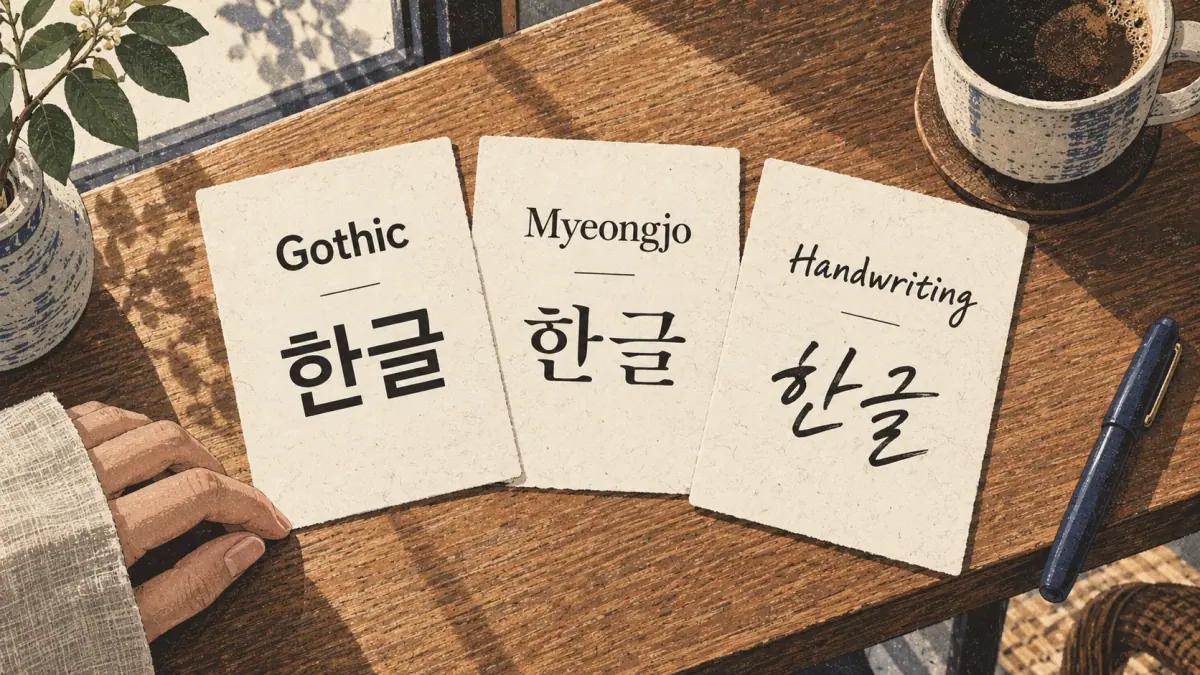
A Korean font generator changes the drawn appearance of text while keeping its spelling. A typeface supplies the shapes; the text supplies the letters. Colour, spacing and outlines add design choices around those shapes.
Real Typeface, Unchanged Spelling
The word 한글 remains the same word in a Gothic font, a serif font and a handwriting font. The strokes may become thicker, thinner, rounder or more irregular, but choosing another typeface does not translate the word or correct a misspelling. Think of changing a font as changing the pen used to write an already chosen message.
A glyph is the drawn shape that a font supplies for a character. The same character can have different glyphs in different fonts. The generator connects your source text to those shapes and then renders, or draws, the result on screen. Saving an image records that drawing; copying the text keeps the underlying characters.
Why Are Korean-Looking Latin Letters Different?
Latin letters arranged to resemble Korean writing are decorative Latin text. They do not become Hangul, and the arrangement does not produce a Korean translation. A name typed in English remains an English spelling unless you deliberately replace it with an established Hangul spelling.
For a useful first comparison, keep 한글 unchanged and switch only the font. This separates a difference in appearance from a difference in language. Once the text is correct, the design controls become easier to judge.
How Do I Make a Korean Text Design?
Make a design by entering your source text, choosing a font, checking its coverage, adjusting the layout and saving the appropriate format. Keep a plain copy of the original message so you can compare every result against it.
Enter Text and Choose a Real Font
- Enter the text. Paste a spelling you already know is correct. Check spaces, punctuation and line breaks before adding effects.
- Choose a font. Wait for its loading state to finish. A temporary system font can make two choices look identical while the intended assets are still loading.
- Check the characters. Resolve missing-character warnings before exporting. A visible word can contain a fallback glyph drawn by a different font.
- Adjust the design. Change size, colour and spacing, then inspect the whole canvas. Leave room around shadows and outlines.
- Save for the destination. Choose plain text for an editable message, an image for a fixed appearance, or a suitable document export for printing.
Compare, Adjust and Save
Use 한글 as a worked example. Set a readable Gothic preview and a handwriting preview to the same font size, canvas size and colour. Keep the source identical. Compare stroke thickness, the space inside each block, the baseline and the distance between blocks. A handwriting style may place marks less evenly; a Gothic style often makes their structure easier to compare.
Equal nominal font sizes do not guarantee equal visible heights. Judge the preview at the size people will actually see, rather than enlarging one sample until it looks better. After saving, reopen the file and compare the characters, edges and line breaks with the preview. Choosing a readable style comes before choosing an elaborate effect.
Choosing a Readable Hangul Style
A readable Hangul style keeps each block distinct at the final viewing size. A decoration that looks clear when enlarged can lose its internal spaces on a phone screen or small printed label.
How Do Gothic and Myeongjo Differ?
Gothic styles generally use fairly even stroke thickness without serif finishes. Myeongjo styles use thicker and thinner strokes with small finishing marks. Neither style changes the letters themselves.
| Style | What to Compare | Useful Starting Point | Watch For |
|---|---|---|---|
| Gothic | Even strokes and clear internal spaces | Screen reading and study labels | Heavy weights closing small spaces |
| Myeongjo | Stroke contrast and finishing marks | Printed text and formal headings | Thin strokes disappearing at small sizes |
| Rounded | Curved corners and block separation | Short informal labels | Similar shapes becoming harder to distinguish |
| Handwriting | Uneven marks, rhythm and baseline | Personal cards and short headings | Decorative shapes unfamiliar to beginners |
| Brush or display | Strong contrast and expressive shapes | Large titles and decorative artwork | Reduced clarity in long sentences |
The selected font menu is the reference for available families. Compare the actual assets shown there rather than assuming that every font with a familiar family name has identical coverage or weights. How Hangul fonts differ explains the reading differences in more detail.
Handwriting, Brush and Display Examples
For a short display label, try the same word at its intended printed size. For a longer reading sample, paste an already checked sentence and compare the same line in each candidate. Count whether all characters remain visible, inspect punctuation and check whether the spacing invites the eye to jump between blocks.
A handwriting font is a drawing system, not a stroke-order lesson. Its outline does not tell you which movement a writer made first. Choose a clear model for learning to read and a separate handwriting guide for learning to write. The next decision is how that appearance will travel outside this page.
Can I Copy and Paste the Chosen Font?
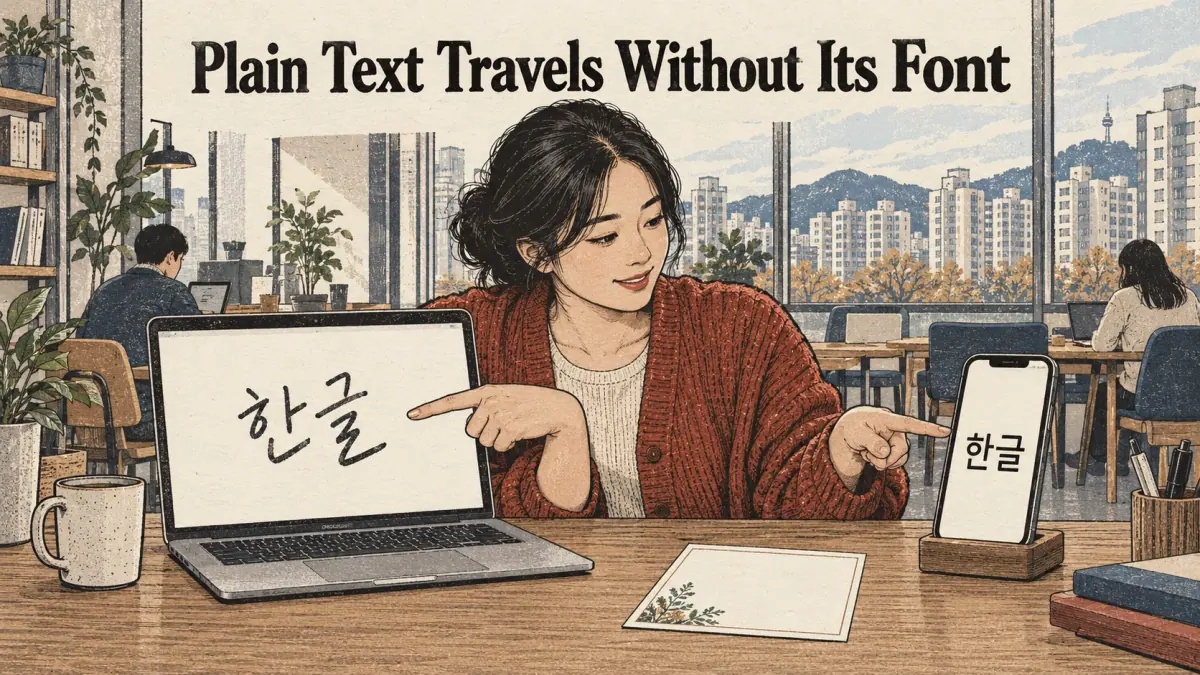
Plain copied text does not carry the chosen font with it. The receiving app uses its own typography unless that app lets you select or apply a compatible font independently.
Plain Text Travels without Its Font
Copy 한글 from two different previews and paste both copies into one ordinary text field. The receiving field normally displays both in the same style because the characters are identical. The preview's handwriting appearance is not a hidden property inside those characters.
Some applications accept rich text with formatting, but that depends on the application and clipboard support. Even then, a font name alone cannot supply a missing font file. Test the receiving document rather than assuming that a successful paste preserves every detail.
Decorative Unicode substitutions used for some Latin alphabets are not a general method for styling Korean. Replacing text with lookalike characters can also make copying, searching and reading less reliable. Preserve the actual Hangul spelling and choose an export designed to preserve appearance instead.
When Does a Shared Image Preserve Appearance?
An image records the visible shapes as pixels. The recipient can see the chosen font without installing it, although the image is no longer ordinary editable text. Add the original message as a caption or text alternative when sharing a design so people can read, search or copy the wording.
If clipboard access fails, select and copy the source text manually. If image sharing is unavailable in your browser, download the file and attach it in the destination app. The best fallback depends on whether you need editable letters or a finished picture, which also determines your export format.
Which Export Format Should I Choose?
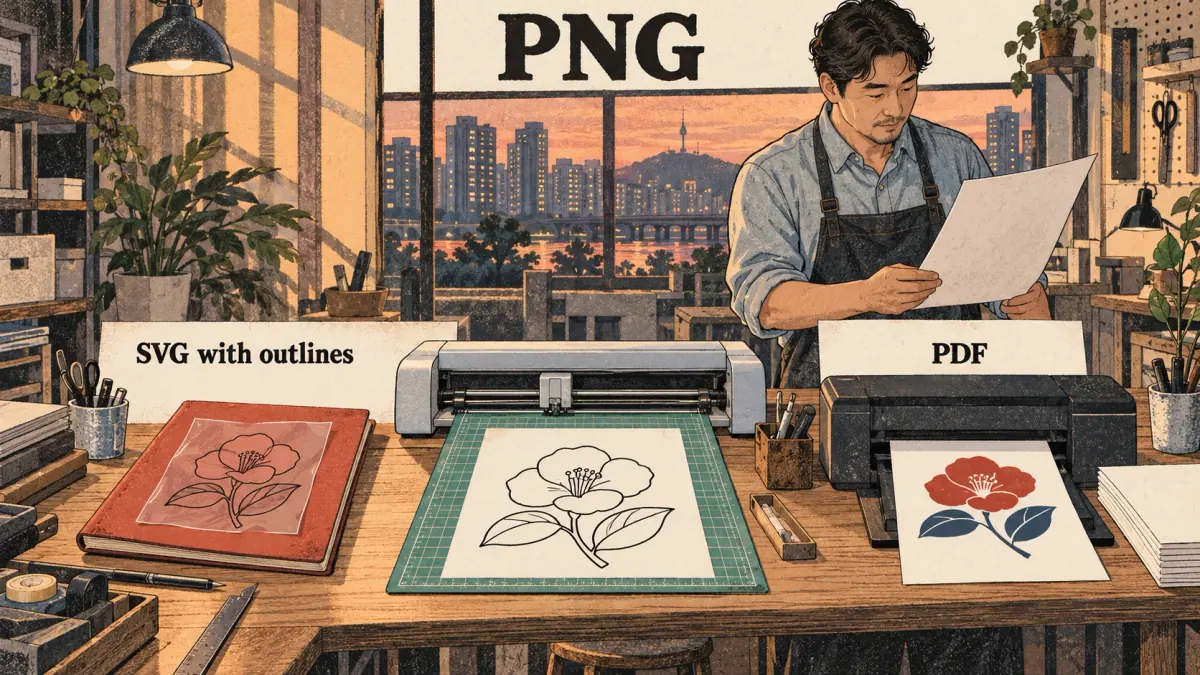
Choose PNG for a transparent design, a suitable SVG export for scalable artwork, and PDF for a document intended for printing. JPEG and WebP can be useful for image delivery, but their transparency and compression behaviour differ.
PNG, JPEG and WebP Compared
| Format | Transparency | Enlarging the Result | Editable or Searchable Text | Font Dependence |
|---|---|---|---|---|
| PNG | Supported | Pixels become visible when enlarged too far | No ordinary text layer | Appearance already rendered |
| JPEG | No transparent background | Pixels and compression can become visible | No ordinary text layer | Appearance already rendered |
| WebP | Can support transparency | Resolution still limits detail | No ordinary text layer | Appearance already rendered |
| SVG with live text | Supported | Text can scale | May retain editable text | Needs the intended font or suitable embedding |
| SVG with outlines | Supported | Shapes scale | Letters become shapes | Outlines preserve shapes without the original font |
| Depends on export construction | Vector content can scale | Searchable only with a working text layer | Depends on embedding and export settings |
PNG is a practical choice for a sticker placed over another background. JPEG suits a design with a solid background, but compression may add marks around sharp text edges. WebP can reduce file size for compatible destinations; confirm that the receiving service accepts it. Increasing the export pixel dimensions improves a raster image's capacity for enlargement, but does not make it a vector file.
SVG Paths and Searchable PDF
For a worked comparison, export 한글 on a 1200 × 600 pixel canvas as transparent PNG and outlined SVG. Place both in a document at the same displayed dimensions. The PNG contains a fixed grid of pixels; the outlined SVG describes shapes that can scale. Both preserve appearance, but neither automatically provides editable letters.
Live SVG text needs the correct font to reproduce the design. Outlined SVG removes that font dependency by converting the letters to paths. A searchable PDF needs a checked Unicode text layer: letters looking correct on the page does not prove that copying them returns the correct text.
Shadows and textured effects may be flattened into images even inside a vector container. A cutting machine needs suitable paths, not a picture of a shadow. Reopen the exported file, inspect it at high zoom and test text selection if searchability matters. For printing, file format is only half the decision; physical dimensions matter too.
Print at the Size You Intended
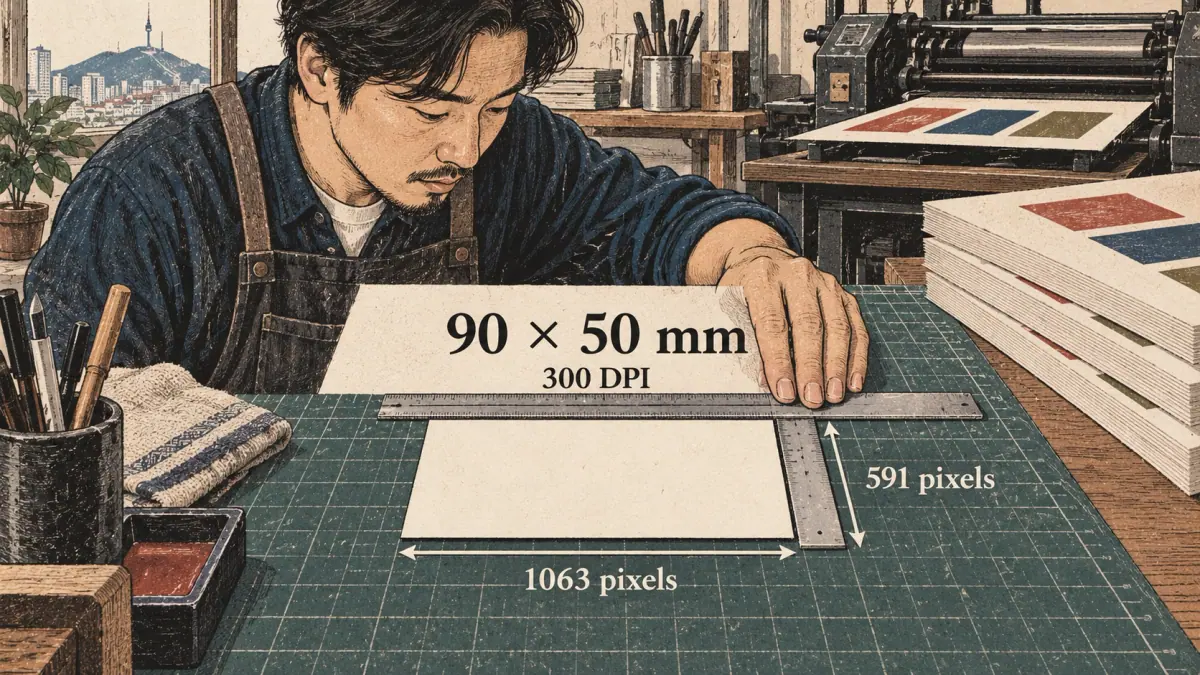
Printing at the intended size requires a physical measurement and a resolution. Millimetres describe the finished object; DPI describes how many image pixels are allocated to each printed inch.
How Are Millimetres and DPI Converted?
Use pixels = millimetres × DPI / 25.4. An inch contains 25.4 millimetres, so dividing the physical measurement by 25.4 converts it to inches before multiplying by the chosen resolution.
For a 90 × 50 mm card at 300 DPI:
- Width: 90 × 300 / 25.4 = about 1062.99, rounded to 1063 pixels.
- Height: 50 × 300 / 25.4 = about 590.55, rounded to 591 pixels.
The small difference introduced by rounding is expected because an image requires whole pixels. A 1063 × 591 image does not automatically print at 90 × 50 mm in every application. Set the physical size in the print document and choose actual-size printing rather than an automatic fit option.
Bilingual Cards, Labels and Fanboards
A bilingual card can place José beside a Korean spelling that its owner has already chosen. The generator handles appearance; it does not establish which transliteration that person should use. Keep each language readable and inspect accents as well as Hangul.
A4 and Letter are different paper sizes. Select the paper actually loaded in the printer and inspect the preview for cropping. Leave an internal safe area so text does not sit against the trimmed edge. Extend the check to outlines and shadows, which can reach farther than the letters.
Print a small test before producing a full sheet or fanboard. Compare its measured width and height with the requested dimensions, then inspect the smallest strokes. A correctly sized page still needs all its characters to be supported.
Why Are Some Korean Characters Missing?

Missing Korean characters usually mean the selected font does not contain the required glyphs, has not finished loading, or cannot shape the particular character sequence correctly. Those are different problems and need different remedies.
Full Modern Hangul Versus Limited Syllable Sets
A complete modern precomposed Hangul set contains 19 × 21 × 28 = 11,172 syllables. That is a count of possible encoded combinations, rather than a list of words used in everyday conversation. A font with attractive common-word samples can still omit unusual combinations needed for a name or special text.
The font's character map, often called its cmap, connects character codes to glyphs. Coverage checks inspect the selected asset's map. The family name or a screenshot of a familiar word is not evidence that the asset includes every modern syllable.
Historical Hangul and sequences of separate combining letters introduce additional requirements. Full coverage of modern precomposed syllables does not establish that every old spelling or combining sequence will display correctly. Keep such material in a font designed for that text and inspect the result separately.
How Do I Detect and Fix Fallback?
For a synthetic troubleshooting example, imagine that one character in your input is deliberately absent from a test font. The browser may show a box, or it may silently use another font for that character. The second case can look almost successful while mixing shapes within the word.
Wait for font loading, inspect the warning and select a font whose coverage check passes for the complete input. If a Noto fallback is offered, confirm it explicitly and compare the replacement with the rest of the design. Never hide a missing letter by deleting it from the source. Hangul Unicode and missing glyphs explains why character identity and appearance are separate. After coverage is resolved, check the licence for the exact asset you will use.
Font Licences You Can Actually Check
A font licence describes permissions for a particular font file and version. The supplied fonts have linked OFL licences, while a custom font may have different restrictions. Use the selected source and licence notices as your starting point.
Is a Free Font Always Free to Redistribute?
A free download does not establish unrestricted rights to pass on the font software, modify it or embed it in another product. Keep the font's original notices and consult the linked terms when an export includes font data. A screenshot and a packaged font file are different outputs.
Artwork, Embedded Fonts and Reserved Names
Ordinary artwork uses the font to draw letters. Embedded documents or redistributed font packages may also contain the software that created those letters. That difference matters when checking permissions.
Some licences identify Reserved Font Names for modified versions. Avoid giving a modified or subset font a protected name simply because its outlines began with that family. Keep any notice package supplied with the export, and record the selected font asset alongside your project. For custom uploads, your rights declaration cannot remove restrictions imposed by the original licence. Once permissions are understood, effects can be judged on both appearance and export behaviour.
Design Effects and Korean Stamps
Design effects change the appearance and bounds of the lettering. A decorative stamp is an image made from your chosen text and layout; the tool does not establish identity or the legal validity of a seal.
Colour, Outline, Shadows and Transformed Text
Start with readable text before adding an outline or shadow. Increase one effect at a time and inspect the spaces within each syllable block. A thick outline can close small gaps even when the outside silhouette still looks attractive.
Effects also extend beyond the original text box. A shadow may be clipped at the edge of an export, while curved or rotated text may need extra room above and below the line. Inspect every edge after changing an effect and after downloading.
Raster effects and cutting paths serve different purposes. A blurred shadow can look good in a PNG but cannot act as a precise cutter outline. Choose a path-based output and inspect the resulting paths when a machine needs to follow the design.
What Do Stamp Suffixes Mean?
A stamp layout may offer suffix or character options with meanings that require a separate language check. Do not add one merely to fill an empty corner, or infer a name's meaning from the visual balance of a stamp. Hanja choices also need supported glyphs and a confirmed reading.
For a four-character decorative layout, use an already confirmed four-character source and check each position at the final size. If the layout cannot accommodate the source, choose another layout instead of truncating the text. A compact arrangement is useful only when the letters remain intact. Custom typefaces need the same coverage and permission checks before they enter these designs.
Can I Preview My Own Font Locally?
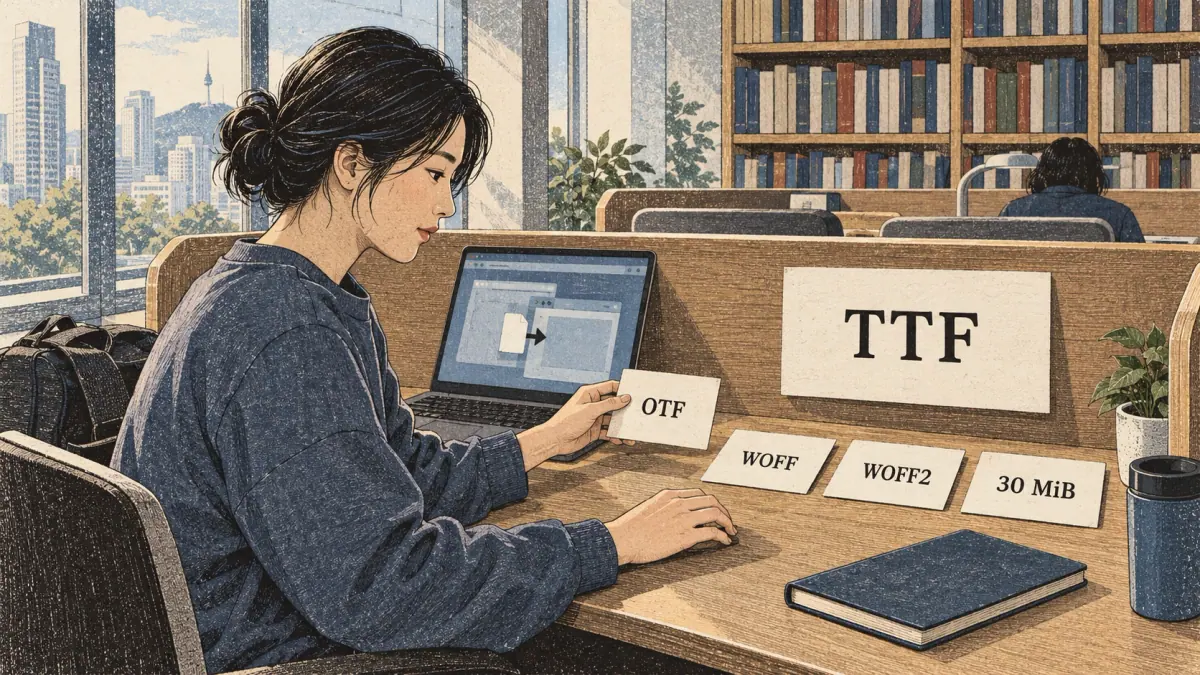
A local font preview lets you inspect a font file from your device without treating it as a supplied site font. Import only a file you are allowed to use, then check its characters and export permissions independently.
Import and Check Coverage
Supported import formats include TTF, OTF, WOFF and WOFF2. The file must contain a valid font structure; renaming an unrelated file does not convert it into a font. The import limit is 30 MiB, so a larger file needs an appropriate smaller version rather than a changed filename.
A failed import may indicate a damaged file, unsupported contents or an exceeded size limit. Use another known valid asset if necessary. After importing, test the complete intended source, including punctuation, Latin letters and accents. A Korean font can support the Hangul while lacking something else on a bilingual card.
What Happens to Uploaded Font Files?
Local preview does not require a default server upload. Loading a file into the browser's current session is different from deliberately saving a project for later. If you save locally, use the tool's deletion controls when you no longer want that saved copy.
A rights declaration and embedding checks help determine which exports are appropriate, but a technically readable font is not automatically licensed for every output. Confirm the publisher's terms before embedding font data. Download any project you intend to keep before clearing saved work. Previewing an existing file is also a different task from creating a new installable font.
Create an Actual Korean Font File
An actual font file supplies reusable glyphs that other compatible software can load. Saving a PNG of text creates artwork; compiling a TTF, OTF, WOFF or WOFF2 creates a font with a defined character set.
How Do Drawings Become 11,172 Syllables?
Hangul letters change their proportions and positions depending on the syllable block around them. A drawing suited to one position cannot simply be dropped unchanged into every possible block. Full modern coverage needs fitted results across the 11,172 encoded combinations.
Guided authoring can begin with sets of 8 or 39 reference drawings. Those references are source material, rather than proof that the finished font is complete. Editable vector shapes let you adjust outlines, spacing and the arrangement inside each generated block.
Choose the scope deliberately. Current-text creation covers the characters selected for that project, with a bounded scope of up to 64 characters; full modern creation targets the 11,172-syllable set. A small font sufficient for one card may fail when someone types a different name. State the intended coverage when giving the file to another person.
Reference Completion, Editing and Output Rights
Inspect each candidate glyph and accept only shapes you want to include. Compilation should use accepted glyphs, so unfinished candidates must not be mistaken for working coverage. Test repeated letters in several blocks, close internal spaces and uneven baselines before exporting a static weight.
AI completion, when available, depends on an appropriately licensed model and a quality check of the resulting typeface. A model-generated outline is a candidate to inspect, rather than a guarantee of Korean readability. Use drawings you own or have permission to transform, and keep source-project files so you can revise the results.
Installable output also needs usable character mapping and metrics, such as spacing and line-height information. Reopen the exported font in a compatible application and type the original test text before distributing it. Keep your original references privately unless you intentionally save or share them.
Privacy and Offline Use
The normal preview workflow handles source text locally. Saving, sharing or choosing a separately disclosed hosted feature changes where copies may exist, so use those actions deliberately.
Does Entered Text Reach a Server?
Local rendering does not require sending your entered name or message to a server. Any hosted completion feature should explain its data transfer before you opt in. The same distinction applies to a photograph or drawing used as a reference: confirm that you have permission to use and transform it.
Offline availability depends on assets already present on your device. A cached selected font pack does not establish that every other font, model or export pack is available. Check the available pack and version information before disconnecting, then test the export you actually need.
Save, Share and Remove a Design
Saving locally retains work for later use; downloading creates a file wherever your browser saves it. Delete saved drawings through Save and history, and remove unwanted downloads from your device separately.
A private fragment can carry design settings without putting personal text in a public page address, but include text only when you intentionally opt in to sharing it. Native sharing also sends the selected file or data to the receiving app. Keep a copy of useful source work before removing the local project, then use the following answers for common export problems.
Frequently Asked Questions
Can I export a design without owning its font?
The supplied fonts have OFL licences linked beside the tool. Read the selected licence. Custom-font exports depend on your declared permission and embedding restrictions.
Will another app show the same font?
Plain copied text uses the receiving app’s font. Images and properly embedded or outlined exports preserve appearance; live SVG text still needs its font.
Can I use the image on a notebook or fanboard?
Check the selected font licence and any photograph permissions. Preview the physical dimensions and print at actual size. A font preview does not validate a name spelling.
Why does my saved PDF show different Korean letters?
Confirm the font has the requested characters and wait for loading. Use an embedded-font export with a checked Unicode text layer; report the file and missing character if the result differs.
Are stamp images valid legal signatures?
This tool makes decorative images. It does not verify identity, register a seal or establish the legal validity of a signature.
Can I delete a handwritten reference after creating a font?
Delete saved drawings in Save and history. Download any source project you want to keep first. Your exported font file remains wherever you saved it.
Continue with the Korean Font Generator and Hangul Practice
Use the Korean font generator to compare a correct source in several styles, then save a format suited to its destination. Keep the original text alongside the artwork so appearance never becomes your only record of the message.
For reading, return to the font comparison above and practise identifying the same letters across styles. For writing, recognize handwritten letter shapes before copying an unfamiliar printed outline. A handwriting lesson explains movements that a font preview cannot show.
Choose one clear reference for your next practice session, compare it with your own writing and keep decorative exports separate from the model you use to learn consistent letter shapes.