How Do You Use the Hangul Syllable Builder?

Build a block in three steps:
- Choose an initial consonant and a vowel.
- Add a final consonant if needed, or choose None.
- Inspect the positions and copy the result.
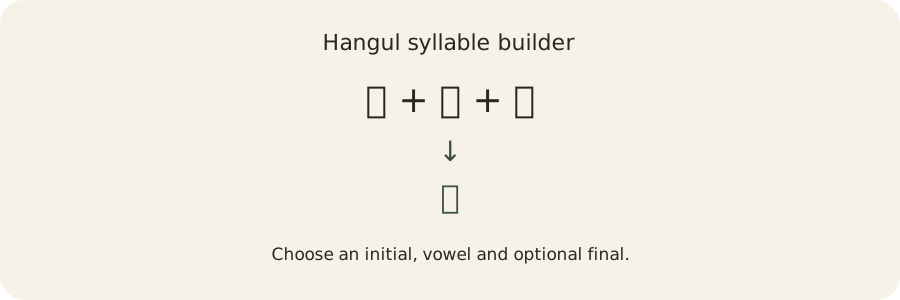
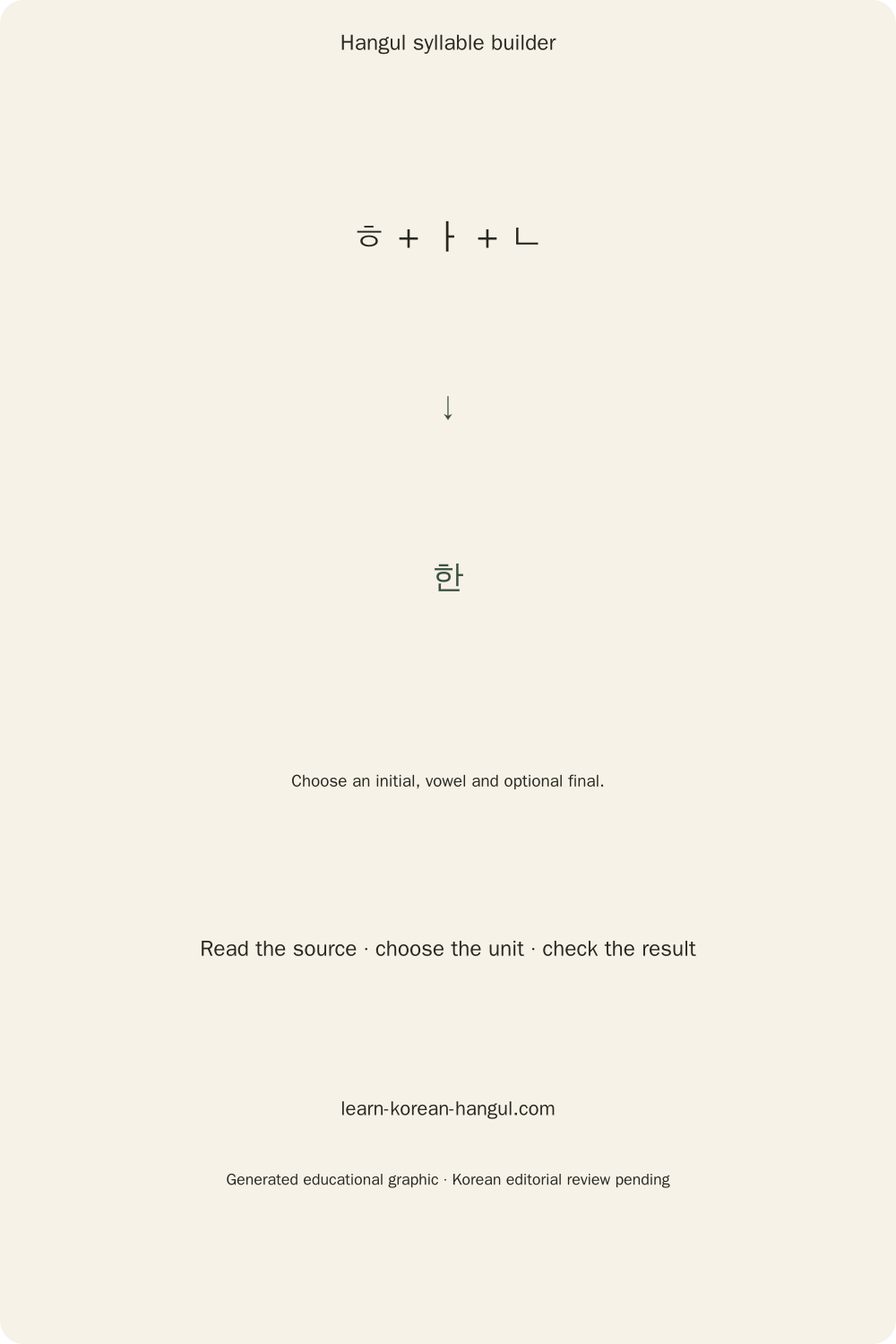
The default demonstration is 한. The selectors support every modern combination, and the result is actual Korean text rather than a picture of separately positioned letters. No account or installed Korean keyboard is needed to use the selectors.
Start with a Consonant and a Vowel
Select ㄱ under Initial and ㅏ under Vowel. The visible result should be 가. Initial means the consonant position at the beginning of the syllable; vowel means its required middle position. The separate position diagram gives a teaching scaffold, while the large specimen shows how your font renders the real block.
If you clear the builder, choose both required letters again. Clearing does not secretly choose a vowel or insert an initial. A blank field is an incomplete selection, not an encoding failure. Learners who cannot identify a consonant can consult the Korean consonant guide before choosing a slot.
Add or Remove the Final Consonant
Choose ㄴ under Final to change 가 into 간. Choose None to return to 가. The final sits below the initial and vowel in the diagram. A final can be a single letter or a permitted cluster, but the modern encoded block still has one final slot. The selectors exclude invalid final letters instead of guessing a replacement.
Inspect and Copy the Result
Copy places the composed block on the clipboard. If browser permission is denied, select the result and use your device's copy command. Inspect text accepts a pasted word or mixed passage and keeps the source unchanged. Previous and Next select one grapheme at a time; Edit slots loads a modern selected block into the builder.
Text input is limited to 10,000 Unicode code points and 80 KB of UTF-8. Up to 2,000 code points update without an explicit Run action; longer passages require Run. Oversized input stays visible with a recovery message. Saving output never implies that the original has been overwritten. Knowing the three positions makes the diagram easier to read.
Where Do Korean Letters Go inside a Block?
The vowel shape determines whether the initial and vowel sit side by side, stack vertically, or use a mixed arrangement. A final adds the bottom area. The builder labels initial, vowel and final in text as well as using different colors, so the diagram does not depend on color alone.
| Vowel family | Without a final | With a final |
|---|---|---|
| Vertical | Initial left, vowel right | Initial left and vowel right, final below |
| Horizontal | Initial above vowel | Initial above vowel, final below both |
| Mixed | Initial in upper-left space, compound vowel around it | Mixed arrangement with final below |
Vertical vowels include ㅏ, ㅐ, ㅑ, ㅒ, ㅓ, ㅔ, ㅕ, ㅖ and ㅣ. Horizontal vowels include ㅗ, ㅛ, ㅜ, ㅠ and ㅡ. Mixed vowels include ㅘ, ㅙ, ㅚ, ㅝ, ㅞ, ㅟ and ㅢ. Those groups explain the placement scaffold; they do not specify exact glyph strokes or guarantee identical typography across fonts.
Reading order follows the initial, then the vowel, then the final if present. The diagram's numbers identify that order. The rendered specimen may make a letter narrower, wider or differently balanced to fit its neighbors. Such changes belong to font design and shaping; they do not alter the stored slot choices.
Why Does 아 Need a Silent ㅇ?
아 uses ㅇ in the initial position because a modern vowel-start syllable still needs an initial slot. The vowel is ㅏ, and there is no final. The same written letter ㅇ has another role as a final, as in 강. Structure and pronunciation must therefore be explained with position, not just a letter's appearance.
The Vowel start action explicitly chooses ㅇ. It is a visible choice rather than an automatic correction of arbitrary input. Free compatibility-jamo composition leaves a lone vowel as a lone vowel. Learn unfamiliar vowel forms through Korean vowel shapes and sounds, then compare the six layouts in the builder.
Worked Examples: Build and Open Four Blocks
The four examples below follow the same sequence: choose the input, select an operation, check the output and interpret what changed. Each distinguishes structural information from meaning or pronunciation. Start with one block and change just one slot. Compare the result with the original before moving to a longer word. Keeping the initial and final fixed while changing the vowel is a useful way to practise the six block shapes.
한: Three Positions and One Copied Character
Input: choose ㅎ, ㅏ and ㄴ. Operation: Build. Output: 한, U+D55C. Interpretation: the three roles occupy one modern precomposed syllable. Copying the block copies one Unicode code point; copying its canonical conjoining representation copies three code points that can still display as one grapheme.
Inspect 한 to compare its compatibility slots, ㅎㅏㄴ, with its canonical jamo, 한. The output choices intentionally keep those representations separate. A human reader may see the same familiar block in different encoded forms, so the code-point and byte counters are useful checks when debugging text interchange.
곰: Put a Horizontal Vowel below the Initial
Input: choose ㄱ, ㅗ and ㅁ. Operation: Build. Output: 곰. Interpretation: ㅗ belongs to the horizontal family, so the diagram places it below the initial, with the final below both. Changing Final to None leaves 고 and removes the bottom position without changing the initial or vowel.
The diagram is a structural explanation, not a handwriting prescription. Fonts can compress the proportions of stacked letters. Inspecting the block still recovers ㄱ, ㅗ and ㅁ regardless of those visual proportions. Use the position labels when explaining the result to a learner who is still distinguishing the component letters.
과: One Vowel Slot with a Compound Shape
Input: choose ㄱ and ㅘ, with no final. Operation: Build. Output: 과. Interpretation: a compound-looking vowel occupies one modern vowel slot. Deep split shows the keyboard-level vowel sequence ㅗㅏ. That expansion describes how the ordinary two-set input method can build the same vowel from two source keys.
The difference matters when counting parts. 과 has two occupied slots, but its keyboard-level compatibility strokes are ㄱㅗㅏ. Its Latin physical-key sequence is rhk. Three source keys therefore produce one block with one initial and one vowel slot. Neither count is wrong; each answers a different question.
값: Separate a Final Cluster into Keyboard Strokes
Input: choose ㄱ, ㅏ and ㅄ. Operation: inspect compatibility slots, then keyboard strokes. Output: slots ㄱㅏㅄ; strokes ㄱㅏㅂㅅ; Latin keys rkqt. Interpretation: the final cluster is one canonical final slot and two keyboard-level consonant inputs. Unicode canonical decomposition does not split that final into two separate final letters.
Structural ㅂㅅ must not be read as a promise about the word's pronunciation. Sounds can depend on context, and the builder does not replace a pronunciation lesson with a raw cluster label. Read double batchim in context for that task. The next section explains the arithmetic behind the real output character.
How Does Hangul Composition Work in Unicode?
Modern Hangul composition uses fixed initial, vowel and final indices. The formula is U+AC00 + ((L × 21) + V) × 28 + T. L ranges from 0 to 18, V from 0 to 20 and T from 0 to 27. A final index of zero means None, giving 28 final choices including the empty choice.
The initial count is 19, the vowel count is 21 and the final-choice count is 28. Their product is 11,172. The modern range starts at 가, U+AC00, and ends at 힣, U+D7A3. Unicode's core specification, section 3.12 defines the arithmetic. The number counts encoded combinations, not dictionary words or useful vocabulary items.
Decomposition reverses the formula. Subtract U+AC00 from a modern syllable's code point to get s. Divide s by 588 and take the integer part for L. Take the remainder modulo 588, divide by 28 and take the integer part for V. The remainder modulo 28 is T. These exact integer operations need no rounding convention.
The conjoining initial starts at U+1100, the conjoining vowel at U+1161, and nonempty finals use U+11A7 plus T. The base U+11A7 is not emitted for an absent final. As a boundary check, 가 uses L=0, V=0 and T=0. 힣 uses the final entries of all three arrays: L=18, V=20 and T=27.
Unicode's worked decomposition example 퓛 corresponds to U+1111, U+1171 and U+11B6. The lab can display those canonical points alongside compatibility slots. A successful composition and decomposition confirm the stored letters; they do not establish word meanings, contextual readings or how a word is used.
Names such as HANGUL SYLLABLE HAN are encoding names constructed from Unicode's syllable-name components. They identify characters; they are not standalone pronunciation lessons. Read Hangul encoding and normalization for the developer background, then use the lab to compare a concrete input.
Why Can Identical Korean Text Have Different Codes?

A visible Hangul grapheme can use a precomposed syllable or a sequence of canonical conjoining jamo. NFC commonly produces the modern precomposed form; NFD exposes its canonical components. A font may render both forms as the same block. The lab therefore shows code points, UTF-16 units, grapheme clusters and UTF-8 bytes separately.
| Representation of 한 | Code points | UTF-16 units | UTF-8 bytes | Graphemes |
|---|---|---|---|---|
| NFC 한 | 1 | 1 | 3 | 1 |
| NFD 한 | 3 | 3 | 9 | 1 |
| Compatibility ㅎㅏㄴ | 3 | 3 | 9 | 3 |
The compatibility row describes separate characters with standalone letter forms. The canonical row describes jamo with joining roles. Visual similarity does not make the strings byte-identical. A copied output should match the representation requested by the receiving application, rather than whichever form happened to look familiar in a font.
Does Normalization Work Like a Korean Keyboard?
Normalization does not perform the same contextual editing as a Korean keyboard. NFKC can turn compatibility ㄱㅏ into 가, but ㄱㅏㄴ normalizes to 가 followed by leading ᄂ, not automatically to 간. Keyboard composition interprets the final-compatible ㄴ according to its position after a vowel and can create 간.
The lab separates strict canonical composition from keyboard-jamo composition. Canonical composition respects separators: ᄀ, a space and ᅡ remain separated. Keyboard composition can redivide finals when another vowel arrives. Choosing the policy first prevents a seemingly similar normalization command from changing the segmentation you intended.
Default normalization touches Hangul runs and preserves a Latin accent such as é. Enabling Entire text allows native normalization to change other scripts too; NFD can turn é into e plus a combining acute. Compare Before and After counts before copying. NFKC/NFKD also affect compatibility symbols, so inspect those previews rather than assuming a global cleanup is harmless.
What Can You Copy from the Jamo Lab?

Copy the real composed block for ordinary writing. Copy compatibility slots for a readable component list. Copy canonical jamo for normalization or text-processing tests. Copy keyboard strokes when teaching how compound components are entered, and Latin keys when demonstrating physical two-set positions. Code-point and escaped-code copies serve developer inspection rather than pronunciation study.
Initial-Consonant Search and Keystroke Examples
Initial extraction converts 한국어 to ㅎㄱㅇ. The default retains punctuation, spaces and other scripts, so A한 😀! becomes Aㅎ 😀!. Hangul only removes the nonmodern material from the derived initial string. Canonical selects joining initials instead of compatibility initials. The original text remains available when switching back to Inspect.
The Latin-key output is a physical-layout spelling, not romanization. For example, 한글 gives gksrmf. Uppercase keys identify shifted positions such as R for ㄲ. The shared composer is also used by the Korean keyboard and wrong-layout fixer, so the lab does not maintain a separate mapping with different edge-case behavior.
JSON export includes source offsets, original graphemes, normalized blocks, roles and derived representations. CSV quotes fields and preserves Unicode text. UTF-8 text export copies the currently chosen result. Source offsets are Unicode scalar positions, while browser textarea selection uses UTF-16 offsets; confusing those units can break edits around emoji or combining sequences.
Can Every Valid Hangul Block Be a Real Word?

A valid modern block is a permitted encoded combination, not proof of a dictionary word. A syllable can also occur inside longer words without forming a word by itself. The builder therefore avoids inventing a meaning when its small exact-match vocabulary index has no entry for the selected text.
The vocabulary panel shows 250 word examples with English glosses. Use an English gloss to recognize the example, then look at the highlighted block inside the full word. Try copying that word into the builder to inspect its other blocks. Exact matches are separate from up to three containing-word examples. A missing match is a limitation of the small list, not a judgment that Korean speakers never use the string.
No arbitrary recording is invented for a block. The recording message distinguishes missing audio recordings from the optional Korean voice supplied by your device. Device voice availability, sound quality and offline support vary; listening to it does not turn a generated reading into an approved pronunciation record. Word meaning and pronunciation need evidence beyond arithmetic.
Fix Incomplete Letters and Unsupported Sequences
Incomplete input should produce a reason and a recoverable state. The builder never silently drops your source to force a valid result. For a missing vowel, choose a vowel explicitly. For an invalid final, use one of the permitted final choices. For compatibility input that stays separate under canonical composition, choose keyboard compatibility-jamo composition instead.
Wrong keyboard repair offers both English keys to Hangul and Hangul to English keys. Its preview preserves spaces and punctuation and allows individual runs to be excluded. Check the preview before copying; a Latin name may be intentional. Undo preview restores the unchanged interpretation of every run while preserving the original source.
A lone surrogate is malformed Unicode text. The source remains visible with an error instead of being silently replaced during export. Oversized input likewise remains available for shortening or splitting. These recoveries are more useful than a generic “invalid Korean” message because they name the actual encoding or input-policy issue.
How Should You Inspect Old Hangul?
Inspect Old Hangul as code-point sequences with joining roles, not as another part of the modern 11,172-syllable formula. The expert workspace supplies assigned jamo from U+1100–11FF, Extended-A and Extended-B, plus fillers and tone marks. A name or hex-code filter and five-item pages keep the character catalog within the working panel.
The names come from pinned Unicode 17 data, and the exact sequence remains visible. Deleting a point removes one scalar, not an invented historical syllable. A modern subsequence can be normalized to NFC on command; archaic sequences remain sequences when no modern precomposed character exists. Font support can display components separately, so the rendered preview carries a shaping limitation.
Historical pronunciation and meaning are outside this workspace. Historical joining also depends on the fonts and text display support available on your device. Exact code-point preservation and copying remain useful even when a platform's current font does not visually join an old sequence.
Practise and Print a Block Explanation

Challenge mode offers untimed building, taking apart and choosing a layout. Thirty authored structural prompts cover the six layouts, vowel starts, tense initials, compound vowels and final clusters. Check names the incorrect slot; Retry keeps the prompt, Reveal shows the answer, and Next chooses another reproducible prompt. Take a moment to rebuild a missed block before moving on. Changing one letter at a time makes the shape easier to remember.
The More panel exports an original SVG or a PNG at 2× resolution showing the chosen block, labeled positions, reading order, Unicode encoding and canonical source link. Choose Practise This Block Shape to draw beside the selected block’s font outline. The drawing controls load only when chosen; pointer and keyboard input both support undo, redo, clear and local SVG export. Compare shapes yourself: this is not handwriting recognition, stroke-order instruction or a correctness score. The diagram is teaching scaffolding rather than stroke-order artwork. Print the explanation when you want a worksheet-sized reference, or use a blank Hangul block template for handwriting. The exported diagram carries the actual selected letters, so avoid sharing a private text example unintentionally.
Remember this session is optional and starts off. It stores at most 10 KB locally, and turning it off removes this tool's retained session. An explicit share action copies a versioned fragment link containing at most 200 characters. Recipients can read that fragment; sharing is never automatic, and the lab does not create an indexed landing page for each result.
Frequently Asked Questions
Can I paste more than one Korean word?
Yes. Inspect text accepts mixed passages up to 10,000 Unicode code points and 80 KB of UTF-8. Previous and Next select a grapheme without deleting the original passage. Inputs above 2,000 code points require Run. JSON and CSV exports contain the complete derived records rather than only the selected preview.
Will this change the text I typed?
The source remains separate from derived output. Selecting a decomposition, normalization form or initial extraction changes the preview rather than silently replacing the original. Entire-text normalization is explicit because it can alter Latin accents and compatibility symbols. Check the preview, then copy the representation required by your next application.
Can I use the result without installing a Korean keyboard?
Yes. The selectors compose a real modern Hangul syllable in your browser, and Copy transfers that text to another application. No operating-system Korean input method is needed for selecting letters. If clipboard access is denied, select the visible result and use the device copy command. JavaScript is required for live composition.
Why is a recording unavailable for my block?
An arbitrary valid block does not automatically have an approved recording or contextual pronunciation. The builder displays a missing-recording message when audio recordings is unavailable. An optional Korean device voice is separately labeled and may be absent or require downloads. Device output is not presented as an approved linguistic recording.
Can teachers use the diagrams in a worksheet?
The lab can export an original SVG showing the selected modern block and its labeled initial, vowel and final positions. The diagram explains placement rather than exact handwriting strokes. Use the linked blank block template for writing practice. Check the Korean teaching examples before distributing generated material as a classroom resource.
Choose Your Next Hangul Practice Task
Use the Hangul syllable builder to change one slot and explain what happened. Compare a vertical, horizontal and mixed vowel, then add the same final to each. Continue with the six syllable-block layouts or the syllable-block quiz when you want practice beyond the lab. Save a few blocks you find difficult and come back to them in a later practice session. Short, repeated attempts can make the component positions easier to recognize.