Korean romanization converter
Korean text
Romanization result
Unreviewed · Local conversion in your browser.
Enter Korean text or try an example.
Unreviewed · Local conversion in your browser.
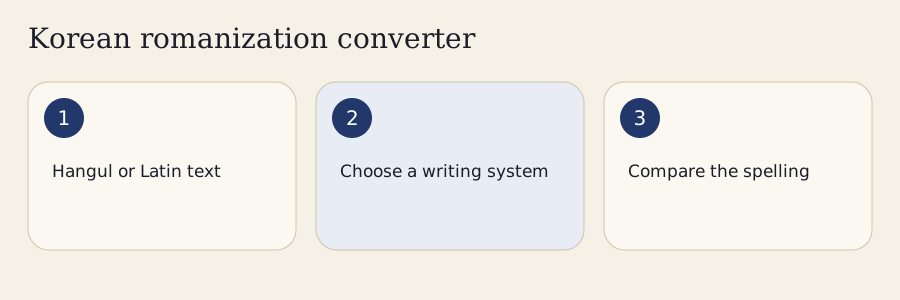
Choose a direction, name the system, check the result and copy the spelling you need. These four decisions matter more than pressing a conversion button. A Latin result is useful only when the reader knows which convention produced it. Before adding a romanized name to a map, bibliography or worksheet, keep the Hangul beside it whenever possible.
Start with Hangul → Latin when you already know the Korean spelling. Select Revised Romanization for an everyday place-name or learning task. Select an academic profile when your assignment specifies it. Paste a short example first: 부산 with a proper-name context gives Busan in RR. A checkpoint is a visible result that matches your intended system and capitalization.
Choose Latin → Hangul when you are investigating an existing romanized word. Tell the converter which system the source uses. A checkpoint is a candidate list, rather than a promise that the first item must be the original. Latin → Latin uses the selected Hangul candidate as a bridge between systems; it cannot restore information the source discarded.
Read the original, output and spoken form together. Open More to inspect sound notes or adjust boundaries. For a personal name, enter the surname and given name separately. For an address, confirm that the final block really names an administrative unit. Copy includes the complete selected output even when a long result occupies several visible pages. Recheck your choice after changing a setting.
Use the system requested by your reader or institution. The converter offers several profiles because a learner, traveler and cataloguer may need different representations of the same Korean spelling. Switching standards changes conventions; it does not translate the Korean word or make one speaker's pronunciation more correct than another's.
| Profile | Main practical use | What to check |
|---|---|---|
| Revised Romanization | General Korean terms and place-name conventions | Context, pronunciation rules and official exclusions |
| ALA-LC MR, corrected July 2025 | Bibliographic work requiring that named profile | Breves, aspiration, word division and personal-name rules |
| Yale modern spelling | Linguistic discussion of spelling and structure | Variant, syllable boundaries and any manual annotations |
| RR §8 spelling | Preserving written letters for a reversible task | Exact separators and the version recorded in the export |
The ALA-LC label identifies a particular bibliographic profile. It should not be treated as a label for every historical or regional use of McCune–Reischauer. Yale also needs a variant name: the uniform-wu setting differs from the standard labial-vowel convention. If an instructor supplies a style sheet, compare that sheet with the converter's selected settings before processing a batch.
In MR, a breve or aspiration mark can distinguish spellings. Removing marks to simplify typing can erase information needed for reversal. Copy from the original document when possible, and use the mark buttons in More to restore a character you can verify. For a broader introduction, compare Korean romanization systems before choosing a format for a long project.
The converter analyzes modern Hangul blocks, considers neighboring sounds and renders the result under the chosen scheme. It retains your source for checking. This matters because a pronunciation form and a spelling-preserving form answer different questions: one describes sounds, while the other keeps distinctions in written letters.
A modern Hangul block encodes an initial, vowel and optional final. The implementation uses Unicode arithmetic to separate those parts, then recomposes them when a rule produces a spoken block. Canonically decomposed Hangul is analyzed in normalized form; punctuation and unrelated scripts are retained. The process does not turn all unusual-looking text into Korean or apply compatibility normalization indiscriminately.
A sound rule can move or change a consonant across a syllable boundary. The explanation records the change so you can compare the source with the spoken result. Boundaries matter: a compound join, an inflection and the boundary between a surname and given name can call for different decisions. A deterministic rule cannot infer every word's meaning from its spelling, so check unfamiliar compounds against a reliable dictionary and retain your chosen assumptions.
RR follows pronunciation with explicit exclusions. For example, 학교 can show a tense second consonant in spoken Hangul while its RR result is hakgyo. Originally written tense consonants remain distinct; excluding a newly created tense sound does not erase tense letters everywhere. Similarly, a spelling profile can preserve a final letter that ordinary RR represents by its final sound.
The Revised Romanization rules lesson explains the conventions in more depth. Use the Korean sound change checker to inspect pronunciation decisions separately. Keeping those two views together helps you avoid using a Latin spelling as a complete phonetic instruction.
Work through one example at a time with its stated context. The outputs below demonstrate documented rules and explicit options. They do not imply that a converter can identify every name, word boundary or lexical pronunciation without help. Keep the input and chosen mode in your notes so another learner can reproduce the decision.
Enter 국물 with RR and Words selected. The output is gungmul. Its spoken form illustrates nasalization, so reading isolated letter names and joining them would miss the neighboring-consonant effect. Copy the Latin result only after looking at the source and sound note. This example shows why a whole-word conversion is different from a list of block spellings.
Next enter 학교 under the same settings. The output is hakgyo, while the pronunciation view may show 학꾜. The new tense sound is excluded from RR rendering. This is a useful checkpoint for a converter: replacing every letter according to the final spoken form would produce an inappropriate RR spelling. For speaking practice, return to Korean audio and Hangul.
Enter 묵호 with proper-name capitalization and noun sense. The RR result is Mukho. The noun exception retains h in this context; a verb form involving aspiration requires a different decision. If the grammatical sense is uncertain, keep the source and ask which word the writer intends before choosing an output.
Enter 인왕리 with Address selected. The result is Inwang-ri, with the administrative suffix separated. The unit boundary prevents treating the entire address as an ordinary uninterrupted pronunciation word. This setting should be confirmed by the user: a final syllable resembling an administrative suffix does not prove that every unfamiliar word is an address.
Select Personal Name, set the surname to 한 and given name to 복남, and leave syllable hyphens off. The RR result is Han Boknam. Choosing given-name separation can produce Han Bok-nam for the specified name task. Do not automatically divide every Korean name after its first block; some surnames and chosen given names need a different split.
Finally choose Latin → Hangul with RR input and enter jip. Both 집 and 짚 can match the ordinary final-sound spelling. Select the intended original rather than assuming the first candidate is uniquely correct. In spelling mode, jib distinguishes 집 from jip for 짚. After these examples, practise Hangul romanization to check the rule rather than memorize an isolated answer.
Sometimes it can be narrowed to a useful candidate, but ordinary romanization often loses spelling information. A reverse converter is assistance for investigating possibilities. The result needs confirmation from context, an original Korean source or a person who knows the name. Exact spelling mode serves a different task and should be selected before creating a reversible export.
The jip example shows a collision: different written finals can share an ordinary RR output. Missing MR marks create another kind of information loss. A candidate tag identifies a spelling match or a documented example; it is not a numerical probability and does not say how frequently people use that spelling. Unknown names may have several plausible analyses.
RR §8 preserves spelling distinctions and uses boundaries where needed. Turn on Exact Spelling Separators for an export designed to return to Hangul, then keep the JSON version and options with it. Plain compact strings can still admit several parses. An exact format should not be confused with an ordinary travel spelling, and an academic hyphen should not be removed merely because it looks unfamiliar.
A long Latin stream can divide into several sequences of initial, vowel and final spellings. Adding a separator reduces the parser's choices. Start with boundaries you can verify from the original source, not guesses added only to force a preferred candidate. The tool bounds its search to keep the interface responsive and tells you when the candidate space was pruned.
For very long Latin tokens, split the text at meaningful boundaries before reversing. A complete sentence with known spaces is easier to inspect than an uninterrupted line. If none of the exact candidates is appropriate, use the editable Hangul field or syllable builder, then compare that proposed spelling forward under the source system.
Use a person's or organization's established spelling when that is the purpose of your document. A rule-based rendering is a useful comparison, but it cannot decide someone's identity or preferred form. Confirm an original spelling with the person or a reliable source, and label it as a chosen override in any shared teaching export.
A surname can have a customary spelling that differs from a mechanically applied RR form. The preferred-surname field lets you preserve the spelling supplied by the person. It does not assign a popularity rank or claim that one conventional surname spelling is mandatory for every family. Keep both Hangul and the chosen Latin form in records where confusion would matter.
Known original spelling is also an explicit user input. A Korean loanword does not uniquely reveal an English original: several source words or names could produce similar Korean forms. If your task starts with an English or Spanish name and asks how to write it in Korean, write an English or Spanish name in Hangul with the separate name tool.
Address context treats confirmed administrative endings as units. Options permit omission of si, gun or eup where your intended format allows it. Natural features and buildings use a proper-name context instead of automatically taking an administrative hyphen. Check a published address if the distinction affects a delivery label or formal citation.
Personal-name context takes separate surname and given-name inputs, including longer names. RR's given-name handling differs from ordinary word assimilation. Batch exports preserve each line and its settings, but mixed lists of names and addresses should be separated into consistent groups. One global context cannot correctly describe every item in an arbitrary list.
Check the direction, standard, context and source spelling first. A disagreement is often caused by comparing two different conventions. Keep the original text visible and change one setting at a time so you can see which decision affects the output. Do not repeatedly switch standards until an answer merely looks familiar.
Confirm whether the source uses RR, MR or Yale. Restore marks you can verify. If the word contains a meaningful compound boundary, enter that boundary in More and compare the before-and-after rendering. The offset field counts characters in the Hangul run; use it for a short word you can inspect, rather than entering unexplained offsets for a whole document.
Check noun versus verb context when an aspiration decision depends on it. The converter cannot infer every lexical sense. The Korean pronunciation rules guide helps explain why identical-looking joins may require different analyses. If a dictionary gives an alternative pronunciation, retain that evidence with the source and selected output.
Loose letters such as ㅋㅋ stay as they are in ordinary forward mode. They are not automatically expanded into invented full words. Historical letters, dialect text, abbreviations and typographical errors may fall outside the modern profile. Use phonetic syllable entry only when you deliberately want to construct a new Hangul block.
A romanizer does not translate meaning. Latin output does not tell you whether a sentence is grammatical, appropriate or polite. When working from a photograph or recording, correct the editable transcript before romanizing; a recognition error otherwise becomes a neatly formatted spelling of the wrong Korean input. Choose Audio → Latin to open optional on-device Korean transcription. Download the displayed model only if you want recognition; cancel or delete it when needed. Edit the transcript and confirm that you checked it against your recording before applying it. The existing romanization engine then converts that Korean spelling. Manual transcripts work without a model download. Check recognition output against your recording before using it.
Use these small comparisons as checkpoints for system selection. They remain readable without JavaScript and complement the full romanization chart. A compact table cannot replace contextual rules, particularly for consonants whose behavior depends on adjacent sounds or a selected name boundary.
| Hangul item | RR | MR | Yale modern |
|---|---|---|---|
| 부산 | Busan | Pusan | pusan |
| 서울 | Seoul | Sŏul | sewul |
| ㅓ | eo | ŏ | e |
| ㅡ | eu | ŭ | u |
| ㅐ | ae | ae | ay |
| ㅔ | e | e | ey |
In Yale, choose the uniform-wu variant explicitly if your task requires it. In RR, learning hyphens are a reading aid and are identified separately from ordinary output. A preserved spelling and a spoken form should stay in separate columns when you make a worksheet. That separation lets learners compare letters with sounds without mistaking one representation for the other.
Text conversion occurs in the browser. Pasting, selecting a candidate and downloading an export do not require sending the text to a conversion server. The initial page and code still need to load. Use Save Offline Pack while connected if you want a saved page for later visits; optional tools or speech assets can have separate download requirements.
Paste up to 20,000 Unicode characters or open a UTF-8 text file no larger than one MiB. The same character limit applies after file loading. Long input runs in a worker, with cancellation retaining the source. Check several representative lines before exporting a whole class list.
TXT compares complete outputs. CSV and TSV provide columns for Korean, standards, spoken form and assumptions. JSON retains the original text, options and engine version. Spreadsheet exports quote values and protect formula-leading text; still inspect an imported sheet before using it. Visible paging limits the working frame, while complete data remains available to Copy and export. Browser Print is available from More.
No. A romanization standard determines the Latin spelling independently of the interface language. Seoul remains Seoul under Revised Romanization. Spanish explanations can describe how Korean sounds differ from Spanish sounds, but they do not change the conversion rules or replace the selected standard with localized city names.
Yes. Forward conversion preserves English words, numbers, emoji, punctuation and line breaks around the Korean spans. Use up to 20,000 Unicode characters. The visible output is paged for long lists, while copying and exporting include the complete result. Always inspect a sample before distributing a large teaching list.
Spelling-preserving output can need separators to distinguish adjacent syllables that otherwise have several Latin parses. Exact spelling separators prioritize recovering the original Hangul. They are different from learner hyphens, which divide every displayed syllable for practice, and from the optional hyphen inside a personal given name.
Missing breves and aspiration marks can collapse distinctions that McCune–Reischauer normally preserves. Restore marks from the source where possible. The tool provides mark insertion controls and candidate assistance, but an unmarked unknown word may remain unresolved. Do not treat an automatically selected spelling as proof of the original.
Use the Korean original when opening the linked speech tool. A voice reading Latin letters as English or Spanish would apply the wrong sound rules. Voice availability depends on the speech tool and your device. Playback is a listening aid, and it does not evaluate how accurately you pronounce Korean.
The input and result stay available. Select the output text and use your browser or operating system copy command. You can also download a text file from More. Clipboard permission affects copying only; it does not prevent local conversion, candidate selection or access to the explanations and reference examples.
Use the Korean romanization converter to test a specific decision, then return to Hangul reading and listening. A reliable practice loop starts with a Korean word, checks the sound rule, compares the selected standard and finally reads the original without depending on Latin letters. Repeating that loop builds a connection between written blocks and their sounds.
The romanization guide explains the systems; the rules lesson develops the RR conventions. The sound checker separates pronunciation from Latin spelling, while the name converter helps with a foreign-language starting point. Find these next tasks through Korean converters.
The implementation cites the NIKL romanization rules, the ALA-LC Korean table and the TUFS Yale reference. Examples and explanations are independently written, with no claim of a complete dictionary or universal bibliographic analysis. If a result disagrees with a source, record the original, mode and expected spelling when reporting a correction through the site's contact channel.