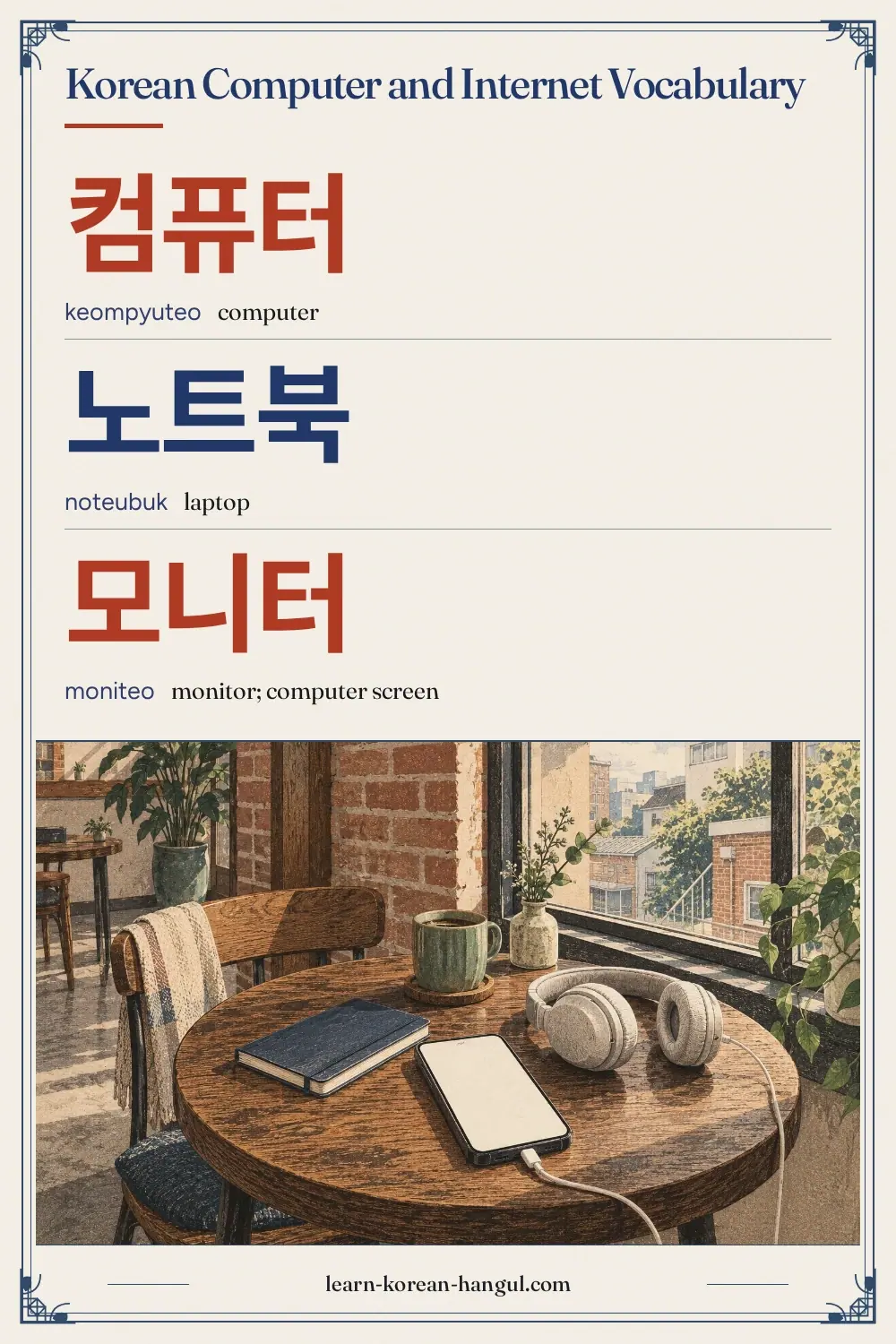
Korean Computer and Internet Vocabulary at a Glance
This list has 35 words in five groups of seven. It starts with the machines on a desk, moves to the files and programs inside them, then to the internet and websites, the accounts and security steps that Korean sites require, and ends with email and the words for fixing problems. It belongs to Technology and Internet and sits beside Korean Smartphone Vocabulary and Korean Technology and AI Vocabulary.
| Group | Words | Use |
|---|---|---|
| Computers and parts | 7 | Machines and parts on a desk |
| Software and files | 7 | Programs, files and saving |
| Internet and websites | 7 | Going online and finding things |
| Accounts and security | 7 | Logins, passwords and identity checks |
| Email and troubleshooting | 7 | Messages, updates and fixing problems |
Most of these are nouns, and many become verbs with 하다, such as 저장하다 (save), 설치하다 (install), 검색하다 (search) and 로그인하다 (log in). A few are verbs in the sentences, such as 켜다 (turn on) and 누르다 (press). The next section picks the words to learn first.
Which Computer Words Should You Learn First?
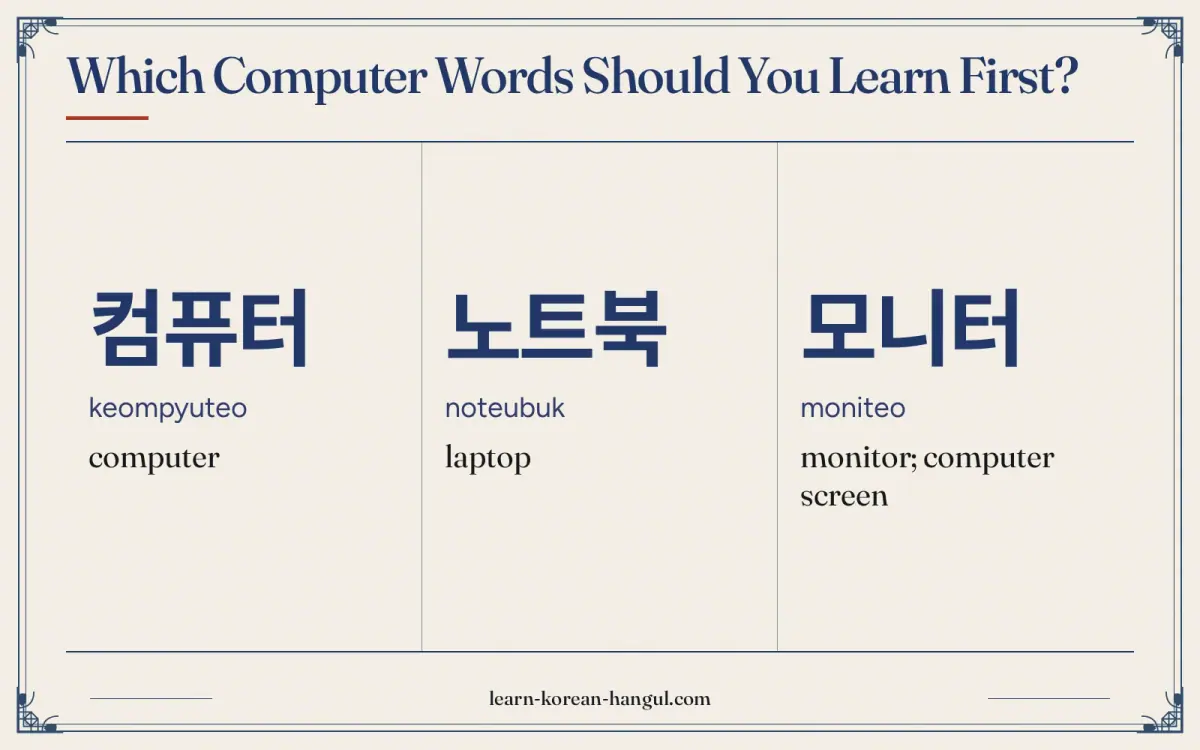
Learn 컴퓨터 (computer), 인터넷 (internet), 와이파이 (Wi-Fi), 비밀번호 (password) and 파일 (file) first. These five let you ask about a connection, give a password and send a document. After that, add the hardware words 노트북, 키보드 and 마우스, and the login words 아이디 and 로그인.
- Words to say. 컴퓨터, 노트북, 인터넷, 와이파이, 비밀번호, 파일, 이메일. You use these in requests and short sentences.
- Words to recognise. 로그인, 아이디, 회원가입, 다운로드, 업데이트, 클릭, 링크. They are screen labels, so you read them rather than say them.
- Words to understand when spoken. 본인 인증, 공동인증서, 보안, 오류, 재부팅. A helpdesk or a bank clerk uses these when they guide you.
Many Korean sites ask for identity steps before you can use them, so the account and security words are worth learning early. Banks, shops and government services often need a verified account. For the single-word pages, see computer in korean, internet in korean, wifi in korean and laptop in korean.
Word · 10
- 1
컴퓨터
keompyuteo
computer
- 2
노트북
noteubuk
laptop
- 3
모니터
moniteo
monitor; computer screen
- 4
키보드
kibodeu
keyboard
- 5
마우스
mauseu
computer mouse
- 6
프린터
peurinteo
printer
- 7
웹캠
wepkaem
webcam
- 8
파일
pail
file
- 9
폴더
poldeo
folder
- 10
와이파이
waipai
Wi-Fi
Computers and Parts
Every word in this group is a loanword from English, written the way Korean hears it. They name the machine and the parts you touch. Because you can guess most of them from the English, they are the easiest group to start with.
| No. | Hangul | Revised Romanization | Meaning and note | Example sentence | Audio assetId |
|---|---|---|---|---|---|
| 1 | 컴퓨터 | keompyuteo | computer. The standard word for a computer. A desktop computer is 데스크톱, and the tower is 본체. PC (피씨) is also common. | 컴퓨터로 숙제를 해요. (I do my homework on the computer.) | au-pg-vocabulary-daily-life-technology-computer-internet-1; example: au-pg-vocabulary-daily-life-technology-computer-internet-36 |
| 2 | 노트북 | noteubuk | laptop. In Korean 노트북 means a laptop computer, not a paper notebook. A paper notebook is 공책 or 노트. | 노트북이 가벼워서 좋아요. (The laptop is light, so I like it.) | au-pg-vocabulary-daily-life-technology-computer-internet-2; example: au-pg-vocabulary-daily-life-technology-computer-internet-37 |
| 3 | 모니터 | moniteo | monitor; computer screen. The separate screen of a desktop. The same word is used for a baby monitor and a heart monitor. | 모니터가 너무 커요. (The monitor is too big.) | au-pg-vocabulary-daily-life-technology-computer-internet-3; example: au-pg-vocabulary-daily-life-technology-computer-internet-38 |
| 4 | 키보드 | kibodeu | keyboard. The input device. A Korean keyboard has Hangul letters printed on the keys as well as English ones. | 키보드로 한글을 쳐요. (I type Hangul on the keyboard.) | au-pg-vocabulary-daily-life-technology-computer-internet-4; example: au-pg-vocabulary-daily-life-technology-computer-internet-39 |
| 5 | 마우스 | mauseu | computer mouse. The animal is 쥐. A mouse pad is 마우스 패드. | 마우스를 오른쪽으로 움직여요. (I move the mouse to the right.) | au-pg-vocabulary-daily-life-technology-computer-internet-5; example: au-pg-vocabulary-daily-life-technology-computer-internet-40 |
| 6 | 프린터 | peurinteo | printer. The machine that prints. To print is 인쇄하다 or 프린트하다. The first is the formal word. | 프린터로 문서를 인쇄해요. (I print the document with the printer.) | au-pg-vocabulary-daily-life-technology-computer-internet-6; example: au-pg-vocabulary-daily-life-technology-computer-internet-41 |
| 7 | 웹캠 | wepkaem | webcam. 웹 (web) + 캠 (cam). Used in video calls and online classes. | 웹캠을 켜 주세요. (Please turn on the webcam.) | au-pg-vocabulary-daily-life-technology-computer-internet-7; example: au-pg-vocabulary-daily-life-technology-computer-internet-42 |
Example Sentences
The sentences use three frames. The first is tool + (으)로 + object + verb, as in 컴퓨터로 숙제를 해요 (I do my homework on the computer), where 로 marks the tool. The second is subject + 이/가 + state, as in 모니터가 너무 커요 (the monitor is too big). The third is object + 을/를 + verb, as in 마우스를 오른쪽으로 움직여요 (I move the mouse to the right). After a vowel the object particle is 를 and the subject particle is 가, as in 마우스를 (after the vowel ㅡ). After a consonant they are 을 and 이, as in 노트북이. Say each sentence aloud after its clip. A request ends with 주세요, as in 웹캠을 켜 주세요, which means please turn it on.
Software and Files
These seven words describe what happens inside the machine: programs, files, folders and the actions of saving and installing. They are the words in menus and on error screens, so learning them lets you use a Korean computer without guessing.
| No. | Hangul | Revised Romanization | Meaning and note | Example sentence | Audio assetId |
|---|---|---|---|---|---|
| 8 | 프로그램 | peurogeuraem | program; software. Used for any program on a computer. A program for a TV show is also 프로그램, so context decides. | 새 프로그램을 설치했어요. (I installed a new program.) | au-pg-vocabulary-daily-life-technology-computer-internet-8; example: au-pg-vocabulary-daily-life-technology-computer-internet-43 |
| 9 | 파일 | pail | file. The word for a computer file. To send a file is 파일을 보내다, and to attach one is 파일을 첨부하다. | 파일을 보내 주세요. (Please send me the file.) | au-pg-vocabulary-daily-life-technology-computer-internet-9; example: au-pg-vocabulary-daily-life-technology-computer-internet-44 |
| 10 | 폴더 | poldeo | folder. A container for files. The same word is used for a folder on a phone. | 폴더 이름을 바꿔요. (I change the folder name.) | au-pg-vocabulary-daily-life-technology-computer-internet-10; example: au-pg-vocabulary-daily-life-technology-computer-internet-45 |
| 11 | 문서 | munseo | document. A written document, on paper or on a computer. A word-processing file is a 문서 파일. | 문서를 저장했어요. (I saved the document.) | au-pg-vocabulary-daily-life-technology-computer-internet-11; example: au-pg-vocabulary-daily-life-technology-computer-internet-46 |
| 12 | 바탕화면 | batanghwamyeon | desktop (screen background). 바탕 (background) + 화면 (screen). The home screen where the icons sit. | 바탕화면에 파일이 있어요. (The file is on the desktop.) | au-pg-vocabulary-daily-life-technology-computer-internet-12; example: au-pg-vocabulary-daily-life-technology-computer-internet-47 |
| 13 | 저장 | jeojang | saving; storage. With 하다 it becomes the verb 저장하다 (to save). The button is labelled 저장. | 저장 버튼을 눌러요. (I press the save button.) | au-pg-vocabulary-daily-life-technology-computer-internet-13; example: au-pg-vocabulary-daily-life-technology-computer-internet-48 |
| 14 | 설치 | seolchi | installation; setting up. With 하다 it becomes 설치하다 (to install). Also used for installing an air conditioner. | 프로그램 설치가 끝났어요. (The program installation is finished.) | au-pg-vocabulary-daily-life-technology-computer-internet-14; example: au-pg-vocabulary-daily-life-technology-computer-internet-49 |
The verbs for working with files are worth learning with the nouns. You open a file (파일을 열다), save it (저장하다), delete it (삭제하다), copy it (복사하다) and send it (보내다). The nouns on this list go with those verbs. The verb 열다 (open) is an ㄹ verb, and its polite form is 열어요. The verb 누르다 (press) is a 르 irregular, and its polite form is 눌러요, as in 버튼을 눌러요. These forms are explained in the 르 irregular lessons, if you want to see why the ending changes.
Typing the right key matters when you write these words. Korean keyboards use the 2-beolsik layout, and the keyboard layout page shows where each letter sits.
How Do You Say Internet and Website in Korean?
These seven words are the ones you meet when you go online: the network, the sites on it, the connection, the search and the links. 인터넷 and 웹사이트 are not the same thing, and the next section explains the difference.
| No. | Hangul | Revised Romanization | Meaning and note | Example sentence | Audio assetId |
|---|---|---|---|---|---|
| 15 | 인터넷 | inteonet | internet. Said [인터넫]. The global network. People say 인터넷이 안 돼요 when the connection does not work. | 인터넷으로 쇼핑해요. (I shop on the internet.) | au-pg-vocabulary-daily-life-technology-computer-internet-15; example: au-pg-vocabulary-daily-life-technology-computer-internet-50 |
| 16 | 웹사이트 | wepsaiteu | website. Said [웹싸이트]. A site on the internet. Written as one word in Korean. The short colloquial form is 사이트. | 이 웹사이트는 한국어로 되어 있어요. (This website is in Korean.) | au-pg-vocabulary-daily-life-technology-computer-internet-16; example: au-pg-vocabulary-daily-life-technology-computer-internet-51 |
| 17 | 홈페이지 | hompeiji | homepage; website (of a company). Originally the first page of a site, but in Korea it often means the whole website of an organisation. | 학교 홈페이지에서 확인해요. (I check on the school website.) | au-pg-vocabulary-daily-life-technology-computer-internet-17; example: au-pg-vocabulary-daily-life-technology-computer-internet-52 |
| 18 | 와이파이 | waipai | Wi-Fi. A loanword from the English sound, written as one word. Cafes post the Wi-Fi name and password on a card or sign. | 여기 와이파이 있어요? (Is there Wi-Fi here?) | au-pg-vocabulary-daily-life-technology-computer-internet-18; example: au-pg-vocabulary-daily-life-technology-computer-internet-53 |
| 19 | 검색 | geomsaek | search. With 하다 it is 검색하다. The search box is called 검색창. | 식당을 검색해 봤어요. (I searched for a restaurant.) | au-pg-vocabulary-daily-life-technology-computer-internet-19; example: au-pg-vocabulary-daily-life-technology-computer-internet-54 |
| 20 | 링크 | ringkeu | link. The clickable address. Send a link with 링크를 보내 주세요. | 링크를 눌러 주세요. (Please click the link.) | au-pg-vocabulary-daily-life-technology-computer-internet-20; example: au-pg-vocabulary-daily-life-technology-computer-internet-55 |
| 21 | 다운로드 | daunrodeu | download. With 하다 it is 다운로드하다. Many sites say 다운로드 on the button. | 파일 다운로드가 안 돼요. (The file download does not work.) | au-pg-vocabulary-daily-life-technology-computer-internet-21; example: au-pg-vocabulary-daily-life-technology-computer-internet-56 |
Several of these words become verbs by adding 하다: 검색하다 (to search), 다운로드하다 (to download) and 접속하다 (to connect, not on this list). In speech, the verb often drops the object: 인터넷에서 검색해요 (I search on the internet). The place particle after the site is 에서 when an action happens there, as in 학교 홈페이지에서 확인해요, and 에 when you go there.
The three words for a website overlap. 웹사이트 is the neutral word, 홈페이지 is the usual word for an organisation's own site, and 사이트 is the short colloquial word. All three are understood by everyone. For the grammar of the place particle, see the 에서 particle.
How Do You Say Login and Password in Korean?
Korean sites protect accounts with several steps. These seven words are the labels you meet on a sign-up page, a bank site or a government service. Learning them lets you complete a form without a translation tool.
| No. | Hangul | Revised Romanization | Meaning and note | Example sentence | Audio assetId |
|---|---|---|---|---|---|
| 22 | 로그인 | rogeuin | login; log in. With 하다 it is 로그인하다. The opposite is 로그아웃, logging out. | 먼저 로그인하세요. (Please log in first.) | au-pg-vocabulary-daily-life-technology-computer-internet-22; example: au-pg-vocabulary-daily-life-technology-computer-internet-57 |
| 23 | 아이디 | aidi | user ID; username. From the English ID. People say 아이디 for a username, and 신분증 for an identity card. | 아이디를 입력하세요. (Please enter your user ID.) | au-pg-vocabulary-daily-life-technology-computer-internet-23; example: au-pg-vocabulary-daily-life-technology-computer-internet-58 |
| 24 | 비밀번호 | bimilbeonho | password. 비밀 (secret) + 번호 (number). It is the standard word, even when the password contains letters. | 비밀번호는 여덟 글자예요. (The password is eight characters.) | au-pg-vocabulary-daily-life-technology-computer-internet-24; example: au-pg-vocabulary-daily-life-technology-computer-internet-59 |
| 25 | 회원가입 | hoewongaip | membership sign-up; registration. 회원 (member) + 가입 (joining). The page you use to create an account. | 회원가입은 무료예요. (Signing up is free.) | au-pg-vocabulary-daily-life-technology-computer-internet-25; example: au-pg-vocabulary-daily-life-technology-computer-internet-60 |
| 26 | 본인 인증 | bonin injeung | identity verification. Said [보닌 인쯩]. 본인 (the person themself) + 인증 (verification). Often done with a phone number or a card. | 본인 인증이 필요해요. (Identity verification is needed.) | au-pg-vocabulary-daily-life-technology-computer-internet-26; example: au-pg-vocabulary-daily-life-technology-computer-internet-61 |
| 27 | 공동인증서 | gongdonginjeungseo | joint certificate (digital ID certificate). A digital certificate used for banking and public services. The older name 공인인증서 is still heard. | 은행 앱에서 공동인증서를 사용해요. (I use a joint certificate in the bank app.) | au-pg-vocabulary-daily-life-technology-computer-internet-27; example: au-pg-vocabulary-daily-life-technology-computer-internet-62 |
| 28 | 보안 | boan | security. The word for security, as in 보안 프로그램 (security software) and 보안 카드. | 보안이 중요해요. (Security is important.) | au-pg-vocabulary-daily-life-technology-computer-internet-28; example: au-pg-vocabulary-daily-life-technology-computer-internet-63 |
The steps usually follow one order. You sign up (회원가입), choose an ID (아이디) and a password (비밀번호), verify who you are (본인 인증), and then log in (로그인) each time. A bank adds a certificate (공동인증서) or its own app for extra security (보안). Knowing this order lets you predict the next button.
The certificate system has changed over the years. The older name 공인인증서 is still heard in conversation, but the current name is 공동인증서, and many services now offer other ways to verify who you are, such as an app or a phone check. Follow the instructions on the bank or service itself, because the choices differ between sites and change over time.
Email and Troubleshooting
The last group covers email, the click that starts most actions, and the words used when something goes wrong. These are the words a helpdesk uses, so you need to recognise them even if you do not say them.
| No. | Hangul | Revised Romanization | Meaning and note | Example sentence | Audio assetId |
|---|---|---|---|---|---|
| 29 | 이메일 | imeil | email. From the English e-mail. Written as one word. To email is 이메일을 보내다. | 이메일로 파일을 보내요. (I send the file by email.) | au-pg-vocabulary-daily-life-technology-computer-internet-29; example: au-pg-vocabulary-daily-life-technology-computer-internet-64 |
| 30 | 클릭 | keullik | click. With 하다 it is 클릭하다. Also used as a noun: 한 번 클릭 (one click). | 여기를 클릭하세요. (Please click here.) | au-pg-vocabulary-daily-life-technology-computer-internet-30; example: au-pg-vocabulary-daily-life-technology-computer-internet-65 |
| 31 | 업데이트 | eopdeiteu | update. Said [업떼이트]. With 하다 it is 업데이트하다. A screen shows 업데이트 필요 when software is out of date. | 자동으로 업데이트돼요. (It updates automatically.) | au-pg-vocabulary-daily-life-technology-computer-internet-31; example: au-pg-vocabulary-daily-life-technology-computer-internet-66 |
| 32 | 오류 | oryu | error. The word on error messages. 오류가 발생했습니다 means an error occurred. In speech, 에러 is also used. | 오류가 났어요. (An error occurred.) | au-pg-vocabulary-daily-life-technology-computer-internet-32; example: au-pg-vocabulary-daily-life-technology-computer-internet-67 |
| 33 | 바이러스 | baireoseu | virus (computer). The computer virus. The medical virus uses the same word. | 컴퓨터에 바이러스가 있어요. (The computer has a virus.) | au-pg-vocabulary-daily-life-technology-computer-internet-33; example: au-pg-vocabulary-daily-life-technology-computer-internet-68 |
| 34 | 재부팅 | jaebuting | reboot; restart. With 하다 it is 재부팅하다. 재 means again, so the word means booting again. | 컴퓨터를 재부팅해요. (I restart the computer.) | au-pg-vocabulary-daily-life-technology-computer-internet-34; example: au-pg-vocabulary-daily-life-technology-computer-internet-69 |
| 35 | 백업 | baegeop | backup. Said [배겁]. With 하다 it is 백업하다. Used for copying files to a safe place. | 파일을 백업해요. (I back up the files.) | au-pg-vocabulary-daily-life-technology-computer-internet-35; example: au-pg-vocabulary-daily-life-technology-computer-internet-70 |
When something goes wrong, the first answer is usually 재부팅 (restart). A helpdesk script runs: 오류가 났어요 (there is an error), 재부팅해 보세요 (try restarting), 업데이트하세요 (update), 백업하세요 (back up). Each phrase uses a noun from this list plus 하다. The ending -아/어 보세요 means try doing it, so 재부팅해 보세요 is try restarting.
Words such as 에러 (error), 리부팅 (rebooting) and 세이브 (save) are also loanwords from English. They are used in casual speech, but the words on this list are the standard forms on screens and in writing.
What Is the Difference between 인터넷, 웹사이트 and 홈페이지?
These three words are easy to mix up. 인터넷 is the network itself, 웹사이트 is a site on it, and 홈페이지 is the website of an organisation or a person. The easiest test is to ask whether you can go to it.
| Word | What it names | Example | Meaning |
|---|---|---|---|
| 인터넷 | The network | 인터넷이 안 돼요. | The internet is not working. |
| 웹사이트 | A site on the network | 이 웹사이트는 무료예요. | This website is free. |
| 홈페이지 | The site of a company or a school | 회사 홈페이지를 보세요. | Look at the company website. |
| 와이파이 | The wireless connection | 와이파이가 안 잡혀요. | I cannot get a Wi-Fi signal. |
You connect to the internet (인터넷에 연결하다) but go to a website (웹사이트에 들어가다). When the connection fails, say 인터넷이 안 돼요, not 웹사이트가 안 돼요, which would mean the one site is down. The phrase 와이파이가 안 잡혀요 uses the verb 잡히다 (be caught), and it means the signal is not caught.
How Do You Switch between Hangul and English When Typing?
A Korean keyboard has a key labelled 한/영 (han/yeong), which toggles between Hangul and English input. It sits next to the space bar. Press it once to type Hangul, and press it again to type English. On many laptops and phones the same switch is a language key or a globe icon.
| Key or term | Korean | What it does |
|---|---|---|
| Toggle key | 한/영 키 | Switches between Hangul and English input |
| Keyboard layout | 두벌식 (2-beolsik) | The standard layout, with consonants on the left and vowels on the right |
| Shift key | 시프트 키 | Types the doubled consonants, such as ㄲ and ㅃ |
| Space bar | 스페이스바 | Adds a space between words |
The 2-beolsik layout puts consonants on the left half of the keyboard and vowels on the right half. If your letters turn into English by mistake, you probably forgot to press 한/영. Learn the layout on the keyboard layout page, and set up your device on the device setup page.
How Do You Pronounce These Words?
Loanwords keep a simple sound but add a vowel ㅡ (eu) between English consonants. Sino-Korean words, such as 비밀번호 and 회원가입, mostly sound as they are spelled, as the table shows. Standard pronunciation follows the National Institute of Korean Language (국립국어원) rules, and the romanization follows the Revised Romanization of Korean, which records some sound changes and ignores others.
| Spelling | Sounds like | What changes |
|---|---|---|
| 웹사이트 | [웹싸이트] | The ㅅ becomes tense after the final ㅂ. The Romanization does not show it: wepsaiteu. |
| 본인 인증 | [보닌 인쯩] | In 본인, the final ㄴ of 본 links to the vowel of 인, and the ㅈ of 인증 is said tense. Written with a space, the Romanization keeps two words and does not show the tensing: bonin injeung. |
| 비밀번호 | [비밀번호] | No tensing. In Sino-Korean words, ㄹ tenses only a following ㄷ, ㅅ or ㅈ, and ㅂ stays plain. |
| 회원가입 | [회원가입] | No change. The ㅚ is read as a single vowel or as a glide [웨]; both are accepted. |
| 다운로드 | [다운로드] | No change in the way it is usually said. The ㅡ in 드 is unrounded. |
| 검색 | [검색] | No tensing, because the final ㅁ does not tense the next consonant. |
| 키보드 | [키보드] | No change. The vowel ㅡ in 드 is unrounded. |
Loanword vowels are the biggest source of error. Korean adds ㅡ (eu) to separate English consonants, so keyboard becomes 키보드 (ki-bo-deu) with three syllables, not two. The vowel ㅡ is unrounded: spread your lips and say a short, flat "uh" with your tongue back. Do not round the lips as for "oo". A second trap is the final 트 in 웹사이트 (wepsaiteu): say the ㅌ with a short ㅡ after it, and do not drop it the way English drops a final "t".
Audio and Slow Playback
Every headword and every example sentence has its own audio. The five clips below replay the trickiest words slowly. Play one, repeat it aloud, then play it again and compare.
What Mistakes Do Learners Make with Computer Words?
These five mistakes come up often with computer and internet words.
- Calling a paper notebook 노트북. 노트북 is a laptop. A paper notebook is 공책 or 노트.
- Saying 인터넷 for one website. 인터넷 is the whole network. A single site is a 웹사이트 or 홈페이지.
- Leaving out the vowel ㅡ in loanwords. 키보드 has three syllables, ki-bo-deu. If you say "keyboard" in English rhythm, a Korean listener may not recognise it.
- Mixing up 아이디 and 비밀번호. The ID is your public name, and the password is the secret. Forms ask for 아이디 first and 비밀번호 second.
- Using 에 for where you search. You may hear 인터넷에 검색해요 in casual speech, but the safe form is 에서, which marks where an action happens: 인터넷에서 검색해요.
A habit that avoids most of these: learn each word with its verb. 컴퓨터를 켜요, 파일을 저장해요, 인터넷에서 검색해요. The verb tells you the particle, and the particle tells you the word's job.
Practice: Flashcards and Worksheet
Study in three steps. First, run the flashcard deck in recognition mode until you know each of the 35 words. Second, switch to listening mode and answer from the audio alone. Third, take the quiz. The deck covers all 35 words with audio, and your progress stays in your browser. The vocabulary flashcard decks page lists the other decks.
Practice · 75
- 01컴퓨터
Show answer
headword 1: computer
- 02노트북
Show answer
headword 2: laptop
- 03모니터
Show answer
headword 3: monitor; computer screen
- 04키보드
Show answer
headword 4: keyboard
- 05마우스
Show answer
headword 5: computer mouse
- 06프린터
Show answer
headword 6: printer
- 07웹캠
Show answer
headword 7: webcam
- 08프로그램
Show answer
headword 8: program; software
- 09파일
Show answer
headword 9: file
- 10폴더
Show answer
headword 10: folder
- 11문서
Show answer
headword 11: document
- 12바탕화면
Show answer
headword 12: desktop (screen background)
- 13저장
Show answer
headword 13: saving; storage
- 14설치
Show answer
headword 14: installation; setting up
- 15인터넷
Show answer
headword 15: internet
- 16웹사이트
Show answer
headword 16: website
- 17홈페이지
Show answer
headword 17: homepage; website (of a company)
- 18와이파이
Show answer
headword 18: Wi-Fi
- 19검색
Show answer
headword 19: search
- 20링크
Show answer
headword 20: link
- 21다운로드
Show answer
headword 21: download
- 22로그인
Show answer
headword 22: login; log in
- 23아이디
Show answer
headword 23: user ID; username
- 24비밀번호
Show answer
headword 24: password
- 25회원가입
Show answer
headword 25: membership sign-up; registration
- 26본인 인증
Show answer
headword 26: identity verification
- 27공동인증서
Show answer
headword 27: joint certificate (digital ID certificate)
- 28보안
Show answer
headword 28: security
- 29이메일
Show answer
headword 29: email
- 30클릭
Show answer
headword 30: click
- 31업데이트
Show answer
headword 31: update
- 32오류
Show answer
headword 32: error
- 33바이러스
Show answer
headword 33: virus (computer)
- 34재부팅
Show answer
headword 34: reboot; restart
- 35백업
Show answer
headword 35: backup
- 36컴퓨터로 숙제를 해요.
Show answer
example sentence for 컴퓨터: I do my homework on the computer.
- 37노트북이 가벼워서 좋아요.
Show answer
example sentence for 노트북: The laptop is light, so I like it.
- 38모니터가 너무 커요.
Show answer
example sentence for 모니터: The monitor is too big.
- 39키보드로 한글을 쳐요.
Show answer
example sentence for 키보드: I type Hangul on the keyboard.
- 40마우스를 오른쪽으로 움직여요.
Show answer
example sentence for 마우스: I move the mouse to the right.
- 41프린터로 문서를 인쇄해요.
Show answer
example sentence for 프린터: I print the document with the printer.
- 42웹캠을 켜 주세요.
Show answer
example sentence for 웹캠: Please turn on the webcam.
- 43새 프로그램을 설치했어요.
Show answer
example sentence for 프로그램: I installed a new program.
- 44파일을 보내 주세요.
Show answer
example sentence for 파일: Please send me the file.
- 45폴더 이름을 바꿔요.
Show answer
example sentence for 폴더: I change the folder name.
- 46문서를 저장했어요.
Show answer
example sentence for 문서: I saved the document.
- 47바탕화면에 파일이 있어요.
Show answer
example sentence for 바탕화면: The file is on the desktop.
- 48저장 버튼을 눌러요.
Show answer
example sentence for 저장: I press the save button.
- 49프로그램 설치가 끝났어요.
Show answer
example sentence for 설치: The program installation is finished.
- 50인터넷으로 쇼핑해요.
Show answer
example sentence for 인터넷: I shop on the internet.
- 51이 웹사이트는 한국어로 되어 있어요.
Show answer
example sentence for 웹사이트: This website is in Korean.
- 52학교 홈페이지에서 확인해요.
Show answer
example sentence for 홈페이지: I check on the school website.
- 53여기 와이파이 있어요?
Show answer
example sentence for 와이파이: Is there Wi-Fi here?
- 54식당을 검색해 봤어요.
Show answer
example sentence for 검색: I searched for a restaurant.
- 55링크를 눌러 주세요.
Show answer
example sentence for 링크: Please click the link.
- 56파일 다운로드가 안 돼요.
Show answer
example sentence for 다운로드: The file download does not work.
- 57먼저 로그인하세요.
Show answer
example sentence for 로그인: Please log in first.
- 58아이디를 입력하세요.
Show answer
example sentence for 아이디: Please enter your user ID.
- 59비밀번호는 여덟 글자예요.
Show answer
example sentence for 비밀번호: The password is eight characters.
- 60회원가입은 무료예요.
Show answer
example sentence for 회원가입: Signing up is free.
- 61본인 인증이 필요해요.
Show answer
example sentence for 본인 인증: Identity verification is needed.
- 62은행 앱에서 공동인증서를 사용해요.
Show answer
example sentence for 공동인증서: I use a joint certificate in the bank app.
- 63보안이 중요해요.
Show answer
example sentence for 보안: Security is important.
- 64이메일로 파일을 보내요.
Show answer
example sentence for 이메일: I send the file by email.
- 65여기를 클릭하세요.
Show answer
example sentence for 클릭: Please click here.
- 66자동으로 업데이트돼요.
Show answer
example sentence for 업데이트: It updates automatically.
- 67오류가 났어요.
Show answer
example sentence for 오류: An error occurred.
- 68컴퓨터에 바이러스가 있어요.
Show answer
example sentence for 바이러스: The computer has a virus.
- 69컴퓨터를 재부팅해요.
Show answer
example sentence for 재부팅: I restart the computer.
- 70파일을 백업해요.
Show answer
example sentence for 백업: I back up the files.
- 71키보드
Show answer
slow playback of the headword 키보드
- 72웹사이트
Show answer
slow playback of the headword 웹사이트
- 73비밀번호
Show answer
slow playback of the headword 비밀번호
- 74회원가입
Show answer
slow playback of the headword 회원가입
- 75공동인증서
Show answer
slow playback of the headword 공동인증서
Practice · 8
What does 노트북 (noteubuk) mean?
Show answer
laptop
노트북 means laptop. Example: 노트북이 가벼워서 좋아요. (The laptop is light, so I like it.)
What does 마우스 (mauseu) mean?
Show answer
computer mouse
마우스 means computer mouse. Example: 마우스를 오른쪽으로 움직여요. (I move the mouse to the right.)
What does 바탕화면 (batanghwamyeon) mean?
Show answer
desktop (screen background)
바탕화면 means desktop (screen background). Example: 바탕화면에 파일이 있어요. (The file is on the desktop.)
What does 홈페이지 (hompeiji) mean?
Show answer
homepage; website (of a company)
홈페이지 means homepage; website (of a company). Example: 학교 홈페이지에서 확인해요. (I check on the school website.)
What does 링크 (ringkeu) mean?
Show answer
link
링크 means link. Example: 링크를 눌러 주세요. (Please click the link.)
What does 본인 인증 (bonin injeung) mean?
Show answer
identity verification
본인 인증 means identity verification. Example: 본인 인증이 필요해요. (Identity verification is needed.)
What does 오류 (oryu) mean?
Show answer
error
오류 means error. Example: 오류가 났어요. (An error occurred.)
What does 재부팅 (jaebuting) mean?
Show answer
reboot; restart
재부팅 means reboot; restart. Example: 컴퓨터를 재부팅해요. (I restart the computer.)
Korean Computer and Internet Vocabulary Worksheet (PDF)
A printable worksheet for these words (word list, matching, writing practice, fill-in-the-blank exercises and answer key) is available in A4 and US Letter from the download card on this page. For practice, sit at your own computer and say the word for each thing you can see and click: 모니터, 키보드, 마우스, 파일, 폴더. Saying the word while you touch the thing fixes both the word and the object.
Where to Go Next
After this page, continue with Korean Smartphone Vocabulary for phone words, or Korean Technology and AI Vocabulary for AI, data and start-up words. To learn to type these words, see the keyboard layout page. To return to the full set, go to Technology and Internet.
Frequently Asked Questions
How Do You Say Laptop in Korean?
Laptop is 노트북 (noteubuk). It is a loanword from "notebook computer". A paper notebook is 공책, so 노트북 never means a paper one. A desktop computer is 데스크톱. The single-word page on laptop in korean gives more examples.
How Do You Pronounce 키보드 (kibodeu)?
Say ki-bo-deu, with three short syllables. The ㅡ in the last syllable is unrounded: keep your lips flat and relaxed, and do not round them for "oo". There is no sound change, so the spelling matches the sound. Press the audio button on this page for the normal and slow versions.
How Many Computer and Internet Words Should I Learn First?
Five first: 컴퓨터, 인터넷, 와이파이, 비밀번호 and 파일. At five new words a day, the whole list of 35 takes seven days plus review. Add 노트북, 키보드, 마우스, 아이디 and 로그인 on days two and three.
Where Can I Practise Computer and Internet Words with Flashcards?
Use the vocabulary flashcard decks. The deck for this page holds all 35 words with Hangul, romanization and audio, and it offers recognition and listening modes. Your progress stays in your browser, so return daily and review the cards you missed.
Is the Romanization on This Page Official?
It follows the Revised Romanization of Korean, which South Korea adopted on 7 July 2000 and whose rules the National Institute of Korean Language (국립국어원) publishes. It is a learning aid and does not show every sound change, so rely on the Hangul and the audio.
Is There a Printable Worksheet for Computer and Internet Words?
A printable worksheet for these words (word list, matching, writing practice, fill-in-the-blank exercises and answer key) is available in A4 and US Letter from the download card on this page. For practice, copy the tables on this page by hand or use the flashcard deck, which carries the same 35 words.