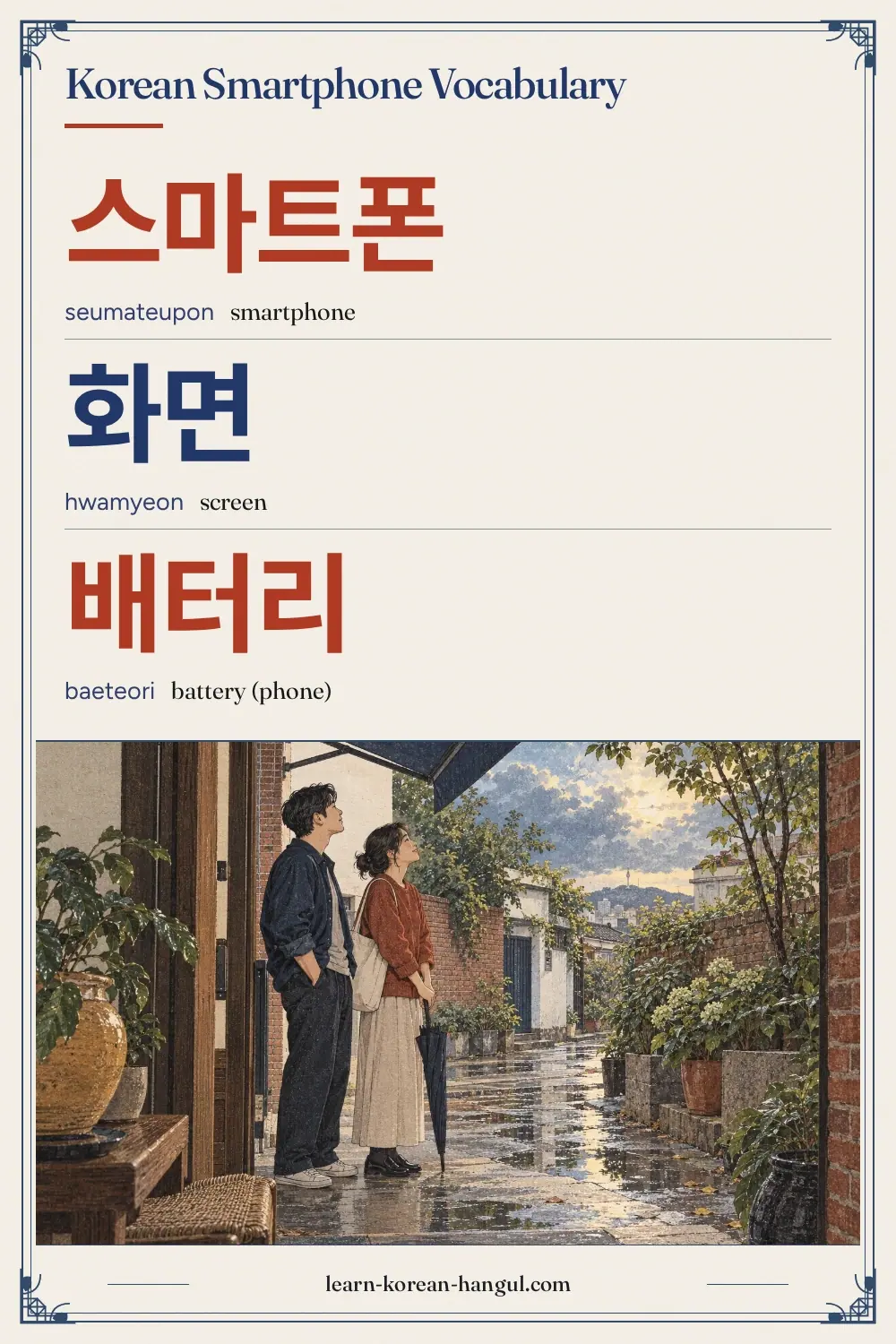
Key facts
Korean Smartphone Vocabulary at a Glance
This list has 35 words in five groups of seven. It starts with the phone itself, moves to the settings you tap, the calls and messages you send, the camera and the photos, and ends with charging and repair. It belongs to Technology and Internet and sits beside Korean Social Media Vocabulary. Every word has an example sentence, so the page doubles as a ready deck.
| Group | Words | Use |
|---|---|---|
| Phone parts | 7 | Naming the device and its parts |
| Settings and notifications | 7 | Changing language, connections and alerts |
| Calls and messages | 7 | Calling, texting and finding contacts |
| Camera and photos | 7 | Taking and saving pictures and video |
| Charging and repairs | 7 | Describing a problem and asking for repair |
Most are nouns. Some take 하다 to become verbs, such as 충전하다, 저장하다 and 수리하다. The next section picks the words to learn first.
Which Smartphone Words Should You Learn First?
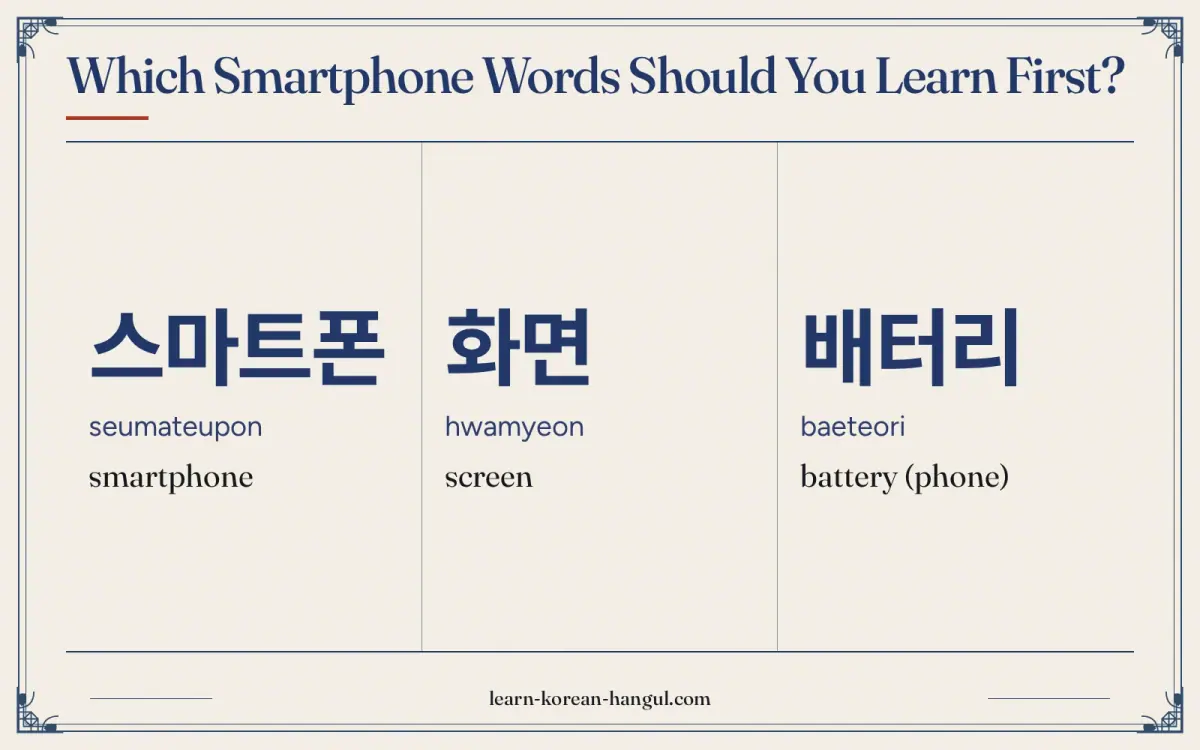
Learn 화면 (screen), 배터리 (battery), 충전기 (charger), 와이파이 (Wi-Fi) and 설정 (settings) first. These five let you ask for a charger, say you have no battery, find the network and open the menu where the language lives. After that, add the call and message words, because they appear on every notification.
- Words to say. 충전기, 와이파이, 사진, 전화. These go into requests and short sentences.
- Words to recognise. 설정, 언어, 알림, 업데이트, 잠금. These are screen labels, so you read them rather than say them.
- Words to understand when spoken. 고장, 수리, 액정, 서비스 센터. The shop staff use them when they explain a repair.
There are three words for the phone itself. 스마트폰 is the plain loanword, 휴대폰 is the form used in forms and notices (the full official term is 휴대 전화), and 핸드폰 is the most common word in daily speech. Any of them is understood, and the single-word pages on cell phone in korean and smartphone in korean look at each one more closely.
Word · 8
- 1
스마트폰
seumateupon
smartphone
- 2
화면
hwamyeon
screen
- 3
배터리
baeteori
battery (phone)
- 4
충전기
chungjeongi
charger
- 5
케이스
keiseu
phone case
- 6
설정
seoljeong
settings
- 7
카메라
kamera
camera
- 8
사진
sajin
photo
Phone Parts
Most words for the parts of a phone are loanwords from English, so you can often guess them. A few, such as 화면 and 액정, are Sino-Korean and worth learning by heart. These seven words name the phone itself and the parts you point at in a shop.
| No. | Hangul | Revised Romanization | Meaning and note | Example sentence | Audio assetId |
|---|---|---|---|---|---|
| 1 | 스마트폰 | seumateupon | smartphone. A loanword: smart + phone. It is the word for the device in general. | 스마트폰을 써요. (I use a smartphone.) | au-pg-vocabulary-daily-life-technology-smartphone-apps-1; example: au-pg-vocabulary-daily-life-technology-smartphone-apps-36 |
| 2 | 휴대폰 | hyudaepon | mobile phone. 휴대 means carrying. The usual written form; 핸드폰 is more common in daily speech. | 휴대폰을 잃어버렸어요. (I lost my phone.) | au-pg-vocabulary-daily-life-technology-smartphone-apps-2; example: au-pg-vocabulary-daily-life-technology-smartphone-apps-37 |
| 3 | 화면 | hwamyeon | screen. 화 means picture and 면 means surface. Used for any screen, not only a phone. | 화면이 깨졌어요. (The screen is cracked.) | au-pg-vocabulary-daily-life-technology-smartphone-apps-3; example: au-pg-vocabulary-daily-life-technology-smartphone-apps-38 |
| 4 | 배터리 | baeteori | battery (phone). A loanword. For household dry cells, Korean uses 건전지. | 배터리가 없어요. (The battery is dead.) | au-pg-vocabulary-daily-life-technology-smartphone-apps-4; example: au-pg-vocabulary-daily-life-technology-smartphone-apps-39 |
| 5 | 충전기 | chungjeongi | charger. 충전 + 기 (machine). Often asked for at cafes and shops. | 충전기 있어요? (Do you have a charger?) | au-pg-vocabulary-daily-life-technology-smartphone-apps-5; example: au-pg-vocabulary-daily-life-technology-smartphone-apps-40 |
| 6 | 케이스 | keiseu | phone case. A loanword from English "case". Sold in sizes by phone model. | 케이스가 예뻐요. (The case is pretty.) | au-pg-vocabulary-daily-life-technology-smartphone-apps-6; example: au-pg-vocabulary-daily-life-technology-smartphone-apps-41 |
| 7 | 버튼 | beoteun | button. A loanword. The power button is 전원 버튼. | 이 버튼을 눌러요. (I press this button.) | au-pg-vocabulary-daily-life-technology-smartphone-apps-7; example: au-pg-vocabulary-daily-life-technology-smartphone-apps-42 |
Example Sentences
The sentences use three frames. The first is object + 을/를 + verb, as in 스마트폰을 써요 (I use a smartphone). The second is noun + 이/가 + state, as in 화면이 깨졌어요 (the screen is cracked). The third is noun + 있어요? (do you have noun?), as in 충전기 있어요?. After a noun that ends in a vowel, the subject particle is 가, as in 배터리가 없어요. After a consonant it is 이, as in 화면이. Say each sentence aloud after its audio clip.
How Do You Say Settings and Notifications in Korean?
Settings words matter most when you want to switch a phone or an app into Korean or back to English. The screen labels use a small set of nouns. Once you know them, you can find the language option, turn on a connection or read a notification on any Korean phone.
| No. | Hangul | Revised Romanization | Meaning and note | Example sentence | Audio assetId |
|---|---|---|---|---|---|
| 8 | 설정 | seoljeong | settings. Said [설쩡]. On Android and iPhone the settings icon is labelled 설정. | 설정을 열어요. (I open the settings.) | au-pg-vocabulary-daily-life-technology-smartphone-apps-8; example: au-pg-vocabulary-daily-life-technology-smartphone-apps-43 |
| 9 | 언어 | eoneo | language. The settings menu item to change the display language. | 언어를 바꿔요. (I change the language.) | au-pg-vocabulary-daily-life-technology-smartphone-apps-9; example: au-pg-vocabulary-daily-life-technology-smartphone-apps-44 |
| 10 | 와이파이 | waipai | Wi-Fi. A loanword. Many cafes post the 와이파이 password on a card. | 와이파이가 안 돼요. (The Wi-Fi does not work.) | au-pg-vocabulary-daily-life-technology-smartphone-apps-10; example: au-pg-vocabulary-daily-life-technology-smartphone-apps-45 |
| 11 | 블루투스 | beullutuseu | Bluetooth. Pairing earphones and speakers uses this word. | 블루투스를 켜요. (I turn Bluetooth on.) | au-pg-vocabulary-daily-life-technology-smartphone-apps-11; example: au-pg-vocabulary-daily-life-technology-smartphone-apps-46 |
| 12 | 알림 | allim | notification. Said with a long l sound. 알림 설정 means notification settings. | 알림이 왔어요. (A notification has come.) | au-pg-vocabulary-daily-life-technology-smartphone-apps-12; example: au-pg-vocabulary-daily-life-technology-smartphone-apps-47 |
| 13 | 업데이트 | eopdeiteu | update. A loanword for a software update. A prompt may say 업데이트가 필요해요. | 업데이트를 해요. (I do an update.) | au-pg-vocabulary-daily-life-technology-smartphone-apps-13; example: au-pg-vocabulary-daily-life-technology-smartphone-apps-48 |
| 14 | 잠금 | jamgeum | lock. 잠금 화면 is the lock screen. 풀다 means to release. | 잠금을 풀어요. (I unlock the phone.) | au-pg-vocabulary-daily-life-technology-smartphone-apps-14; example: au-pg-vocabulary-daily-life-technology-smartphone-apps-49 |
How Do You Switch a Phone to Korean or Back to English?
On most phones the path is the same: open 설정, look for 언어, and pick the language. The icon for settings is a gear, so you can find it even if you cannot read the label. The words you will see on a Korean-language settings screen are in the table below.
| On the screen | Meaning | What it does |
|---|---|---|
| 설정 | settings | Opens the main menu |
| 언어 | language | Changes the display language |
| 알림 | notification | Controls which apps may send alerts |
| 와이파이 | Wi-Fi | Connects to a network |
| 블루투스 | Bluetooth | Pairs earphones and speakers |
| 업데이트 | update | Installs new software |
Because the icons and the order of menu items do not change when the language changes, you can use this table to find your way back if a phone is set to Korean.
Calls and Messages
Calling and messaging words mix native Korean verbs with Sino-Korean nouns. The noun 전화 means both the phone call and the phone as a machine. This group also holds the words you see on a missed-call screen.
| No. | Hangul | Revised Romanization | Meaning and note | Example sentence | Audio assetId |
|---|---|---|---|---|---|
| 15 | 전화 | jeonhwa | phone call; telephone. 전화를 받다 is to answer, and 전화를 걸다 is to make a call. | 전화를 받아요. (I answer the phone.) | au-pg-vocabulary-daily-life-technology-smartphone-apps-15; example: au-pg-vocabulary-daily-life-technology-smartphone-apps-50 |
| 16 | 통화 | tonghwa | call (a conversation by phone). The conversation itself. 통화 중 means in the middle of a call. | 지금 통화 중이에요. (I am on a call now.) | au-pg-vocabulary-daily-life-technology-smartphone-apps-16; example: au-pg-vocabulary-daily-life-technology-smartphone-apps-51 |
| 17 | 문자 | munja | text message (SMS). Said [문짜]. Also means a written character. | 문자를 보내요. (I send a text message.) | au-pg-vocabulary-daily-life-technology-smartphone-apps-17; example: au-pg-vocabulary-daily-life-technology-smartphone-apps-52 |
| 18 | 메시지 | mesiji | message. A loanword used for chat apps and notifications. | 메시지를 확인해요. (I check my messages.) | au-pg-vocabulary-daily-life-technology-smartphone-apps-18; example: au-pg-vocabulary-daily-life-technology-smartphone-apps-53 |
| 19 | 연락처 | yeollakcheo | contacts; contact details. Said [열락처]. 연락 means contact and 처 means place. | 연락처를 저장해요. (I save the contact.) | au-pg-vocabulary-daily-life-technology-smartphone-apps-19; example: au-pg-vocabulary-daily-life-technology-smartphone-apps-54 |
| 20 | 부재중 전화 | bujaejung jeonhwa | missed call. 부재중 means away. Call counts use the counter 통. | 부재중 전화가 세 통 있어요. (There are three missed calls.) | au-pg-vocabulary-daily-life-technology-smartphone-apps-20; example: au-pg-vocabulary-daily-life-technology-smartphone-apps-55 |
| 21 | 음성 메시지 | eumseong mesiji | voice message. 음성 means voice. Chat apps offer a button for it. | 음성 메시지를 보내요. (I send a voice message.) | au-pg-vocabulary-daily-life-technology-smartphone-apps-21; example: au-pg-vocabulary-daily-life-technology-smartphone-apps-56 |
The counter 통 is used for calls and letters, so a missed call count reads 한 통, 두 통, 세 통. The native numbers 하나, 둘, 셋 shorten to 한, 두, 세 before a counter. For fixed phrases to use on the phone, such as introducing yourself and ending a call, see the phone phrases.
How Do You Say Camera and Photos in Korean?
Photo words are plain loanwords or short Sino-Korean nouns. Two of them, 셀카 and 직캠, are everyday words in Korea that you will not find in older textbooks.
| No. | Hangul | Revised Romanization | Meaning and note | Example sentence | Audio assetId |
|---|---|---|---|---|---|
| 22 | 카메라 | kamera | camera. A loanword. The same word names the app and the lens. | 카메라를 켜요. (I turn the camera on.) | au-pg-vocabulary-daily-life-technology-smartphone-apps-22; example: au-pg-vocabulary-daily-life-technology-smartphone-apps-57 |
| 23 | 사진 | sajin | photo. The general word for a photograph. The verb is 찍다, to take. | 사진을 찍어요. (I take a photo.) | au-pg-vocabulary-daily-life-technology-smartphone-apps-23; example: au-pg-vocabulary-daily-life-technology-smartphone-apps-58 |
| 24 | 셀카 | selka | selfie. Short for 셀프 카메라, an English-based word made in Korea. 셀피 is also heard, but 셀카 is far more common. | 셀카를 찍어요. (I take a selfie.) | au-pg-vocabulary-daily-life-technology-smartphone-apps-24; example: au-pg-vocabulary-daily-life-technology-smartphone-apps-59 |
| 25 | 동영상 | dongyeongsang | video. 동 means moving and 영상 means image. Any video clip. | 동영상을 봐요. (I watch a video.) | au-pg-vocabulary-daily-life-technology-smartphone-apps-25; example: au-pg-vocabulary-daily-life-technology-smartphone-apps-60 |
| 26 | 갤러리 | gaelleori | gallery (photo app). The app where your pictures are stored. | 갤러리에서 사진을 찾아요. (I look for a photo in the gallery.) | au-pg-vocabulary-daily-life-technology-smartphone-apps-26; example: au-pg-vocabulary-daily-life-technology-smartphone-apps-61 |
| 27 | 직캠 | jikkaem | fancam. 직 means direct and 캠 means cam. A video fans film of one performer. | 직캠을 봐요. (I watch a fancam.) | au-pg-vocabulary-daily-life-technology-smartphone-apps-27; example: au-pg-vocabulary-daily-life-technology-smartphone-apps-62 |
| 28 | 저장 | jeojang | saving; storage. 저장하다 means to save a file or a photo. | 사진을 저장해요. (I save the photo.) | au-pg-vocabulary-daily-life-technology-smartphone-apps-28; example: au-pg-vocabulary-daily-life-technology-smartphone-apps-63 |
The verb 찍다 pairs with 사진 (photo), 셀카 (selfie) and 동영상 (video). You do not use a different verb for each. Fans link 직캠 to concerts and music shows, and you can read more of that vocabulary in the K-pop vocabulary section.
Charging and Repairs
The last group covers a dead battery and a broken screen, the two problems that send visitors to a phone shop. The vocabulary is practical: what is wrong, who fixes it and what you add to protect the phone afterwards.
| No. | Hangul | Revised Romanization | Meaning and note | Example sentence | Audio assetId |
|---|---|---|---|---|---|
| 29 | 충전 | chungjeon | charging. 충전 중 means charging. The same word is used for topping up a transit card. | 지금 충전 중이에요. (It is charging now.) | au-pg-vocabulary-daily-life-technology-smartphone-apps-29; example: au-pg-vocabulary-daily-life-technology-smartphone-apps-64 |
| 30 | 보조 배터리 | bojo baeteori | power bank. 보조 means auxiliary. A portable charger you carry in a bag. | 보조 배터리가 필요해요. (I need a power bank.) | au-pg-vocabulary-daily-life-technology-smartphone-apps-30; example: au-pg-vocabulary-daily-life-technology-smartphone-apps-65 |
| 31 | 고장 | gojang | breakdown; fault. 고장 나다 means to break down. 고장 났어요 is the past form. | 휴대폰이 고장 났어요. (My phone is broken.) | au-pg-vocabulary-daily-life-technology-smartphone-apps-31; example: au-pg-vocabulary-daily-life-technology-smartphone-apps-66 |
| 32 | 수리 | suri | repair. 수리하다 means to repair. 맡기다 means to leave something with someone. | 수리를 맡겨요. (I leave it for repair.) | au-pg-vocabulary-daily-life-technology-smartphone-apps-32; example: au-pg-vocabulary-daily-life-technology-smartphone-apps-67 |
| 33 | 서비스 센터 | seobiseu senteo | service centre. The official repair shop of a phone maker. | 서비스 센터는 어디예요? (Where is the service centre?) | au-pg-vocabulary-daily-life-technology-smartphone-apps-33; example: au-pg-vocabulary-daily-life-technology-smartphone-apps-68 |
| 34 | 액정 | aekjeong | LCD panel; screen glass. Said [액쩡]. Repair shops use this word for the screen part. | 액정 수리는 얼마예요? (How much is a screen repair?) | au-pg-vocabulary-daily-life-technology-smartphone-apps-34; example: au-pg-vocabulary-daily-life-technology-smartphone-apps-69 |
| 35 | 보호 필름 | boho pilleum | screen protector. 보호 means protection and 필름 is film. Stuck on the screen. | 보호 필름을 붙여요. (I apply a screen protector.) | au-pg-vocabulary-daily-life-technology-smartphone-apps-35; example: au-pg-vocabulary-daily-life-technology-smartphone-apps-70 |
What Do You Say at a Phone Repair Shop?
A short exchange uses only words from this page and a few polite endings. The sentences below show the order: describe the problem, ask about the repair and then ask about the price.
| Speaker | Korean | English |
|---|---|---|
| Customer | 화면이 깨졌어요. 수리할 수 있어요? | The screen is cracked. Can you repair it? |
| Staff | 네, 액정 수리는 하루쯤 걸려요. | Yes, a screen repair takes about a day. |
| Customer | 얼마예요? | How much is it? |
| Staff | 모델마다 달라요. 보호 필름도 붙여 드릴까요? | It depends on the model. Shall I also apply a screen protector? |
| Customer | 네, 부탁드려요. | Yes, please. |
The ending 수 있어요 means "can" or "is able to", so 수리할 수 있어요? asks whether the shop can repair it. The word 쯤 means "about" and follows a time or amount, and 마다 in 모델마다 means "each" or "every". 부탁드려요 is a polite way to say "I would ask you for that".
How Do You Pronounce These Words?
Phone words are mostly loanwords, so the vowels are close to English, but several have sound changes. Standard pronunciation follows the National Institute of Korean Language (국립국어원) rules, and the romanization follows the Revised Romanization of Korean, which records some sound changes and ignores others.
| Spelling | Sounds like | What changes |
|---|---|---|
| 설정 | [설쩡] | In a Sino-Korean word, ㅈ after ㄹ becomes tense [ㅉ]. |
| 액정 | [액쩡] | After a final ㄱ, ㅈ becomes tense [ㅉ]. |
| 문자 | [문짜] | In this Sino-Korean word the ㅈ is said tense [ㅉ]. |
| 연락처 | [열락처] | ㄴ becomes [ㄹ] before ㄹ, so the middle sounds like l. |
| 알림 | [알림] | Two l sounds in a row are held as one long l. |
| 직캠 | [직캠] | ㅋ stays aspirated; the final ㄱ is held shortly before it. |
Three of these changes are tensing (설정, 액정 and 문자). A tense consonant is said with a tight throat and no puff of air. For 배터리 (baeteori), say bae-teo-ri, with the vowel ㅐ close to the vowel in "bed" and a light ㄹ at the start of the last syllable.
Audio and Slow Playback
Every headword and every example sentence has its own audio. The five clips below replay the trickiest words slowly. Play one, repeat it aloud, then play it again and compare.
What Mistakes Do Learners Make with Smartphone Words?
These five mistakes come up often when people use a Korean phone.
- Using 전화 when you mean your mobile phone. 전화 is mainly the call, as in 전화를 받아요 (I answer the call), and a landline set is 전화기. For the mobile itself, say 휴대폰, 핸드폰 or just 폰.
- Confusing 충전 and 충전기. 충전 is the act of charging and 충전기 is the charger. Ask 충전기 있어요? for the cable, not 충전 있어요?.
- Using 배터리 for household batteries. A remote control takes 건전지. 배터리 is for phones, cars and power banks. The Korean Convenience Store Vocabulary page uses 건전지.
- Mixing 문자 and 메시지. 문자 usually means a text message, while 메시지 is the wider word used by chat apps. Both are understood, but a bank text is a 문자.
- Using 화면 when you ask about the repair part. 화면이 깨졌어요 is a fine way to say the screen is cracked. When you ask the price of the fix, the shop says 액정 for the glass panel. 화면 is what you see; 액정 is the part that gets replaced.
One extra habit helps: say the noun first and the verb last. 사진을 찍어요, not 찍어요 사진.
Practice: Flashcards and Worksheet
Study in three steps. First, run the flashcard deck in recognition mode until you know each of the 35 words. Second, switch to listening mode and answer from the audio alone. Third, take the quiz. The deck covers all 35 words with audio, and your progress stays in your browser. The vocabulary flashcard decks page lists the other decks.
Practice · 75
- 01스마트폰
Show answer
headword 1: smartphone
- 02스마트폰을 써요.
Show answer
example sentence for 스마트폰: I use a smartphone.
- 03휴대폰
Show answer
headword 2: mobile phone
- 04휴대폰을 잃어버렸어요.
Show answer
example sentence for 휴대폰: I lost my phone.
- 05화면
Show answer
headword 3: screen
- 06화면이 깨졌어요.
Show answer
example sentence for 화면: The screen is cracked.
- 07배터리
Show answer
headword 4: battery (phone)
- 08배터리가 없어요.
Show answer
example sentence for 배터리: The battery is dead.
- 09충전기
Show answer
headword 5: charger
- 10충전기 있어요?
Show answer
example sentence for 충전기: Do you have a charger?
- 11케이스
Show answer
headword 6: phone case
- 12케이스가 예뻐요.
Show answer
example sentence for 케이스: The case is pretty.
- 13버튼
Show answer
headword 7: button
- 14이 버튼을 눌러요.
Show answer
example sentence for 버튼: I press this button.
- 15설정
Show answer
headword 8: settings
- 16설정을 열어요.
Show answer
example sentence for 설정: I open the settings.
- 17언어
Show answer
headword 9: language
- 18언어를 바꿔요.
Show answer
example sentence for 언어: I change the language.
- 19와이파이
Show answer
headword 10: Wi-Fi
- 20와이파이가 안 돼요.
Show answer
example sentence for 와이파이: The Wi-Fi does not work.
- 21블루투스
Show answer
headword 11: Bluetooth
- 22블루투스를 켜요.
Show answer
example sentence for 블루투스: I turn Bluetooth on.
- 23알림
Show answer
headword 12: notification
- 24알림이 왔어요.
Show answer
example sentence for 알림: A notification has come.
- 25업데이트
Show answer
headword 13: update
- 26업데이트를 해요.
Show answer
example sentence for 업데이트: I do an update.
- 27잠금
Show answer
headword 14: lock
- 28잠금을 풀어요.
Show answer
example sentence for 잠금: I unlock the phone.
- 29전화
Show answer
headword 15: phone call; telephone
- 30전화를 받아요.
Show answer
example sentence for 전화: I answer the phone.
- 31통화
Show answer
headword 16: call (a conversation by phone)
- 32지금 통화 중이에요.
Show answer
example sentence for 통화: I am on a call now.
- 33문자
Show answer
headword 17: text message (SMS)
- 34문자를 보내요.
Show answer
example sentence for 문자: I send a text message.
- 35메시지
Show answer
headword 18: message
- 36메시지를 확인해요.
Show answer
example sentence for 메시지: I check my messages.
- 37연락처
Show answer
headword 19: contacts; contact details
- 38연락처를 저장해요.
Show answer
example sentence for 연락처: I save the contact.
- 39부재중 전화
Show answer
headword 20: missed call
- 40부재중 전화가 세 통 있어요.
Show answer
example sentence for 부재중 전화: There are three missed calls.
- 41음성 메시지
Show answer
headword 21: voice message
- 42음성 메시지를 보내요.
Show answer
example sentence for 음성 메시지: I send a voice message.
- 43카메라
Show answer
headword 22: camera
- 44카메라를 켜요.
Show answer
example sentence for 카메라: I turn the camera on.
- 45사진
Show answer
headword 23: photo
- 46사진을 찍어요.
Show answer
example sentence for 사진: I take a photo.
- 47셀카
Show answer
headword 24: selfie
- 48셀카를 찍어요.
Show answer
example sentence for 셀카: I take a selfie.
- 49동영상
Show answer
headword 25: video
- 50동영상을 봐요.
Show answer
example sentence for 동영상: I watch a video.
- 51갤러리
Show answer
headword 26: gallery (photo app)
- 52갤러리에서 사진을 찾아요.
Show answer
example sentence for 갤러리: I look for a photo in the gallery.
- 53직캠
Show answer
headword 27: fancam
- 54직캠을 봐요.
Show answer
example sentence for 직캠: I watch a fancam.
- 55저장
Show answer
headword 28: saving; storage
- 56사진을 저장해요.
Show answer
example sentence for 저장: I save the photo.
- 57충전
Show answer
headword 29: charging
- 58지금 충전 중이에요.
Show answer
example sentence for 충전: It is charging now.
- 59보조 배터리
Show answer
headword 30: power bank
- 60보조 배터리가 필요해요.
Show answer
example sentence for 보조 배터리: I need a power bank.
- 61고장
Show answer
headword 31: breakdown; fault
- 62휴대폰이 고장 났어요.
Show answer
example sentence for 고장: My phone is broken.
- 63수리
Show answer
headword 32: repair
- 64수리를 맡겨요.
Show answer
example sentence for 수리: I leave it for repair.
- 65서비스 센터
Show answer
headword 33: service centre
- 66서비스 센터는 어디예요?
Show answer
example sentence for 서비스 센터: Where is the service centre?
- 67액정
Show answer
headword 34: LCD panel; screen glass
- 68액정 수리는 얼마예요?
Show answer
example sentence for 액정: How much is a screen repair?
- 69보호 필름
Show answer
headword 35: screen protector
- 70보호 필름을 붙여요.
Show answer
example sentence for 보호 필름: I apply a screen protector.
- 71화면
Show answer
slow playback of headword 3: screen
- 72배터리
Show answer
slow playback of headword 4: battery (phone)
- 73알림
Show answer
slow playback of headword 12: notification
- 74연락처
Show answer
slow playback of headword 19: contacts; contact details
- 75셀카
Show answer
slow playback of headword 24: selfie
Practice · 5
What does 화면 (hwamyeon) mean?
Show answer
screen
화면 means screen. Example: 화면이 깨졌어요. (The screen is cracked.)
What does 배터리 (baeteori) mean?
Show answer
battery (phone)
배터리 means battery (phone). Example: 배터리가 없어요. (The battery is dead.)
What does 설정 (seoljeong) mean?
Show answer
settings
설정 means settings. Example: 설정을 열어요. (I open the settings.)
What does 문자 (munja) mean?
Show answer
text message (SMS)
문자 means text message (SMS). Example: 문자를 보내요. (I send a text message.)
What does 셀카 (selka) mean?
Show answer
selfie
셀카 means selfie. Example: 셀카를 찍어요. (I take a selfie.)
Korean Smartphone Vocabulary Worksheet (PDF)
A printable worksheet for these words (word list, matching, writing practice, fill-in-the-blank exercises and answer key) is available in A4 and US Letter from the download card on this page. For practice, open your own phone settings, switch the language to Korean for a day and read the labels against the table in this page. Matching real screens to words is the quickest way to learn them.
Where to Go Next
After this page, continue with Korean Social Media Vocabulary, which teaches the app and posting words, or Korean Computer and Internet Vocabulary. To move up a level, return to Technology and Internet.
Frequently Asked Questions
How Do You Say Screen in Korean?
The word for screen is 화면 (hwamyeon). It means any screen, including a phone, a television and a computer. On a phone, the glass panel that repair shops talk about is 액정 (aekjeong). To say the screen is cracked, use 화면이 깨졌어요 (hwamyeoni kkaejyeosseoyo).
How Do You Pronounce 배터리 (baeteori)?
Say bae-teo-ri, in three even syllables. The first vowel ㅐ is close to the vowel in "bed", the second ㅓ is an open o sound, and the last syllable has a light ㄹ. Press the audio button on this page for the normal and slow versions.
How Many Smartphone Words Should I Learn First?
Five first: 화면, 배터리, 충전기, 와이파이 and 설정. At five new words a day, the whole list of 35 takes seven days plus review. Add the call and message words next, since they appear on every notification and every missed-call screen.
Where Can I Practise Smartphone Words with Flashcards?
Use the vocabulary flashcard decks. The deck for this page holds all 35 words with Hangul, romanization and audio, and it offers recognition and listening modes. Your progress stays in your browser, so return daily and review the cards you missed.
Is the Romanization on This Page Official?
It follows the Revised Romanization of Korean, which South Korea adopted on 7 July 2000 and whose rules the National Institute of Korean Language (국립국어원) publishes. It is a learning aid and does not mark every sound change, so rely on the Hangul and the audio.
Is There a Printable Worksheet for Smartphone Words?
A printable worksheet for these words (word list, matching, writing practice, fill-in-the-blank exercises and answer key) is available in A4 and US Letter from the download card on this page. For practice, copy the tables on this page by hand or use the flashcard deck, which carries the same 35 words.