
Key facts
Korean Technology Vocabulary at a Glance
This page holds 45 words in five groups of nine and works as the hub of the Technology and Internet section. It starts with the phone, moves to the computer and the internet, then to the words you need to sign up and log in, and ends with gadgets. It sits inside Daily Life. Each word has an example sentence, so the page doubles as a ready deck.
| Group | Words | Use |
|---|---|---|
| Phones | 9 | Naming the phone and the screens you tap |
| Computers | 9 | Naming a desk setup and its files |
| Internet | 9 | Browsing, searching and sending |
| Accounts and passwords | 9 | Signing up and logging in |
| Gadgets | 9 | Naming devices around the phone and computer |
The words are nearly all nouns. Many add 하다 to become verbs, such as 검색하다 and 로그인하다. The next section picks the words to learn first.
Which Technology Words Should You Learn First?
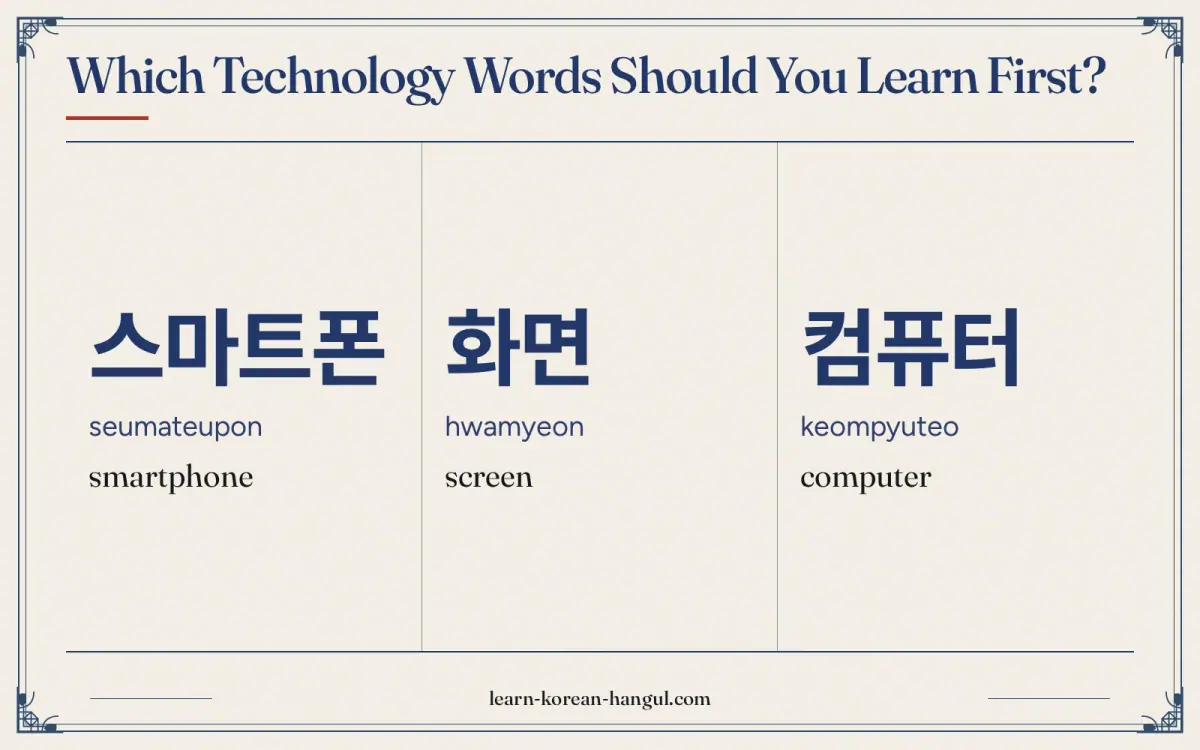
Learn 스마트폰 (smartphone), 앱 (app), 와이파이 (Wi-Fi), 비밀번호 (password) and 인증번호 (verification code) first. These five let you use a phone in Korea: you can ask for the Wi-Fi, enter a code that a service sends you and log in. After that, add the computer words if you work at a desk.
- Words to say. 전화번호, 스마트폰, 와이파이, 충전기. These go into requests and short questions.
- Words to recognise. 설정, 알림, 계정, 아이디, 로그인, 회원 가입. These are labels on screens.
- Words to understand when spoken. 본인 확인, 인증, 탈퇴. Staff and call-centre speakers use them with formal tone.
Three features of Korean technology vocabulary save time. First, most words are English loanwords, so you can read them once you can sound out Hangul. Second, a few terms have a Korean replacement that appears in official writing, such as 누리집 for website, but ordinary speech rarely uses it. Third, many services in Korea, from banking to delivery, run through an 앱 and ask for an 인증번호 sent to your phone, so learn those two words early. Also see technology in korean for the single-word lookup of 기술 and its loanword 테크놀로지.
Word · 8
- 1
스마트폰
seumateupon
smartphone
- 2
화면
hwamyeon
screen
- 3
컴퓨터
keompyuteo
computer
- 4
마우스
mauseu
mouse (computer)
- 5
와이파이
waipai
Wi-Fi
- 6
비밀번호
bimilbeonho
password
- 7
이어폰
ieopon
earphones
- 8
충전기
chungjeongi
charger
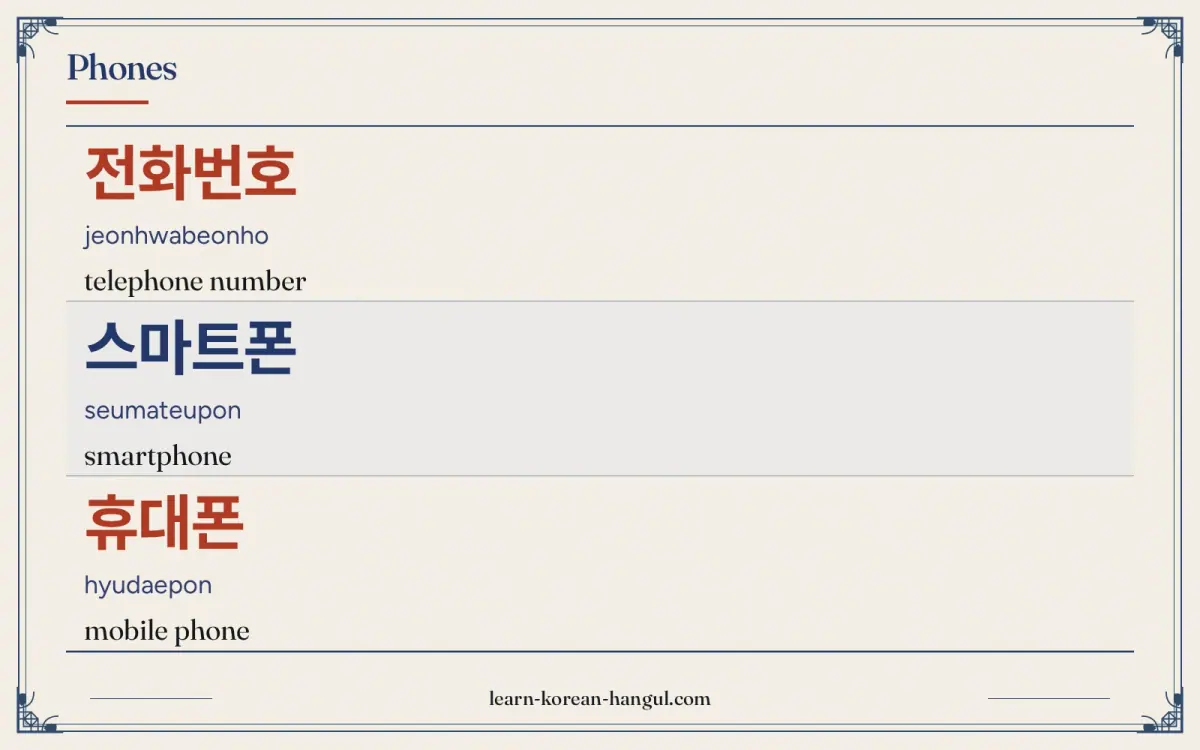
Phones
Phone words are the first technology words most learners need, because a phone is how you give your contact details, join a chat and use almost every service in Korea. Three different words name the phone itself, so this group starts by sorting them out.
| No. | Hangul | Revised Romanization | Meaning and note | Example sentence | Audio assetId |
|---|---|---|---|---|---|
| 1 | 전화번호 | jeonhwabeonho | telephone number. 전화 means phone and 번호 means number. Said [전화번호]. | 전화번호가 뭐예요? (What is your phone number?) | au-pg-vocabulary-daily-life-technology-1; example: au-pg-vocabulary-daily-life-technology-46 |
| 2 | 스마트폰 | seumateupon | smartphone. A loanword: smart + phone. The usual word for the modern touch-screen phone. | 새 스마트폰을 샀어요. (I bought a new smartphone.) | au-pg-vocabulary-daily-life-technology-2; example: au-pg-vocabulary-daily-life-technology-47 |
| 3 | 휴대폰 | hyudaepon | mobile phone. 휴대 means carrying. This is the form used in forms and notices; the full official term is 휴대 전화. | 휴대폰 번호를 알려 주세요. (Please tell me your mobile number.) | au-pg-vocabulary-daily-life-technology-3; example: au-pg-vocabulary-daily-life-technology-48 |
| 4 | 핸드폰 | haendeupon | hand phone (mobile phone). A Korean-made English compound, very common in daily speech; in writing, 휴대폰 or 휴대 전화 is preferred. | 핸드폰이 어디 있어요? (Where is my phone?) | au-pg-vocabulary-daily-life-technology-4; example: au-pg-vocabulary-daily-life-technology-49 |
| 5 | 앱 | aep | app. Short for 애플리케이션. Said [앱] with a closed p. | 앱이 열리지 않아요. (The app does not open.) | au-pg-vocabulary-daily-life-technology-5; example: au-pg-vocabulary-daily-life-technology-50 |
| 6 | 화면 | hwamyeon | screen. 화 means picture and 면 means surface. Used for any screen. | 화면이 너무 밝아요. (The screen is too bright.) | au-pg-vocabulary-daily-life-technology-6; example: au-pg-vocabulary-daily-life-technology-51 |
| 7 | 설정 | seoljeong | settings. Said [설쩡]. The gear icon on a phone is labelled 설정. | 설정에서 언어를 바꿔요. (I change the language in the settings.) | au-pg-vocabulary-daily-life-technology-7; example: au-pg-vocabulary-daily-life-technology-52 |
| 8 | 알림 | allim | notification. Said with a long l sound. Apps send 알림 for messages and updates. | 알림을 꺼요. (I turn off notifications.) | au-pg-vocabulary-daily-life-technology-8; example: au-pg-vocabulary-daily-life-technology-53 |
| 9 | 카카오톡 | kakaotok | KakaoTalk (messenger). A brand name. The messenger used by most people in Korea; 카톡 for short. | 카카오톡 아이디가 뭐예요? (What is your KakaoTalk ID?) | au-pg-vocabulary-daily-life-technology-9; example: au-pg-vocabulary-daily-life-technology-54 |
Example Sentences
The sentences use three frames. The first is noun + 이/가 + 뭐예요? (what is the noun?), as in 전화번호가 뭐예요?. The second is noun + 을/를 + verb, as in 알림을 꺼요 (I turn off notifications). The third is noun + 이/가 + state, as in 화면이 너무 밝아요 (the screen is too bright). The subject particle is 가 after a vowel and 이 after a consonant, so it is 아이디가 but 화면이. For more on the phone itself, see Korean Smartphone Vocabulary.
How Do You Say Computers in Korean?
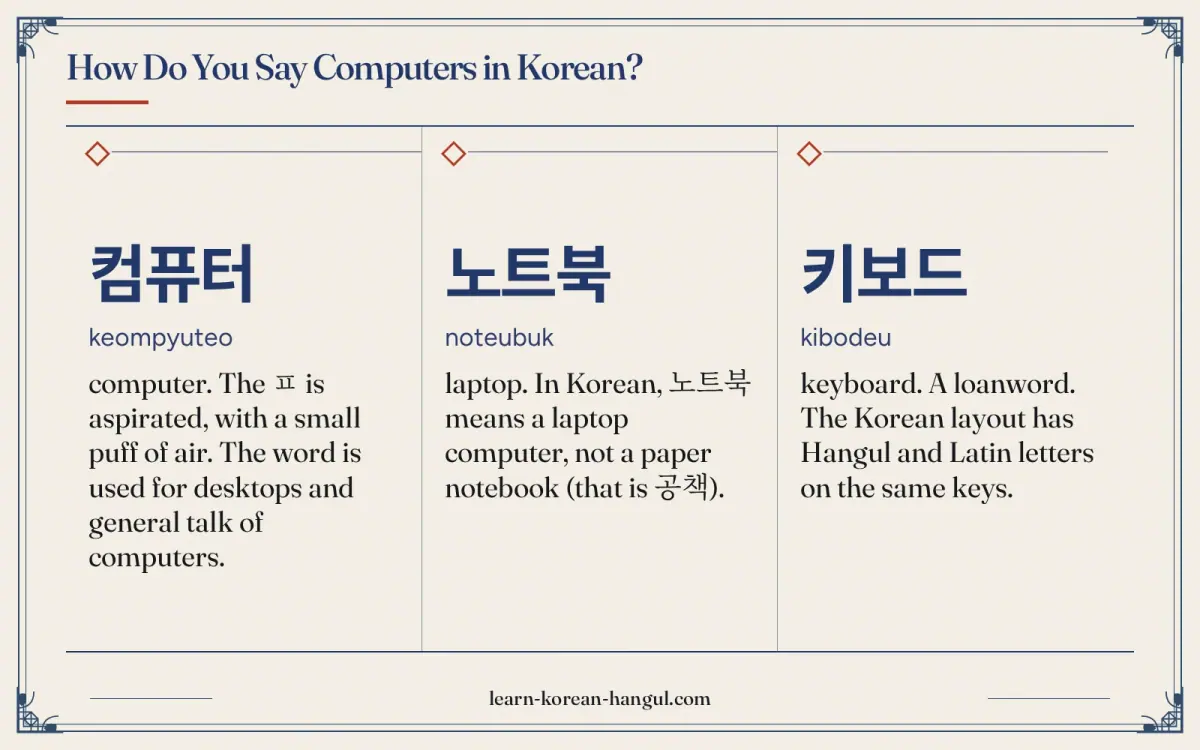
Computer words are almost all loanwords, with the English spelling written in Hangul. That makes them easy to learn if you know the sound rules: English p, t and k become ㅍ, ㅌ and ㅋ, and a vowel is added after a final consonant, so "mouse" becomes 마우스. These nine words cover a desk setup and the files on it.
| No. | Hangul | Revised Romanization | Meaning and note | Example sentence | Audio assetId |
|---|---|---|---|---|---|
| 10 | 컴퓨터 | keompyuteo | computer. The ㅍ is aspirated, with a small puff of air. The word is used for desktops and general talk of computers. | 컴퓨터를 켜요. (I turn on the computer.) | au-pg-vocabulary-daily-life-technology-10; example: au-pg-vocabulary-daily-life-technology-55 |
| 11 | 노트북 | noteubuk | laptop. In Korean, 노트북 means a laptop computer, not a paper notebook (that is 공책). | 노트북을 가방에 넣어요. (I put the laptop in the bag.) | au-pg-vocabulary-daily-life-technology-11; example: au-pg-vocabulary-daily-life-technology-56 |
| 12 | 키보드 | kibodeu | keyboard. A loanword. The Korean layout has Hangul and Latin letters on the same keys. | 키보드가 고장 났어요. (The keyboard is broken.) | au-pg-vocabulary-daily-life-technology-12; example: au-pg-vocabulary-daily-life-technology-57 |
| 13 | 마우스 | mauseu | mouse (computer). A loanword. The animal mouse is 쥐, a different word. | 마우스가 안 움직여요. (The mouse does not move.) | au-pg-vocabulary-daily-life-technology-13; example: au-pg-vocabulary-daily-life-technology-58 |
| 14 | 모니터 | moniteo | monitor. A loanword. Offices often have two monitors on one desk. | 모니터가 두 개 있어요. (There are two monitors.) | au-pg-vocabulary-daily-life-technology-14; example: au-pg-vocabulary-daily-life-technology-59 |
| 15 | 프린터 | peurinteo | printer. A loanword. The same word is used for office and home printers. | 프린터에 종이가 없어요. (The printer has no paper.) | au-pg-vocabulary-daily-life-technology-15; example: au-pg-vocabulary-daily-life-technology-60 |
| 16 | 파일 | pail | file (computer). A loanword. A paper folder or file is also called 파일 in an office. | 파일을 저장해요. (I save the file.) | au-pg-vocabulary-daily-life-technology-16; example: au-pg-vocabulary-daily-life-technology-61 |
| 17 | 폴더 | poldeo | folder. A loanword. 폴더를 만들다 means to create a folder. | 폴더를 만들어요. (I make a folder.) | au-pg-vocabulary-daily-life-technology-17; example: au-pg-vocabulary-daily-life-technology-62 |
| 18 | 프로그램 | peurogeuraem | program; software. A loanword. Also the word for a TV or radio programme. | 프로그램을 설치해요. (I install the program.) | au-pg-vocabulary-daily-life-technology-18; example: au-pg-vocabulary-daily-life-technology-63 |
Look at how the endings behave. "Mouse" ends with a consonant sound in English, but Korean adds the vowel ㅡ to give 마우스. "Keyboard" becomes 키보드 for the same reason. This is why loanwords from English tend to end in 스, 드, 트 or 프. The same pattern appears in the typing Korean pages, where you learn which keys make these syllables.
Internet
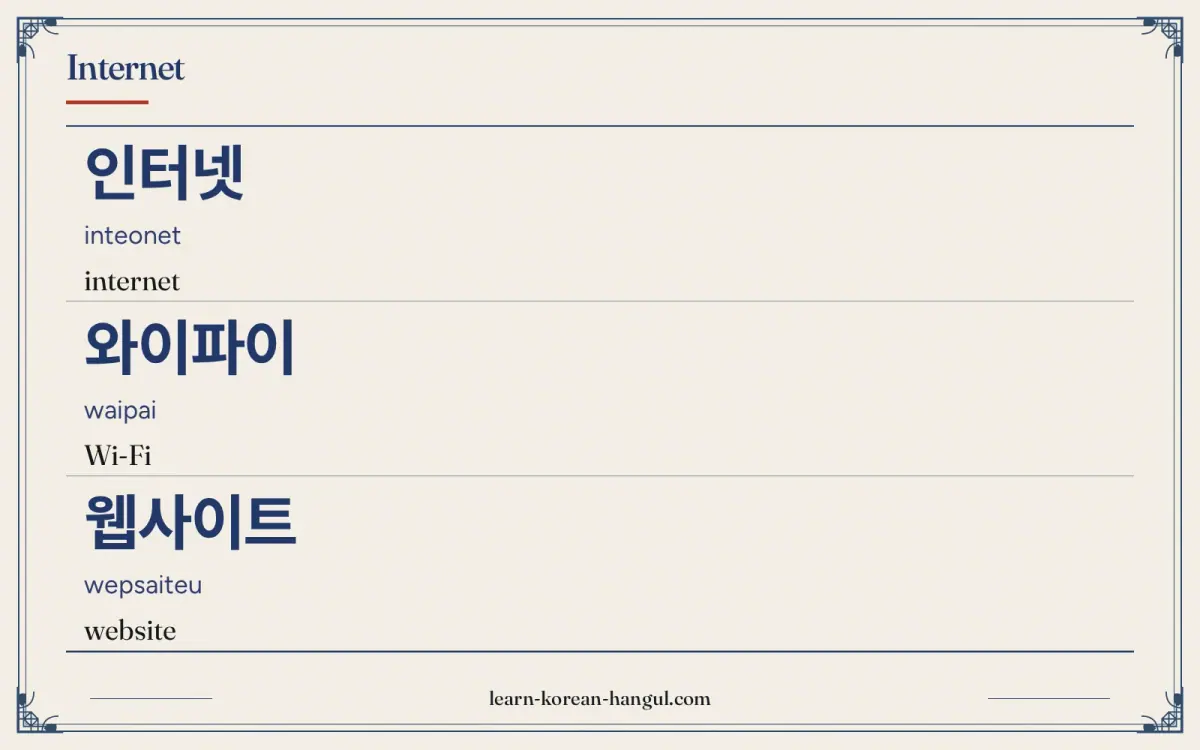
Internet words cover browsing, searching, links and email. Most are loanwords, and 검색 (search) and 첨부 (attaching) are the two Sino-Korean words to learn by heart. All nine are common in menus, ads and instructions.
| No. | Hangul | Revised Romanization | Meaning and note | Example sentence | Audio assetId |
|---|---|---|---|---|---|
| 19 | 인터넷 | inteonet | internet. Said [인터넫] at the end of a word. The final ㅅ is said as [ㄷ]. | 인터넷이 느려요. (The internet is slow.) | au-pg-vocabulary-daily-life-technology-19; example: au-pg-vocabulary-daily-life-technology-64 |
| 20 | 와이파이 | waipai | Wi-Fi. A loanword. A café sign often says 무료 와이파이 (free Wi-Fi). | 와이파이가 안 돼요. (The Wi-Fi does not work.) | au-pg-vocabulary-daily-life-technology-20; example: au-pg-vocabulary-daily-life-technology-65 |
| 21 | 웹사이트 | wepsaiteu | website. Said [웹싸이트]. Shortened to 사이트 in speech. Some official writing uses 누리집, but speech rarely does. | 웹사이트 주소를 알려 주세요. (Please tell me the website address.) | au-pg-vocabulary-daily-life-technology-21; example: au-pg-vocabulary-daily-life-technology-66 |
| 22 | 검색 | geomsaek | search. 검색하다 means to search. The search bar is the 검색창. | 인터넷에서 검색해요. (I search on the internet.) | au-pg-vocabulary-daily-life-technology-22; example: au-pg-vocabulary-daily-life-technology-67 |
| 23 | 링크 | ringkeu | link. A loanword. A link can be sent in a chat with 링크를 보내요. | 링크를 보내요. (I send the link.) | au-pg-vocabulary-daily-life-technology-23; example: au-pg-vocabulary-daily-life-technology-68 |
| 24 | 이메일 | imeil | email. A loanword. Often written 이메일 or 메일 for short. | 이메일을 보내요. (I send an email.) | au-pg-vocabulary-daily-life-technology-24; example: au-pg-vocabulary-daily-life-technology-69 |
| 25 | 첨부 파일 | cheombu pail | attachment. 첨부 means attaching. Both words are needed to say "attached file". | 첨부 파일을 열어요. (I open the attachment.) | au-pg-vocabulary-daily-life-technology-25; example: au-pg-vocabulary-daily-life-technology-70 |
| 26 | 브라우저 | beuraujeo | browser. A loanword. Chrome, Safari and others are all 브라우저. | 브라우저를 열어요. (I open the browser.) | au-pg-vocabulary-daily-life-technology-26; example: au-pg-vocabulary-daily-life-technology-71 |
| 27 | 인터넷 뱅킹 | inteonet baengking | internet banking. The service that lets you pay and transfer money online. See the Money and Banking page. | 인터넷 뱅킹을 써요. (I use internet banking.) | au-pg-vocabulary-daily-life-technology-27; example: au-pg-vocabulary-daily-life-technology-72 |
The verb 검색하다 is the noun 검색 plus 하다, the usual way an action noun becomes a verb. Banks in Korea push customers toward 인터넷 뱅킹 and their own 앱, so expect both words at any bank counter. If you need money vocabulary to go with them, see Money and Banking.
How Do You Say Accounts and Passwords in Korean?
Almost every Korean service asks you to sign up, and the sign-up screens use the same nine words. Learning them helps you register, log in and reset a password without guessing. A few of the words involve a code sent to your phone, which is common in Korea.
| No. | Hangul | Revised Romanization | Meaning and note | Example sentence | Audio assetId |
|---|---|---|---|---|---|
| 28 | 계정 | gyejeong | account (online). Said [계정] or [게정]. Used for an account on a website or app. | 계정을 만들어요. (I create an account.) | au-pg-vocabulary-daily-life-technology-28; example: au-pg-vocabulary-daily-life-technology-73 |
| 29 | 아이디 | aidi | user ID. A loanword from English "ID". The login name, not a card. | 아이디를 입력해요. (I enter the ID.) | au-pg-vocabulary-daily-life-technology-29; example: au-pg-vocabulary-daily-life-technology-74 |
| 30 | 비밀번호 | bimilbeonho | password. 비밀 means secret and 번호 means number. Literally "secret number". | 비밀번호를 잊어버렸어요. (I forgot my password.) | au-pg-vocabulary-daily-life-technology-30; example: au-pg-vocabulary-daily-life-technology-75 |
| 31 | 로그인 | rogeuin | login. A loanword. 로그인하다 is the verb. | 로그인이 안 돼요. (I cannot log in.) | au-pg-vocabulary-daily-life-technology-31; example: au-pg-vocabulary-daily-life-technology-76 |
| 32 | 회원 가입 | hoewon gaip | sign-up; registration. 회원 means member and 가입 means joining. | 회원 가입을 해요. (I sign up.) | au-pg-vocabulary-daily-life-technology-32; example: au-pg-vocabulary-daily-life-technology-77 |
| 33 | 인증 | injeung | verification; authentication. A service checks that you are who you say you are. | 인증이 필요해요. (Verification is needed.) | au-pg-vocabulary-daily-life-technology-33; example: au-pg-vocabulary-daily-life-technology-78 |
| 34 | 인증번호 | injeungbeonho | verification code. The number sent by text. Enter it to continue. | 인증번호를 입력해요. (I enter the verification code.) | au-pg-vocabulary-daily-life-technology-34; example: au-pg-vocabulary-daily-life-technology-79 |
| 35 | 본인 확인 | bonin hwagin | identity check. Said [보닌 화긴]. 본인 means the person themselves. | 본인 확인을 해요. (I verify my identity.) | au-pg-vocabulary-daily-life-technology-35; example: au-pg-vocabulary-daily-life-technology-80 |
| 36 | 탈퇴 | taltoe | cancelling membership. 탈퇴하다 means to leave a service and close the account. | 서비스를 탈퇴해요. (I cancel my membership of the service.) | au-pg-vocabulary-daily-life-technology-36; example: au-pg-vocabulary-daily-life-technology-81 |
Because 회원 가입 and 본인 확인 are bureaucratic phrases, they come up in forms, not in conversation. A sign-up often goes in this order: 회원 가입, then 인증번호, then 아이디 and 비밀번호, though the order varies by service. If you forget a password, look for 비밀번호 찾기, which means "find password".
Gadgets
The last group covers the devices around the phone and the computer. They are almost all loanwords, so the pronunciation follows the English sounds with Korean vowels added. Most appear in shop signs and electronics sections.
| No. | Hangul | Revised Romanization | Meaning and note | Example sentence | Audio assetId |
|---|---|---|---|---|---|
| 37 | 이어폰 | ieopon | earphones. A loanword: ear + phone. Plugs go in with 꽂다. | 이어폰을 꽂아요. (I plug in the earphones.) | au-pg-vocabulary-daily-life-technology-37; example: au-pg-vocabulary-daily-life-technology-82 |
| 38 | 헤드폰 | hedeupon | headphones. A loanword. The verb for putting them on is 쓰다, as for a hat. | 헤드폰을 써요. (I wear headphones.) | au-pg-vocabulary-daily-life-technology-38; example: au-pg-vocabulary-daily-life-technology-83 |
| 39 | 스피커 | seupikeo | speaker. A loanword. A Bluetooth speaker is 블루투스 스피커. | 스피커 소리가 커요. (The speaker is loud.) | au-pg-vocabulary-daily-life-technology-39; example: au-pg-vocabulary-daily-life-technology-84 |
| 40 | 태블릿 | taebeullit | tablet. A loanword. Often 태블릿 PC in product names. | 태블릿으로 책을 읽어요. (I read books on a tablet.) | au-pg-vocabulary-daily-life-technology-40; example: au-pg-vocabulary-daily-life-technology-85 |
| 41 | 스마트워치 | seumateuwochi | smartwatch. A loanword. The verb for wearing a watch is 차다. | 스마트워치를 차요. (I wear a smartwatch.) | au-pg-vocabulary-daily-life-technology-41; example: au-pg-vocabulary-daily-life-technology-86 |
| 42 | 충전기 | chungjeongi | charger. 충전 (charging) + 기 (machine). | 충전기를 빌려요. (I borrow a charger.) | au-pg-vocabulary-daily-life-technology-42; example: au-pg-vocabulary-daily-life-technology-87 |
| 43 | 케이블 | keibeul | cable. A loanword. A charging cable is 충전 케이블. | 케이블이 짧아요. (The cable is short.) | au-pg-vocabulary-daily-life-technology-43; example: au-pg-vocabulary-daily-life-technology-88 |
| 44 | 리모컨 | rimokeon | remote control. Short for 리모트 컨트롤. Every home has one for the TV. | 리모컨이 어디 있어요? (Where is the remote?) | au-pg-vocabulary-daily-life-technology-44; example: au-pg-vocabulary-daily-life-technology-89 |
| 45 | 전원 | jeonwon | power (switch). 전원 means power supply. 전원을 켜다 turns it on and 끄다 turns it off. | 전원을 꺼요. (I turn the power off.) | au-pg-vocabulary-daily-life-technology-45; example: au-pg-vocabulary-daily-life-technology-90 |
How Do You Pronounce These Words?
Most technology words keep close to English sounds, but Korean adds its own vowels and sound rules. Standard pronunciation follows the National Institute of Korean Language (국립국어원) rules, and the romanization follows the Revised Romanization of Korean, which records some sound changes and ignores others.
| Spelling | Sounds like | What changes |
|---|---|---|
| 웹사이트 | [웹싸이트] | After a final ㅂ, the ㅅ of 사 becomes tense [ㅆ]. |
| 인터넷 | [인터넫] | A final ㅅ at the end of a word is said as [ㄷ]. |
| 본인 확인 | [보닌 화긴] | The final ㄴ of 본 and the final ㄱ of 확 each move onto the next syllable, which starts with a silent ㅇ. |
| 설정 | [설쩡] | In a Sino-Korean word, ㅈ after ㄹ becomes tense [ㅉ]. |
| 알림 | [알림] | Two l sounds in a row are held as one long l. |
| 컴퓨터 | [컴퓨터] | The ㅍ is aspirated; a small puff of air follows it. |
The three aspirated consonants ㅋ, ㅌ and ㅍ show up all over technology words, because English k, t and p are written with them. Hold a hand in front of your mouth and say 컴퓨터. You should feel a puff on the ㅍ and the ㅌ. The tense sounds in 웹사이트 and 설정 are said with a tight throat and no puff of air.
Audio and Slow Playback
Every headword and every example sentence has its own audio. The five clips below replay the trickiest words slowly. Play one, repeat it aloud, then play it again and compare.
What Mistakes Do Learners Make with Technology Words?
These five mistakes come up often with technology words.
- Treating 노트북 as a paper notebook. In Korean, 노트북 is a laptop. A paper notebook is 공책 or 노트.
- Using 핸드폰 in formal writing. It is understood everywhere, but forms and notices use 휴대폰 or 휴대 전화. Use those in writing and 핸드폰 in casual talk.
- Confusing 아이디 and 비밀번호. 아이디 is your login name and 비밀번호 is your password. A form that asks for 아이디 wants a name, not a number.
- Mixing 인증 and 인증번호. 인증 is the verification step and 인증번호 is the code you type. Staff say 인증번호를 입력해 주세요 (please enter the verification code).
- Saying 마우스 for the animal. A computer mouse is 마우스. The animal is 쥐.
Most technology words are loanwords, so a good habit is to guess the English first and then check the Hangul. Checking your guess against the Hangul is also a quick test of your reading.
Practice: Flashcards and Worksheet
Study in three steps. First, run the flashcard deck in recognition mode until you know each of the 45 words. Second, switch to listening mode and answer from the audio alone. Third, take the quiz. The deck covers all 45 words with audio, and your progress stays in your browser. The vocabulary flashcard decks page lists the other decks.
Practice · 95
- 01전화번호
Show answer
headword 1: telephone number
- 02전화번호가 뭐예요?
Show answer
example sentence for 전화번호: What is your phone number?
- 03스마트폰
Show answer
headword 2: smartphone
- 04새 스마트폰을 샀어요.
Show answer
example sentence for 스마트폰: I bought a new smartphone.
- 05휴대폰
Show answer
headword 3: mobile phone
- 06휴대폰 번호를 알려 주세요.
Show answer
example sentence for 휴대폰: Please tell me your mobile number.
- 07핸드폰
Show answer
headword 4: hand phone (mobile phone)
- 08핸드폰이 어디 있어요?
Show answer
example sentence for 핸드폰: Where is my phone?
- 09앱
Show answer
headword 5: app
- 10앱이 열리지 않아요.
Show answer
example sentence for 앱: The app does not open.
- 11화면
Show answer
headword 6: screen
- 12화면이 너무 밝아요.
Show answer
example sentence for 화면: The screen is too bright.
- 13설정
Show answer
headword 7: settings
- 14설정에서 언어를 바꿔요.
Show answer
example sentence for 설정: I change the language in the settings.
- 15알림
Show answer
headword 8: notification
- 16알림을 꺼요.
Show answer
example sentence for 알림: I turn off notifications.
- 17카카오톡
Show answer
headword 9: KakaoTalk (messenger)
- 18카카오톡 아이디가 뭐예요?
Show answer
example sentence for 카카오톡: What is your KakaoTalk ID?
- 19컴퓨터
Show answer
headword 10: computer
- 20컴퓨터를 켜요.
Show answer
example sentence for 컴퓨터: I turn on the computer.
- 21노트북
Show answer
headword 11: laptop
- 22노트북을 가방에 넣어요.
Show answer
example sentence for 노트북: I put the laptop in the bag.
- 23키보드
Show answer
headword 12: keyboard
- 24키보드가 고장 났어요.
Show answer
example sentence for 키보드: The keyboard is broken.
- 25마우스
Show answer
headword 13: mouse (computer)
- 26마우스가 안 움직여요.
Show answer
example sentence for 마우스: The mouse does not move.
- 27모니터
Show answer
headword 14: monitor
- 28모니터가 두 개 있어요.
Show answer
example sentence for 모니터: There are two monitors.
- 29프린터
Show answer
headword 15: printer
- 30프린터에 종이가 없어요.
Show answer
example sentence for 프린터: The printer has no paper.
- 31파일
Show answer
headword 16: file (computer)
- 32파일을 저장해요.
Show answer
example sentence for 파일: I save the file.
- 33폴더
Show answer
headword 17: folder
- 34폴더를 만들어요.
Show answer
example sentence for 폴더: I make a folder.
- 35프로그램
Show answer
headword 18: program; software
- 36프로그램을 설치해요.
Show answer
example sentence for 프로그램: I install the program.
- 37인터넷
Show answer
headword 19: internet
- 38인터넷이 느려요.
Show answer
example sentence for 인터넷: The internet is slow.
- 39와이파이
Show answer
headword 20: Wi-Fi
- 40와이파이가 안 돼요.
Show answer
example sentence for 와이파이: The Wi-Fi does not work.
- 41웹사이트
Show answer
headword 21: website
- 42웹사이트 주소를 알려 주세요.
Show answer
example sentence for 웹사이트: Please tell me the website address.
- 43검색
Show answer
headword 22: search
- 44인터넷에서 검색해요.
Show answer
example sentence for 검색: I search on the internet.
- 45링크
Show answer
headword 23: link
- 46링크를 보내요.
Show answer
example sentence for 링크: I send the link.
- 47이메일
Show answer
headword 24: email
- 48이메일을 보내요.
Show answer
example sentence for 이메일: I send an email.
- 49첨부 파일
Show answer
headword 25: attachment
- 50첨부 파일을 열어요.
Show answer
example sentence for 첨부 파일: I open the attachment.
- 51브라우저
Show answer
headword 26: browser
- 52브라우저를 열어요.
Show answer
example sentence for 브라우저: I open the browser.
- 53인터넷 뱅킹
Show answer
headword 27: internet banking
- 54인터넷 뱅킹을 써요.
Show answer
example sentence for 인터넷 뱅킹: I use internet banking.
- 55계정
Show answer
headword 28: account (online)
- 56계정을 만들어요.
Show answer
example sentence for 계정: I create an account.
- 57아이디
Show answer
headword 29: user ID
- 58아이디를 입력해요.
Show answer
example sentence for 아이디: I enter the ID.
- 59비밀번호
Show answer
headword 30: password
- 60비밀번호를 잊어버렸어요.
Show answer
example sentence for 비밀번호: I forgot my password.
- 61로그인
Show answer
headword 31: login
- 62로그인이 안 돼요.
Show answer
example sentence for 로그인: I cannot log in.
- 63회원 가입
Show answer
headword 32: sign-up; registration
- 64회원 가입을 해요.
Show answer
example sentence for 회원 가입: I sign up.
- 65인증
Show answer
headword 33: verification; authentication
- 66인증이 필요해요.
Show answer
example sentence for 인증: Verification is needed.
- 67인증번호
Show answer
headword 34: verification code
- 68인증번호를 입력해요.
Show answer
example sentence for 인증번호: I enter the verification code.
- 69본인 확인
Show answer
headword 35: identity check
- 70본인 확인을 해요.
Show answer
example sentence for 본인 확인: I verify my identity.
- 71탈퇴
Show answer
headword 36: cancelling membership
- 72서비스를 탈퇴해요.
Show answer
example sentence for 탈퇴: I cancel my membership of the service.
- 73이어폰
Show answer
headword 37: earphones
- 74이어폰을 꽂아요.
Show answer
example sentence for 이어폰: I plug in the earphones.
- 75헤드폰
Show answer
headword 38: headphones
- 76헤드폰을 써요.
Show answer
example sentence for 헤드폰: I wear headphones.
- 77스피커
Show answer
headword 39: speaker
- 78스피커 소리가 커요.
Show answer
example sentence for 스피커: The speaker is loud.
- 79태블릿
Show answer
headword 40: tablet
- 80태블릿으로 책을 읽어요.
Show answer
example sentence for 태블릿: I read books on a tablet.
- 81스마트워치
Show answer
headword 41: smartwatch
- 82스마트워치를 차요.
Show answer
example sentence for 스마트워치: I wear a smartwatch.
- 83충전기
Show answer
headword 42: charger
- 84충전기를 빌려요.
Show answer
example sentence for 충전기: I borrow a charger.
- 85케이블
Show answer
headword 43: cable
- 86케이블이 짧아요.
Show answer
example sentence for 케이블: The cable is short.
- 87리모컨
Show answer
headword 44: remote control
- 88리모컨이 어디 있어요?
Show answer
example sentence for 리모컨: Where is the remote?
- 89전원
Show answer
headword 45: power (switch)
- 90전원을 꺼요.
Show answer
example sentence for 전원: I turn the power off.
- 91스마트폰
Show answer
slow playback of headword 2: smartphone
- 92컴퓨터
Show answer
slow playback of headword 10: computer
- 93알림
Show answer
slow playback of headword 8: notification
- 94웹사이트
Show answer
slow playback of headword 21: website
- 95인증번호
Show answer
slow playback of headword 34: verification code
Practice · 5
What does 스마트폰 (seumateupon) mean?
Show answer
smartphone
스마트폰 means smartphone. Example: 새 스마트폰을 샀어요. (I bought a new smartphone.)
What does 컴퓨터 (keompyuteo) mean?
Show answer
computer
컴퓨터 means computer. Example: 컴퓨터를 켜요. (I turn on the computer.)
What does 와이파이 (waipai) mean?
Show answer
Wi-Fi
와이파이 means Wi-Fi. Example: 와이파이가 안 돼요. (The Wi-Fi does not work.)
What does 비밀번호 (bimilbeonho) mean?
Show answer
password
비밀번호 means password. Example: 비밀번호를 잊어버렸어요. (I forgot my password.)
What does 인증번호 (injeungbeonho) mean?
Show answer
verification code
인증번호 means verification code. Example: 인증번호를 입력해요. (I enter the verification code.)
Korean Technology Vocabulary Worksheet (PDF)
A printable worksheet for these words (word list, matching, writing practice, fill-in-the-blank exercises and answer key) is available in A4 and US Letter from the download card on this page. For practice, copy the 45 words by hand and write the meaning next to each. If you type Korean, use the words as typing practice; the typing Korean section shows how.
Where to Go Next
After this page, continue with Korean Smartphone Vocabulary for phone parts and settings, or go to Money and Banking and Health and Medicine to keep building daily-life vocabulary. To move up a level, return to Daily Life.
Pages in This Section
Four deeper pages sit under this one. Choose the one that matches what you do on your devices.
- Korean Smartphone Vocabulary: 35 words for phone parts, settings, calls, photos and repairs.
- Korean Social Media Vocabulary: 35 words for apps, posts, reactions, followers and online safety.
- Korean Computer and Internet Vocabulary: laptops, keyboards, files, websites and security.
- Korean Technology and AI Vocabulary: AI, data, robots and start-up words.
Frequently Asked Questions
How Do You Say Computer in Korean?
A computer is 컴퓨터 (keompyuteo), a loanword from English. A laptop is 노트북 (noteubuk), and a tablet is 태블릿. To say "I turn on the computer", say 컴퓨터를 켜요 (keompyuteoreul kyeoyo). The ㅍ in 컴퓨터 is aspirated, with a small puff of air.
How Do You Pronounce 스마트폰 (seumateupon)?
Say seu-ma-teu-pon, with four syllables. The vowel ㅡ in 스 and 트 is flat, with spread lips, and the ㅌ and ㅍ are aspirated with a puff of air. Many Koreans also say 폰 (pon) alone for phone. Press the audio button on this page for the normal and slow versions.
How Many Technology Words Should I Learn First?
Five first: 스마트폰, 앱, 와이파이, 비밀번호 and 인증번호. At five new words a day, the whole list of 45 takes nine days plus review. Add the computer group next if you work at a desk, and the gadget group if you shop for electronics.
Where Can I Practise Technology Words with Flashcards?
Use the vocabulary flashcard decks. The deck for this page holds all 45 words with Hangul, romanization and audio, and it offers recognition and listening modes. Your progress stays in your browser, so return daily and review the cards you missed.
Is the Romanization on This Page Official?
It follows the Revised Romanization of Korean, which South Korea adopted on 7 July 2000 and whose rules the National Institute of Korean Language (국립국어원) publishes. It is a learning aid and does not mark every sound change, so rely on the Hangul and the audio.
Is There a Printable Worksheet for Technology Words?
A printable worksheet for these words (word list, matching, writing practice, fill-in-the-blank exercises and answer key) is available in A4 and US Letter from the download card on this page. For practice, copy the tables on this page by hand or use the flashcard deck, which carries the same 45 words.