Dates, countries and fees for IBT change from year to year. This page explains how the format works and how to check the current details on the official TOPIK website (topik.go.kr), run by the National Institute for International Education (NIIED, 국립국제교육원).
What Is TOPIK IBT?
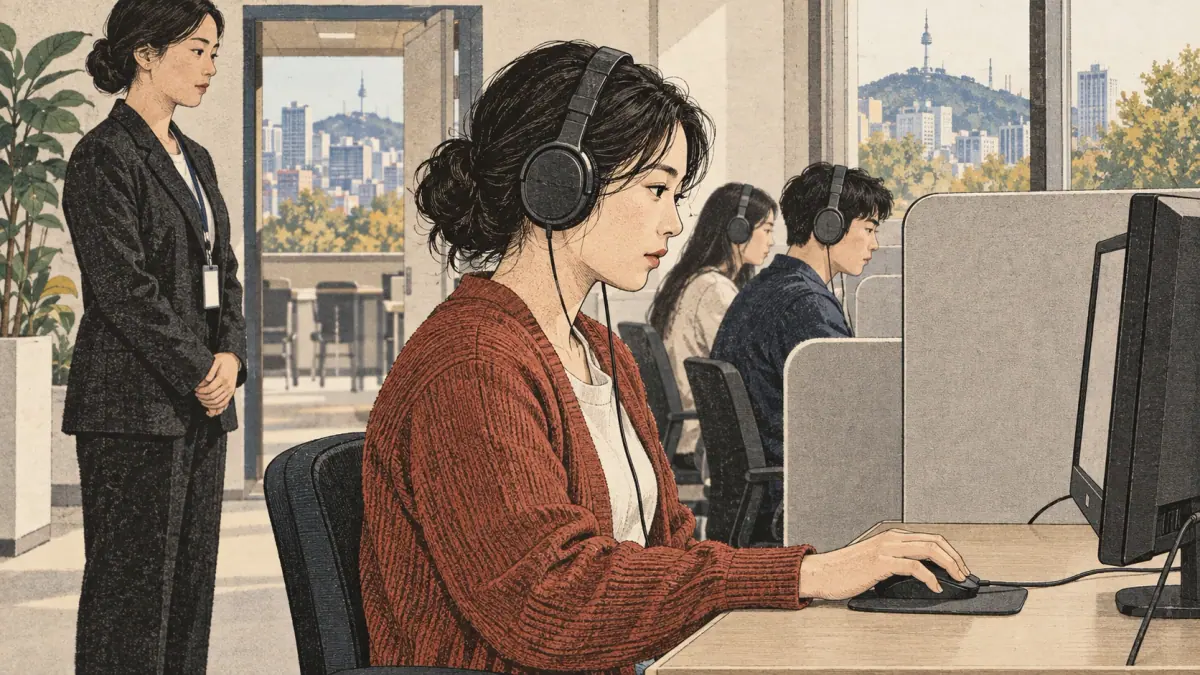
TOPIK IBT is a computer-delivered sitting of TOPIK I or TOPIK II. IBT stands for internet-based test. The candidate reads questions on a screen, hears listening audio through headphones, clicks answers and, on TOPIK II, types the writing tasks. The answers go to NIIED's system for marking, which is where the "internet" in the name comes from.
The paper version is called the PBT (paper-based test). In Korean, the official name of TOPIK is 한국어능력시험 (hangugeoneungnyeoksiheom). The computer format is described as 인터넷 기반 시험 (inteonet giban siheom), "internet-based test", and the paper format as 지필 시험 (jipil siheom), "paper-and-pencil test".
What TOPIK IBT Is Not
TOPIK IBT is not an at-home or online-proctored exam. You cannot take the official TOPIK on your own laptop. It is also not a different exam with different levels: a Level 4 from IBT is a TOPIK Level 4, the same certificate level as a Level 4 from paper. Finally, IBT TOPIK I and TOPIK II do not include speaking. Speaking has its own computer-based test, explained on the TOPIK speaking test page.
With the definition clear, the next question is how the computer format works in practice.
How TOPIK IBT Works
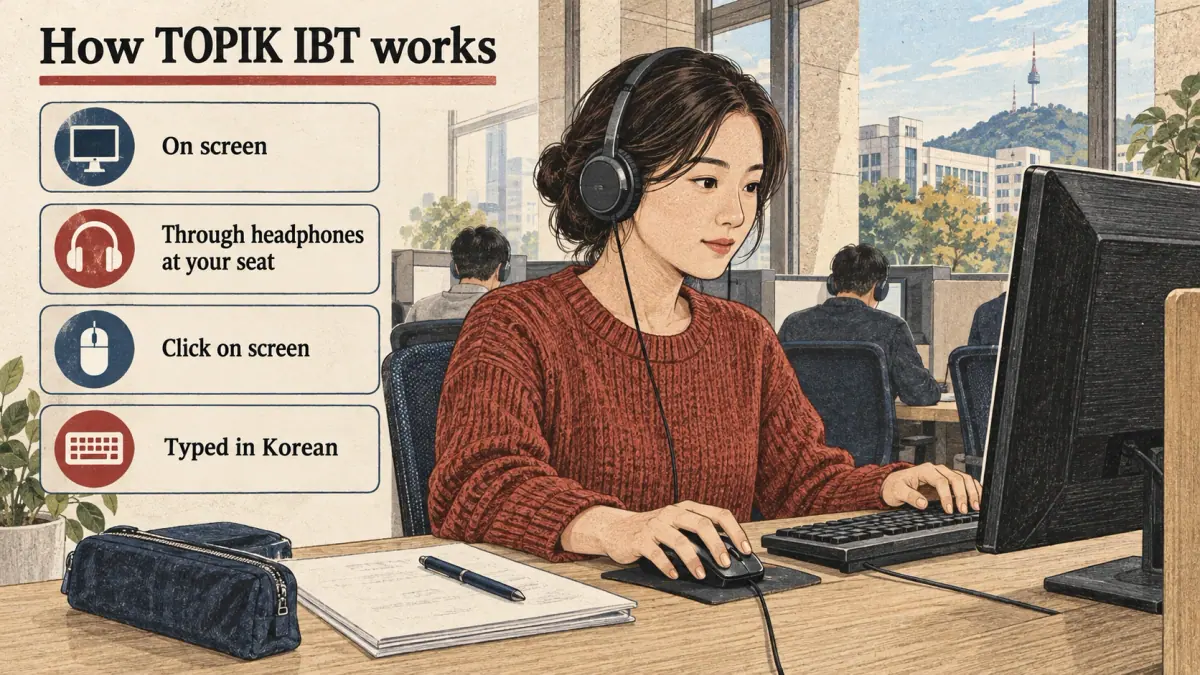
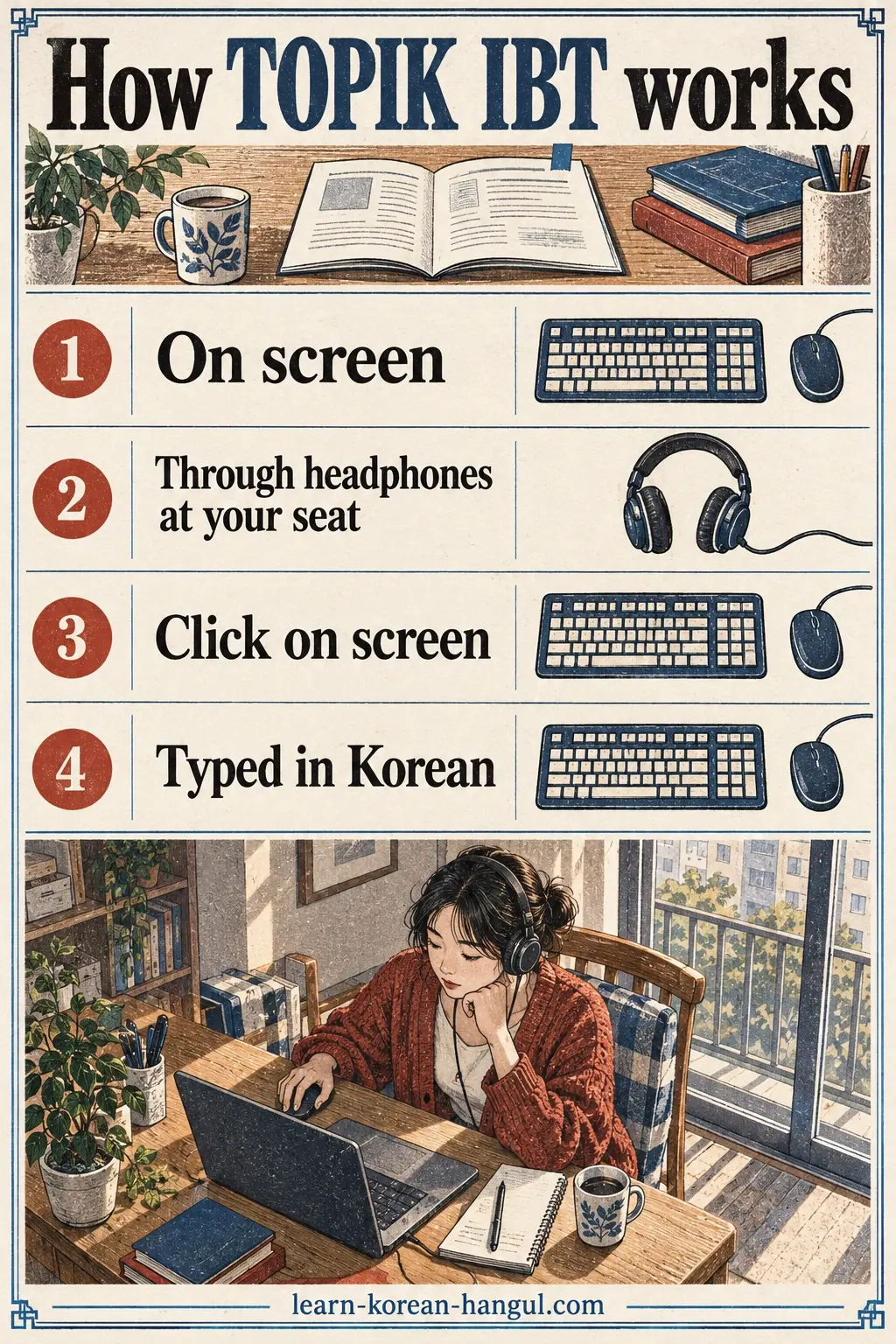
TOPIK IBT works like the paper test in purpose but differs in delivery. You still choose TOPIK I (beginner) or TOPIK II (intermediate to advanced), and you still earn a level from your total score. What changes is how you see, hear and answer the questions.
| Element | TOPIK IBT | TOPIK PBT (paper) |
|---|---|---|
| Where you sit | Approved computer test centre | Exam hall at a school, university or centre |
| How questions appear | On screen | Printed booklet |
| Listening audio | Through headphones at your seat | Through speakers in the room |
| How you answer multiple choice | Click on screen | Mark an answer sheet |
| TOPIK II writing | Typed in Korean | Handwritten, compositions on manuscript paper (원고지) |
| Levels awarded | TOPIK I: 1-2; TOPIK II: 3-6 | TOPIK I: 1-2; TOPIK II: 3-6 |
Question Types and Timing on Screen
The IBT is not a photograph of the paper booklet. NIIED designed the computer version with its own set of questions and timings, and some question types use the screen, for example choosing a picture, putting sentences in order or answering after a short audio clip. The number of questions and the minutes per section are not identical to the paper format described on the paper exam format page.
Because the layout changes as the format is updated, the reliable source is the IBT guide and any sample or practice material published on topik.go.kr for your session. Look at it before your test so the screens hold no surprises.
Typing Your TOPIK II Writing
Writing on TOPIK II IBT is typed in Hangul with a computer keyboard. In Korea, the standard layout is the 2-beolsik keyboard layout (두벌식), in which consonants sit on the left hand and vowels on the right. Typing removes two paper problems: there is no manuscript-paper grid to follow and no messy handwriting to decode.
Typing adds its own problems. You must build syllables correctly from separate keys, for example ㅎ + ㅏ + ㄴ for 한, and you must type double consonants such as ㄲ with the Shift key. A learner who types 30 Korean characters a minute will struggle to write a 600-700 character essay plus planning time. The guide to typing in Korean has practice routines.
The way answers are typed leads directly to how they are marked, which is the next section.
How Is TOPIK IBT Scored?
TOPIK IBT is scored on the same scale and with the same level bands as the paper test. TOPIK I gives Level 1 from 80 and Level 2 from 140 out of 200. TOPIK II gives Level 3 from 120, Level 4 from 150, Level 5 from 190 and Level 6 from 230 out of 300. The TOPIK levels page explains what each band means.
Two parts of scoring work in different ways:
- Multiple-choice answers in listening and reading are marked by computer, as on paper.
- Writing answers on TOPIK II are marked by trained raters against published criteria, such as task completion, organisation and language use. Typed text is easier to read, but raters still mark content and accuracy, not neatness.
A score from IBT is reported through the official TOPIK website, in the same way as a paper score. For the section points and marking criteria in detail, see how TOPIK scores are calculated. Knowing the format and the score, the next practical question is whether you can take IBT where you live.
Where Is TOPIK IBT Offered?
TOPIK IBT is offered in Korea and in a limited, growing list of other countries, at approved computer test centres. It is not available everywhere, and in some countries it is offered in only one city. The official schedule on topik.go.kr is the only reliable list, because countries and centres are added year by year.
Use this three-step check to see whether IBT is open to you:
- Open the official schedule. On topik.go.kr, find the year's test schedule and look for the IBT sessions. Each session lists the test date, the registration period and the results date.
- Check your country and city. Look at the overseas test centre list for the session. If your country is not there, IBT is not available to you for that session.
- Ask the local host organisation. Overseas, TOPIK is run with a local host, often a Korean Education Centre, a Korean Cultural Centre, an embassy or a university. The host can confirm whether IBT seats are planned in your city.
How Often Are IBT Sessions Held?
IBT sessions are held several times a year in Korea, and less often in most other countries. NIIED has been adding IBT sessions alongside paper sessions, and reports on the 2026 and 2027 schedules describe a similar number of IBT and paper sessions in a year. The exact count changes, so check the current year's list on the TOPIK exam dates page and on topik.go.kr.
Seats at computer centres are limited by the number of computers. In big cities, IBT seats can fill faster than paper seats. Once you know a session exists near you, the next thing to understand is what happens on the day.
An IBT Test Day, Step by Step
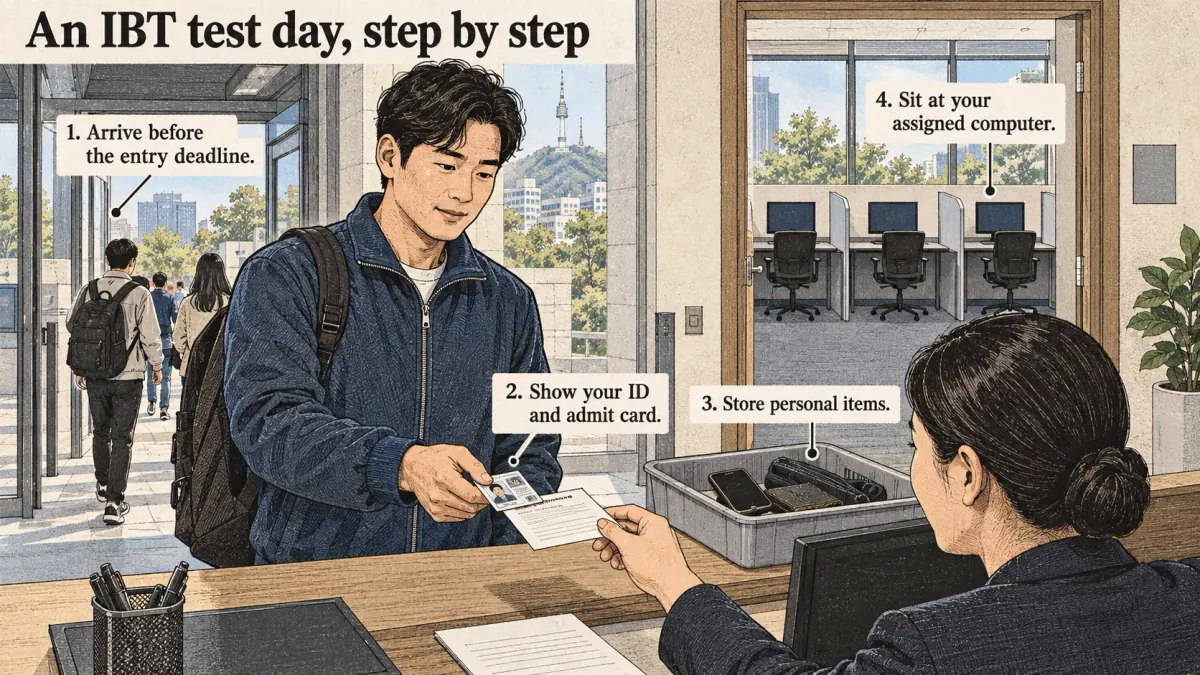
An IBT test day runs in a fixed order: arrival, ID check, seat assignment, a short system check, the test sections, and departure. The exact times are on your admit card (수험표, suheompyo), and you must follow them.
- Arrive before the entry deadline. Late arrivals are usually refused entry once the room closes. Plan to arrive well before the time on your admit card.
- Show your ID and admit card. Staff check that your face, ID and registration match. The accepted IDs are listed in the test guide, typically a passport or a national or residence ID card (신분증, sinbunjeung).
- Store personal items. Phones, smartwatches, earbuds and bags go into the storage area or a sealed bag, switched off.
- Sit at your assigned computer. Log in with the details provided, and check that the headphones and keyboard work. Tell staff at once if anything is wrong.
- Take the test sections in order. The system controls the timing. When a section's time ends, it closes and the next section opens.
- Finish and leave as instructed. You cannot take notes, screenshots or question content out of the room.
You will know you are ready when you can answer three questions without looking anything up: what time the room closes, which ID you will bring, and where you will put your phone. The table in the next section compares this day with a paper test day.
IBT and PBT at a Glance
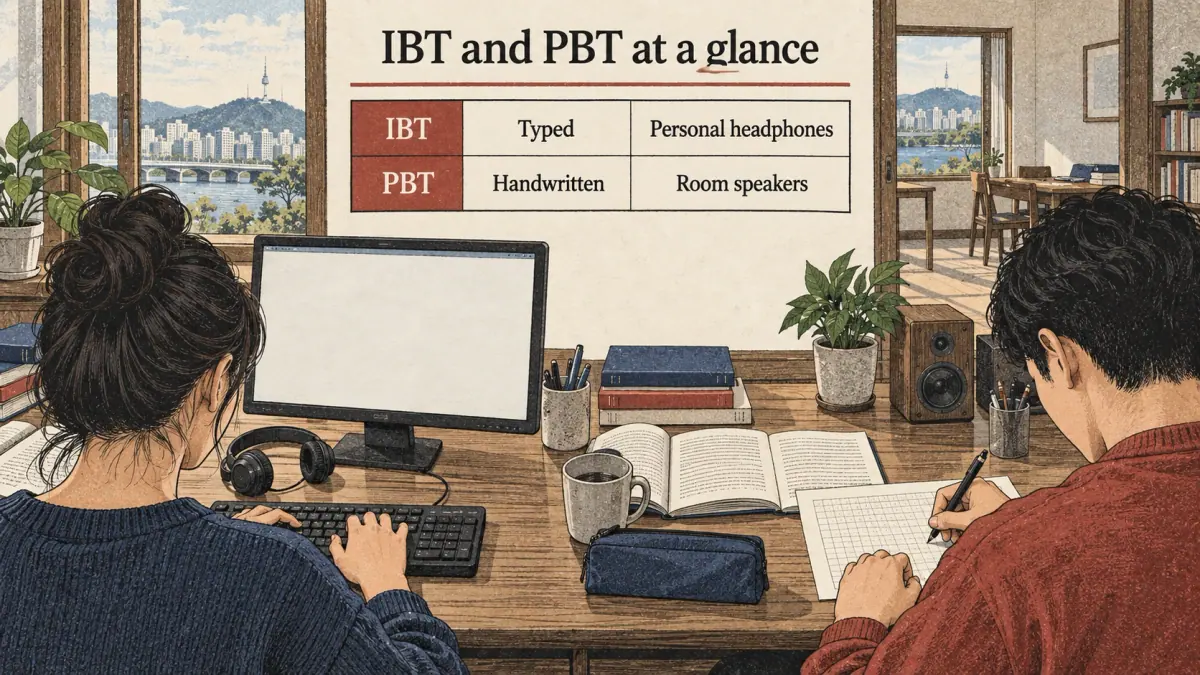
IBT differs from PBT mainly in the writing method, availability and how you interact with the questions, while the levels stay the same. This summary lists the differences that matter when you choose. The full decision guide, with personas and a winner for each criterion, is on the TOPIK IBT vs PBT page.
| Criterion | IBT | PBT |
|---|---|---|
| Writing (TOPIK II) | Typed | Handwritten |
| Character counting in writing | Typed text, no grid | Manuscript-paper grid (원고지) |
| Availability | Fewer countries and cities | Most countries that host TOPIK |
| Listening | Personal headphones | Room speakers |
| Editing answers | Edit typed text freely | Erase or cross out by hand |
| Levels | Same | Same |
The biggest practical difference is writing. A strong typist gains time to plan and revise; a slow typist loses time. Next, here is how to register when you have chosen IBT.
How Do You Register for TOPIK IBT?
You register for TOPIK IBT through the same official channels as the paper test: online on topik.go.kr in Korea, and through the official site or the local host organisation overseas. The steps take about 15 to 30 minutes if your documents are ready.
- Confirm an IBT session and centre in the official schedule for your country.
- Log in or create an account on topik.go.kr, or use the host organisation's process if your country registers locally.
- Choose IBT, the test level (TOPIK I or TOPIK II) and the centre. Make sure you have not picked the paper version by mistake.
- Upload a recent photo and enter your name exactly as on your ID.
- Pay the fee in the way your country accepts. IBT fees are set separately and may differ from paper fees; the registration page shows the current amount.
- Print or save the admit card when it is released, and check the time and address.
The full walk-through, with mistakes to avoid and what to do if seats run out, is on the TOPIK registration page. After registering, the rules for the test room are the last thing to learn.
Test-Day Rules for IBT
The rules on IBT test day ban every unapproved device and any outside help, and breaking them can cancel your result. The current rule list is in the test guide on topik.go.kr and on the admit card, and supervisors enforce it.
- No personal electronics. Phones, smartwatches, smart glasses, earbuds and other devices must be switched off and stored. A device that rings or is found during the test can count as misconduct.
- No AI or translation tools. Using AI writing tools, translators or any software beyond the test system is cheating. This also applies to any hidden device.
- No copying or recording questions. Writing down or photographing test content is banned, and test content is protected.
- Follow the ID rules. The name and photo on your ID must match your registration. Without valid ID, you will not be admitted.
- Respect timing. You cannot continue a closed section.
Penalties for misconduct can include cancelling the result and banning the candidate from future tests for a period. The exact penalties are set in the official rules. Knowing the rules, the next step is preparation that fits the computer format.
Preparing for the Computer Format
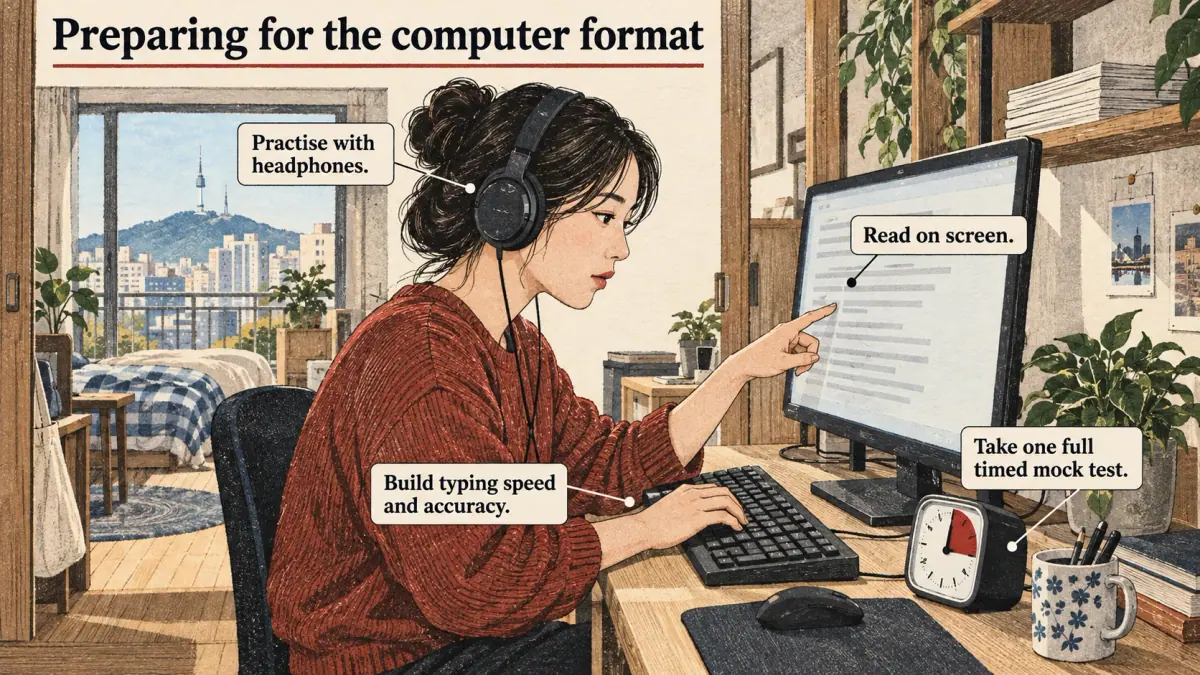
Prepare for TOPIK IBT by practising Korean on a screen and on a keyboard, not only in a paper workbook. Content knowledge is the same as for paper, but the delivery skills are different. Four habits help most.
- Build typing speed and accuracy. Type Korean daily for a few weeks before the test. A practical target for TOPIK II is a comfortable typing speed that lets you write a 600-700 character essay in well under the time allowed, with time left to check it.
- Read on screen. Do reading practice on a monitor, not just on paper or a phone. Scrolling through a long passage feels different from turning pages.
- Practise with headphones. Use over-ear headphones for listening practice so the test audio feels familiar.
- Take one full timed mock test. A timed mock test shows where time runs out. If the IBT sample on the official site is available, use it at least once.
A common mistake is to switch to IBT for the writing advantage without ever typing a full essay under time. Try it first; if your typed essay is slower than your handwritten one, paper may suit you better. With preparation covered, the next section is about who should and should not choose IBT.
Which IBT Mistakes Cost Candidates Points?
The IBT mistakes that cost candidates points are mostly about the format, not the Korean. Each mistake below comes with the fix.
- Typing the wrong letters. Fast typists sometimes produce 갓어요 when they meant 갔어요, because ㅆ needs the Shift key and a missed Shift gives ㅅ. Fix: reread every typed sentence once, slowly, before moving on.
- Leaving the Korean input mode. Pressing the language key by accident switches the keyboard to English letters, so "dkssudgktpdy" appears instead of 안녕하세요. Fix: learn where the Korean/English toggle key is on the centre keyboard, and glance at the screen after every pause.
- Running out of time in writing. On paper, many candidates write the long essay last. On screen, the same habit is risky if typing is slow. Fix: in mock tests, note how many minutes the typed essay really takes and plan the section around that figure.
- Ignoring the length guide. The compositions have target lengths in characters, and counting by eye is harder without a grid. Fix: practise until you know roughly how long 600 characters looks on a screen, and use any counter the test screen shows.
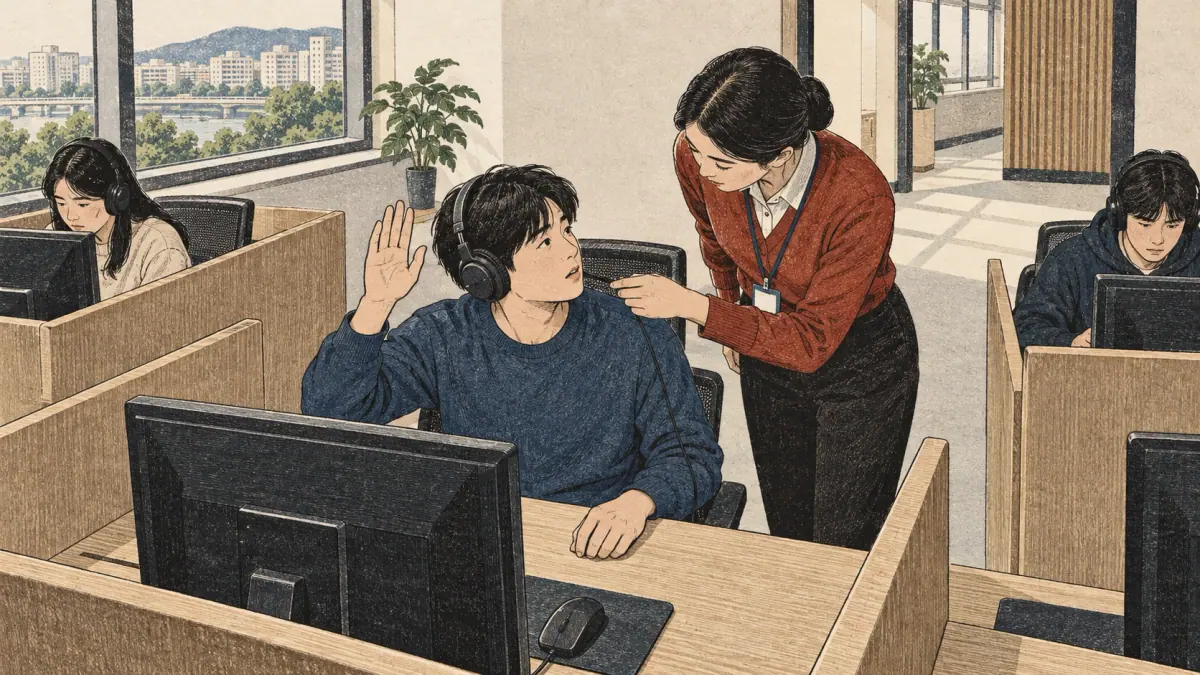
- Not reporting a technical problem. A frozen screen or silent headphones should be reported at once with a raised hand. Fix: never try to solve a hardware problem alone; staff can move you or log the problem.
What Happens If the Computer Fails during the Test?
If the computer fails during the test, raise your hand and tell the supervisor straight away. Test centres have procedures for technical problems, such as moving a candidate to a spare computer, and the official rules decide how lost time is handled. Do not restart the computer yourself, and do not leave your seat without permission. If you believe a problem affected your result, ask the supervisor how to report it before you leave the centre.
These mistakes are avoidable with practice, and they also show which candidates the format suits best.
Who Should Take TOPIK IBT?
TOPIK IBT suits candidates who type Korean quickly, read comfortably on screens and live near a centre that offers it. It suits candidates less well if they handwrite faster than they type, if their nearest IBT centre is far away, or if they find screens tiring.
| Your situation | Format that usually fits better |
|---|---|
| You type Korean faster than you write by hand | IBT |
| You have never typed Korean | PBT, or train typing first |
| Your nearest IBT centre is in another city | PBT, unless travel is easy |
| You want to edit your essay freely | IBT |
| You prefer printed text and a pencil for notes | PBT |
| You are taking TOPIK I only (no writing section) | Either; choose by date and location |
For TOPIK I candidates, the writing advantage does not apply, so date and location usually decide. With that decision made, it is worth being clear about what this page cannot settle.
What This Guide Cannot Tell You
The TOPIK IBT guide on this page cannot give you the current list of IBT countries, the number of sessions this year, the fee in your country or the results date for your session. Those details change and are set by NIIED and local hosts. The safest routine is to read the current schedule on topik.go.kr, then confirm anything unclear with your host organisation.
Two more honest limits apply. First, IBT is newer than the paper test, so some institutions may still ask how a result was taken; most do not distinguish, but an unusual application is worth checking. Second, there is less long-term experience with how candidates perform on IBT compared with paper, so treat claims that IBT is "easier" with caution.
TOPIK IBT: the Bottom Line
TOPIK IBT gives the same TOPIK levels as the paper test, but you take it at a computer centre, listen through headphones and type your TOPIK II writing. Choose it if you type Korean well and an IBT centre is near you; choose paper if you handwrite faster or IBT is not offered locally. Before you register, check the current IBT sessions on topik.go.kr and on the TOPIK exam dates page.
For the rest of the exam, return to the TOPIK exam guide. After your test, the page on checking TOPIK results explains when and where your TOPIK IBT score appears.
Frequently Asked Questions
Is IBT TOPIK Harder than Paper?
IBT TOPIK is not designed to be harder; it awards the same levels as the paper test. It feels harder or easier depending on your skills. Fast, accurate Korean typists often find the writing section easier on IBT, while learners who read more slowly on screens or have never typed Korean usually find paper more comfortable.
Can I Take TOPIK at Home?
No. TOPIK IBT is taken on a computer at an approved test centre, under supervision, not on your own computer at home. The word internet-based describes how the test is delivered and marked, not where you sit it. Any website offering an at-home official TOPIK is not the official test.
Do IBT and PBT Give the Same Certificate?
Both formats lead to the same TOPIK I and TOPIK II levels, and NIIED issues the result through the official TOPIK website. Most institutions treat the two formats the same. If your application is unusual, such as a government or visa process, ask the receiving office whether it names a format.
Can I Bring My Own Keyboard to the IBT?
No. Test centres provide the computer, keyboard and headphones, and personal devices are not allowed in the test room. Korean keyboards normally use the standard 2-beolsik layout. If you usually type with stickers or a phone keyboard, practise on a plain physical keyboard before test day.
Do IBT Results Come out Faster than Paper Results?
IBT results do not need answer sheets to be shipped and scanned, so a shorter wait is possible, but the official announcement date is what counts. Each session's result date is listed in the schedule on topik.go.kr. Plan your application deadlines around that published date, not around an expected speed.