How Do You Use the Korean Spelling Checker?
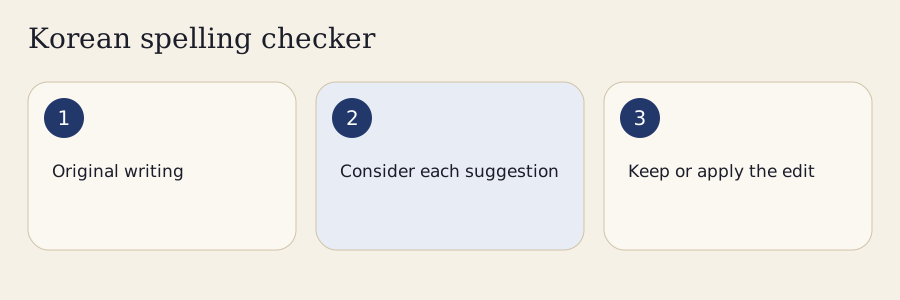
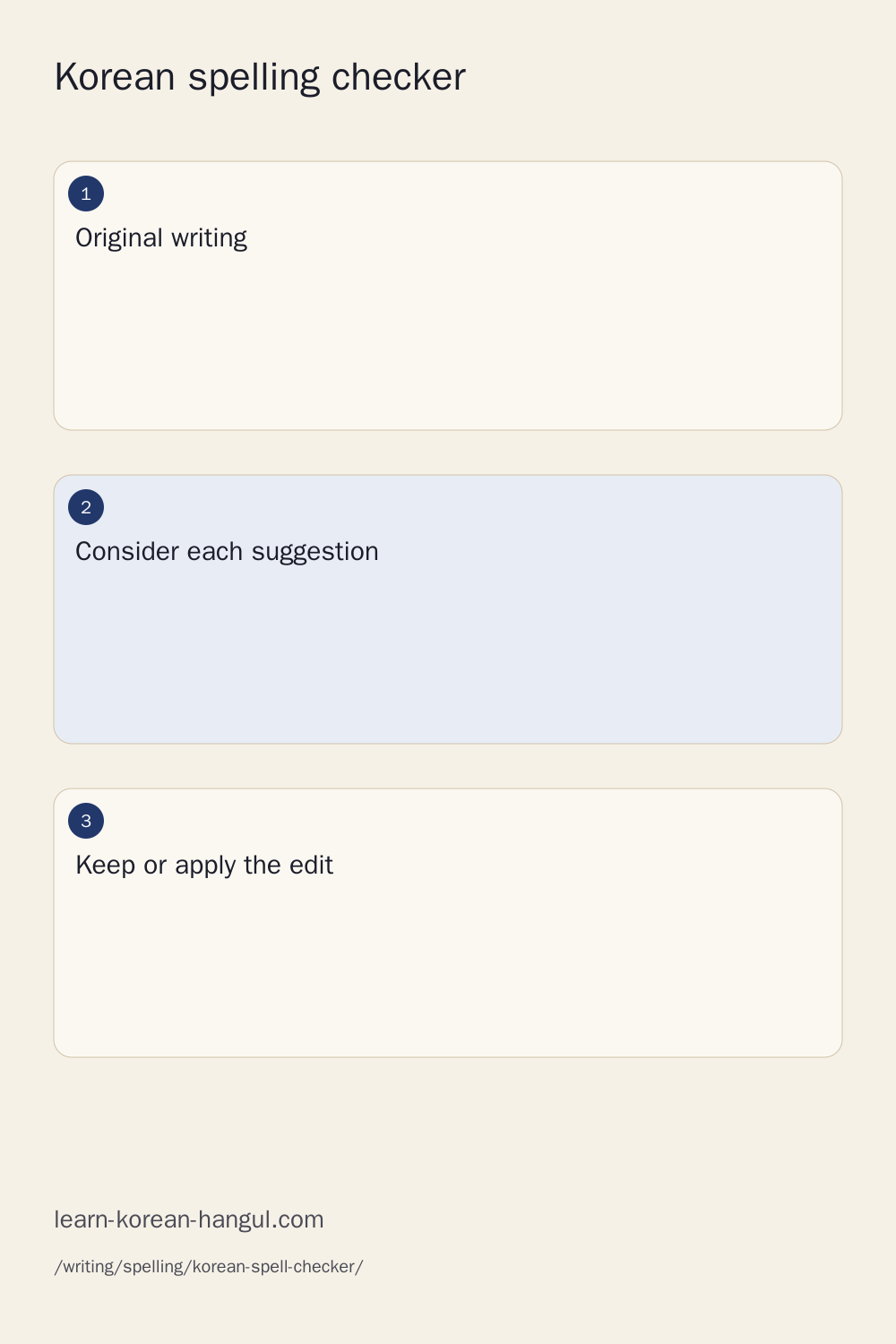
Paste a sentence, choose Check, and read one suggestion before accepting it. The result shows the original span, a possible replacement, the category and a reason. A suggestion is a question about your writing, not permission for the tool to replace everything automatically. Keep your intended message in mind while deciding whether the replacement belongs in that sentence.
- Enter Korean text in the input. For a long document, work through its pages without losing the remaining paragraphs.
- Choose Check after finishing composition with your Korean keyboard. You can also use Control and Enter.
- Read the suggested edit and its explanation. If several alternatives appear, choose the one that expresses your meaning.
- Accept the edit, keep the original, or skip it while you examine another suggestion.
- Open More to compare the original and chosen text, undo an edit, or copy the version you selected.
- Read the whole sentence again. A locally plausible spelling repair can still change the subject, emphasis or intended relationship between words.
The initial example contains a greeting boundary and a familiar conjugation confusion. It helps you explore the review controls before pasting personal writing. Reset returns you to that example. Checking a new passage starts a new set of decisions; it does not secretly carry accepted replacements into unrelated text.
Review One Change before Applying Several
Each suggestion belongs to a specific source span. Read that span together with the words around it. The checker preserves the input used for that result, so you can compare what you wrote with the wording you chose. Undo and redo provide recovery when an accepted edit needs reconsideration.
Some edits overlap. Two suggestions for the same phrase are alternatives, not independent corrections that should both be applied. Changing one span also changes the positions of later characters. The tool rechecks the resulting text rather than treating old offsets as permanently valid. An edit report records selected changes, but a report is not proof that the resulting sentence has been professionally edited.
What Does a Korean Spelling Checker Check?
This checker separates spelling, spacing, grammar candidates and style decisions. Its small local rule pack catches a stated set of patterns; it does not inspect every possible Korean construction. A result without suggestions means that the supported rules found no issue in the text checked. It is not a certificate of correctness, and it does not establish that an essay sounds natural.
| Category | What to inspect | What the result cannot establish |
|---|---|---|
| Spelling | The written form of a word or ending | Whether that word expresses your intended sense |
| Spacing | A possible word boundary | Whether an ambiguous compound has the intended meaning |
| Grammar candidate | A relationship between words | Which subject, object or message you intended |
| Style preference | Tone, consistency or a manual rewrite | A universally appropriate social register |
Choose spacing-only mode when you want to examine boundaries without mixing in other candidate types. Use the broader local mode when you want the supported spelling patterns too. Context-sensitive suggestions stay clearly identified because a surface string may be correct in one sentence and unsuitable in another.
Spelling, Spacing and Grammatical Meaning
Spelling concerns the written form; pronunciation is a related but different question. A word can sound different from a letter-by-letter reading while retaining its standard spelling. You should therefore avoid rewriting Korean simply to make the letters resemble a sound recording.
Spacing can reveal structure. Grammar additionally depends on which words are related and which role each noun plays. If a suggestion changes a particle or a predicate, ask whether it changes who does something, what they like, or what happened. A neat-looking replacement is not enough. The particle lessons explain choices that a spelling tool cannot infer from a short isolated phrase.
How Are Spelling and Spacing Suggestions Generated?
The local checker applies authored candidate rules to a normalized analysis view of your text. It retains a mapping back to the original characters, so a highlighted span refers to what you actually entered. This matters for combining characters and for emoji: a displayed character is not always one JavaScript code unit. Exported source offsets are explicitly UTF-16 offsets.
Rules can identify a familiar written sequence, but a sequence alone does not resolve every lexical sense. Protected ranges and context labels prevent some risky replacements. Morphology can help describe possible stems and endings; it remains a separate layer from declaring a spelling error. A morphological analyzer may correctly identify several possibilities without deciding which one the writer intended.
A larger local Kiwi analyzer is available as an explicit optional download in the analysis workspace. It is a real model, with a substantial download and memory cost. Its output is displayed as analysis candidates, not silently turned into spacing repairs. The small rule pack remains usable without it. No manuscript upload is needed for either of these local workflows.
Sources, Versions and Supported Rule Coverage
The methodology distinguishes authored rules, official language references and model analysis. An explanatory source link tells you where to investigate a rule; it does not mean that every candidate in this version has received individual linguistic approval. Check the linked explanation and its conditions before applying a rule to a different construction.
Current official answers can also refine simplistic classroom rules. The National Institute of Korean Language's date-expression answer from April 2026 discusses spaced and attached numerical date expressions and the established month names. Such evidence is a reason to preserve acceptable alternatives, not to force every text into one preferred display style.
When Can Korean Spacing Change Meaning?
Spacing can change the structure or sense of a Korean expression. A checker should ask for context when the same letters support more than one analysis. It should not assume that every attached sequence needs splitting or that every separated sequence needs joining.
The distinction involving 안되다 and 안 되다 is a useful place to slow down. A lexical expression and a negative construction can serve different purposes. The local checker therefore presents this family as needing context instead of automatically inserting a space. Read the surrounding sentence and consult the relevant lesson before selecting a replacement.
Proper names add another difficulty. A business, personal name or product label can contain a sequence that resembles an ordinary phrase. Enter important names in the protected-word list before checking a document. This reduces unwanted candidates inside those strings, but it does not make the surrounding grammar correct. Protection is a writing preference, not a dictionary entry or a claim about every possible spelling of a name.
Particles and Dependent Nouns in a Sentence
Particles attach to the preceding word in ordinary Korean writing. A dependent noun typically needs its own boundary in the construction it belongs to. These principles explain why blanket advice to separate every meaningful syllable is unreliable: a syllable may be part of a word, a particle or another grammatical element.
The expression 할 수 있다 is a familiar dependent-noun example. Review the entire construction when a suggestion concerns 수 rather than treating the syllable as an isolated spelling problem. The dependent noun spacing lesson gives the broader explanation and practice. If you repeatedly accept the same kind of boundary edit, studying that construction is more useful than relying on repeated automatic fixes.
Allowed Alternatives for Auxiliaries and Numbers
Some constructions allow more than one written form under the relevant conditions. Auxiliary-verb spacing is a particularly important case: a checker should not treat every attached form as an error just because a teaching example uses a space. The pair 먹어 보다 and 먹어보다 illustrates a context in which the auxiliary construction can admit both forms. Its grammatical analysis matters; you cannot generalize that permission to every adjacent verb.
Numbers and units also deserve careful treatment. The official date-expression answer cited above allows alternatives for numerical date expressions and discusses when numerical unit expressions may be attached. The answer also identifies established month names such as 유월 and 시월. This checker does not convert every numerical expression to a single house style.
Use accepted auxiliary verb spacing for the conditions behind the alternatives. A style preference can help make an essay consistent, but label it as a preference. An acceptable form should not become a red error simply because a writer selected another consistent presentation elsewhere.
Worked Examples: Inspect the Suggestion
These examples show four different decisions. The first concerns a familiar written ending. The second concerns an accepted alternative. The third protects intentional content. The fourth asks what you mean before a grammatical replacement. Use them as exercises in deciding which change fits your intended message.
Example 1: 되요, 돼요 and 되어요
Enter 되요 and run the local check. The checker offers 돼요 and the full form 되어요 as candidate replacements. This is a useful example because a shortened form and a full form can both belong in the explanation. A tool that presents only a short replacement can leave a learner thinking the fuller wording is impossible.
Select the proposed form you want, accept that single edit, then compare the original and chosen text. The comparison should show the change you actually selected. Undo it if you intended to keep the original while studying the explanation.
The 되 and 돼 conjugation lesson explains the relationship more fully. The verb conjugator lets you compare full and contracted forms without turning an isolated spelling observation into a claim about an entire sentence. Always review the sentence around the ending as well.
Example 2: 먹어 보다 and 먹어보다
Check both forms separately. The checker should preserve these accepted auxiliary variants rather than insist that one is always incorrect. That absence of a hard error is a deliberate false-positive control, not evidence that the tool has checked every other part of your writing.
Now consider what you would put in an edit report. If you choose one form for consistency, describe the decision as a style preference. Do not describe the other form as ungrammatical merely because it differs from your choice. This distinction makes teacher feedback more useful: a learner can understand which change repairs a problem and which change follows the essay's chosen style.
When a checker elsewhere disagrees, examine whether it has identified a different construction or simply uses a preferred spelling. The auxiliary lesson explains why a valid alternative must remain available. A local consistency choice belongs to the writer and should be easy to undo.
Example 3: Preserve a Name and Quoted Chat
Add a personal name such as 엠마 to your protected-word list before checking a passage that includes it. Keep quotation protection enabled when the quoted words must remain faithful to a message, interview or creative dialogue. A quotation can contain intentional slang, expressive repetition or a spelling that you are discussing rather than endorsing.
The tool skips candidates inside protected ranges. Review the sentence outside those ranges as usual. Protection does not prevent you from manually editing a quotation; it prevents a supported automatic candidate from unexpectedly rewriting the protected material.
For an essay, distinguish a quotation from your own narrative. If you need to explain a spelling in quoted chat, write that explanation beside the quotation rather than silently changing the evidence. Code fragments, links and email addresses receive similar protection because a superficially plausible Korean edit could break an address or alter an executable string.
Example 4: Two Meanings behind a Grammar Suggestion
The phrase 영화를 좋아요 raises a question about the intended predicate and particle. A candidate might suggest 영화가 좋아요 or 영화를 좋아해요. Those alternatives involve different structures and shades of meaning. The checker cannot safely choose solely because both outputs look familiar.
Read the alternatives and decide what you meant to say. If the intended message is unclear even to you, expand the sentence before checking it again. Context can include a topic, the person whose preference is being described and what the surrounding conversation is asking.
This is why grammar candidates stay separate from straightforward spelling candidates. Accepting the first listed option is not a substitute for deciding what relationship the sentence expresses. The particle lessons and a trusted Korean reviewer are the appropriate next steps when an important message depends on that distinction. Keep the original available so you can explain the decision later.
Can a Checker Make Korean Sound Natural?
A checker can help you notice supported patterns and compare possible wording. It cannot establish naturalness for every situation. Natural expression depends on meaning, audience, relationship, genre and the surrounding conversation. An expression suitable for a friendly message may be unsuitable for an application letter without being a spelling error.
This version offers a set of tone labels for organizing a manual rewrite. Those labels are preferences and prompts; they do not run an unseen language model. Enter your own proposed rewrite and inspect important invariants before adopting it. Compare your own proposed wording manually; this checker does not generate rewrites or translate text.
When another tool offers a polished rewrite, compare more than fluency. Check names, quantities, dates, negation, quotations and the requested action. A rewrite can sound smooth while changing whether something happened or who is responsible. For consequential writing, use human review alongside the checker. A spelling tool provides observations, not the social judgment of someone who understands your situation.
Choosing a Register without Changing the Message
Choose a register because it fits your intended reader. Casual, polite and formal wording are not interchangeable labels for good and bad Korean. They describe choices within a social and textual context, and an isolated sentence may not provide enough evidence to choose among them.
The manual rewrite workspace compares important strings such as numbers and negative markers. This can expose an obvious change, but it does not prove semantic equivalence. Tense, emphasis and implication may change without altering any of those protected strings. Reread the original and proposed wording as complete messages. Keep quotations intact unless changing them is an explicit part of the task.
Is Your Text Checked Locally or on a Server?
The current rule check runs in your browser. The optional Kiwi analysis also runs locally after a deliberate model download. This version does not provide a connected server grammar or rewriting service. Selecting a style label does not send text to an external provider.
| Workflow | Processing location | What you choose |
|---|---|---|
| Supported rule check | Browser worker | Check the current text |
| Optional morphology | Browser worker with downloaded model | Agree to the large local download |
| Manual rewrite comparison | Browser | Enter and inspect your proposed wording |
| File extraction | Browser | Choose a file and inspect extracted text |
| Sharing or report export | Deliberate download or copy | Select what to include and share yourself |
Text is not placed in the page URL, and checking does not create an indexed document page. A downloaded report can contain private writing, so preview what you export. You decide whether to send that file to a teacher or colleague; the checker does not automatically contact them.
Offline Checks, Saved Words and Local History
Offline availability depends on the assets actually saved in your browser. Saving the tool pack caches working assets, not your manuscript. A browser can remove cached files, and a missing optional model prevents that analysis until its assets are available again. The small local rules have their own simpler coverage.
Preferences can be saved only when you choose that option. Session history is held in memory for the current workspace; it is not a promised encrypted cloud archive. Export important work deliberately if you need to keep it. Delete the optional model cache or saved tool pack through the provided controls when you no longer need the downloaded assets.
How Do You Check a Long Essay or Document?
The document limit is 100,000 Unicode code points, with active pages of up to 5,000 code points. Paging keeps the working controls usable while retaining the remaining text. A long essay should be checked in context: review each paragraph, then compare transitions and repeated terminology across the full document.
You can import text, Markdown, HTML or DOCX paragraph text within the stated file limits. The extractor preserves the original file for download. Extracted DOCX text does not retain every formatting run, comment, table relationship or document layout. Exported DOCX contains plain text paragraphs; it is not a faithful round trip of a richly formatted manuscript.
In More, choose Image or PDF intake to extract one PDF page locally. Embedded text needs no OCR model. For scans or images, choose the explicit Korean OCR download and inspect its editable draft before using it. Your source remains on your device, and the extracted text does not retain the original page layout. Characters from a scan may be recognition errors rather than writing mistakes. The browser's print workflow can create a comparison PDF, but that output is separate from reading an imported PDF.
Imports, Comparisons and Teacher Reports
Inspect extracted text before checking it. A line break, missing table boundary or joined heading can create a misleading candidate. Preserve the original document so that you can distinguish an extraction problem from a spelling problem.
The comparison and report exports show the original, chosen text and recorded decisions. A report can help a teacher see how you reasoned, but you choose whether to share it. Review exported notes and private passages first. Batch file checking produces local reports within the limits; it does not automatically rewrite every file or upload a folder. The exported revision uses supported plain-text paragraphs. Copy it into your editor or use the versioned report for your own local workflow; browser, Office and Google Docs add-ins are not supplied by this page.
Why Do Korean Checkers Disagree?
Checkers can differ because their rule packs, dictionaries, models, normalization and preferred styles differ. One may highlight an accepted variant; another may miss a genuine problem outside its supported patterns. More red highlights do not necessarily mean better accuracy, and fewer highlights do not mean a perfect document.
Compare the explanation and source behind a disagreement. Ask whether the proposed change concerns spelling, spacing, intended grammar or a stylistic preference. A named entity may also be unknown to one dictionary and familiar to another. Protect intentional content before using the disagreement as a teaching example.
This tool does not rank competing products by an unmeasured accuracy percentage. Its small authored rule scope is described openly. For a high-stakes document, use a knowledgeable reader and official reference material to resolve disagreements instead of voting for whichever checker produces the most confident wording.
Which Corrections Should You Question?
Question any suggestion that changes a name, a numerical value, negation, a quotation or your intended subject. Also examine replacements that depend on a compound's lexical sense, an ambiguous particle or an auxiliary construction with valid alternatives.
- Keep the original when you cannot explain why the replacement fits.
- Read the linked rule and distinguish a requirement from a preference.
- Add context rather than guessing between meaning-changing alternatives.
- Check the whole paragraph after an edit, including references to earlier sentences.
A confident label should never prevent you from rejecting a candidate. The final text remains your choice, and a useful correction should be explainable in the context where you plan to use it.
Frequently Asked Questions
Does the checker support North Korean spelling conventions?
The local rules target the South Korean standard described by their source notes. They do not convert or certify North Korean orthography. Intentional dialect or regional language can be kept unchanged or protected. If your writing needs a different standard, ask a qualified reviewer who works with that convention.
Can I check a Korean sentence written in Roman letters?
Romanization is not enough to judge Korean spelling and spacing directly. Obtain candidate Hangul with the romanization tools, verify the words and intended meaning, and then check that Korean text. Several Hangul expressions can resemble the same Roman-letter sequence, so automatic conversion does not settle the original sentence's meaning.
Will punctuation inside a quotation be rewritten?
Quotation protection is enabled for the supported local rules, so candidates inside protected quotations are skipped. You can choose a different scope when deliberately editing quoted text. This version does not provide a broad punctuation rewriting engine. Always compare the selected output with the original before changing a quotation used as evidence.
Can my teacher see which suggestions I rejected?
Only if you deliberately export or share that information. Review controls record decisions in the current workspace, and an edit report can include them for discussion. There is no automatic classroom sharing. Preview the report and decide which private passages or notes belong in the material you send to your teacher.
What happens when my browser cannot load the local model?
Your original text remains available, and the small local rules still have their stated coverage. The optional morphology download may be unsuitable for a device with limited memory. Cancel it, use the supported rules, or seek manual review. A connected server fallback is not supplied by this version of the tool.
Where Can You Learn the Rule behind an Edit?
Start with Korean spelling rules when the same written confusion appears repeatedly. For boundaries, use Korean spacing rules and the specific dependent-noun or auxiliary lessons linked above. A construction-specific lesson teaches more than memorizing one corrected phrase.
Use the verb conjugator to examine a stem and its accepted forms, then return to your original sentence to choose the form that belongs there. Dictionary senses help when a word's meaning matters more than its appearance. The Korean learning tools hub links typing, pronunciation and other practice tools. Keep a short personal list of recurring decisions with your own example sentences and the reason for each choice.
Korean Spelling Checker Sources and Corrections
This Korean spelling checker combines authored candidate rules, source references and optional local morphology. Read a candidate together with its explanation and surrounding sentence. Official reference links help you investigate the underlying rule; a source link alone does not establish that a proposed change fits every context.
When reporting an issue, include a non-private minimal example, the original span, the proposed replacement and the intended meaning. Mention an acceptable variant if the checker rejected one. That information helps distinguish a rule gap, a context problem and a mapping bug without needing your entire essay. Consult the site's corrections information for the current contact route before sharing sensitive writing.