Korean Vocabulary Quiz: Choose Your Words
Choose a topic you have studied or supply a paired list of Korean words and meanings. The best starting set is one small enough that you can inspect every answer and explain a missed word. A finite quiz checks that selection, rather than estimating every word you know.
The ten retained topic quizzes provide 153 site questions. Custom lists let you use a lesson's vocabulary or your own study notes. Those sources have different responsibilities: a topic question has a supplied key, while a custom question depends on the pairing and sense you enter. An import does not automatically verify the Korean or its translation.
Before starting, decide the direction. Recognizing the meaning of a Korean word differs from retrieving Korean from an English prompt. Also decide whether hints, romanization or sound are allowed. Keeping those conditions steady makes later comparisons more useful.
Use a short untimed set first. Check that the prompt makes sense and that the answer options have a single intended match. If the list contains unfamiliar words, learn them before treating the quiz as a test of memory. The next step is choosing the source.
Topic Quizzes and Lesson Word Sets
A lesson explains vocabulary; a topic quiz samples a fixed selection of questions. Read the lesson when you need meanings and usage, then use a quiz to check what you can recognize without rereading the explanation.
The directory below retains colors, family, body parts, fruit, animals, food, numbers, days, months and counters. Number words and counters also involve usage rules, so knowing a translation may not be enough for every question. Choose the theme that matches today's study rather than mixing all topics immediately.
A score from a food set describes the food questions you attempted. It should not be compared directly with a counters score as though the two sets had equal difficulty. Preserve the topic and question count in your notes. When a particular theme causes trouble, return to its lesson or matching flashcard deck before repeating the test.
- Colors in Korean Quiz
- Korean Family Members Quiz
- Body Parts in Korean Quiz
- Fruits in Korean Quiz
- Korean Animal Quiz
- Korean Food Quiz
- Korean Numbers Quiz
- Days of the Week in Korean Quiz
- Months in Korean Quiz
- Korean Counters Quiz
How Do You Make a Quiz from Your Own List?
Import or paste a Korean–meaning list, inspect the pairs, choose a mode and preview the resulting questions before starting. A clean list has one intended sense per row and enough information to distinguish overlapping meanings.
- Choose the source. Take a short group from material you can use, retaining its source reference.
- Enter paired values. Place the Korean and its meaning in the appropriate fields or import columns. Check that a header has not become a vocabulary item.
- Inspect each sense. Separate different meanings when the exercise needs them. Resolve blank cells, duplicates and misplaced columns.
- Choose direction and activity. Use choices for recognition or typed answers for retrieval, depending on your goal.
- Preview before assigning. Check the accepted answer and every competing choice, then save the exact assignment you want to use.
For a five-word example, use the restaurant lesson's 식당, 메뉴, 주문, 계산서 and 포장 with its supplied meanings. Preview each pair individually; do not assume that an English gloss captures every use of a word. The restaurant words to review explain the context behind those five entries.
Recognition, Recall and Context
Recognition means selecting or identifying an answer you can see. Recall means retrieving an answer without being shown it. Context adds information about the intended use, which can resolve ambiguity but can also make an answer easier to guess.
| Activity | Prompt and Response | What to Keep in Mind |
|---|---|---|
| Choices | Select a meaning or Korean word | Options supply clues and spellings |
| Typed recall | Enter an answer from memory | Keyboard skill and accepted variants affect results |
| Matching | Pair visible words and meanings | Remaining pairs can reveal later answers |
| Self-check | Think, then reveal and judge | Your own grading determines the result |
| Context-based question | Answer within supplied context | The intended sense must fit that context |
A correct choice does not prove that you could write the same word independently. A typed mismatch also does not automatically mean you forgot the meaning; you may have made a typing slip or used an unlisted equivalent. Read the answer policy before testing.
Compare sessions in the same mode when possible. Switching modes is useful practice, but label the switch so a lower percentage is not mistaken for lost knowledge.
Which Quiz Mode Should You Choose?
Choose choices when you want to check recognition, and typed recall when you want to retrieve an answer yourself. Start with a known word set; unfamiliar vocabulary turns the exercise into initial learning rather than a memory check.
A learner who reads a word correctly but cannot produce it can use recognition first, study the missed pairs and then try recall. A learner practising keyboard entry can keep the vocabulary familiar so that typing is the main new challenge. These are practical teaching suggestions, not promises about learning speed.
Self-check works when you want to think or write on paper before revealing a key. Be consistent about what counts as success: recalling only the meaning and recalling the full Hangul spelling are different goals. For accessible practice, choose text whenever audio or pictures do not provide usable information. The activity should expose the skill you want to practise.
Listening, Pictures and Word Games
A listening prompt needs playable sound that does not reveal the target through another visible clue. The tool's audio uses an installed device voice; it is not a collection of human recordings. Voice availability and sound quality depend on the device. A missing voice leaves text practice available but cannot support a listening result.
Audio can also supply assistance in a reading or recall question. Hearing the target word may answer the question itself, so record the support instead of comparing that attempt with an unaided typed answer. Romanization can similarly give a learner a spelling clue.
Picture-based practice depends on a picture with a clear intended meaning and appropriate permission to use it. An object with several plausible labels needs context. Matching, open-box reveals and other word games change how clues appear; they do not automatically make the assessment broader.
Choose a game for variety or repeated contact with words. Choose a stable question mode when you need comparable results. Keep every activity's source and assistance conditions visible in your notes.
Words, Senses and Fair Answers
A sense is one particular meaning of a word. A fair question identifies the sense it asks about and avoids treating another valid answer as a wrong option. The part of speech also matters: a noun, verb and descriptive expression do different jobs even when their translations share related ideas.
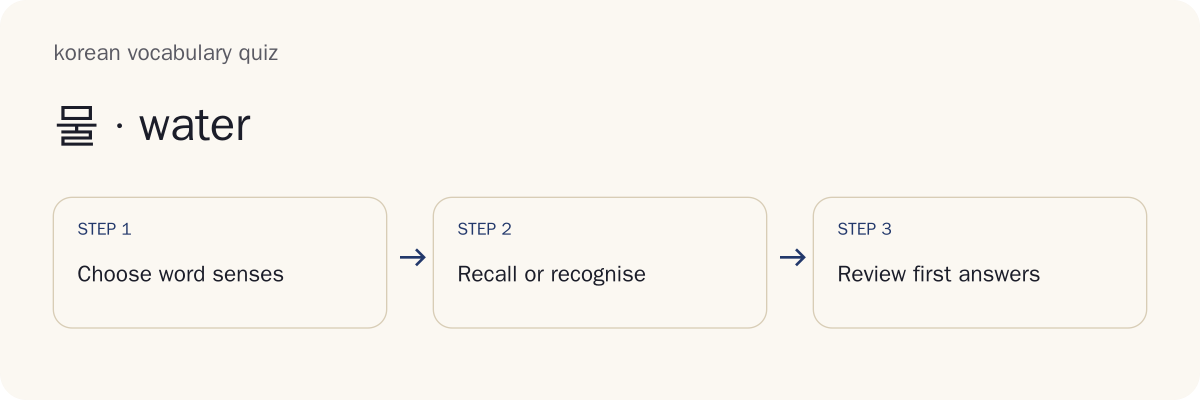
Consider 물 with the intended answer “water,” as in the site's core-word list. “Juice” is another drink, but it is not the meaning of that target. “Drinking water,” however, may overlap with the intended sense. Putting both “water” and “drinking water” among the choices can create a question with two defensible answers.
Useful competing options are plausible enough to require knowledge while remaining wrong for the stated prompt. Difficulty should come from distinguishing meanings, rather than from guessing which equivalent the author prefers.
For custom material, preserve the exact pairing and any source note. If a word has several meanings, supply the relevant context or narrow the gloss. Preview the question from a learner's perspective: could a person who knows the word still reasonably choose more than one option? Fix that issue before using the result to guide review.
Why Can One Korean Word Have Several Answers?
One Korean word can have several meanings, and one meaning can have several English translations. A quiz needs to distinguish those two situations. The written form alone may not specify the intended sense.
The site's food flashcards give 밥 as “cooked rice; meal.” If a bare question asks for the meaning of 밥, both answers may be defensible. A quiz author should either list the accepted meanings or provide context that selects one. Marking “meal” wrong merely because the key contains “rice” would hide the word's range.
The useful unit for review is therefore a word together with its intended meaning. Recognizing one use does not show that you know every use, and missing one context does not prove that the word is completely unfamiliar.
Homographs are written forms shared by different meanings. Such items need a meaning label or context that makes the question answerable. Rather than adding every possible translation automatically, check the source and the particular question. A clear prompt makes the result about vocabulary knowledge instead of an unstated preference.
English and Spanish Answer Variants
Accepted variants should be explicit in the paired list or question key. A translation may have several ordinary equivalents, but automatic loose matching can also accept a wrong meaning. The safest recovery for a disputed answer is to inspect the sense and key.
English alternatives such as “bill” and “check” can describe the restaurant document in the site's 계산서 entry. If both are intended, include both in the accepted-answer policy before assigning typed practice. The student should not have to guess which regional expression the teacher expects.
Spanish text needs its own accurate spelling and meanings. Accents and ñ are part of written answers; removing them everywhere can hide distinctions. A form such as café also illustrates why an accent policy should be clear in advance.
Keep Korean, English and Spanish fields separate when importing bilingual material. A column shift can put the wrong language into the key. Inspect the preview and retain source context instead of assuming that an imported translation is correct.
What Happens When Two Choices Are Correct?
Flag an ambiguous question and inspect the prompt, sense and accepted answers. Excluding an invalid question from the score prevents it from being treated as evidence of a vocabulary mistake while preserving the attempt history for discussion.
A learner should explain the competing answer rather than simply changing it to match the key. A teacher can then decide whether the prompt needs narrower context, whether an alternative belongs in the key, or whether a competing option should be replaced.
Make the correction before generating a new assignment. Preserve the original attempt and identify the changed version so earlier results remain understandable. A corrected question is useful practice, but the revised key should not silently rewrite what a student originally saw.
Preview is the first defense against ambiguity. Look at each option and ask whether it answers the stated question. If two do, fix the item before using it in a timed challenge or a shared worksheet.
Quiz Scores and Review Decisions
Read a score as a count of correct first attempts out of the valid scheduled questions, together with the activity and support conditions. The percentage is that correct count divided by the valid question count, multiplied by 100. Assistance, reveals, skips and voided questions need their own labels.
For example, two correct first answers in five valid questions give 2/5, or 40%. If one invalid question is voided and neither of the two correct answers changes, the result becomes 2/4, or 50%. The percentage rises because the denominator changed, not because the learner suddenly learned another word.
A skipped valid item still tells you that no successful independent answer was supplied. A revealed answer supports learning but should not become a first-try success. A retry can show correction after feedback.
Use the missed-word list to choose a study task. Inspect the cause before adding every mismatch to the same category: unfamiliar meaning, unlisted equivalent and typing slip require different responses. Save the set and mode with your score.
Does a Vocabulary Score Show Your Korean Level?
A vocabulary score describes the selected questions and cannot certify your overall Korean level. Small topic sets do not test the full range of listening, speaking, reading, writing and grammar, or represent every word in the language.
Knowing the food words in one set can coexist with difficulty following a conversation. Guessing correctly from choices also differs from using a word in a new sentence. A higher repeated-set score may reflect memory for those exact prompts.
Claims about TOPIK or CEFR require an assessment designed and validated for that purpose. This quiz does not convert its percentage into an official proficiency label or an estimated total vocabulary size. A convenient list is not a calibrated sample of a learner's whole knowledge.
Use the result to answer a smaller question: which meanings in this set should I revisit? Record the prompt direction and assistance so the answer stays useful. For wider study decisions, consider a broader Korean level check and read its scope and limitations separately.
How Should You Review Missed Words?
Review the meaning and explanation, try the word again, then check it in a later session without the same immediate clues. Start with the specific sense you missed rather than memorizing an isolated translation that may not fit the original question.
For a missed 밥 item, inspect whether the question concerned cooked rice or a meal. The food-word flashcards show both uses and give you a place to review that distinction. Then return to a food quiz or a short custom list.
Export a missed-word set when you want to move the material into another study workflow. Inspect the pairs and source notes before importing them elsewhere. A quiz retry does not by itself provide a spaced-review schedule.
Keep new-word testing separate from repeating an old set. Both are useful, but the second can become easier through familiarity with the exact choices. One new question with the same sense gives a more informative follow-up.
Printable Quizzes and Teacher Assignments
A printable quiz lets a teacher distribute a fixed question set and keep its matching answer key separately. Generate the set, inspect every item and print the exact form you intend to assign. Check the preview for missing text, clipped choices and answer material that should be absent from the student copy.
A frozen assignment records the selected questions and accepted answers. Save it with a descriptive filename that identifies the topic, version and mode. If you create another order, print the matching key for that order instead of reusing the old page.
Before sharing custom material, check permission for its text, pictures and recordings. A lesson you can read online is not automatically material you can redistribute. Include source information where required.
Students can share chosen result files with a teacher deliberately. Hosted classroom management and automatic teacher reporting are unavailable here. Decide how you will distribute the files and receive responses.
Treat the worksheet as practice material rather than a secure exam. A learner may have access to the same public topic questions or an exported key, so the result should support discussion and review.
Keeping Answer Keys Reproducible
A seed helps reproduce an order, but the seed works with a fixed content version. If the underlying questions or accepted answers change, the same seed alone does not guarantee the same worksheet. Preserve ordered item information and the frozen assignment.
Keep student and teacher copies together in your own files. Compare a sample question and its keyed answer before distribution, especially after regenerating or editing a set. A filename such as “food form B” helps people choose the right pair, but the saved content remains the reliable reference.
When correcting an ambiguous item, make a new version and retain enough information to explain the earlier form. Reproducing an earlier assignment and improving a later one are both useful; they should not silently replace each other.
A public topic link preserves its topic and seed, rather than every private list detail. Use the frozen file when exact custom content is what you need to retain.
Privacy, Offline Use and Imported Material
Local practice keeps the quiz interaction in your browser. Custom lists stay in the open page unless you deliberately export them. Public topic links contain topic and seed information, while a private assignment file can contain the vocabulary and answers you entered. Inspect the file before sharing it.
Save the offline tool through its options when you want cached public page assets for later visits. Loading a page once and saving a complete offline tool are different actions. Confirm that the saved topic opens and works before relying on it away from the network.
Device speech needs an available Korean voice. An installed local voice may work without internet, while newly selected external or uninstalled assets remain unavailable. Treat missing audio as an availability issue, not a wrong learner response.
Imports also have privacy and permission implications. Use material you can lawfully use, avoid including personal details that are unnecessary for a vocabulary exercise and keep backups of your own files. Export is a deliberate handoff; it is not automatic synchronization or a teacher dashboard.
Can AI Questions Be Assigned without Checking Them?
Check every externally generated question before assigning it. Hosted AI generation is unavailable in this tool, and imported machine-produced material still depends on the quality of the list and key you supply.
For each question, verify the Korean word, intended meaning, context, accepted variants and competing options against a reliable source. Make sure that a sentence gap has a single intended answer; grammatical alternatives can make a supposedly simple item ambiguous. Inspect examples instead of assuming a fluent-looking sentence is correct.
Check media permission and source attribution as well as language. A correct-looking question can still include an image or recording you cannot redistribute.
Preview the question as a learner would see it, then test the answer key. When a meaning or example remains uncertain, resolve it with a qualified Korean teacher before assigning the material. The quiz runner can check a supplied key; it cannot establish the key's authority.
Frequently Asked Questions
The following answers cover input, private sharing, reproducible keys, disputed answers and offline availability. Choose a recovery step based on the specific issue rather than treating every mismatch or playback failure as forgotten vocabulary.
Can I use the quiz without installing a Korean keyboard?
Yes. Most topic questions use answer choices. Typed Korean practice can use your device keyboard or a separate online Hangul keyboard. Finish composing the syllable before checking an answer. If typing is the main difficulty, use choices or self-check first so the activity still focuses on vocabulary.
Can I keep a custom list private when sharing a result?
Yes. Custom lists stay in the open page unless you deliberately export them. Public topic links contain only a topic and seed. Choose exactly which result or assignment file to share; no learner voice or private list is automatically uploaded. Inspect the selected file before sending it to someone else.
Will changing the question order change my teacher’s answer key?
A seed and fixed content version determine the generated order. Export the frozen assignment to keep exact questions and accepted answers together. A different seed creates a different form; use its matching answer key. Check a sample question against the printed key before distributing a newly generated worksheet.
What if a correct synonym is marked wrong?
Compare the stated sense and accepted-answer policy first. Flag an ambiguous question to exclude it from the score, and export the retained attempt history. Custom lists use the meanings you supplied rather than automatically accepting guessed synonyms. A teacher can inspect the alternative and correct a later version when needed.
Can I continue a downloaded topic without internet?
The loaded quiz works locally. Save the offline tool through the options to cache its public page assets for later visits. Device audio needs an installed local Korean voice; newly selected external or uninstalled assets remain unavailable offline. Test the saved topic and playback before relying on them without a connection.
Your Next Korean Vocabulary Quiz
Choose one familiar theme for your next Korean vocabulary quiz, keep the mode steady and review the meanings you miss. Use the saved result to select a few words for another study session, then try a new question on the same sense. Explore Korean word topics when you need a lesson before testing. Compare independent answers with independent answers and keep assisted practice visible in your notes.